
1. Pendahuluan
The KKnoon TOOLTOP ET618 is a versatile handheld portable cable tester designed for network and electrical professionals. It integrates multiple functions including cable tracing, cable length measurement, Power over Ethernet (PoE) testing, and a full-featured digital multimeter. This manual provides detailed instructions for the safe and effective use of your ET618 device.
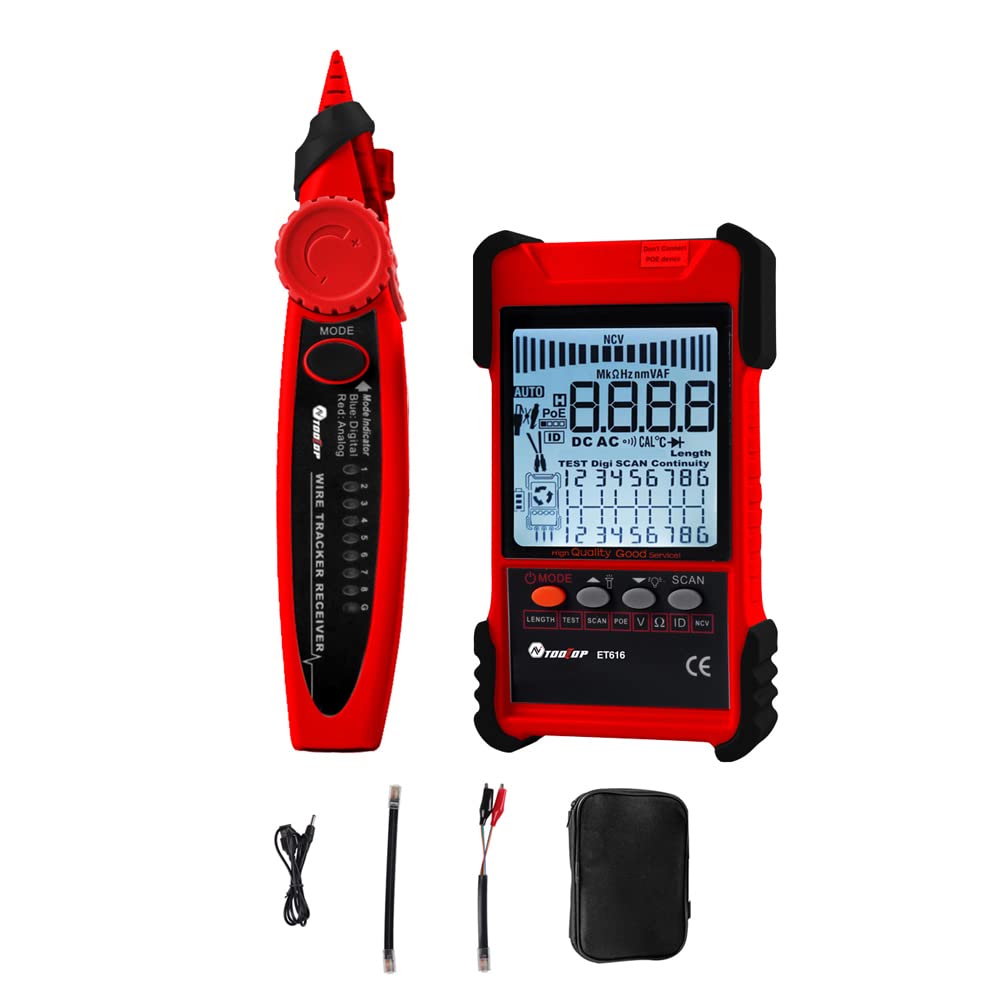
Figure 1: KKnoon TOOLTOP ET618 Handheld Portable Cable Tester (Main Unit and Receiver)
2. Informasi Keselamatan
Harap baca dan pahami semua peringatan keselamatan dan petunjuk pengoperasian sebelum menggunakan produk ini. Kegagalan mengikuti petunjuk ini dapat mengakibatkan sengatan listrik, kebakaran, atau cedera serius.
- Jangan gunakan perangkat jika tampak rusak atau tidak berfungsi dengan benar.
- Always ensure the device is powered off before connecting or disconnecting cables.
- Jangan biarkan perangkat terkena kelembapan atau suhu ekstrem.
- Gunakan hanya kabel pengisi daya dan aksesori yang telah ditentukan.
- Do not attempt to open or repair the device; refer all servicing to qualified personnel.
- Be cautious when working with live circuits, especially during multimeter functions.
3. Isi Paket
Verifikasi bahwa semua item yang tercantum di bawah ini disertakan dalam paket Anda:
- 1 x ET618 Host (Main Unit)
- 1 x Penerima
- 1 x Panduan Pengguna (dokumen ini)
- 1 x Clip Line
- 1 x Kabel Jaringan
- 1 x Recharging Line (USB cable)
- 1 x Tas Penyimpanan
- 1 x Temperature Probes
- 1 x Multimeter Probes
4. Produk Lebihview
The ET618 combines a cable tester and a digital multimeter into one compact device. It features an LCD display for clear readings and a built-in flashlight for use in low-light conditions.

Figure 2: ET618 Main Unit and Receiver with Dual Flashlight
Fitur Utama:
- Penelusuran Kabel: Quickly locate target cables in bundles.
- Cable Length Test: Measure the length of various metal cables up to 500 meters.
- Tes PoE: Check cable mapping polarity and voltage of PoE network switches.
- Fungsi Multimeter: Measure DC/AC voltage, DC/AC current, resistance, continuity, diode, and temperature.
- Layar LCD: Large screen for clear data visualization.
- Senter: Integrated light for improved visibility in dark environments.
- Sensitivitas yang Dapat Disesuaikan: Digital tracing sensitivity can be adjusted.
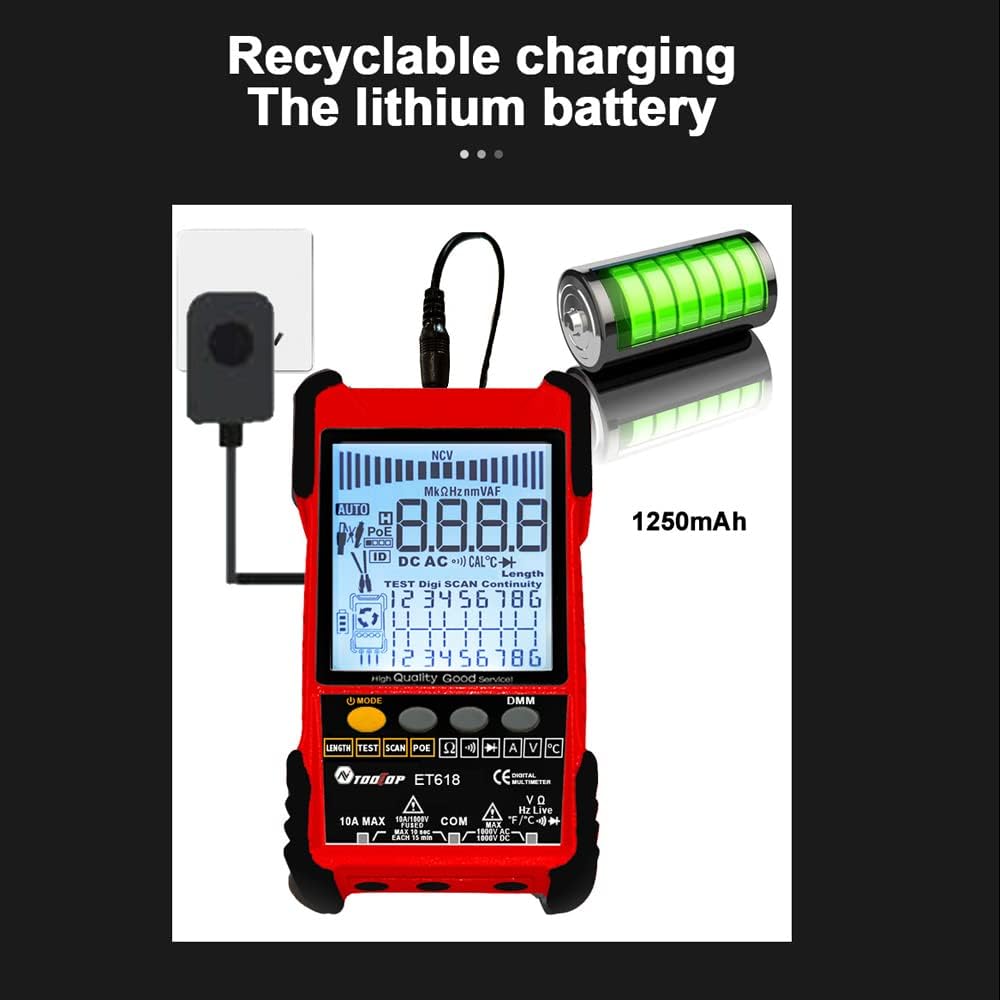
Figure 3: Product Differentiation (ET616 vs. ET618)
The ET618 model includes all features of the ET616, plus a comprehensive multimeter function and an extended cable length measurement range of up to 500 meters.
5. Pengaturan
5.1 Mengisi Baterai
The ET618 main unit is powered by a rechargeable lithium battery. Before first use, fully charge the device.
- Connect the provided recharging line (USB cable) to the charging port on the ET618 main unit.
- Hubungkan ujung lain kabel USB ke adaptor daya USB standar (tidak disertakan) atau port USB komputer.
- Indikator pengisian daya pada perangkat akan menunjukkan status pengisian daya. Setelah terisi penuh, lepaskan kabelnya.

Figure 4: Charging the ET618 Lithium Battery
5.2 Menghidupkan/Mematikan
Press and hold the power button on the main unit to turn the device on or off. The LCD display will illuminate upon power-on.
6. Petunjuk Pengoperasian
6.1 Cable Tracing Function
This function helps locate a specific cable among many, useful for telephone systems, computer networks, and BNC cables.
- Connect the cable to be traced to the appropriate port on the ET618 main unit (e.g., RJ45 for network cables).
- Select the "Trace" mode on the main unit.
- Use the receiver to scan the cables. The receiver will emit an audible tone or visual indication when it detects the signal from the target cable.
- Adjust the sensitivity on the receiver for precise tracing.
6.2 Uji Panjang Kabel
Measure the length of various metal cables with at least two cores, including network cables, telephone lines, and BNC cables.
- Ensure the cable is disconnected from any active network or power source.
- Connect one end of the cable to the main unit's appropriate port.
- Select the "Length" test mode. The device will display the measured cable length on the LCD.
6.3 Tes POE
Test Power over Ethernet (PoE) network switches to check cable mapping polarity and voltage.
- Connect the network cable from the PoE switch to the main unit's RJ45 port.
- Select the "POE" test mode.
- The LCD will display information regarding PoE voltage and cable mapping.
6.4 Multimeter Function (ET618 Only)
The ET618 includes a full-featured multimeter for various electrical measurements. Use the provided multimeter probes for these tests.
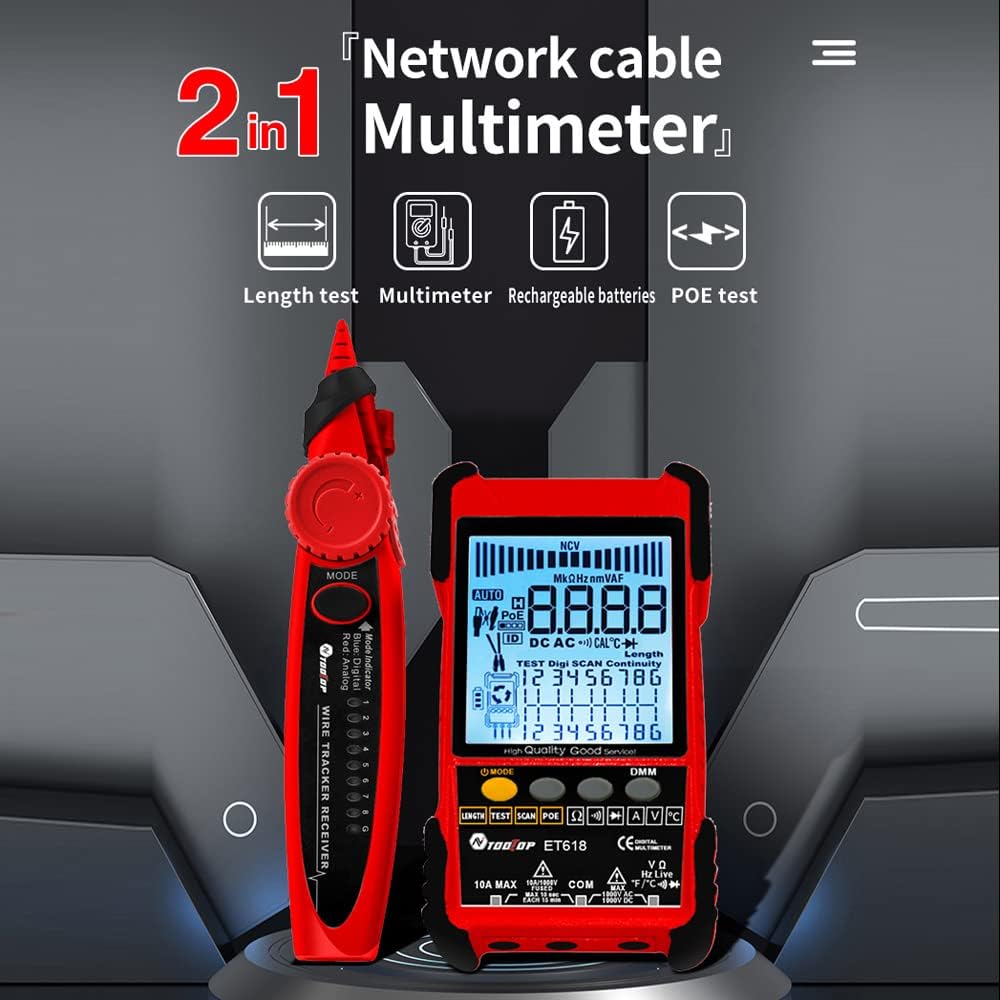
Figure 5: ET618 Multimeter Functions in Use
- DC Jiltage Pengukuran: Connect probes to the circuit, select DCV mode.
- AC Jiltage Pengukuran: Connect probes to the circuit, select ACV mode.
- Pengukuran Arus DC: Connect probes in series with the circuit, select DCA mode.
- Pengukuran Arus AC: Connect probes in series with the circuit, select ACA mode.
- Pengukuran Resistansi: Connect probes across the component, select Ω mode.
- Uji Kontinuitas: Connect probes across the circuit; a beep indicates continuity.
- Tes Dioda: Connect probes across the diode; the forward voltage drop akan ditampilkan.
- Pengukuran suhu: Connect the temperature probe to the device and place the sensor at the measurement point.
Always ensure the correct function is selected and probes are connected properly to avoid damage to the device or circuit.
6.5 Menggunakan Senter
The ET618 main unit and receiver are equipped with flashlights. Press the dedicated flashlight button (if available) or refer to the device interface for activation in low-light conditions.
7. Pemeliharaan
7.1 Pembersihan
Bersihkan perangkat dengan kain lembut dan kering. Jangan gunakan pembersih abrasif atau pelarut. Pastikan tidak ada cairan yang masuk ke dalam perangkat.
7.2 Perawatan Baterai
To prolong battery life, avoid fully discharging the battery frequently. If storing the device for an extended period, charge it to approximately 50% and recharge every few months.
8. Penyelesaian masalah
- Perangkat tidak menyala: Ensure the battery is charged. Connect the recharging line and try again.
- Pembacaan yang tidak akurat: Check cable connections. Ensure the correct mode is selected for the measurement. For multimeter functions, verify probe connections and component integrity.
- No signal during cable tracing: Ensure the main unit is in trace mode and the cable is properly connected. Adjust receiver sensitivity.
- LCD display is dim: Baterai mungkin lemah. Isi daya perangkat Anda.
9. Spesifikasi
The following table outlines the technical specifications for the ET618 model:

Gambar 6: Spesifikasi Teknis Lebih Lanjutview
| Fitur | ET618 Specification |
|---|---|
| Pelacakan Analog | Ya |
| Kontinuitas | Ya |
| Pelacakan Sakelar (dengan PoE) | Dengan fungsi Multimeter |
| Pemetaan Kabel | Ya |
| Beralih indikator berkedip | Ya |
| Penelusuran Digital Bebas Bising | Digital / Getaran |
| Jil.tage Pengujian | Dengan fungsi Multimeter |
| PoE Jiltage Mengukur | Jil.tage / Polaritas |
| Pemetaan ID Jarak Jauh | Opsional |
| Bargraf Analog | Ya |
| Main Body Flashlight | Ya |
| Multimeter Input Jack Indicator | Ya |
| Layar LCD | Ya |
| Senter Putih | Ya |
| Analogue Tracing Sound Adjustable | Ya |
| Indikator Baterai Lemah | Ya |
| Lampu Latar Putih | Ya |
| Indikator Penghematan Energi | Ya |
| 3km Analogue Tracing Signal Selectable | Ya |
| Multimeter Functions (ET618 Only) | |
| DC Jiltage | 400mV~1000V ±(0.8%+3) |
| AC Jiltage | 4V~400V ±(1.5%+5) |
| Arus DC | 1.0A~10.0A ±(1.2%+4) |
| AC Saat Ini | 1.0A~10.0A ±(2.0%+5) |
| Perlawanan | 200 Ω~20 MΩ ±(2%+6) |
| Kontinuitas | < 50 Ω buzzer beeps |
| Dioda | Ya |
| Suhu (tipe K) | -20~1000°C / -4~1832°F ±(2.0%+15) |
| Ukur Panjang Kabel Jaringan | 500 juta |
| Ukur Panjang Kabel BNC | Ya |
| Uji Hubungan Pendek / Sirkuit Terbuka Kabel Jaringan | Ya |
| Main Body Power | Baterai Lithium Isi Ulang 1250mAh |
| Daya Penerima | Baterai 9V |
10. Garansi dan Dukungan
This product comes with a standard manufacturer's warranty. For specific warranty terms, technical support, or service inquiries, please refer to the contact information provided with your purchase or visit the official KKnoon weblokasi.