1. Informasi Keselamatan
This OMTech 60W CO2 Laser Engraver is a Class 2 laser product with 0.827 mW output power. Always follow safety guidelines to prevent injury or damage. Read this manual completely before operation.
- Perlindungan Mata: Jangan pernah melihat langsung ke arah sinar laser. Selalu gunakan kacamata pengaman laser yang sesuai.
- Ventilasi: Ensure adequate ventilation to remove smoke and fumes generated during operation. The built-in air assist helps, but an external exhaust system is crucial.
- Keamanan Kebakaran: Do not leave the machine unattended during operation. Keep a fire extinguisher nearby. Engraving certain materials can cause flames.
- Kompatibilitas Bahan: Only engrave or cut materials compatible with CO2 lasers. Avoid materials that produce toxic fumes or are highly flammable.
- Pemberhentian darurat: Pelajari letak dan fungsi tombol berhenti darurat.
- Pengawasan: The widened viewing window is made from flame retardant material for safe observation of the engraving process.
2. Produk Lebihview
The OMTech 60W CO2 Laser Engraver is designed for precision engraving and cutting on various non-metallic materials. It features a 20x28 inch (500x700 mm) work area, autofocus, and a 4-way pass-through for larger items.

Gambar 2.1: Depan view of the OMTech 60W CO2 Laser Engraver.
Fitur Utama:
- Kekuatan Laser: 60W CO2 laser tube.
- Area Kerja: 20x28 inches (500x700 mm).
- Autofocus: Automatic focal distance adjustment.
- Autolift Workbed: Adjustable workbed height.
- 4-Way Pass-Through: Accommodates larger and longer materials.
- Bantuan Udara: Integrated air assist for smoke and dust removal.
- Dual Workbeds: Includes honeycomb and aluminum blade beds.
- Kompatibilitas Perangkat Lunak: Compatible with RDWorks, LightBurn, CorelDRAW, and AutoCAD.
3. Pengaturan
3.1 Unboxing dan Penempatan
Carefully unbox the laser engraver. Ensure the machine is placed on a stable, level surface in a well-ventilated area, away from flammable materials.
3.2 Koneksi
- Kekuatan: Sambungkan kabel daya ke stopkontak yang diarde.
- USB/Ethernet: Connect the machine to your computer using the provided USB or Ethernet cable.
- Pompa air: Connect the water pump and ensure the laser tube is properly cooled.
- Bantuan Udara: The machine has built-in air assist. Ensure the air compressor (if external) is connected and functioning.
- Sistem Pembuangan: Connect the exhaust pipe to an external ventilation system to safely remove fumes.

Figure 3.1: Proper connection of the exhaust system is essential for safety and performance.
4. Petunjuk Pengoperasian
4.1 Instalasi dan Konfigurasi Perangkat Lunak
Install the recommended laser software (e.g., LightBurn, RDWorks) from the provided USB flash drive or official website. Follow the software's instructions for machine connection and initial setup.
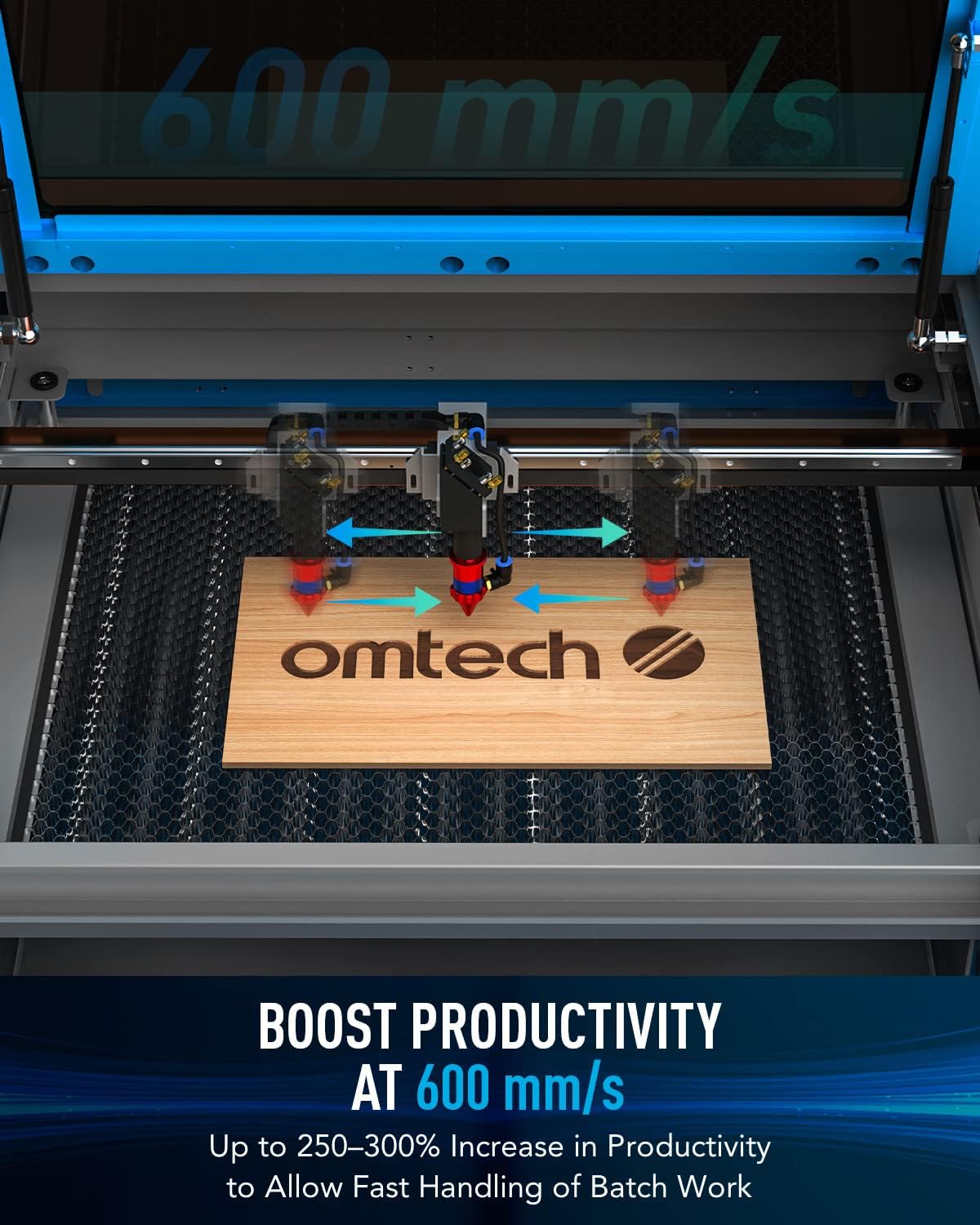
Figure 4.1: Digital control panel and compatible software interfaces.
4.2 Material Loading and Focusing
- Muat Material: Place your material flat on the workbed. For acrylic mirror, load with the non-reflective side facing up for engraving.
- Autofocus: Use the autofocus function to automatically set the correct focal distance. This eliminates manual adjustments and ensures precise results.

Figure 4.2: The autofocus feature automatically adjusts the laser head to the optimal focal distance.
4.3 Proses Pengukiran dan Pemotongan
Prepare your design in the software. Set appropriate power and speed settings for your material. Initiate the engraving or cutting process. Monitor the operation through the flame-retardant viewjendela.
Video 4.1: Demonstration of laser engraving and cutting on acrylic mirror. This video illustrates material preparation, software settings, and post-processing for acrylic mirror projects.
Video 4.2: Guide on how to laser engrave a photo using a CO2 laser engraver. This video covers image preparation and specific settings for achieving detailed photo engravings.
5. Pemeliharaan
- Pembersihan: Regularly clean the work area, lenses, and mirrors to ensure optimal performance and longevity.
- Perawatan Tabung Laser: The high-performance DC tube delivers 60W of power for up to 1000 hours of usage and doubles its lifespan when consistently used at lower settings. Ensure proper water cooling is maintained.
- Nosel Bantuan Udara: Keep the air assist nozzle clear of debris to maintain efficient smoke and dust removal.
6. Penyelesaian masalah
| Masalah | Kemungkinan Penyebab | Larutan |
|---|---|---|
| Laser tidak menyala | Power supply issue, laser tube fault, software error | Check power connections, inspect laser tube, restart software/machine |
| Kualitas ukiran buruk | Incorrect focus, wrong power/speed settings, dirty optics | Perform autofocus, adjust settings, clean lenses and mirrors |
| Mesin tidak terhubung ke komputer. | USB/Ethernet cable issue, driver problem, software configuration | Check cable, reinstall drivers, verify software settings |
| Excessive smoke/fumes | Ineffective exhaust, clogged air assist | Ensure exhaust system is powerful and clear, clean air assist nozzle |
7. Spesifikasi
- Dimensi Produk: 47.2x34.3x36.6 inci
- Berat Barang: 249 pon
- Kecepatan Ukiran Maks.: 600 mm/detik
- Front/Back Pass Size: 32.8 x 3.7 inci
- Side/Side Pass Size: 20.4 x 0.7 inci
- Transmisi Data: USB Cable, Ethernet Cable, USB Flash Drive, Offline
8. Apa yang ada di dalam kotak
- 1x 60W CO2 Laser Engraver
- 1x Panduan Pengguna
- 1x Kabel Listrik
- 1x Flashdisk USB
- 1x Kabel USB
- 1x Kabel Ethernet
- 1x Pita Dua Sisi
- 1 set kunci pas
- 1x Tube of Silicone Insulation
- 1x Ceramic Resistor
- 1x Exhaust Pipe
- 1x Pipe Clamp
- 1x Water Pump
- 1x Pipa Air
- 1x Wire Set
- 6x Kunci
9. Garansi dan Dukungan
This OMTech 60W CO2 Laser Engraver comes with a two-year support warranty. For technical assistance, please contact our U.S.-based technical support team. 24/7 online customer service is also available.