
1. Pendahuluan
This manual provides detailed instructions for the setup, operation, and maintenance of your DOACT Projection Alarm Clock. Please read this manual thoroughly before using the device to ensure proper function and to avoid damage.
2. Informasi Keselamatan
- Jangan biarkan perangkat terkena suhu ekstrem, sinar matahari langsung, atau kelembapan tinggi.
- Jauhkan perangkat dari air dan cairan lainnya.
- Use only the specified power supply (AAA*2 batteries or 5V USB).
- Jangan mencoba membongkar atau memperbaiki perangkat sendiri. Hubungi personel yang berkualifikasi untuk mendapatkan layanan.
- Jauhkan baterai dari jangkauan anak-anak.
3. Isi Paket
Verifikasi bahwa semua item ada dalam paket:
- 1 x DOACT Projection Alarm Clock
- 1 x Kabel USB
- 1 x Panduan Pengguna (dokumen ini)
4. Produk Lebihview
Familiarize yourself with the components of your projection alarm clock.

Gambar 4.1: Belakang View dan Kontrol
This image displays the back of the projection clock, highlighting key controls and ports. These include the Mode button, UP/DOWN buttons for time adjustment, MAX/MIN button for temperature/humidity display, SNZ (snooze) button, probe hole, AAA battery compartment, external power interface, and supporting base.
- Tampilan Layar: Shows time, temperature, humidity, and weather forecast icons.
- Lensa Proyeksi: Projects time onto a surface.
- Tombol Mode: Used to enter setup modes for time, alarm, etc.
- Tombol ATAS/BAWAH: Adjust values during setup or switch display modes.
- Tombol MAX/MIN: Toggles between current, maximum, and minimum temperature/humidity readings.
- SNZ (Snooze) Button: Mengaktifkan fungsi tunda (snooze) untuk alarm.
- Kompartemen Baterai: Holds 2 x AAA batteries (not included).
- Port Daya USB: For continuous power supply via USB cable.
5. Pengaturan
5.1 Menyalakan Perangkat
- Pemasangan Baterai: Open the battery compartment on the back of the clock. Insert 2 x AAA batteries (not included), ensuring correct polarity (+/-). Note: When using only batteries, the display will not be continuously on to conserve power. The display will be black when off and difficult to see.
- Daya USB: For continuous display and optimal functionality, connect the provided USB cable to the USB power port on the back of the clock and plug the other end into a 5V USB power adapter (not included) or a USB port. The display will remain continuously on when powered via USB.
5.2 Pengaturan Waktu dan Tanggal Awal
- Tekan dan tahan tombol MODE Tekan tombol selama kurang lebih 3 detik untuk masuk ke mode pengaturan waktu. Angka jam akan berkedip.
- Gunakan UP or TURUN tombol untuk mengatur jam.
- Tekan MODE Konfirmasikan lagi untuk jam dan pindah ke pengaturan menit. Digit menit akan berkedip.
- Gunakan UP or TURUN tombol untuk menyesuaikan menit.
- Lanjutkan menekan MODE to cycle through and set other parameters such as year, month, and day, adjusting each with the UP or TURUN tombol.
- Tekan MODE one last time or wait for 10 seconds without input to exit the setting mode.
6. Petunjuk Pengoperasian
6.1 Time Projection Function
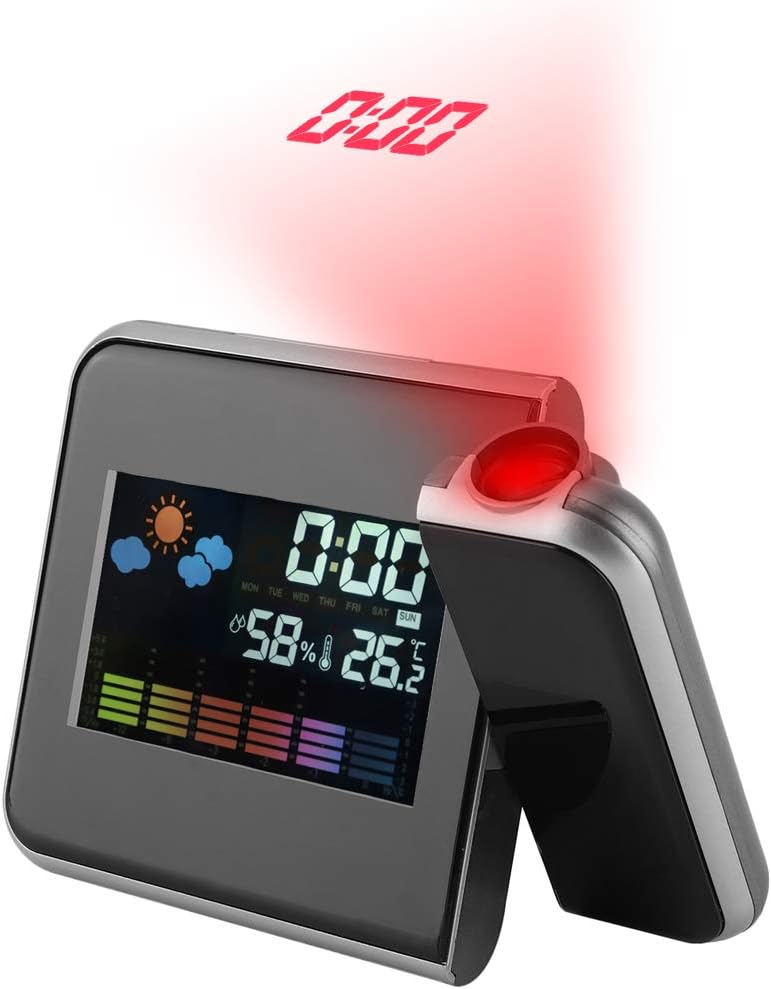
Figure 6.1: Time Projection
This image shows the projection clock actively displaying the time onto a surface, illustrating its projection capability. The projection distance is approximately 1 to 5 meters.
- The clock can project the time onto a ceiling or wall. The optimal projection distance is 1-5 meters.
- To activate the projection, ensure the clock is powered via USB or press a button if using batteries (projection is not continuous on battery power).
- Menyesuaikan Sudut Proyeksi: The projection lens can be rotated 180 degrees to direct the time display to your desired surface. Gently rotate the projection arm to adjust.
6.2 Tampilan Suhu dan Kelembaban
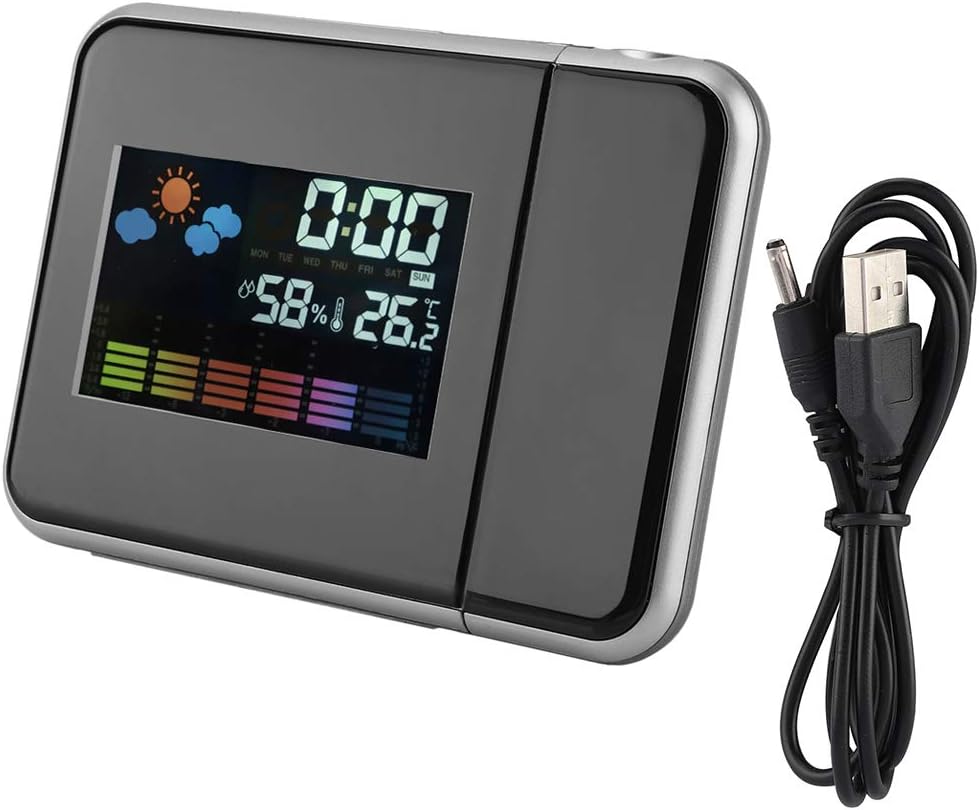
Gambar 6.2: Tampilan Utama
Jelas view of the clock's front display, showing the digital time, current temperature, humidity percentage, and weather forecast icons. This illustrates the multi-functional display capabilities.
- The main display shows the current indoor temperature and humidity.
- Satuan suhu: Untuk beralih antara Celsius (°C) dan Fahrenheit (°F), tekan tombol TURUN tombol sebentar.
- Pembacaan Maksimum/Minimum: Tekan tombol MAKS/MIN tombol untuk view Suhu dan kelembapan maksimum yang tercatat. Tekan lagi untuk view the minimum recorded temperature and humidity. Press a third time to return to current readings. The readings reset daily or when the device is reset.
6.3 Alarm Clock and Snooze Function
- Mengatur Alarm:
- Tekan tombol MODE button once to enter alarm setting mode. The alarm time will flash.
- Gunakan UP or TURUN tombol untuk mengatur jam alarm.
- Tekan MODE again to confirm the hour and set the alarm minutes.
- Gunakan UP or TURUN tombol untuk mengatur menit alarm.
- Tekan MODE again or wait for 10 seconds to exit alarm setting.
- Mengaktifkan/Menonaktifkan Alarm: Dalam mode tampilan waktu normal, tekan UP button briefly to toggle the alarm on or off. An alarm icon will appear on the display when activated.
- Fungsi Tunda: Saat alarm berbunyi, tekan tombol SNZ button to activate the snooze function. The alarm will temporarily stop and sound again after a few minutes (default snooze time is typically 5-10 minutes, refer to specific model details if available). To turn off the alarm completely, press any other button.
7. Pemeliharaan
- Bersihkan perangkat dengan kain lembut dan kering. Jangan gunakan pembersih atau pelarut abrasif.
- Ensure the projection lens is clean for clear time projection.
- Jika perangkat tidak digunakan dalam waktu lama, keluarkan baterai untuk mencegah kebocoran.
8. Penyelesaian masalah
| Masalah | Kemungkinan Penyebab | Larutan |
|---|---|---|
| Display is off or dim (on battery power) | Batteries are low or display is designed to turn off to save power. | Replace AAA batteries or connect the device to a USB power source for continuous display. |
| No time projection | Projection function not activated or device not powered via USB. | Ensure USB power is connected. If on battery, press a button to temporarily activate projection. Check if the projection lens is obstructed. |
| Waktu/tanggal salah | Time/date not set correctly or power interruption. | Lihat Bagian 5.2 untuk mengatur ulang waktu dan tanggal. |
| Alarm tidak berbunyi | Alarm tidak aktif atau diatur secara tidak benar. | Refer to Section 6.3 to ensure the alarm is set and activated (alarm icon visible). |
9. Spesifikasi
| Fitur | Detil |
|---|---|
| Nomor Model | DOACTcuf6pq3yvr-01 |
| Jenis Tampilan | Digital, LED Color Screen |
| Sumber Daya | 2 x AAA Batteries (not included), USB 5V (cable included) |
| Rentang Tampilan Suhu | -9.9 °C hingga +60 °C (14.2 °F hingga 140 °F) |
| Rentang Tampilan Kelembaban | 20% RH hingga 90% RH |
| Jarak Proyeksi | 1-5 meter |
| Sudut Proyeksi | Dapat diputar 180° |
| Dimensi Produk | Lebar 15 cm (5.9 inci) x Tinggi 11 cm (4.3 inci) x Kedalaman 2 cm (0.8 inci) |
| Bahan | Plastik |
| Berat | Kira-kira 246g (8.7 ons) |
| Fitur Khusus | Alarm, Snooze, Temperature Display, Humidity Display, Weather Forecast, Digital Time Display, Max/Min Temperature/Humidity |

Gambar 9.1: Dimensi Produk
This image provides a visual representation of the clock's dimensions, indicating its width (15cm / 5.9in), height (11cm / 4.3in), and depth (2cm / 0.8in).
10. Garansi dan Dukungan
Untuk informasi garansi atau dukungan teknis, silakan merujuk pada kebijakan pengecer atau hubungi langsung produsen. Simpan struk pembelian Anda sebagai bukti pembelian.