
Statik PUP-0290
STATIK 65W GaN Charger User Manual
Model: PUP-0290
Perkenalan
Thank you for choosing the Statik 65W GaN Charger. This high-performance charger is designed to provide fast, efficient, and safe power delivery to a wide range of your electronic devices. Featuring advanced GaN technology and multiple output ports, it offers a compact and versatile charging solution for both home and travel.

Image: The Statik 65W GaN Charger, showcasing its two USB-C ports and one USB-A port, designed for versatile charging.
Fitur Utama
- Pengisian Daya Super Cepat: Delivers an impressive 65W of power, significantly reducing charging times for compatible devices.
- Teknologi GaN: Utilizes Gallium Nitride (GaN) technology for a smaller, lighter, and more efficient charger with reduced heat generation.
- Kompatibilitas Universal: Supports a broad range of devices including MacBook Pro/Air, iPad Pro, iPhone 14/13 series, Samsung Galaxy S23/S22, Nintendo Switch, and more.
- Fitur Keamanan Canggih: Built-in protection against overheating, overloading, and short circuits ensures the safety of your devices.
- Kompak dan Portabel: Designed for easy travel and everyday use, fitting comfortably in your hand or bag.
- Beberapa Port: Equipped with two USB-C ports and one USB-A port for simultaneous charging of multiple devices.

Image: The Statik 65W GaN Charger connected to a wall outlet, simultaneously charging a laptop, a tablet, and a smartphone, demonstrating its multi-device capability.
Panduan Pengaturan
Setting up your Statik 65W GaN Charger is straightforward. Follow these steps to begin charging your devices:
- Bongkar Pengisi Daya: Carefully remove the Statik 65W GaN Power Adapter from its packaging.
- Buka lipatannya: If the plug prongs are folded, gently unfold them until they click into place.
- Hubungkan ke Stopkontak: Insert the charger into a standard wall power outlet (100-240V AC).
- Prepare Your Device Cables: Ensure you have the appropriate USB-C or USB-A cables for your devices.
- Hubungkan Perangkat: Plug one end of your device's charging cable into the corresponding port (USB-C1, USB-C2, or USB-A) on the Statik charger, and the other end into your device.
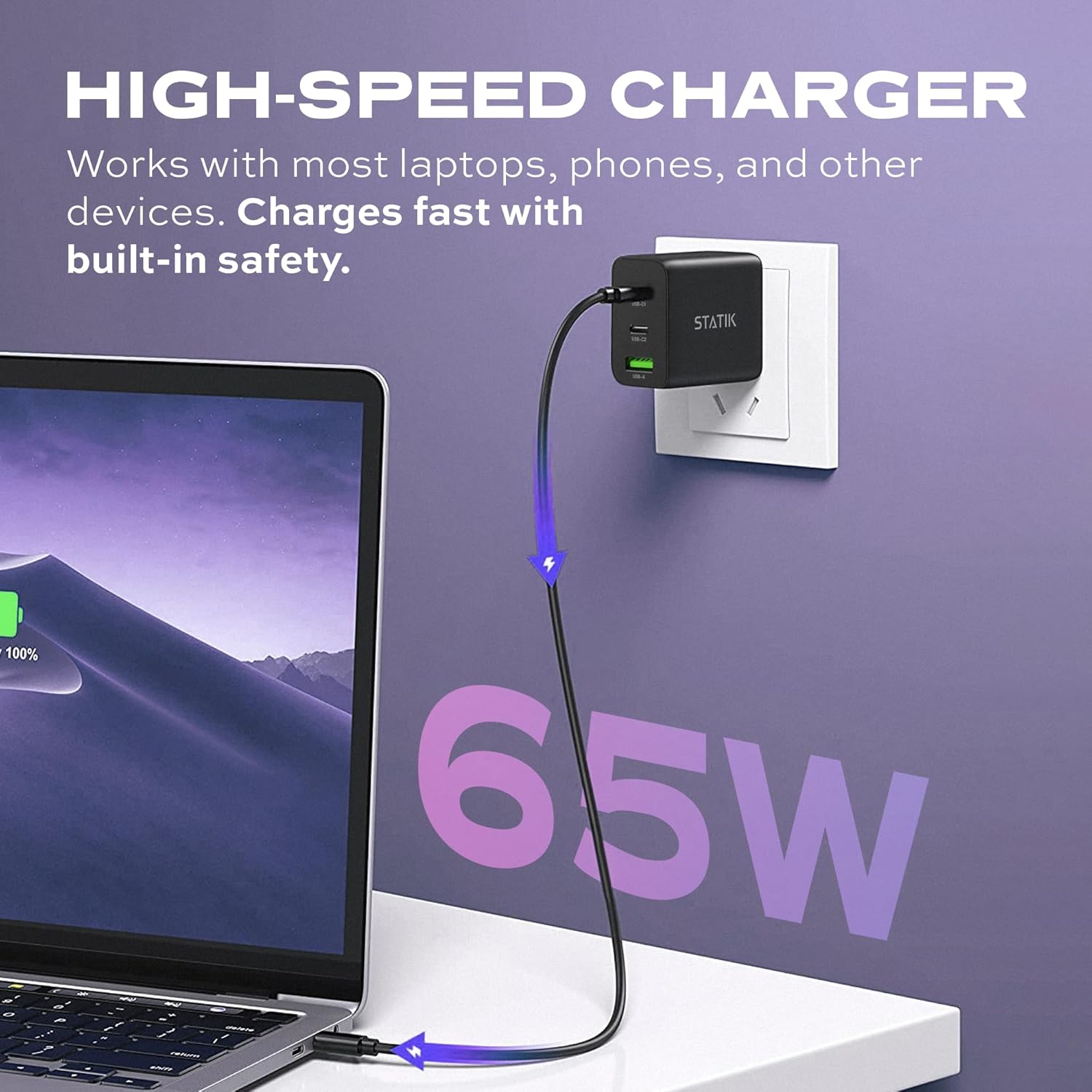
Image: The Statik 65W GaN Charger plugged into a wall socket, with a USB-C cable extending to a laptop, illustrating high-speed charging.
Petunjuk Pengoperasian
The Statik 65W GaN Charger is designed for intelligent power distribution. Here's how to optimize its use:
- Pengisian Daya Perangkat Tunggal: When only one device is connected, the charger will deliver up to 65W of power through either USB-C port, or up to 18W through the USB-A port, depending on the device's requirements and cable capabilities.
- Pengisian Beberapa Perangkat:
- When two devices are connected (e.g., USB-C1 and USB-C2), the power will be intelligently distributed, typically 45W from USB-C1 and 20W from USB-C2.
- When three devices are connected (USB-C1, USB-C2, and USB-A), the power distribution will adjust, for example, 45W from USB-C1, 7.5W from USB-C2, and 7.5W from USB-A.
- The charger automatically detects the connected devices and adjusts power output to provide optimal and safe charging.
- Smart Overheat & Overcharge Protection: The charger incorporates built-in safeguards to prevent damage from excessive heat or overcharging. You can charge your devices with confidence.

Image: A diagram illustrating the smart energy distribution of the Statik 65W GaN Charger, showing different power outputs across its USB-C and USB-A ports when one, two, or three devices are connected.
Perawatan dan Pemeliharaan
To ensure the longevity and optimal performance of your Statik 65W GaN Charger, please follow these maintenance guidelines:
- Pembersihan: Cabut pengisi daya dari stopkontak sebelum membersihkan. Gunakan kain lembut dan kering untuk menyeka permukaan. Jangan gunakan pembersih cair atau aerosol.
- Penyimpanan: Simpan pengisi daya di tempat sejuk dan kering, jauh dari sinar matahari langsung dan suhu ekstrem.
- Penanganan: Hindari menjatuhkan pengisi daya atau membuatnya terkena benturan keras. Jangan mencoba membongkar atau memodifikasi pengisi daya.
- Kelembaban: Keep the charger away from water and other liquids. If it comes into contact with liquid, disconnect it immediately and allow it to dry completely before reuse.
Penyelesaian Masalah
If you encounter issues with your Statik 65W GaN Charger, refer to the following common problems and solutions:
| Masalah | Kemungkinan Penyebab | Larutan |
|---|---|---|
| Perangkat tidak mengisi daya. |
|
|
| Pengisian lambat. |
|
|
| Pengisi daya terasa hangat. |
|
|
Spesifikasi Produk
| Fitur | Detil |
|---|---|
| Nomor Model | PUP-0290 |
| Merek | Statis |
| Daya Keluaran | 65W Max |
| Pelabuhan | 2 x USB-C, 1 x USB-A |
| Masukan Voltage | 100-240 Volts AC |
| Teknologi | GaN (Gallium Nitrida) |
| Fitur Khusus | Foldable Plug, Lightweight, Portable, Fast Charging, Smart Overheat & Overcharge Protection |
| Ukuran | 4.02x4.02x1.89 inci |
| Berat Barang | 4.2 ons |
| Komponen yang Termasuk | Adaptor Daya GaN 65W |
| Pabrikan | Curv Group LLC |
| Negara Asal | Cina |
Garansi dan Dukungan
Statik products are built with quality and reliability in mind. For information regarding warranty coverage and customer support, please refer to the official Statik websitus atau hubungi layanan pelanggan mereka secara langsung.
Anda dapat mengunjungi Statik Store on Amazon untuk informasi produk lebih lanjut dan sumber daya dukungan.
Ask a question about this manual
Ask about setup, troubleshooting, compatibility, parts, safety, or missing instructions. Manuals+ will review the question and use this page’s manual context to help answer it.