
Perkenalan
Thank you for choosing the BOROFONE BW41 Wireless Bluetooth Earbuds. These open-ear design earbuds provide a comfortable listening experience with advanced Bluetooth 5.3 technology, touch controls, and a long-lasting battery. This manual will guide you through the setup, operation, and maintenance of your new earbuds.
Isi Paket
- BOROFONE BW41 Wireless Bluetooth Earbuds (Left and Right)
- Kotak Pengisian Daya
- Kabel Pengisian Daya USB
- Panduan Pengguna
Produk Selesaiview
Familiarize yourself with the components of your BOROFONE BW41 earbuds and charging case.

Gambar: BOROFONE BW41 Wireless Earbuds in their charging case, showing the LED battery display.
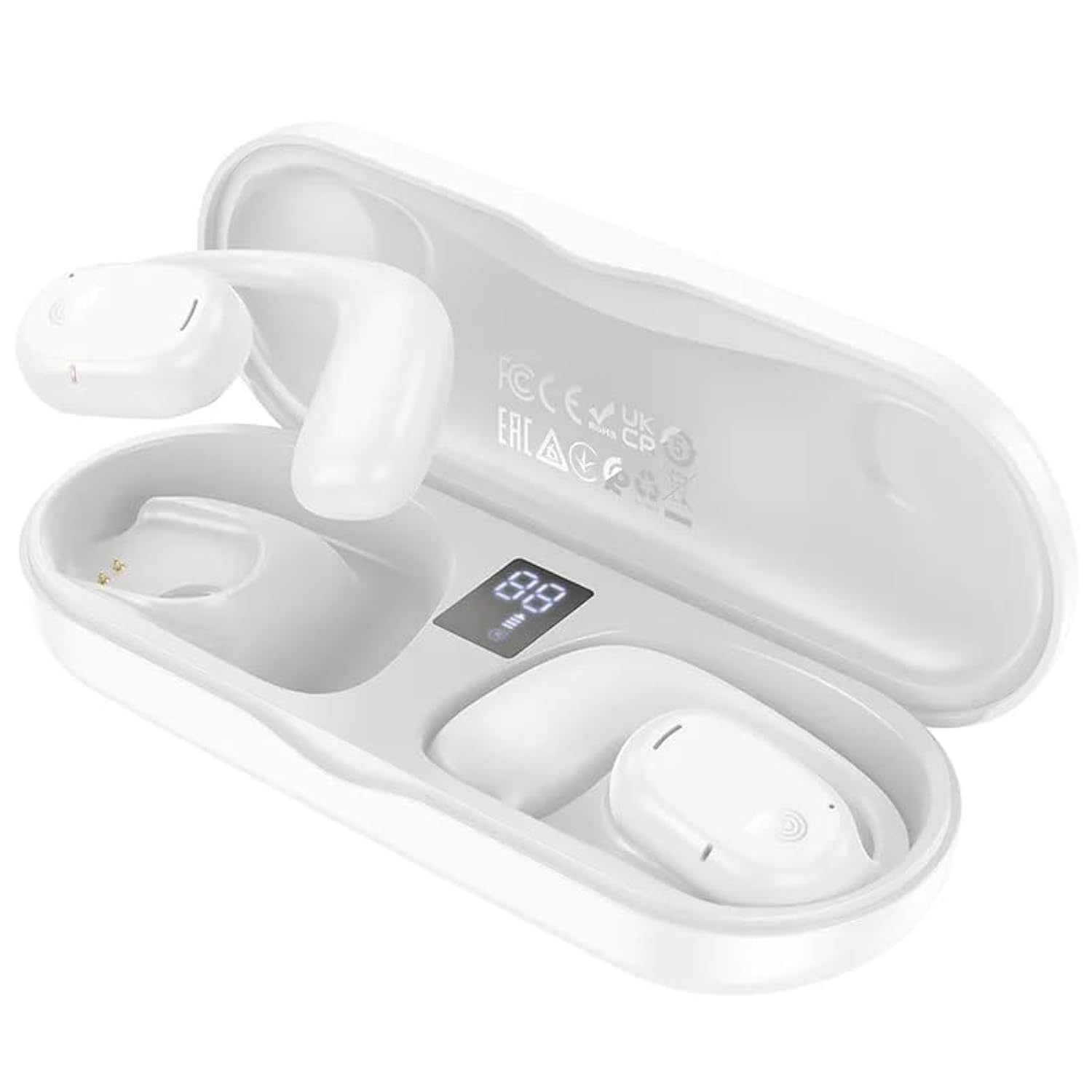
Gambar: BOROFONE BW41 Wireless Earbud in use, demonstrating the open-ear design.
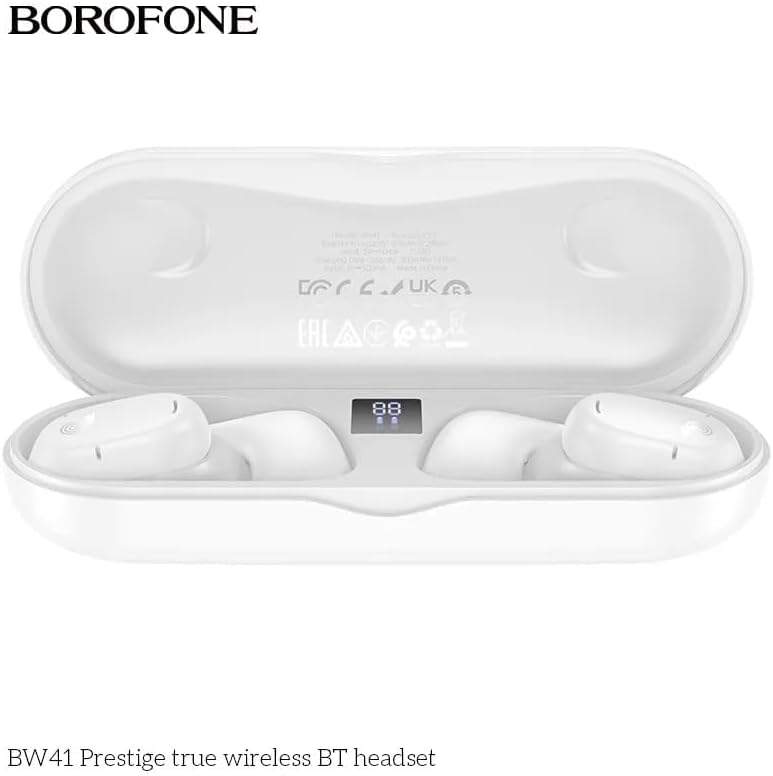
Gambar: BOROFONE BW41 charging case with earbuds, displaying the LED battery indicator.
Pengaturan
1. Mengisi Daya Earbud dan Casing
Sebelum penggunaan pertama, isi daya earbud dan casing pengisi daya hingga penuh.
- Masukkan earbud ke dalam casing pengisi daya. Pastikan terpasang dengan benar.
- Connect the USB charging cable to the charging port on the case and to a DC 5V power source (e.g., a USB wall adapter or computer USB port).
- The LED display on the charging case will indicate the charging status. A full charge for both the earbuds and case takes approximately 1.5 hours.
2. Memasangkan dengan Perangkat Bluetooth
Untuk menghubungkan earbud Anda ke ponsel pintar atau perangkat lain yang mendukung Bluetooth:
- Buka casing pengisi daya. Earbud akan otomatis menyala dan masuk ke mode berpasangan.
- Pada perangkat Anda, buka pengaturan Bluetooth dan pastikan Bluetooth diaktifkan.
- Pencarian untuk available devices and select "BW41" from the list.
- Setelah terhubung, Anda akan mendengar nada konfirmasi, dan earbud siap digunakan.
- The earbuds support master-slave switching, allowing either earbud to be used independently.
Petunjuk Pengoperasian
Daya Hidup/Mati
- Nyalakan: Buka wadah pengisian daya, atau tekan dan tahan area sentuh pada kedua earbud selama 3 detik.
- Matikan: Masukkan kembali earbud ke dalam wadah pengisian daya dan tutup penutupnya, atau tekan dan tahan area sentuh pada kedua earbud selama 5 detik.
Manajemen Panggilan
- Menjawab/Mengakhiri Panggilan: Sentuh area sentuh pada salah satu earbud sekali.
- Tolak Panggilan: Tekan dan tahan area sentuh pada salah satu earbud selama 2 detik.
Putar Musik
- Putar/Jeda: Sentuh area sentuh pada salah satu earbud sekali.
- Lagu Berikutnya: Ketuk tiga kali area sentuh pada earbud kanan.
- Lagu Sebelumnya: Ketuk tiga kali area sentuh pada earbud kiri.
- Volume Naik: Ketuk dua kali area sentuh pada earbud kanan.
- Volume Turun: Ketuk dua kali area sentuh pada earbud kiri.
Asisten Suara (Siri/Asisten Google)
- Mengaktifkan: Tekan dan tahan area sentuh pada salah satu earbud selama 2 detik (saat tidak sedang melakukan panggilan).
Indikator LED
The charging case features an LED display that shows the battery level of the case and individual earbuds.
Pemeliharaan
Untuk memastikan daya tahan dan kinerja optimal earbud Anda:
- Bersihkan earbud dan wadah pengisi daya secara teratur dengan kain lembut dan kering.
- Hindari penggunaan pembersih atau pelarut yang bersifat abrasif.
- Jaga agar kontak pengisian daya pada earbud dan di dalam wadah tetap bersih dan bebas dari kotoran.
- Simpan earbud dalam wadah pengisi dayanya saat tidak digunakan untuk melindunginya dan menjaga dayanya tetap terisi.
- Hindari memaparkan earbud pada suhu ekstrem, kelembapan, atau cairan.
Penyelesaian Masalah
| Masalah | Solusi yang mungkin |
|---|---|
| Earbud tidak dapat dipasangkan | Ensure earbuds are charged. Turn off and on your device's Bluetooth. Forget "BW41" from your device's Bluetooth list and re-pair. |
| Tidak ada suara dari earbud | Check device volume. Ensure earbuds are connected. Try restarting both earbuds and your device. |
| Casing pengisi daya tidak mengisi daya | Check the charging cable and power adapter. Ensure the cable is securely connected. Try a different cable or power source. |
| Earbud tidak mengisi daya saat dalam casing | Ensure earbuds are properly seated in the case. Clean the charging contacts on both the earbuds and the case. Ensure the charging case itself has power. |
Spesifikasi
- Versi Bluetooth: V5.3 (Jerry AC6973 chip)
- Protokol yang Didukung: Headset, Hands-Free, A2DP, Avrcp
- Jangkauan Transmisi: Hingga 10 meter
- Frekuensi Transmisi: 2.4 GHz
- Ukuran Speaker: ukuran 16mm
- Impedansi: 20Ω ± 15%
- Respon Frekuensi: 20Hz - 20000Hz
- Kepekaan: 98dB±3dB
- Pengisian Voltage: Tegangan DC5V
- Waktu Pengisian Earbud: Sekitar 1.5 jam
- Waktu Pengisian Casing Pengisian: Sekitar 1.5 jam
- Kapasitas Baterai Earbud: 80mAh (masing-masing)
- Kapasitas Baterai Charging Case: 300 mAh
- Waktu Bicara: Hingga 10 jam
- Waktu Pemutaran Musik: Hingga 10 jam
- Waktu Siaga: Hingga 200 jam
- Dimensi Produk: Ukuran 134x50x30 mm
- Berat Bersih Produk: 95 gram
- Single Earbud Net Weight: 10.5 gram
Garansi dan Dukungan
BOROFONE products are designed and manufactured to the highest quality standards. For warranty information or technical support, please refer to the warranty card included in your package or visit the official BOROFONE websitus. Harap simpan bukti pembelian Anda untuk klaim garansi apa pun.