
Perkenalan
This manual provides detailed instructions for the installation, operation, and maintenance of your LETIANPAI 82ft/25m Smart RGB LED Strip Lights. Please read this manual thoroughly before use to ensure proper functionality and safety.
Informasi Keselamatan
- Pastikan catu daya terputus sebelum pemasangan atau pemeliharaan.
- Gunakan hanya adaptor daya yang disediakan. Menggunakan adaptor yang tidak kompatibel dapat merusak produk atau menimbulkan risiko keselamatan.
- Do not expose the LED strips or controller to water or high humidity. This product is designed for indoor use.
- Avoid bending the LED strips sharply, as this can damage the circuit.
- Do not cover the power adapter or controller during operation to prevent overheating.
- Jauhkan dari jangkauan anak-anak.
- If any damage occurs to the strip, power adapter, or controller, discontinue use immediately and contact customer support.
Isi Paket
Verifikasi bahwa semua item ada dalam paket Anda:
- 2 x 41ft (12.5m) RGB LED Strip Lights (Total 82ft/25m)
- 1 x Smart Controller Box
- 1 x Remote Control IR
- 1 x Certified Power Adapter
- 1 x Panduan Pengguna (Dokumen ini)

Gambar: Lebih dariview of the LETIANPAI 82ft/25m Smart RGB LED Strip Lights, showing the two rolls of LED strips, smart controller, IR remote, and power adapter.
Pengaturan dan Instalasi
1. Persiapan Permukaan
Before applying the LED strips, ensure the surface is clean, dry, and smooth. Dust, oil, or moisture can reduce the adhesive's effectiveness.
2. Menghubungkan Komponen
- Connect the LED strip(s) to the smart controller box. Ensure the arrows on the strip connector and the controller connector align.
- Connect the power adapter to the smart controller box.
- Colokkan adaptor daya ke stopkontak standar.

Image: Connection diagram illustrating how to connect the LED strips to the controller, and the controller to the power adapter. Emphasizes aligning arrows on connectors.


Image: A certified power adapter and a close-up of the LED strip showing its adhesive backing.
3. Applying the LED Strips
- Unroll the LED strips carefully.
- Peel off the protective film from the adhesive backing.
- Press the strip firmly onto the desired clean surface.
4. Cutting the LED Strips (Optional)
The LED strips can be cut to your desired length. Locate the designated cutting marks (usually indicated by a scissor icon or copper pads) on the strip. Cut only at these marks to avoid damaging the circuit.
5. Unduh dan Pasangkan Aplikasi
To utilize smart features, download the "HiLighting" app:
- Scan the QR code on the smart controller box or visit http://www.easytrack.net.cn/download/165JINGZEKONGGU to download the "HiLighting" app.
- Instal aplikasi tersebut pada telepon pintar Anda.
- Pastikan Bluetooth diaktifkan di ponsel Anda.
- Open the "HiLighting" app. The app should automatically detect and connect to your LED strip lights.
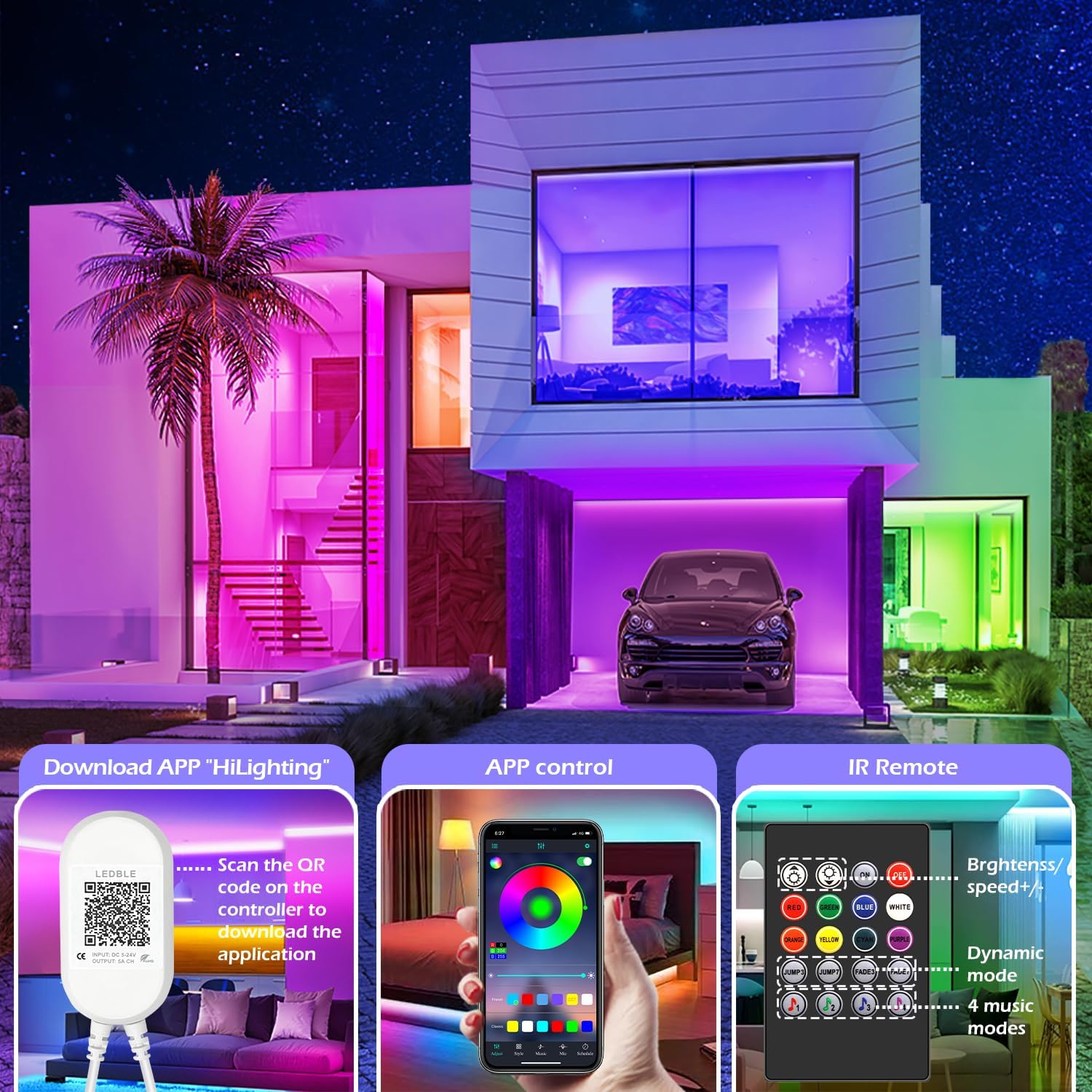
Image: Illustration of downloading the "HiLighting" app by scanning a QR code on the controller, and a preview of the app's color selection interface.

Image: Close-up of the LED controller showing the QR code for downloading the "HiLighting" application.
Petunjuk Pengoperasian
1. App Control (HiLighting App)
The "HiLighting" app offers comprehensive control over your LED strip lights:
- Pemilihan Warna: Choose from 16 million vivid colors using the color wheel.
- Penyesuaian Kecerahan: Sesuaikan intensitas cahaya dari 0% hingga 100%.
- Mode Dinamis: Select from 29 pre-set dynamic modes (e.g., flash, rotate, fade).
- Mode Sinkronisasi Musik: The lights will change color in rhythm with music played through your phone.
- Mode Mikrofon: The lights will pulsate and change colors in response to ambient sounds or your voice, detected by the phone's microphone.
- Fungsi Pengaturan Waktu: Set schedules for the lights to automatically turn on or off at specific times.
- Manajemen Grup: Control multiple sets of LETIANPAI LED strip lights simultaneously or individually by organizing them into groups within the app.


Image: Screenshots of the "HiLighting" app interface, demonstrating color selection and brightness adjustment features.

Image: Depicts individuals enjoying music, with text explaining Music Sync and MIC Mode functionalities of the LED strip lights.

Image: Illustrates the timing function, allowing users to set automatic on/off schedules for the LED lights, such as turning off at 11:00 PM and on at 7:00 AM.

Image: Shows the "Group Management" feature, enabling control of multiple light sets simultaneously or individually, with examples in different rooms.
2. Kontrol Jarak Jauh IR
The included IR remote control provides convenient access to basic functions:
- Daya Hidup/Mati: Nyalakan atau matikan lampu.
- Pemilihan Warna: Directly select common colors (Red, Green, Blue, White, Orange, Yellow, Cyan, Purple).
- Pengaturan Kecerahan/Kecepatan: Increase or decrease brightness, or adjust the speed of dynamic modes.
- Mode Dinamis: Access various pre-set dynamic modes (e.g., Jump3, Jump7, Fade3, Fade7).
- Mode Musik: Activate 4 different music-responsive modes.

Image: Close-up of the IR remote control, detailing buttons for power, color selection, brightness/speed adjustment, dynamic modes, and music modes.
Pemeliharaan
- Pembersihan: Usap strip LED dengan lembut menggunakan kain kering dan lembut untuk menghilangkan debu. Jangan gunakan cairan pembersih atau bahan abrasif.
- Penyimpanan: Jika menyimpan lampu untuk jangka waktu yang lama, pastikan lampu tersebut bersih, kering, dan disimpan di tempat yang sejuk dan gelap.
- Inspeksi: Periksa sambungan dan strip secara berkala untuk melihat tanda-tanda kerusakan.
Penyelesaian Masalah
| Masalah | Kemungkinan Penyebab | Larutan |
|---|---|---|
| Lampu tidak menyala. | Adaptor daya tidak tersambung atau rusak. LED strip not properly connected to controller. Baterai remote control habis. | Pastikan adaptor daya terpasang dengan benar. Check all connections, ensuring arrows align. Replace remote control battery (CR2025, not included). |
| Lights show incorrect colors or only one color. | Incorrect connection between strip and controller. App/remote setting issue. | Disconnect and reconnect the LED strip to the controller, ensuring arrows align. Reset the lights via the app or remote, then re-select desired color. |
| App cannot connect to the lights. | Bluetooth tidak aktif. App is outdated. Gangguan. | Pastikan Bluetooth diaktifkan di ponsel cerdas Anda. Update the "HiLighting" app to the latest version. Move closer to the controller. Restart the app and try again. |
| Kontrol jarak jauh tidak berfungsi. | Baterai habis. Obstruction between remote and controller. Label plastik tidak dilepas. | Ganti baterai CR2025. Ensure a clear line of sight to the controller. Remove the clear plastic tab from the remote's battery compartment. |
Spesifikasi
| Nomor Model | 100 KAKI |
| Merek | LETIANPAI |
| Panjang | 82ft / 25m (2 rolls of 41ft) |
| Jenis Sumber Cahaya | LED (5050 RGB) |
| Warna Cahaya | RGB (Merah, Hijau, Biru) |
| Metode Kontrol | Bluetooth App ("HiLighting"), IR Remote Control |
| Sumber Daya | Listrik Kabel |
| Jil.tage | 12 Volt |
| Apatage | 24 Watt |
| Penggunaan Dalam/Luar Ruangan | Dalam |
| Fitur Khusus | Cuttable, Low energy consumption, Music Sync, Strong self-adhesive, Flexible |
| UPC | 611834347362 |
Garansi dan Dukungan
LETIANPAI is committed to providing quality products and customer service. All accessories included with your LED rope lights are officially certified, and the power adapter has undergone rigorous testing for safety.
If you encounter any issues during installation or operation, please contact LETIANPAI customer support directly. We aim to resolve all inquiries within 24 hours. Full refunds or free replacements are provided for quality-related issues.