
Zedamsan BP970W
Zedamsan Portable Charger for MagSafe Instruction Manual
Model: BP970W
Brand: Zedamsan
Perkenalan
Thank you for choosing the Zedamsan Portable Charger for MagSafe. This 5000mAh wireless magnetic power bank is designed to provide convenient and fast charging for your compatible iPhone models and other devices. Please read this manual carefully to ensure proper use and maintenance of your device.
Isi Paket
- 1x 5000mAh Power Bank Nirkabel Magnetik
- 1x Kabel Pengisian Daya USB-C ke USB-C
- 1x Kantong Perjalanan
- 1x Buku Petunjuk
Produk Selesaiview
The Zedamsan BP970W power bank features a compact design with multiple charging options.

Image: The Zedamsan Portable Charger (blue) magnetically attached to the back of a white iPhone, showcasing nya ramping profile dan integrasi yang mulus.
It supports both wireless magnetic charging and wired charging via USB-C and USB-A ports, allowing you to charge up to three devices simultaneously.

Image: A detailed diagram highlighting the power bank's features, including the magnetic charging area, battery indicator lights, USB-A output, Lightning input, and Type-C input/output ports.
- Pengisian Nirkabel Magnetik: Directly snaps onto MagSafe-compatible iPhones (iPhone 12/13/14/15/16 series) for convenient wireless charging up to 15W.
- Pengisian Cepat Berkabel: USB-C port supports up to 20W input/output, and USB-A port delivers up to 22.5W output for fast charging of various devices.
- Kompak dan Ringan: Measuring only 10.2 x 6.6 x 1.3 cm (4.0 x 2.6 x 0.5 inches) and weighing 125g (4.4 oz), it easily fits into pockets or handbags.
- Pengisian Simultan: Capable of charging up to three devices at once (one wirelessly, two wired).

Image: A hand placing the compact Zedamsan Portable Charger into the pocket of a pair of jeans, illustrating its small size and portability.
Pengaturan
Mengisi Daya Power Bank
Before first use, fully charge your Zedamsan power bank. Use the provided USB-C to USB-C cable or a compatible Lightning cable to connect the power bank to a power adapter (not included).
- Connect the USB-C end of the cable to the power bank's USB-C port.
- Hubungkan ujung kabel lainnya ke adaptor daya USB-C yang kompatibel.
- The LED indicator lights on the side of the power bank will illuminate to show the charging status. All lights will be solid when fully charged.

Image: The Zedamsan Portable Charger connected to a wall adapter for charging, demonstrating its pass-through charging capability where it can charge itself and an iPhone simultaneously.
Petunjuk Pengoperasian
Wireless Magnetic Charging (for iPhone 12/13/14/15/16 series)
- Ensure your iPhone is MagSafe compatible (iPhone 12 series or newer) and either has no case or a MagSafe-compatible case.
- Align the power bank with the back of your iPhone. The magnets will automatically snap it into place.
- The power bank will automatically begin wireless charging.

Image: An illustration showing the strong magnetic connection between the Zedamsan power bank and an iPhone, with a green charging icon indicating active charging.
Wired Charging (USB-C and USB-A)
- Hubungkan kabel pengisi daya perangkat Anda ke port yang sesuai pada power bank (USB-C atau USB-A).
- Hubungkan ujung kabel yang lain ke perangkat Anda.
- Power bank akan secara otomatis mulai mengisi daya perangkat Anda.
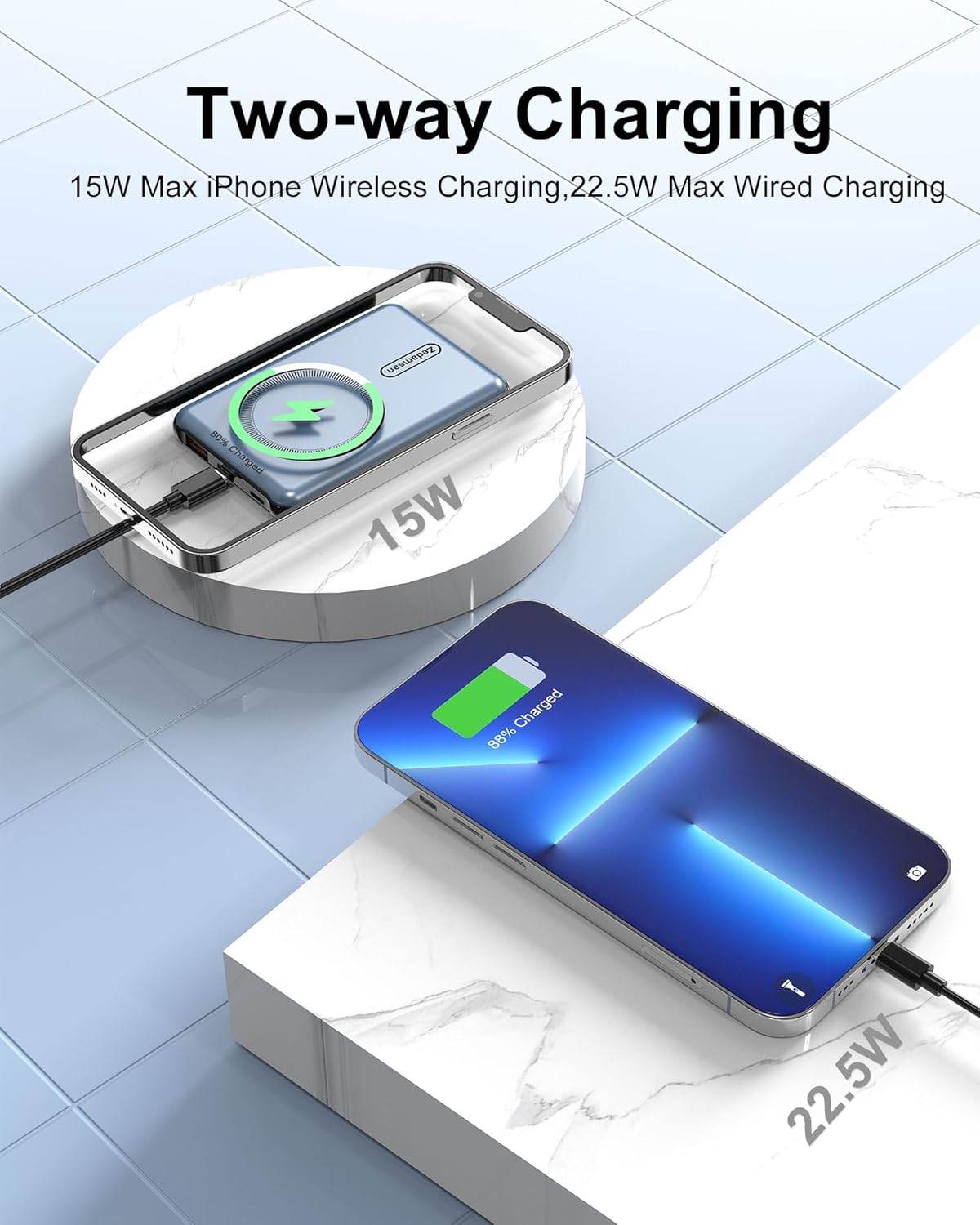
Image: A visual representation of the power bank's two-way charging capability, showing both wireless charging of an iPhone and wired charging of another device simultaneously.
Memeriksa Tingkat Baterai
Press the power button once to activate the LED indicator lights, which show the remaining battery capacity of the power bank.
Kesesuaian
This magnetic power bank is primarily designed for MagSafe-compatible iPhones, including:
- iPhone 16, iPhone 16 Plus, iPhone 16 Pro, iPhone 16 Pro Max
- iPhone 15, iPhone 15 Plus, iPhone 15 Pro, iPhone 15 Pro Max
- iPhone 14, iPhone 14 Plus, iPhone 14 Pro, iPhone 14 Pro Max
- iPhone 13, iPhone 13 Pro, iPhone 13 Pro Max
- iPhone 12, iPhone 12 Pro, iPhone 12 Pro Max
The USB-C and USB-A ports offer broad compatibility with other devices that charge via these standards, such as Android phones, tablets, earbuds, smartwatches, and more.

Image: A chart illustrating the universal compatibility of the power bank's USB-C and USB-A ports with various devices, including iPad Pro, Rog Ally, iPhone 15 Pro, Nintendo Switch, Steam Deck, S23/S22/Note 20, AirPods Pro, Apple Watch, and Galaxy Buds.
Informasi Keselamatan
Your Zedamsan power bank is equipped with a Smart Protect Safety System to ensure comprehensive protection for you and your devices. This includes:

Image: Icons representing the safety features of the power bank: Short-circuit protection, Over-current protection, Over-voltage protection, Temperature protection, and Overcharge protection.
- Perlindungan sirkuit pendek: Mencegah kerusakan akibat korsleting.
- Perlindungan Arus Lebih: Perlindungan terhadap aliran arus yang berlebihan.
- over-voltage Perlindungan: Melindungi terhadap voltage melonjak.
- Perlindungan Suhu: Memantau dan mengatur suhu internal untuk mencegah panas berlebih.
- Perlindungan Overcharge: Mencegah kerusakan baterai akibat pengisian daya berlebihan.
Tindakan pencegahan keselamatan yang penting:
- Jangan biarkan power bank terkena suhu ekstrem (panas atau dingin), sinar matahari langsung, atau kelembapan tinggi.
- Jangan membongkar, memodifikasi, atau memperbaiki perangkat sendiri.
- Jauhkan dari jangkauan anak-anak.
- Hindari menjatuhkan atau membenturkan bank daya ke benturan keras.
- If the power bank becomes excessively hot during use or charging, disconnect it immediately.
Pemeliharaan
- Bersihkan power bank dengan kain lembut dan kering. Jangan gunakan bahan kimia keras atau bahan abrasif.
- Simpan power bank di tempat yang sejuk dan kering saat tidak digunakan.
- For optimal battery life, fully charge the power bank at least once every three months if it's not used regularly.
Penyelesaian Masalah
- Power bank tidak mengisi daya:
- - Ensure the charging cable is securely connected to both the power bank and the power adapter.
- - Coba kabel pengisi daya atau adaptor daya yang berbeda.
- - Verify the power adapter is functioning correctly and plugged into a live outlet.
- Perangkat tidak mengisi daya dari power bank:
- - For wireless charging, ensure your iPhone is MagSafe compatible and properly aligned with the power bank's magnetic area. Remove any non-MagSafe cases.
- - For wired charging, ensure the cable is securely connected to both the power bank and your device.
- - Check if the power bank has sufficient charge by pressing the power button.
- - Try a different charging cable.
- Power bank or device getting hot during charging:
- - It is normal for charging devices to generate some heat. However, if it becomes excessively hot, disconnect immediately.
- - Ensure there is adequate ventilation around the power bank and device during charging.
- - Avoid charging in direct sunlight or enclosed spaces.
Spesifikasi
| Nomor Model | BP970W |
| Kapasitas Baterai | 5000 mAh |
| Keluaran Pengisian Nirkabel | 5W, 7.5W, 10W, 15W (Maks) |
| Masukan/Keluaran USB-C | Hingga 20W |
| Output USB-A | Hingga 22.5W |
| Dimensi (P x L x T) | 3.97 x 2.64 x 0.52 inci (10.2 x 6.6 x 1.3 cm) |
| Berat | 4.6 ons (125g) |
| Jenis Konektor | USB-C, USB-A, Lightning (input) |
| Fitur Khusus | Lightweight, Pocket Size, Wireless Charging, Magnetic Attachment |
Garansi dan Dukungan
Your Zedamsan Portable Charger comes with a 24-month technical support and a 30-day money-back service. For any questions, issues, or warranty claims, please contact Zedamsan customer support through the retailer's platform or the official Zedamsan weblokasi.
Harap simpan bukti pembelian Anda untuk tujuan garansi.
Ask a question about this manual
Ask about setup, troubleshooting, compatibility, parts, safety, or missing instructions. Manuals+ will review the question and use this page’s manual context to help answer it.