
Perkenalan
This manual provides essential instructions for setting up, operating, and maintaining your KALOC Fitness Tracker. Please read this guide thoroughly to ensure proper use and to maximize the device's features.
Apa yang ada di dalam kotak
Setelah membongkar, pastikan semua barang ada:
- KALOC Fitness Tracker (main unit)
- Watch Band
- Kabel Pengisian Daya
- Panduan Pengguna
Pengaturan
1. Mengisi Daya Perangkat
Before first use, fully charge your fitness tracker. Connect the charging cable to the charging port on the back of the device and to a USB power source. The screen will indicate charging status.

Image: The KALOC Fitness Tracker displaying a '100% Fully charged' message while connected to its charging cable.
2. Instalasi dan Pemasangan Aplikasi
To utilize all features and synchronize data, download the companion application to your smartphone. The app is compatible with Android 6.0 and iOS 12.0 or above, and requires Bluetooth 4.0.
- Scan the QR code in the quick guide or search for the app name (usually mentioned in the quick guide or packaging) in your phone's app store.
- Instal aplikasinya.
- Open the app and follow the on-screen instructions to create an account and pair your fitness tracker via Bluetooth. Ensure Bluetooth is enabled on your phone.
- Allow necessary permissions for the app to function correctly (e.g., location, notifications).
Petunjuk Pengoperasian
Tampilan dan Navigasi
The KALOC Fitness Tracker features a 1.58-inch AMOLED touch display. Navigate through menus and functions by swiping up, down, left, or right, and tapping to select options.

Image: The 1.58-inch AMOLED screen of the KALOC Fitness Tracker, highlighting its resolution and brightness capabilities.
Fungsi Dasar
- Waktu dan Tanggal: Automatically synchronizes with your paired smartphone.
- Tampilan Jam: Customize your watch face through the companion app or directly on the device.

Gambar: Examples of personalized watch faces available for the KALOC Fitness Tracker.
Fitur Pelacakan Kesehatan
The KALOC Fitness Tracker provides comprehensive health monitoring throughout the day.
- Pemantauan Denyut Jantung: Terus memantau detak jantung Anda. View data waktu nyata pada perangkat atau tren terperinci di aplikasi.
- Pengukuran Oksigen Darah (SpO2): Mengukur tingkat saturasi oksigen darah Anda.
- Pemantauan Tidur: Menganalisis pola tidur Anda, termasuk tidur nyenyak, tidur ringan, dan waktu terjaga.
- Pelacakan Tingkat Stres: Monitors your stress levels and provides insights into your mental well-being.
- Penghitung Langkah & Pelacak Kalori: Records daily steps, distance covered, and estimated calories burned.

Image: The KALOC Fitness Tracker displaying 24-hour health tracking data, including heart rate, sleep, and stress.

Image: The KALOC Fitness Tracker tracking daily fitness data, including steps, distance, calories, and activity time.
Mode Olahraga
The fitness tracker supports over 100 sports modes to accurately track your workouts. Select the appropriate mode before starting an activity for precise data collection.
- Examples include outdoor walking, running, cycling, strength training, yoga, and various ball games.
- Access sports modes from the device menu and select your desired activity.
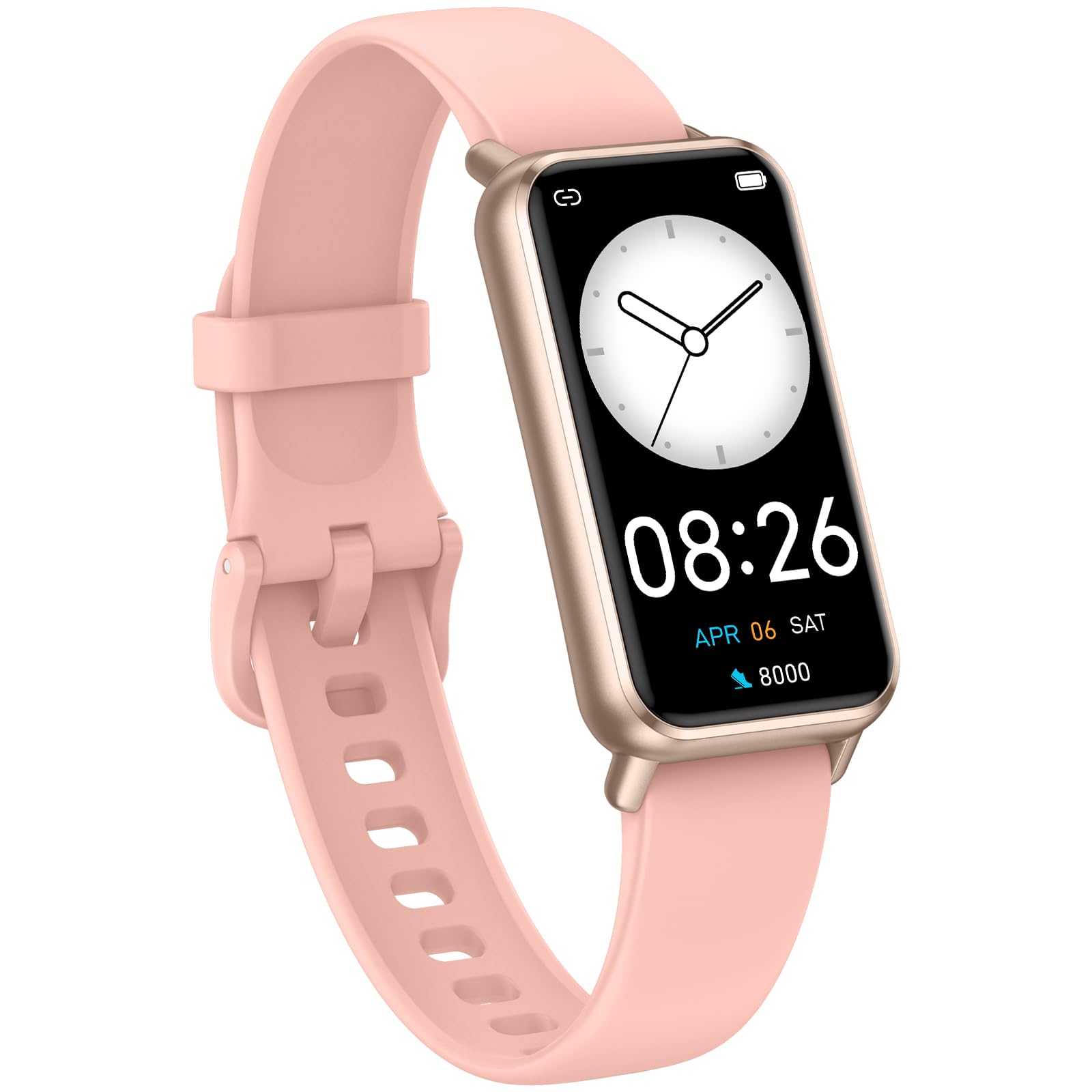
Image: The KALOC Fitness Tracker highlighting its support for over 100 sports modes.
Tahan Air
The KALOC Fitness Tracker is 50-meter waterproof, making it suitable for various water activities.
- Suitable for washing hands, showering, swimming, and shallow water activities.
- Not recommended for diving, hot water activities, or high-pressure water exposure.

Image: The KALOC Fitness Tracker demonstrating its 50-meter waterproof feature during swimming.
Daya Tahan Baterai
The device offers an extended battery life, providing up to 14 days of typical use or 30 days of standby time on a single charge.

Image: The KALOC Fitness Tracker highlighting its 14-day battery life.
Notifikasi Cerdas
Receive notifications for calls, messages, and app alerts directly on your wrist when paired with your smartphone.

Image: The KALOC Fitness Tracker receiving smart notifications from various applications.
Fungsi Lainnya
The KALOC Fitness Tracker includes several additional useful features:
- Kontrol Kamera: Kendalikan kamera ponsel Anda dari jarak jauh.
- Kontrol Musik: Manage music playback on your paired phone.
- Prakiraan Cuaca: View Kondisi cuaca dan prakiraan cuaca terkini.
- Pengingat Minum: Atur pengingat untuk tetap terhidrasi.
- Pengingat Sedentary: Memberi Anda pengingat untuk bergerak setelah periode tidak aktif.
- Jam Alarm: Set alarms directly on your device.
- Pelatihan Nafas: Latihan pernapasan terpandu untuk membantu mengelola stres.

Image: The KALOC Fitness Tracker showcasing its multiple functions.
Pemeliharaan
To ensure the longevity and optimal performance of your KALOC Fitness Tracker, follow these maintenance guidelines:
- Pembersihan: Bersihkan perangkat dan tali pengikat secara teratur dengan kain lembut.amp kain. Hindari bahan kimia keras atau bahan abrasif.
- Pengisian daya: Use only the provided charging cable. Do not expose the charging contacts to water or corrosive liquids.
- Penyimpanan: Simpan perangkat di tempat yang sejuk dan kering saat tidak digunakan. Hindari suhu ekstrem.
- Paparan Air: While waterproof, it is advisable to dry the device thoroughly after exposure to water to prevent skin irritation and ensure proper sensor function.
Penyelesaian Masalah
If you encounter issues with your KALOC Fitness Tracker, refer to the following common solutions:
- Perangkat Tidak Menyala: Pastikan perangkat terisi penuh. Hubungkan ke pengisi daya minimal 30 menit.
- Tidak Dapat Dipasangkan dengan Telepon:
- Pastikan Bluetooth diaktifkan di ponsel Anda.
- Pastikan pelacak berada dalam jangkauan Bluetooth ponsel Anda.
- Restart both your phone and the fitness tracker.
- Check if the app has the necessary permissions.
- Data Tidak Akurat:
- Ensure the tracker is worn snugly on your wrist, about one finger's width from your wrist bone.
- Bersihkan sensor di bagian belakang perangkat.
- Update the device firmware via the app if available.
- Pemberitahuan Tidak Diterima:
- Verify that notifications are enabled in both the tracker's app and your phone's settings.
- Pastikan aplikasi berjalan di latar belakang.
If problems persist, consult the support section of the companion app or contact customer support.
Spesifikasi
| Nomor Model | 529d841c-3537-4f97-bf0f-2a0c001c6b1e |
| Ukuran Layar | 1.58 inci AMOLED |
| Tahan Air | 50 Meter |
| Daya Tahan Baterai | Hingga 14 hari (penggunaan umum) |
| Konektivitas | Bluetooth 4.0 |
| Kesesuaian | Android 6.0+ / iOS 12.0+ |
| Berat Barang | 2.82 ons |
| Dimensi Produk | 6.4x3x0.7 inci |
Garansi dan Dukungan
For warranty information and customer support, please refer to the documentation included with your purchase or visit the official KALOC websitus. Simpan struk pembelian Anda sebagai bukti pembelian untuk klaim garansi.