
ASUS ASUS - ROG Zephyrus
ASUS ROG Zephyrus 15.6" WQHD 165Hz Gaming Laptop User Manual
Model: ASUS - ROG Zephyrus | Brand: ASUS
1. Pendahuluan
This manual provides comprehensive instructions for the ASUS ROG Zephyrus 15.6" WQHD 165Hz Gaming Laptop. Designed for high-performance gaming and demanding tasks, this laptop features an AMD Ryzen 9 6900HS processor, NVIDIA GeForce RTX 3060 graphics, 40GB DDR5 RAM, and a 4TB PCIe 4.0 SSD. It comes equipped with a vibrant WQHD 165Hz display and an RGB backlit keyboard, running on Windows 11. This guide will help you set up, operate, maintain, and troubleshoot your device to ensure optimal performance and longevity.

Figure 1.1: The ASUS ROG Zephyrus Gaming Laptop, showcasing its powerful AMD Ryzen 9 6900HS processor and NVIDIA GeForce RTX 3060 graphics capabilities.
2. Pengaturan
2.1 Pembongkaran dan Pemeriksaan Awal
Carefully remove all components from the packaging. Verify that all items listed in the packing list are present and undamaged. The package includes the ASUS ROG Zephyrus laptop, power adapter, and a 256GB Docking Station Set.
2.2 Menghubungkan Daya
- Hubungkan adaptor daya ke port input daya laptop.
- Sambungkan kabel daya ke stopkontak di dinding.
- Lampu indikator baterai akan menyala, menandakan bahwa laptop sedang mengisi daya.
2.3 Boot Pertama dan Pengaturan Windows 11
Press the power button to turn on the laptop. Follow the on-screen prompts to complete the Windows 11 setup process, including language selection, network connection, and user account creation.
2.4 Connecting the Docking Station Set
The included 256GB Docking Station Set enhances connectivity and storage. Connect the docking station to your laptop via a USB Type-C port. This set typically includes a 7-in-1 docking station with 256GB SSD, a 32GB MicroSD Card with Adapter, Type-C Data Cable, 3-in-1 Charging Cable, and a Suede Cleaning Cloth.

Gambar 2.1: Lebihview of the 256GB Docking Station Set components, including the 7-in-1 docking station, MicroSD card, and various cables.

Figure 2.2: An alternative docking station set, which may include a 6-in-1 docking station and a 128GB M.2 NVME Solid State Drive, along with cables and adapter.
3. Petunjuk Pengoperasian
3.1 Fitur Tampilan
The laptop features a 15.6-inch WQHD (2560 x 1440 pixels) display with a 165Hz refresh rate, providing smooth visuals for gaming and multimedia. It supports Adaptive-Sync technology for tear-free gameplay and is Pantone Validated for accurate color reproduction. Enjoy enhanced visual experiences with Dolby Vision support.

Figure 3.1: Key display features of the ROG Zephyrus, highlighting its high refresh rate, color accuracy, and adaptive synchronization capabilities.
3.2 Kinerja Secara Keseluruhanview
Equipped with an AMD Ryzen 9 6900HS CPU and NVIDIA GeForce RTX 3060 GPU, the laptop delivers robust performance for gaming and demanding applications. The 40GB DDR5 RAM ensures smooth multitasking, while the 4TB PCIe SSD provides ample and fast storage.
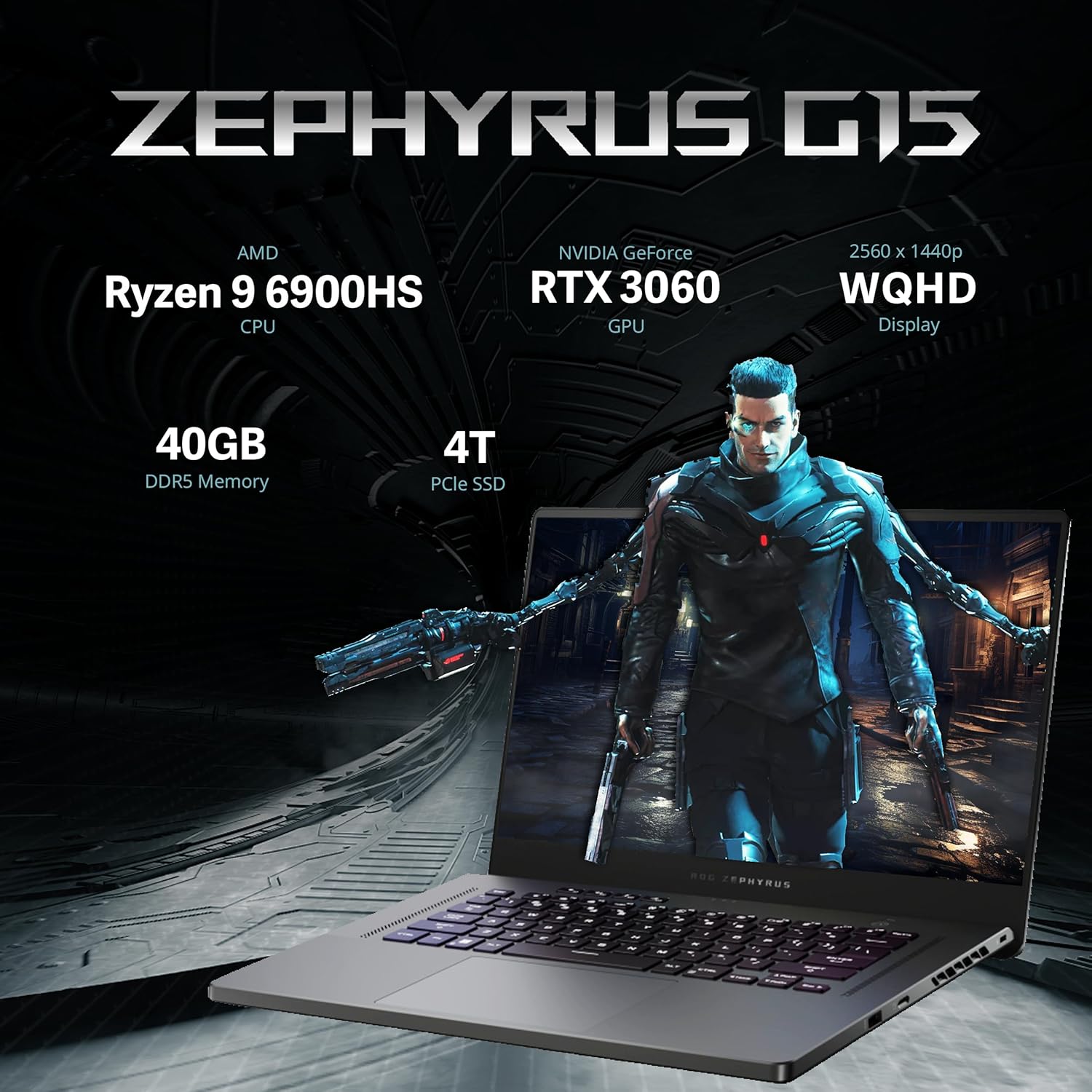
Figure 3.2: Visual representation of the ROG Zephyrus G15's core specifications, emphasizing its powerful CPU, GPU, memory, and storage.

Figure 3.3: The AMD CPU, built using cutting-edge 6nm technology, designed for heavy-duty workloads and high performance.
3.3 Papan Ketik dan Touchpad
The laptop features an RGB backlit keyboard for comfortable typing in various lighting conditions. It includes gaming hotkeys with macro functions and a desktop-inspired layout for enhanced usability. The responsive touchpad provides precise cursor control.

Figure 3.4: Details of the laptop's keyboard, highlighting its RGB backlighting, dedicated hotkeys, and responsive touchpad for accurate input.
3.4 Sistem Audio
Experience immersive surround sound with Quad Speakers, AI Noise Cancellation, and a versatile 3D Mic Array. Dolby Atmos technology further enhances the audio experience, providing rich and clear sound.

Figure 3.5: Illustration of the laptop's advanced audio system, featuring multiple speakers, AI-powered noise cancellation, and immersive Dolby Atmos sound.
3.5 Port dan Konektivitas
The laptop offers a variety of ports for connectivity, including:
- 1 port LAN RJ45
- 2x USB 3.2 Gen 2 Type-C ports
- 2 port USB 3.2 Gen 1 Tipe-A
- 1x port HDMI 2.0b
- 1x Jack Audio Kombo 3.5mm
- Slot kartu microSD
- Slot Kunci Kensington
Wireless connectivity is provided via 802.11ax (Wi-Fi 6).

Gambar 3.6: Gambaran detail view of the laptop's side ports, illustrating options for power, external displays, network, audio, and various USB connections.
4. Pemeliharaan
4.1 Membersihkan Laptop Anda
- Gunakan kain lembut dan tidak berbulu untuk membersihkan layar dan rangka.
- Untuk noda membandel, dampBasahi kain sedikit dengan air atau cairan pembersih yang aman untuk layar.
- Hindari menyemprotkan cairan langsung ke laptop.
- Gunakan udara bertekanan untuk membersihkan debu dari tombol keyboard dan kisi-kisi ventilasi.
4.2 Pembaruan Perangkat Lunak
Regularly check for and install Windows updates, graphics driver updates (NVIDIA), and ASUS utility updates to ensure optimal performance, security, and compatibility.
4.3 Perawatan Baterai
- Hindari mengosongkan baterai secara menyeluruh secara sering.
- Simpan laptop di tempat yang sejuk dan kering jika tidak digunakan dalam jangka waktu lama.
- Untuk penyimpanan jangka panjang, isi daya baterai hingga sekitar 50-60%.
5. Penyelesaian masalah
5.1 Masalah Umum dan Solusinya
| Masalah | Kemungkinan Penyebab | Larutan |
|---|---|---|
| Laptop tidak menyala. | No power, discharged battery, faulty power adapter | Ensure power adapter is securely connected and outlet is functional. Charge battery for at least 30 minutes before attempting to power on. |
| Tampilan kosong | Sleep mode, external display connected, display driver issue | Press any key or move mouse to wake from sleep. Disconnect external displays. Update graphics drivers. |
| Papan ketik tidak merespons | Driver issue, software conflict | Restart the laptop. Check Device Manager for keyboard driver issues. |
| Kinerja lambat | Too many background applications, insufficient RAM, overheating | Close unnecessary applications. Ensure proper ventilation. Check for malware. |
For more complex issues, refer to the ASUS official support websitus atau hubungi layanan pelanggan.
6. Spesifikasi
| Fitur | Detil |
|---|---|
| Merek | ASUS |
| Nama Model | ASUS - ROG Zephyrus |
| Ukuran Layar | 15.6 inci |
| Resolusi Layar | 2560 x 1440 piksel (WQHD) |
| Resolusi Layar Maksimum | 2560x1440 Piksel |
| Prosesor | AMD Ryzen 9 6900HS (3.3 GHz) |
| RAM | Memori DDR40 5 GB |
| Perangkat Keras | 4 TB PCIe SSD |
| Koprosesor Grafis | Kartu grafis NVIDIA GeForce RTX 3060 |
| Sistem Operasi | Windows 11 Rumah |
| Tipe Nirkabel | Koneksi Wi-Fi 802.11 |
| Warna | Abu-abu |
| Berat Barang | 4.19 pon |
| Dimensi Produk | 13.98x9.57x0.78 inci |
| Fitur Khusus | Keyboard dengan lampu latar |
| Aksesoris yang disertakan | 256GB Docking Station Set (7-in-1 Docking Station w/256GB SSD, 32GB MicroSD Card w/Adapter, Type-C Data Cable, 3-in-1 Charging Cable, Suede Cleaning Cloth) |
7. Informasi Garansi
The laptop comes with a 1-Year warranty on upgraded RAM/SSD components provided by SnowBell. Additionally, the original manufacturer's warranty from ASUS covers the remaining components for 1 year from the date of purchase. Please retain your proof of purchase for warranty claims.
For detailed warranty terms and conditions, please refer to the official ASUS warranty policy or contact SnowBell directly for upgraded components.
8. Dukungan Pelanggan
For technical assistance, troubleshooting, or warranty inquiries, please contact ASUS customer support through their official website. You can find support resources, FAQs, and contact information at the Dukungan ASUS Weblokasi.
For issues specifically related to the upgraded RAM/SSD components, please contact SnowBell, the provider of the upgrade.
Ask a question about this manual
Ask about setup, troubleshooting, compatibility, parts, safety, or missing instructions. Manuals+ will review the question and use this page’s manual context to help answer it.