
1. Produk Lebihview
The Donerton T50S Smart Watch is a versatile wearable device designed for both men and women, featuring a 1.85-inch HD touch screen. It offers comprehensive health monitoring, including heart rate and sleep tracking, alongside over 100 sports modes for fitness enthusiasts. With its built-in HD speaker and Bluetooth connectivity, the smartwatch allows users to answer and make calls directly from their wrist and receive various message notifications. Its IP68 waterproof rating ensures durability for daily activities.

Image 1.1: Donerton T50S Smart Watch main display showing time, activity metrics, and call interface.
2. Panduan Pengaturan
2.1. Isi Paket
Sebelum memulai, harap pastikan bahwa semua barang ada di dalam paket:
- Donerton T50S Smart Watch
- Kabel Pengisi Daya Magnetik
- Panduan Pengguna Bahasa Inggris
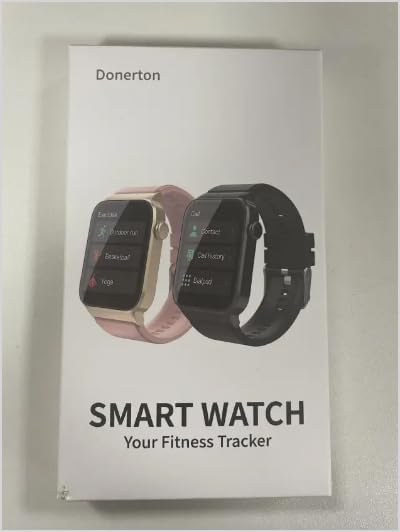
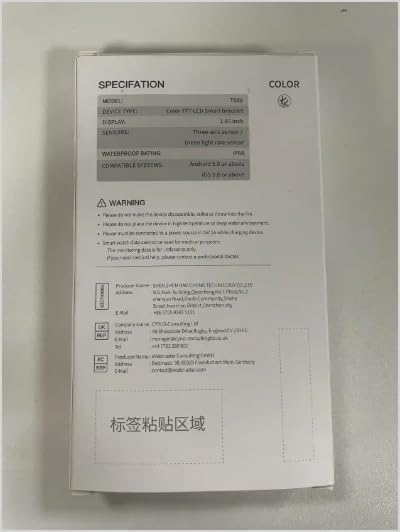
Image 2.1: Front and back covers of the Donerton T50S Smart Watch user manual.
2.2. Mengisi Daya Jam Tangan Pintar
To ensure optimal performance, fully charge the smart watch before first use. The watch features a built-in large-capacity battery, providing approximately 5-7 days of daily use and up to 30 days of standby time. A full charge typically takes about 2 hours.
- Hubungkan kabel pengisi daya magnetik ke kontak pengisian daya di bagian belakang jam tangan.
- Colokkan ujung kabel USB ke adaptor daya USB standar (tidak disertakan) atau port USB komputer.
- Layar jam tangan akan menunjukkan status pengisian daya.

Image 2.2: The Donerton T50S Smart Watch connected to its magnetic charging cable, illustrating battery life.
2.3. Instalasi Aplikasi dan Pemasangan Perangkat
The Donerton T50S Smart Watch requires connection to the "GloryFit" application for full functionality, including call features, notifications, and data synchronization.
- Aktifkan Bluetooth: On your smartphone, navigate to settings and ensure the Bluetooth function is turned on.
- Download GloryFit App: Open your phone's app store (Google Play Store for Android or Apple App Store for iOS), search for "GloryFit", and download the application.
- Open App and Search: Launch the GloryFit app. Follow the on-screen prompts to allow necessary permissions. In the app, navigate to the device section and select "Add Device" or "Search".
- Select and Bind: The app will search for nearby devices. Select "T50S" from the list of found devices to initiate pairing.
- Konfirmasi Pemasangan: A pairing request will appear on your smartphone. Confirm the pairing.
- Enable Call Function (Bluetooth): After initial pairing, go to your phone's Bluetooth settings. Locate "T50S" (or a similar name like "T50S-Audio") in the list of paired devices and ensure the "Call audio" or "Phone calls" permission is enabled for this connection. This step is crucial for making and receiving calls directly from the watch.
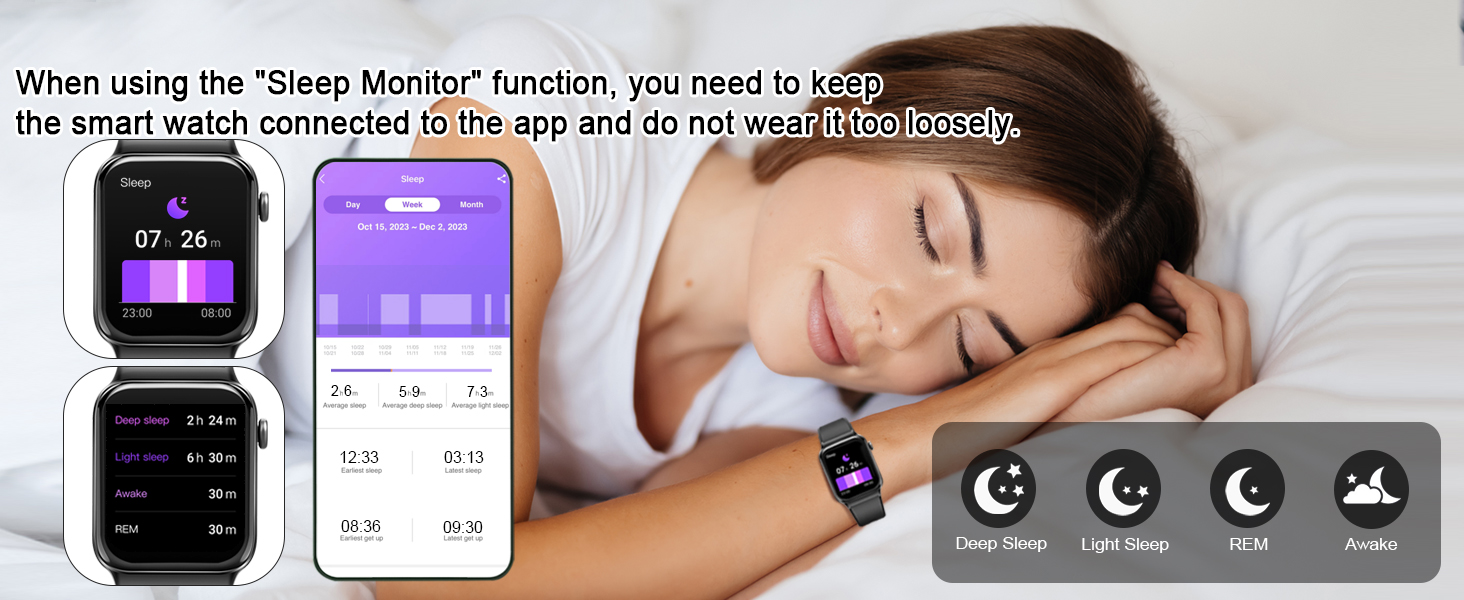
Image 2.3: Visual guide for connecting the T50S Smart Watch to the GloryFit app and activating call features.
3. Petunjuk Pengoperasian
3.1. Navigasi Dasar
The T50S Smart Watch features a full touch screen for intuitive navigation:
- Geser ke Atas/Bawah: Gulir menu dan notifikasi.
- Geser ke Kiri/Kanan: Access quick functions or different data screens (e.g., heart rate, activity, weather).
- Mengetuk: Pilih item atau konfirmasi tindakan.
- Tombol Samping: Tekan untuk mengaktifkan layar, kembali ke layar utama, atau mengakses menu utama.

Gambar 3.1: Selesaiview of the multifunctional capabilities accessible on the T50S Smart Watch.
3.2. Fungsi Panggilan dan Pesan
Once paired via Bluetooth, the T50S Smart Watch allows for convenient communication directly from your wrist.
- Melakukan/Menjawab Panggilan: Use the built-in HD speaker and microphone to answer incoming calls or dial numbers directly from the watch's dial pad or contact list.
- Pemberitahuan Pesan: Receive vibrations and display notifications for incoming texts, emails, and messages from various social media applications (e.g., Facebook, WhatsApp, Instagram, Twitter).

Gambar 3.2: Detail view of the Bluetooth call interface on the T50S Smart Watch.

Image 3.3: The T50S Smart Watch receiving and displaying message notifications.
3.3. Kustomisasi Tampilan Jam
Personalize your watch with over 200 free watch faces available through the GloryFit app. You can also upload your own photos as custom wallpapers.

Image 3.4: A selection of customizable watch faces and the app interface for setting personal photos.
3.4. Pemantauan Kesehatan
The T50S Smart Watch is equipped with high-performance optical sensors for continuous health tracking.
- Monitor Denyut Jantung: Provides 24-hour real-time heart rate monitoring. View detailed reports in the GloryFit app.
- Pemantau Tidur: Automatically tracks your sleep status, including deep sleep, light sleep, and awake times. Analyze your sleep patterns in the app to improve sleep habits.
- Alat pengukur langkah: Records your daily steps, distance covered, and calories burned.

Image 3.5: The T50S Smart Watch monitoring heart rate during exercise and sleep patterns.
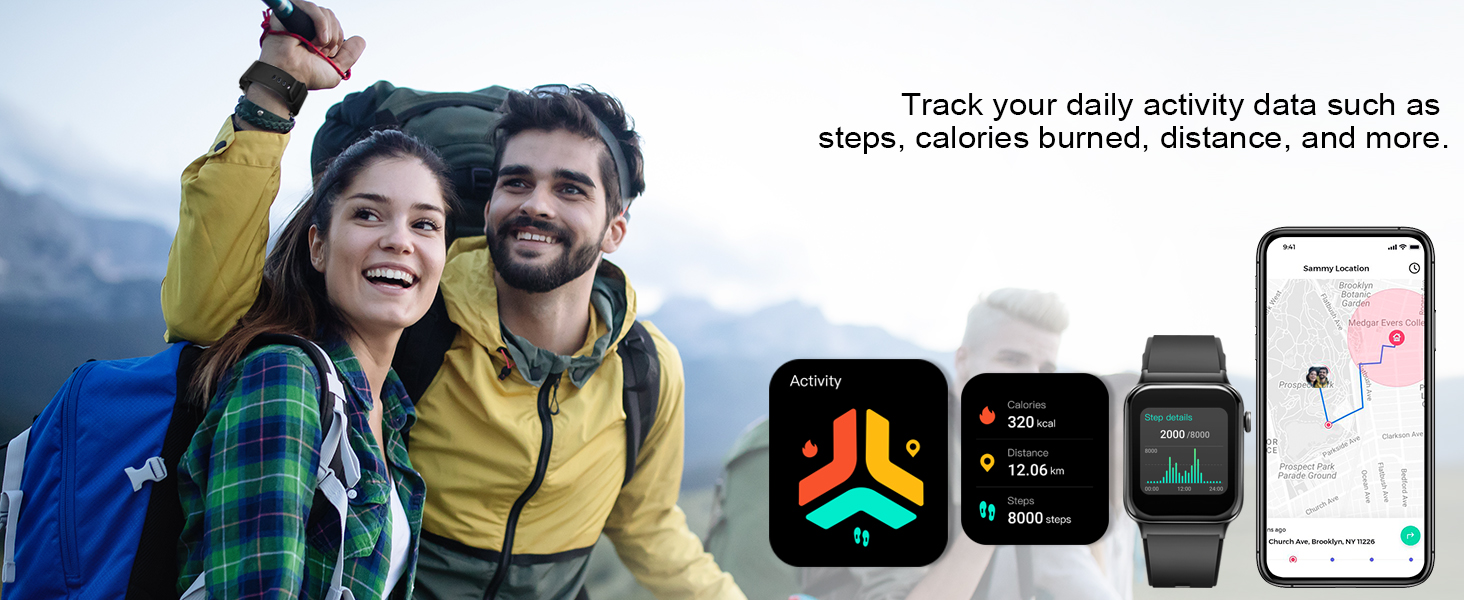
Image 3.6: The T50S Smart Watch tracking daily activity data including steps, calories, and distance.
3.5. Mode Olahraga dan Pelacakan Aktivitas
The activity tracker supports over 100 sports modes, including running, walking, hiking, basketball, cycling, and more. During exercise, it records data such as heart rate, steps, calories burned, and distance in real-time.

Image 3.7: The T50S Smart Watch supporting over 100 sports modes and tracking exercise data.
3.6. Fungsi Cerdas Lainnya
The T50S Smart Watch offers a range of additional features to enhance your daily life:
- Pengatur Waktu & Stopwatch: For precise timing of activities.
- Jam Alarm: Atur beberapa alarm untuk pengingat.
- Pengingat Sedentary: Mendorong Anda untuk bergerak setelah periode tidak aktif.
- Kontrol Musik: Kontrol pemutaran musik di ponsel cerdas Anda (putar, jeda, lewati lagu).
- Prakiraan Cuaca: Displays current weather and forecasts when connected to your phone.
- Penyesuaian Kecerahan: Sesuaikan kecerahan layar untuk hasil optimal. viewdalam kondisi pencahayaan yang berbeda.
- Kontrol Kamera Jarak Jauh: Gunakan jam tangan sebagai tombol rana jarak jauh untuk kamera ponsel Anda.
- Kalkulator: Kalkulator sederhana untuk perhitungan cepat.
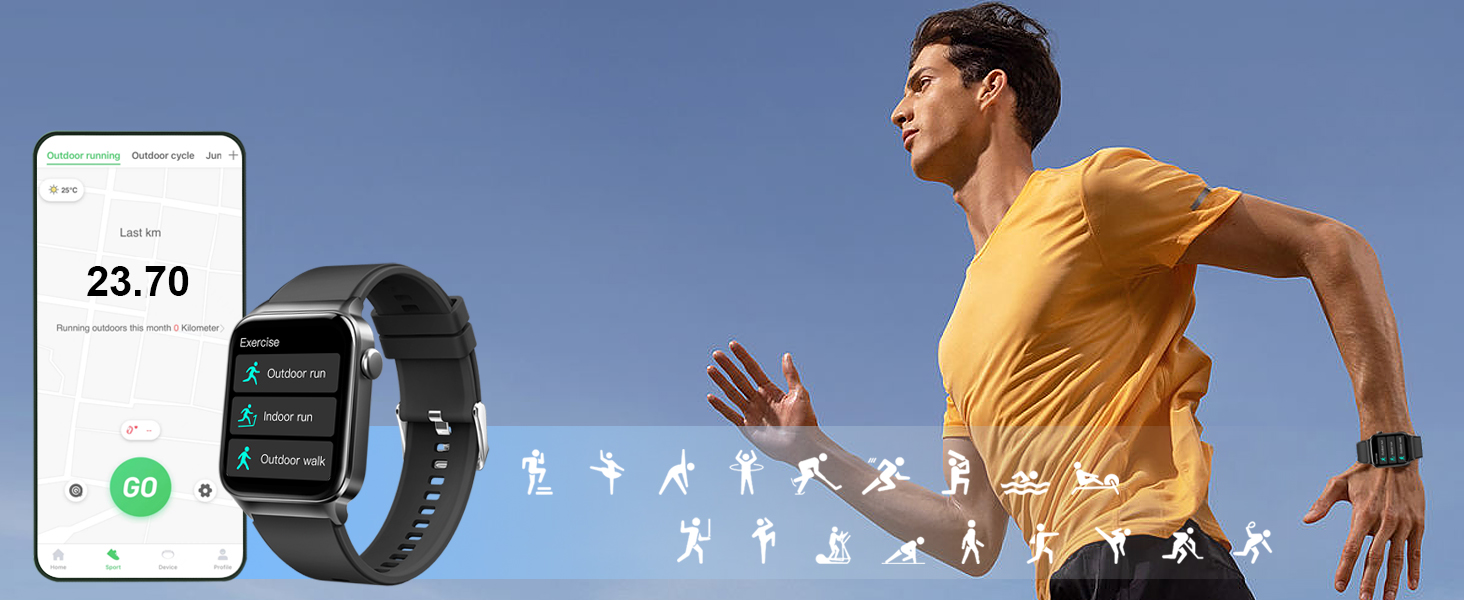
Image 3.8: Remote camera and music control features on the T50S Smart Watch.
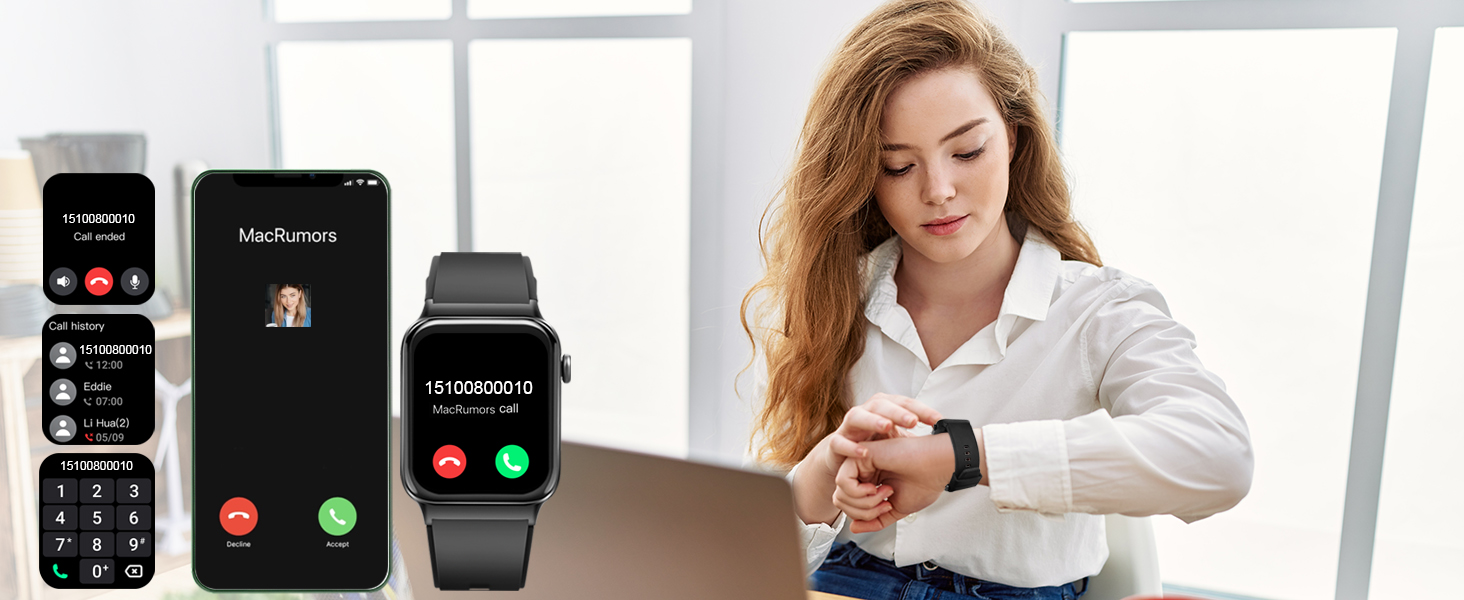
Image 3.9: Stopwatch, alarm, and timer functions available on the T50S Smart Watch.
4. Pemeliharaan dan Perawatan
4.1. Waterproof Rating (IP68)
The T50S Smart Watch has an IP68 waterproof rating, meaning it is resistant to dust and can withstand immersion in water up to 1.5 meters for 30 minutes. This makes it suitable for daily activities such as washing hands, face, or engaging in sweaty activities.
Pertimbangan Penting:
- Dia tidak direkomendasikan for use in hot water, saunas, or seawater, as steam and corrosive liquids can compromise the waterproof seals.
- Hindari menekan tombol di bawah air.
- After contact with water, especially chlorinated or salty water, gently wipe the watch dry with a soft cloth.
4.2. Membersihkan Perangkat
To maintain the watch's appearance and sensor accuracy:
- Bersihkan layar dan badan dengan kain lembut dan tidak berbulu.
- Untuk noda membandel, dampen the cloth slightly with water. Avoid harsh chemicals or abrasive cleaners.
- Bersihkan bagian belakang jam secara teratur, terutama area sensor, untuk memastikan pembacaan yang akurat.
4.3. Cara Pemakaian yang Tepat
For accurate health monitoring, ensure the watch is worn correctly:
- Wear the watch snugly but comfortably on your wrist, leaving enough room for your skin to breathe.
- Avoid wearing it too tightly, which can restrict blood flow and affect sensor readings.
- Avoid wearing it too loosely, as this can cause the watch to move and lead to inaccurate data.

Image 4.1: Guide on how to wear the T50S Smart Watch for accurate sensor performance.
5. Penyelesaian masalah
This section addresses common issues you might encounter with your Donerton T50S Smart Watch.
| Masalah | Kemungkinan Penyebab | Larutan |
|---|---|---|
| Jam tangan tidak menyala atau merespons. | Baterai lemah; perangkat macet. | Charge the watch for at least 30 minutes. If unresponsive, press and hold the side button for 10-15 seconds to force restart. |
| Tidak dapat dipasangkan dengan telepon pintar. | Bluetooth off; app not running; watch not in pairing mode; interference. | Ensure Bluetooth is enabled on both devices. Restart both the watch and phone. Close and reopen the GloryFit app. Ensure the watch is discoverable. Move away from other Bluetooth devices. |
| Call function not working. | Bluetooth audio not enabled for watch; app permissions. | After initial pairing, go to your phone's Bluetooth settings, find "T50S" (or "T50S-Audio"), and ensure "Call audio" or "Phone calls" is enabled. Check app permissions for phone access. |
| Inaccurate heart rate/sleep data. | Improper wearing; sensor obstruction. | Ensure the watch is worn snugly but comfortably on your wrist, not too loose or too tight. Clean the sensor on the back of the watch. |
| Pemberitahuan tidak diterima. | App permissions; notification settings in app; phone's Do Not Disturb mode. | Check GloryFit app settings to ensure notifications are enabled for desired apps. Verify phone's notification permissions for GloryFit. Disable Do Not Disturb mode on both phone and watch. |
| Daya tahan baterai pendek. | Frequent use of power-intensive features; high brightness; continuous monitoring. | Reduce screen brightness. Limit continuous heart rate monitoring if not needed. Turn off unnecessary notifications. Ensure watch is fully charged. |
6. Spesifikasi Produk
| Fitur | Detil |
|---|---|
| Nama Model | T50S |
| Merek | Donerton |
| Menampilkan | 1.85-inch HD Full Touch Color Screen (240 x 280 resolution) |
| Konektivitas | Bahasa Indonesia: Bluetooth |
| Kesesuaian | Android 7.0 dan di atasnya, iOS 9.0 dan di atasnya |
| Daya Tahan Baterai | 5-7 hari (penggunaan harian), 30 hari (siaga) |
| Waktu Pengisian Daya | Sekitar 2 jam |
| Peringkat Tahan Air | Tingkat IP68 |
| Sensor | Heart Rate Monitor, Pedometer, Sleep Monitor |
| Fitur Khusus | Answer/Make Calls, Message Notifications, 100+ Sports Modes, Music Control, Remote Camera, Weather Forecast, Alarm, Timer, Stopwatch, Calculator, Sedentary Reminder, Brightness Adjustment |
| Berat Barang | 3.52 ons |
7. Garansi dan Dukungan
For any questions, technical assistance, or warranty inquiries regarding your Donerton T50S Smart Watch, please contact Donerton customer support.
Please refer to the official Donerton website or the contact information provided with your purchase for the most up-to-date support channels.
Anda juga dapat mengunjungi Donerton Store on Amazon untuk informasi produk lebih lanjut dan sumber daya dukungan.