
Perkenalan
Thank you for choosing the KIVI 43U750NB 43-inch UHD 4K Smart TV. This television combines advanced display technology with the versatility of Android 11, offering a superior entertainment experience. This manual provides essential information for setting up, operating, and maintaining your new TV. Please read it thoroughly before use and keep it for future reference.
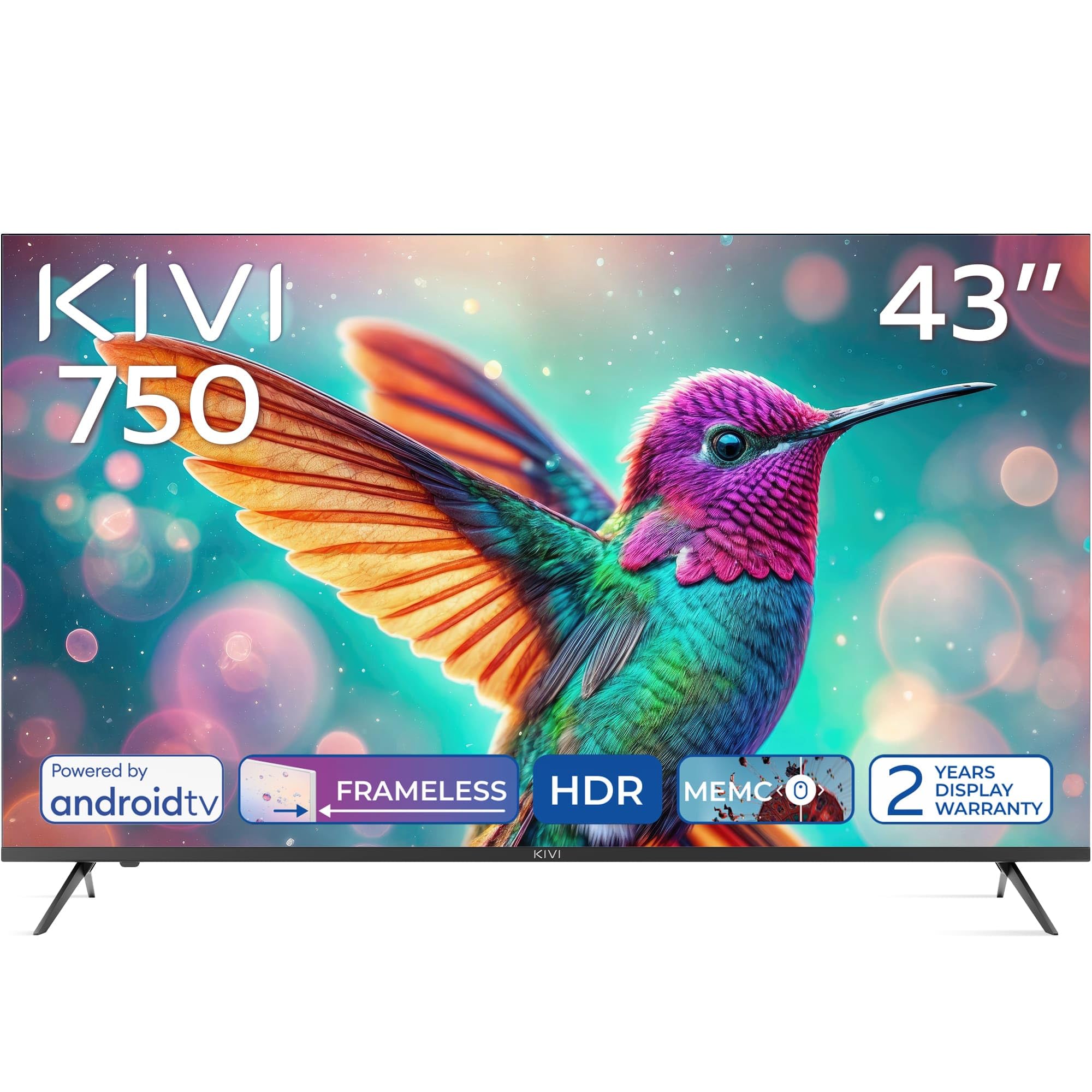
Depan view of the KIVI 43U750NB 43-inch UHD 4K Smart TV.
Informasi Keselamatan
Untuk memastikan pengoperasian yang aman dan mencegah kerusakan, harap perhatikan tindakan pencegahan keselamatan berikut:
- Jangan biarkan TV terkena hujan atau lembab.
- Jangan membuka TV casing; serahkan semua servis kepada personel yang berkualifikasi.
- Pastikan ventilasi yang baik di sekitar TV.
- Hindari meletakkan TV di dekat sumber panas atau terkena sinar matahari langsung.
- Gunakan hanya kabel daya yang disertakan dengan TV.
- Jauhkan baterai dari jangkauan anak-anak.
- Cabut steker listrik saat terjadi badai petir atau saat tidak digunakan dalam waktu lama.
Isi Paket
Verifikasi bahwa semua item ada dalam paket:
- KIVI 43U750NB 43-inch UHD 4K Smart TV
- Kontrol Jarak Jauh
- 2 x Baterai AAA (untuk kendali jarak jauh)
- Kabel Listrik
- User Manual (dokumen ini)
- TV Stands (if included for tabletop setup)
- Sekrup untuk Dudukan TV
Pengaturan
1. Memasang Dudukan TV
If you are placing the TV on a flat surface, attach the included stands to the bottom of the TV using the provided screws. Ensure the stands are securely fastened before placing the TV upright.
2. Pemasangan di Dinding
For wall mounting, use a VESA-compatible wall mount (not included) that supports a 200 x 200 mm pattern. Follow the instructions provided with your wall mount. Ensure the wall can support the weight of the TV.
3. Menghubungkan Perangkat Eksternal
Connect your external devices such as Blu-ray players, game consoles, or sound systems to the TV's ports.
- Port HDMI (x3): For high-definition audio and video. Supports HDMI (eARC) for enhanced audio return channel.
- Port USB 2.0 (x2): For connecting USB storage devices to play media or for service.
- Port Ethernet: Untuk koneksi internet kabel.
- Antenna (75Ω) Input: Untuk menghubungkan antena terestrial atau kabel.
- Keluaran Audio Optik: For connecting to an external audio receiver or soundbar.
- Jack Headphone: Untuk menghubungkan headphone.
- Mini RCA: Untuk menghubungkan perangkat analog lama.

Belakang view of the KIVI 43U750NB TV, illustrating the various connection ports including HDMI, USB, Ethernet, and audio outputs.
4. Koneksi Daya
After all connections are made, plug the power cord into the TV and then into a wall outlet (220 VAC, 50 Hz).
Petunjuk Pengoperasian
1. Kontrol Jarak Jauh
Insert the two AAA batteries into the remote control. The remote uses Bluetooth technology for enhanced control.

The KIVI Smart TV remote control, powered by two AAA batteries.
2. Initial Setup (Android TV 11)
Saat pertama kali dinyalakan, TV akan memandu Anda melalui proses pengaturan awal.
- Pemilihan Bahasa: Pilih bahasa pilihan Anda.
- Koneksi jaringan: Connect to your Wi-Fi network or use the Ethernet cable.
- Masuk Akun Google: Sign in with your Google account to access Android TV features, apps, and voice control.
- Pemindaian Saluran: Scan for available TV channels (DVB-T2 tuner).
- Pengaturan Privasi: Configure your privacy preferences.

The Android TV 11 interface, providing access to a wide range of applications and services.
3. Fitur Smart TV
- Aplikasi: Access popular streaming services like Netflix and HBO directly from the Android TV home screen. Download more apps from the Google Play Store.
- Kontrol Suara: Use the built-in voice control feature (via the remote) to search for content, control playback, and manage TV settings.
- Google Cast: Wirelessly cast content from your compatible smartphone, tablet, or computer to the TV screen.
4. Pengaturan Gambar
Sesuaikan pengaturan gambar untuk mengoptimalkan tampilan Anda. viewpengalaman ing.
- HDR10 & HLG: The TV supports HDR10 and HLG for enhanced contrast and color reproduction with compatible content.
- MEMC: Motion Estimation, Motion Compensation technology reduces motion blur in fast-moving scenes.
- Mode Gambar: Select from various preset picture modes (e.g., Standard, Vivid, Movie, Game) or customize your own.

Visual representation of KIVI TV's picture quality features, including Max Vivid, Super Contrast Control, Ultra Clear, and ALLM & Game Mode.
5. Pengaturan Suara
Customize audio output for optimal sound quality.
- Audio Dolbi: The TV features Dolby Audio for clear and powerful sound.
- Mode Suara: Pilih dari mode suara preset (misalnya, Standar, Musik, Film, Pidato) atau sesuaikan pengaturan equalizer.
- Keluaran Audio: Select between TV speakers, optical output, or Bluetooth audio devices.
Pemeliharaan
Regular maintenance helps prolong the life of your TV.
- Membersihkan Layar: Usap layar dengan lembut menggunakan kain lembut yang tidak berbulu. Untuk noda membandel, gunakan cairan pembersih layar yang dirancang khusus untuk TV, oleskan pada kain, bukan langsung ke layar.
- Membersihkan Casing: Gunakan kain lembut dan kering untuk membersihkan TV casing. Jangan gunakan pembersih atau pelarut yang bersifat abrasif.
- Ventilasi: Pastikan lubang ventilasi di bagian belakang TV tidak terhalang untuk mencegah panas berlebih.
Penyelesaian Masalah
Jika Anda mengalami masalah dengan TV Anda, lihat masalah umum dan solusi berikut:
| Masalah | Kemungkinan Penyebab / Solusi |
|---|---|
| Tidak Ada Daya | Periksa apakah kabel daya terpasang dengan aman ke TV dan stopkontak dinding. Pastikan stopkontak dinding berfungsi. |
| Tidak Ada Gambar, tapi Ada Suara | Periksa sumber input. Pastikan perangkat yang terhubung menyala dan berfungsi dengan benar. Coba kabel HDMI lain. |
| Tidak Ada Suara, tetapi Ada Gambar | Check the volume level. Ensure the TV is not muted. Verify audio output settings (TV speakers, optical, etc.). |
| Kontrol Jarak Jauh Tidak Berfungsi | Replace the AAA batteries. Ensure there are no obstructions between the remote and the TV. Re-pair the Bluetooth remote if necessary. |
| Tidak Dapat Terhubung ke Wi-Fi | Ensure your Wi-Fi router is on and working. Re-enter the Wi-Fi password. Try restarting the TV and your router. |
| Aplikasi Tidak Memuat / Performa Lambat | Check your internet connection speed. Clear app cache or data. Restart the TV. Ensure sufficient storage space. |
Spesifikasi
| Fitur | Detil |
|---|---|
| Nomor Model | 43U750NB |
| Ukuran Layar | 43 inci |
| Resolusi | UHD 4K (3840 x 2160) |
| Teknologi Tampilan | LED (Direct LED backlight, VA-panel) |
| Tingkat Penyegaran | 60Hz |
| Dukungan HDR | HDR10, HLG |
| Sistem Operasi | Android 11.0 |
| Teknologi Audio | Dolby Audio (2.0 channels) |
| Port HDMI | 3 (including eARC) |
| Port USB | 2 (USB2.0) |
| Konektivitas | Wi-Fi, Bluetooth 5.1, Ethernet |
| Fitur Khusus | Voice Control, Google Cast, MEMC |
| Konsumsi Daya | 53Watt |
| Catu Daya | 220 VAC 50Hz |
| Dimensi Produk (PxLxT) | Ukuran 6.4x96x55.6 cm |
| Berat Produk | 9.7 kg |
| Standar Pemasangan VESA | Ukuran: 200x200mm |

Energy label for KIVI 43U750NB, indicating energy efficiency class G and power consumption.
Untuk informasi energi yang lebih rinci, kunjungi: https://eprel.ec.europa.eu/qr/1326921
Garansi dan Dukungan
Your KIVI 43U750NB Smart TV comes with a limited warranty. KIVI offers a 3-year display warranty. Please retain your proof of purchase for warranty claims.
For technical support, troubleshooting assistance, or warranty inquiries, please contact KIVI customer service through their official websitus atau informasi kontak yang diberikan bersama pembelian Anda.