
Perkenalan
Thank you for choosing the aeac Smartwatch. This device is designed to enhance your daily life by providing convenient communication features, comprehensive health monitoring, and various smart functionalities. Please read this manual carefully to understand the proper use, maintenance, and troubleshooting of your new smartwatch.
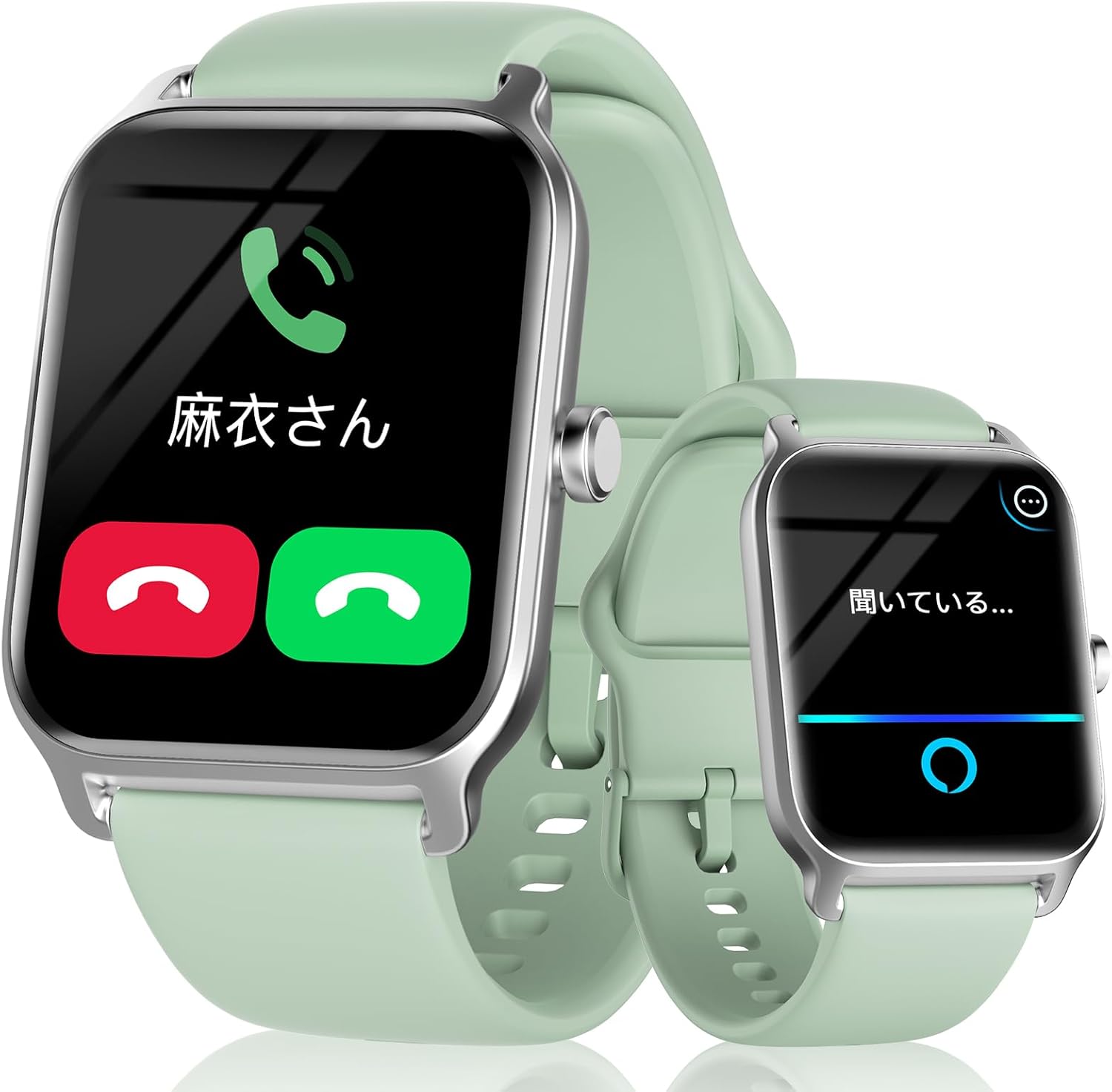
Figure 1: The aeac Smartwatch displaying call and Alexa functions.
Komponen dan Isi Paket
Your aeac Smartwatch package should contain the following items:
- aeac Smartwatch (Model 13)
- Kabel Pengisian Daya (USB Magnetik)
- User Manual (dokumen ini)
Please check all items upon unboxing. If any components are missing or damaged, contact customer support.
Pengaturan
1. Mengisi Daya Jam Tangan Pintar
Sebelum digunakan pertama kali, isi daya smartwatch Anda hingga penuh. Sambungkan kabel pengisi daya magnetik ke titik pengisian daya di bagian belakang jam tangan dan colokkan ujung USB ke adaptor daya (tidak termasuk) atau port USB komputer.
- Waktu pengisian daya: Sekitar 1-2 jam untuk pengisian penuh.
- Battery life: 5-7 days of normal use, up to 35 days in standby mode.

Figure 2: Charging the smartwatch.
2. Instalasi dan Pemasangan Aplikasi
To unlock the full potential of your smartwatch, download and install the dedicated companion app on your smartphone. The app is compatible with iOS 9.0 and above, and Android 6.0 and above.
- Scan the QR code in the manual or on the watch screen (if available) or search for the app name (usually mentioned in the quick start guide or packaging) in your phone's app store (App Store for iOS, Google Play Store for Android).
- Instal aplikasi dan buat akun jika diminta.
- Aktifkan Bluetooth di telepon pintar Anda.
- Open the app and follow the on-screen instructions to search for and pair with your smartwatch. Ensure the smartwatch is powered on and near your phone.
- Konfirmasikan permintaan pemasangan di ponsel dan jam tangan pintar Anda.
The smartwatch utilizes Bluetooth 5.3 for a stable and fast connection, offering improved data transfer, communication range, and speed compared to previous versions.

Figure 3: Bluetooth 5.3 connectivity benefits.
Petunjuk Pengoperasian
Navigasi Dasar
- Layar Sentuh: Swipe left/right, up/down to navigate menus and access different features. Tap to select.
- Tombol Samping: Press to wake the screen, return to the home screen, or access the app list. Long press for power options or to activate Alexa.
- Bangun untuk Bangun: The screen automatically turns on when you raise your wrist.
Fungsi Panggilan
The smartwatch supports Bluetooth calling, allowing you to make and receive calls directly from your wrist.
- Membuat panggilan: Access the dial pad on the watch to dial numbers directly, or select contacts from your synced phonebook.
- Menerima Panggilan: When a call comes in, the watch will display the caller ID. You can answer or reject the call from the watch screen.
- Riwayat panggilan: View Riwayat panggilan terakhir Anda di jam tangan.

Figure 4: Smartwatch call features.
Asisten Suara Alexa
Your smartwatch is equipped with Alexa. Long press the side button or swipe to the Alexa screen to activate it. You can ask Alexa questions, set alarms, check the weather, and control smart home devices.

Figure 5: Using the Alexa voice assistant.
Pemberitahuan Pesan
Receive notifications from various apps directly on your smartwatch. This includes messages from Line, Instagram, email, TikTok, and more. You can read a portion of the message content on the watch screen.

Figure 6: Convenient message notifications.
Mode Olahraga dan Pelacakan Aktivitas
The smartwatch supports over 100 sports modes, including outdoor running, cycling, swimming, yoga, and dancing. It tracks your steps, distance, calories burned, and exercise duration. All data is recorded and analyzed in the companion app, providing insights and advice for your daily activities.

Figure 7: Tracking sports data clearly.
Pemantauan Kesehatan
Monitor your health with the integrated sensors:
- BPM (Heart Rate): Continuous 24-hour heart rate monitoring. You can set high/low BPM alerts.
- SpO2 (Oksigen Darah): Measure your blood oxygen saturation easily. The watch also includes a breathing training function.
- Pemantauan Tidur: Records your daily sleep status, including deep sleep, light sleep, and REM sleep. The app analyzes sleep quality and provides advice.
- Alat pengukur langkah: Melacak jumlah langkah harian Anda.
- Pengukuran Stres: Pantau tingkat stres Anda.

Figure 8: 24-hour BPM recording.

Figure 9: SpO2 concentration measurement.

Figure 10: Sleep monitoring.
Fungsi Praktis Lainnya
The smartwatch offers a variety of other useful features:
- Prakiraan Cuaca: Dapatkan pembaruan cuaca secara langsung.
- Kontrol Musik: Control music playback on your smartphone (play/pause, skip tracks, adjust volume).
- Kontrol Kamera: Gunakan jam tangan Anda sebagai rana jarak jauh untuk kamera ponsel Anda.
- Temukan Telepon: Temukan ponsel pintar Anda yang hilang dengan membuatnya berdering.
- Calendar Notifications: Receive alerts for your scheduled events.
- Alarm & Timer: Set alarms and timers directly from your wrist.
- Senter: A simple flashlight function on the watch screen.
- pengingat minuman: Mengingatkan Anda untuk minum air pada interval waktu tertentu.
- Pengingat Sedentary: Memberi tahu Anda jika Anda sudah terlalu lama tidak aktif.
- Pelacakan Siklus Menstruasi: Record and track menstrual cycles.
- Tampilan Jam yang Dapat Disesuaikan: Pilih dari lebih dari 100 tampilan jam atau unggah foto Anda sendiri.

Figure 11: More practical functions.
Pemeliharaan
Tahan Air (IP68)
The smartwatch is IP68 waterproof, meaning it is resistant to dust and can withstand immersion in water up to 1.5 meters for 30 minutes. It is suitable for daily use, hand washing, and light swimming. However, it is not recommended for hot showers, saunas, or diving, as steam and hot water can damage the seals.

Figure 12: IP68 Waterproofing.
Pembersihan
To keep your smartwatch clean and functioning properly:
- Bersihkan layar dan tali pengikat secara teratur dengan kain lembut.amp kain.
- Hindari penggunaan bahan kimia keras atau bahan abrasif.
- Pastikan kontak pengisian daya bersih dan kering sebelum pengisian daya.
Penyelesaian Masalah
| Masalah | Kemungkinan Penyebab | Larutan |
|---|---|---|
| Jam tangan tidak menyala | Baterai lemah; Tombol daya tidak ditekan cukup lama | Charge the watch; Press and hold the power button for 3-5 seconds |
| Tidak dapat dipasangkan dengan telepon | Bluetooth off; Watch not in pairing mode; App issue | Ensure Bluetooth is on; Restart watch and phone; Reinstall app |
| Pemberitahuan tidak diterima | App permissions; Notification settings; Bluetooth disconnected | Check app permissions in phone settings; Enable notifications in watch app; Reconnect Bluetooth |
| Data kesehatan yang tidak akurat | Watch fit; Sensor obstruction; Movement during measurement | Ensure watch is snug on wrist; Clean sensor; Remain still during measurement |
Spesifikasi
| Fitur | Detil |
|---|---|
| Nomor Model | 13 |
| Ukuran Layar | 1.8 inci |
| Konektivitas | Bluetooth 5.3 |
| Kapasitas Baterai | 300mAh (Lithium Polimer) |
| Waktu Penggunaan Khas | 5 hari |
| Tahan Air | Tingkat IP68 |
| OS yang kompatibel | iOS 9.0+, Android 6.0+ |
| Dimensi Produk | Ukuran 26x3.7x1.3 cm |
| Berat Produk | 34 gram |
| Sertifikasi | Japan MIC (216-230001), US FCC (2AHFT497) |
Informasi Keselamatan
Harap perhatikan pedoman keselamatan berikut:
- Do not use the device in environments below -20°C or above 50°C.
- Keep the device away from open flames or extreme heat.
- Jangan mencoba membongkar atau memodifikasi perangkat.
- Consult a medical professional before using the device for health monitoring if you have pre-existing medical conditions.
Garansi dan Dukungan
Your aeac Smartwatch comes with a Garansi 1 tahun from the date of purchase. This warranty covers manufacturing defects but does not cover damage caused by human factors (e.g., misuse, accidental damage).
For any questions, technical support, or warranty claims, please contact our professional support team. We are committed to providing excellent customer service and ensuring your satisfaction with our products.
You can find contact information on the product packaging or through the retailer where you purchased the device.