
1. Pendahuluan
Thank you for choosing the AODK 55-Inch Computer Gaming Desk. This desk is designed to enhance your gaming and work experience with features such as integrated LED lighting, a built-in power outlet, versatile storage shelves, and a reversible configuration. This manual provides essential information for safe assembly, proper operation, and effective maintenance of your new desk.
2. Informasi Keselamatan
- Baca semua instruksi dengan seksama sebelum perakitan dan penggunaan.
- Jauhkan semua bahan kemasan dari jangkauan anak-anak untuk mencegah bahaya tersedak.
- Rakit meja di atas permukaan yang lembut dan bersih untuk mencegah goresan.
- Pastikan semua sekrup dan pengencang terpasang dengan kencang sebelum digunakan. Periksa secara berkala dan kencangkan kembali jika perlu.
- Jangan membebani meja atau rak secara berlebihan. Lihat spesifikasi untuk kapasitas beban.
- Keep liquids away from electrical components, including the power outlet and LED lights.
- Do not modify the desk or its components. Use only original parts.
- Place the desk on a stable, level surface.
3. Isi Paket
Pastikan semua komponen tersedia sebelum memulai perakitan. Jika ada komponen yang hilang atau rusak, silakan hubungi dukungan pelanggan.
- Desktop Panels (Main, Monitor Shelf, Side Shelf)
- Desk Frame Components (Legs, Support Bars)
- Built-in Power Outlet with 3 AC outlets and 2 USB ports
- Strip Lampu LED RGB dengan Pengontrol
- Kait Headphone
- Perangkat Keras Perakitan (Sekrup, Kunci Allen, dll.)
- Manual Instruksi
4. Pengaturan dan Perakitan
Assembly of the AODK Computer Gaming Desk is designed to be straightforward. All necessary tools are included. Please follow the step-by-step instructions provided in the separate assembly guide included in your package. Pay close attention to the orientation of parts, especially for the reversible storage shelf.
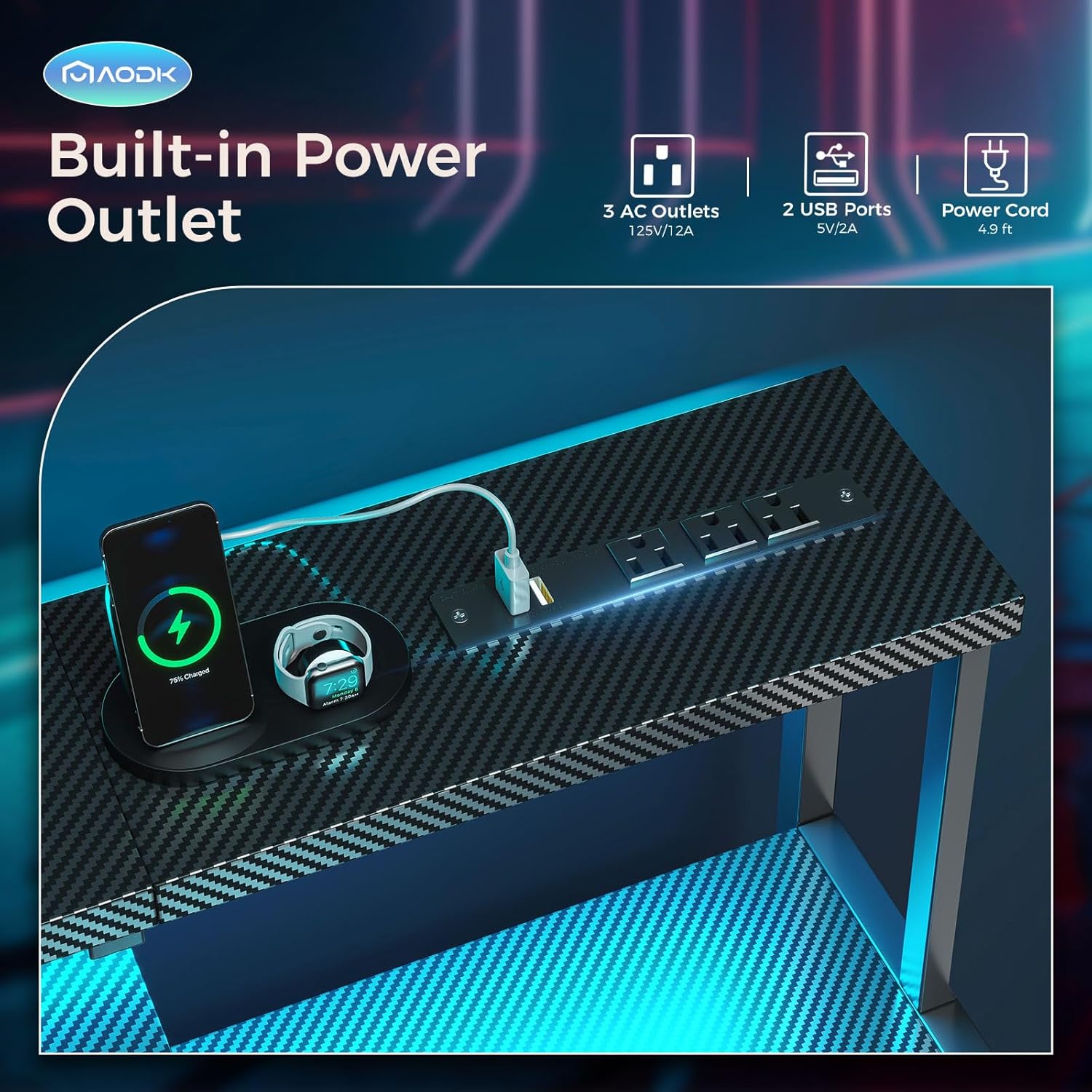
Figure 4.1: Product dimensions and reversible design illustration. The side storage shelf can be installed on either the left or right side.

Figure 4.2: Visual representation of the reversible storage shelf configuration.
Tips Perakitan:
- Identifikasi semua bagian dan perangkat keras sebelum memulai.
- Do not fully tighten screws until all components are loosely assembled. This allows for minor adjustments.
- For the reversible storage shelf, decide on your preferred left or right orientation before securing the frame.
Video 4.1: Detailed assembly guide for the AODK Computer Gaming Desk. This video demonstrates the step-by-step process of putting the desk together, including frame construction and component attachment.
5. Petunjuk Pengoperasian
5.1. Pengoperasian Lampu LED
The desk features an integrated RGB LED light strip under the monitor shelf, offering customizable lighting options.

Figure 5.1: LED Light Strip Controller.
- Static Color Button (C): Press once to switch to static color mode. Each subsequent press cycles through 10 different static colors.
- Dynamic Mode Button (M): Press once to switch to dynamic effect mode. Each subsequent press cycles through 10 different dynamic lighting modes. Press and hold for 3 seconds to enter demo mode, which automatically cycles through various dynamic modes.
- Speed & Brightness & Power Button (S/B):
- In static mode, press to adjust brightness levels.
- In dynamic mode, press to adjust dynamic mode speed.
- Press and hold to turn off the LED strip. Press briefly to turn it on.
The LED strip has a power-off memory function, restoring the last color, brightness, and mode upon next power-on.

Figure 5.2: Desk with RGB LED lights activated.
5.2. Stopkontak Terintegrasi
The desk includes a power strip with 3 AC outlets (125V/12A) and 2 USB ports (5V/2A) for convenient charging and powering of your devices.

Figure 5.3: Built-in power outlet with AC and USB ports.
- Colokkan kabel daya utama meja ke stopkontak dinding.
- Use the AC outlets for standard electronics and the USB ports for charging smartphones, tablets, or other USB-powered devices.
- Do not exceed the maximum electrical load of 12A.
5.3. Reversible & Adjustable Storage Shelf
The side storage shelf can be configured on either the left or right side of the desk during assembly. Additionally, the upper shelf within this unit is adjustable to two different heights.
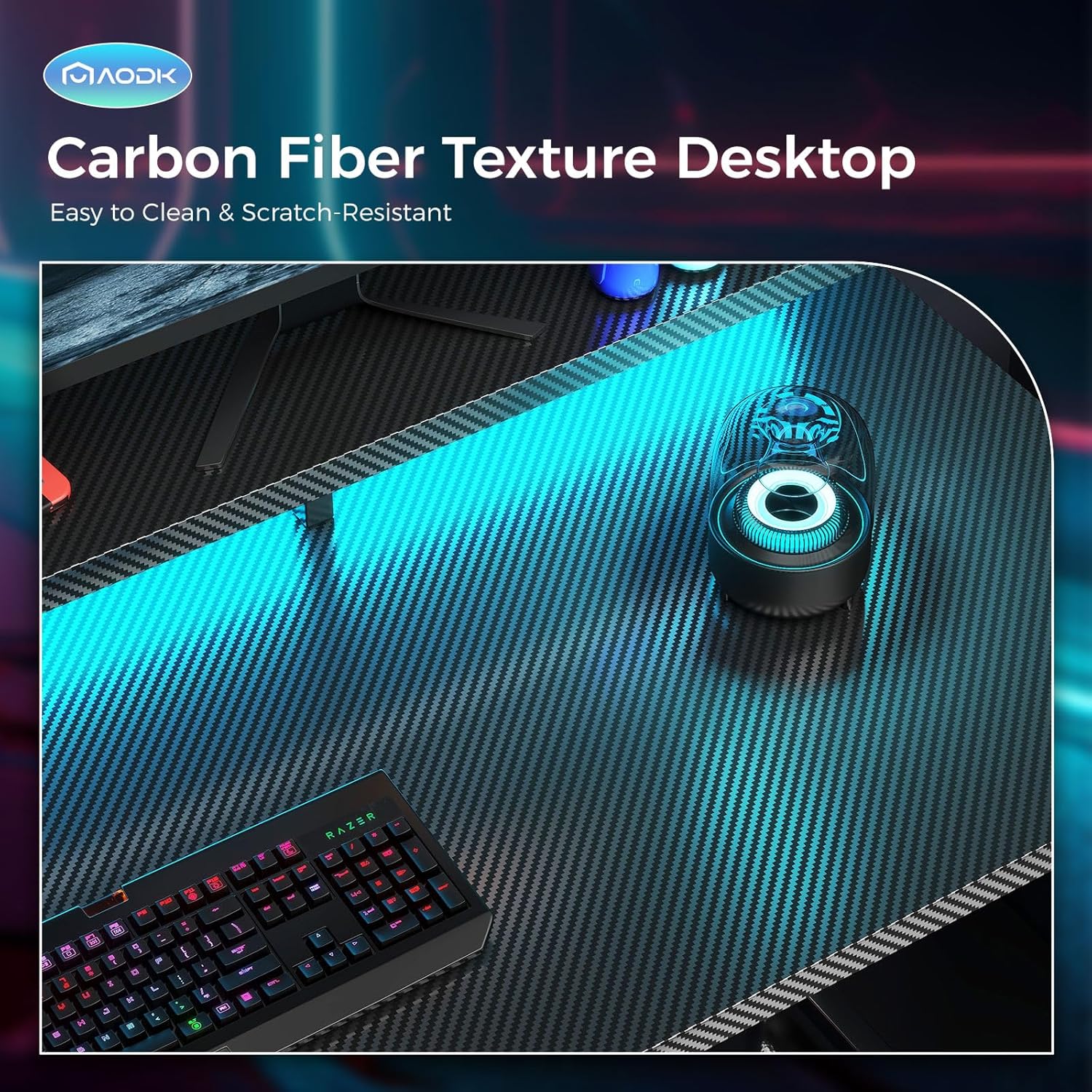
Figure 5.4: Adjustable height of the storage shelf.
- To adjust the shelf height, carefully remove the shelf and reposition the support pins to the desired height. Ensure the shelf is securely seated on all four pins before placing items on it.
- This feature allows accommodation for items such as a large printer, scanner, or a tall CPU tower.
5.4. Full Desktop Monitor Shelf
The desk includes a full-length monitor shelf that provides an elevated surface for monitors, promoting a comfortable viewing angle and reducing neck and back strain. It also offers additional space for small decorative items or accessories.

Figure 5.5: Full desktop monitor shelf in use.
5.5. Kait Headphone
A convenient headphone hook is located on the side of the desk, providing a dedicated spot to hang your headphones and keep your workspace tidy.

Figure 5.6: Headphone hook for organized storage.
Video 5.1: Selesaiview of AODK desk features, including LED lights, power outlet, and storage options.
6. Pemeliharaan
- Pembersihan: Wipe the carbon fiber textured tabletop and metal frame with a soft, damp kain. Hindari pembersih yang bersifat abrasif atau bahan kimia keras yang dapat merusak lapisan akhir.
- Tumpahan: Immediately wipe up any spills to prevent damage to the surface or electrical components.
- Pengencang: Periksa semua sekrup dan baut secara berkala untuk memastikannya tetap kencang. Kencangkan kembali sesuai kebutuhan untuk menjaga stabilitas.
- Komponen Listrik: Ensure the power cord and LED light connections are not pinched or damaged. Do not attempt to repair electrical components yourself.
7. Penyelesaian masalah
| Masalah | Kemungkinan Penyebab | Larutan |
|---|---|---|
| Meja goyang atau tidak stabil. | Pengencang longgar; lantai tidak rata. | Ensure all screws are tightened. Adjust leveling feet if present, or place shims under legs on uneven surfaces. |
| Lampu LED tidak menyala. | Power connection issue; controller malfunction. | Check if the LED strip is properly connected to the power source and the controller. Ensure the desk's main power is connected. Try pressing the power button on the controller. |
| Power outlets/USB ports are not working. | Desk not plugged in; circuit overload. | Verify the desk's main power cord is securely plugged into a functional wall outlet. Check if the total power draw exceeds the 12A limit. Try plugging a different device into the outlet to confirm functionality. |
| Bagian-bagian tidak sejajar selama perakitan. | Orientasi komponen yang salah; sekrup dikencangkan terlalu cepat. | Review the assembly instructions carefully for correct part orientation. Loosen all screws, adjust alignment, then gradually tighten. |
8. Spesifikasi
| Fitur | Detil |
|---|---|
| Merek | AODK |
| Model | 55 Inch Computer Gaming Desk |
| Dimensi Produk (P x L x T) | 18.9" x 55" x 34.2" |
| Warna | Serat Karbon Hitam |
| Jenis Bahan Atas | Carbon Fiber (Laminated) |
| Bahan Dasar | Logam |
| Fitur Khusus | Built-In USB Outlet, Monitor Stand, Reversible Storage Shelf, Headphone Hook, LED Lights |
| Stopkontak | 3 stopkontak AC (125V/12A), 2 port USB (5V/2A) |
| Lampu LED | 10 Static Colors, 10 Dynamic Modes |
| Jumlah Rak | 1 (Dapat disesuaikan) |
| Berat Barang | 31.3 pon |
| Perakitan yang Diperlukan | Ya |
| UPC | 850061908513 |
| ASIN | B0CXPNNDN9 |
9. Informasi Garansi
This AODK product comes with a limited warranty. Please refer to the warranty card included in your package for specific terms, conditions, and duration of coverage. The warranty typically covers manufacturing defects and material flaws under normal use.
10. Dukungan Pelanggan
For any questions, concerns, or assistance with your AODK Computer Gaming Desk, please contact our customer support team. Refer to the contact information provided in your product packaging or visit the official AODK websitus untuk sumber daya dukungan.
When contacting support, please have your model number (55 Inch Carbon Fiber Black) and ASIN (B0CXPNNDN9) ready for quicker service.