
Perkenalan
Thank you for choosing the Digitek DWM-107 2-in-1 Wireless Microphone System. This manual provides essential information for the proper setup, operation, and maintenance of your device. Please read it thoroughly before use to ensure optimal performance and longevity of the product.
The Digitek DWM-107 is a versatile wireless microphone system designed for high-quality audio capture across various platforms, including smartphones, cameras, and computers. It features dual transmitters, a receiver, TFT card recording, 360-degree sound capture, and advanced noise cancellation.
Apa yang ada di dalam kotak
Carefully unpack your Digitek DWM-107 system and ensure all components are present:
- 2 x Microphone Transmitters (Tx)
- 1 x Receiver (Rx)
- 1 x Battery Compartment (Charging Box)
- 1 x TRRS to TRRS Audio Cable (for smartphones/tablets)
- 1 x TRRS to TRS Audio Cable (for cameras/laptops)
- 1 x Kabel Pengisian USB-C
- 1 x Kabel USB-C ke USB-C
- 1 x Kabel USB-C ke Lightning
- 1 x Kaca Depan
- 1 x Panduan Pengguna

Image: All components included in the Digitek DWM-107 package.
Produk Selesaiview
Pemancar (Tx)
- Mikropon: Built-in omnidirectional microphone.
- Tombol Daya: Tekan dan tahan untuk menghidupkan/mematikan. Tekan sebentar untuk membisukan/mengaktifkan suara.
- Tombol Peredam Kebisingan: Activates/deactivates noise reduction.
- TFT Card Slot: For direct audio recording.
- Port Pengisian Daya: USB-C for charging.
- Indikator Status: LED lights indicating power, pairing, and recording status.
Penerima (Rx)
- Pelabuhan Keluaran: Jack 3.5 mm untuk menghubungkan ke perangkat perekam.
- Monitoring Port: 3.5mm jack for real-time audio monitoring.
- Tombol Daya: Tekan dan tahan untuk menghidupkan/mematikan.
- Port Pengisian Daya: USB-C for charging.
- Tampilan Layar: Shows battery levels, signal strength, and recording status.
Kotak Pengisian Daya
- Slot pengisian daya: For two transmitters and one receiver.
- Indikator Baterai: LED display showing the charging box's battery level.
- Port USB-C: For charging the box itself.
Petunjuk Pengaturan
- Isi Daya Perangkat: Before first use, fully charge the transmitters and receiver using the provided charging box and USB-C cable. The charging box itself should also be charged.
- Nyalakan: Press and hold the power button on both the transmitter(s) and the receiver until their screens or indicator lights turn on.
- Pemasangan Otomatis: The transmitters and receiver are designed to pair automatically upon power-on. A successful connection will be indicated on the receiver's display. If pairing fails, power cycle both devices.
- Connect to Recording Device:
- For Smartphones/Tablets (Android/iOS): Use the TRRS to TRRS Audio Cable or the USB-C to Lightning/USB-C cable to connect the receiver's output port to your device's audio input.
- For Cameras/Laptops: Use the TRRS to TRS Audio Cable to connect the receiver's output port to your camera's microphone input or laptop's audio input.
- Pasang Pemancar: Clip the transmitter to the speaker's clothing, ensuring the microphone is facing towards the mouth for optimal sound capture. Use the included windscreen to reduce wind noise if recording outdoors.

Image: Seamless plug-and-play connectivity with automatic pairing.
Petunjuk Pengoperasian
Merekam Audio
- Once connected, open your recording application on your smartphone, camera, or computer.
- Start recording. The audio from the transmitter(s) will be captured by your device.
- Monitor audio in real-time by plugging headphones into the receiver's monitoring port.

Image: Real-time audio monitoring for optimal sound adjustment.
TFT Card Recording
The DWM-107 transmitters support direct recording to a TFT (microSD) card, providing a backup or standalone recording option.
- Insert a formatted TFT card (up to 32GB, Class 10 recommended) into the TFT card slot on the transmitter.
- Press the dedicated record button on the transmitter to start/stop recording. The transmitter's display will indicate recording status.
- Untuk mengakses rekaman files, connect the transmitter to a computer via USB-C or insert the TFT card into a card reader.

Image: Transmitter with TFT card recording function.
Pembatalan Kebisingan
Activate the built-in noise cancellation feature to reduce ambient background noise for clearer audio.
- Press the noise cancellation button on the transmitter to toggle the feature on or off.
- An indicator on the transmitter's display will confirm the status of noise cancellation.

Image: Noise cancellation technology for crystal-clear audio.
360-Degree Sound Capture
The omnidirectional microphone captures sound from all directions, ensuring comprehensive audio coverage.

Image: 360-degree sound capture for comprehensive audio recording.
Aplikasi Serbaguna
The DWM-107 is suitable for various recording scenarios:
- Antarviews
- Tutorial
- Siaran berita
- Vlogs and Travel Videos
- Streaming Langsung

Gambar: Examples of versatile uses for the Digitek DWM-107 wireless microphone.
Baterai dan Pengisian Daya
The DWM-107 system is designed for extended use with efficient charging.
- Daya Tahan Baterai Pemancar/Penerima: Hingga 9 jam penggunaan terus menerus.
- Kapasitas Kotak Pengisian: 850mAh, capable of recharging the units multiple times.
- Waktu Pengisian: Approximately 1.2 to 1.5 hours for a full charge of the units within the charging box.
- Metode Pengisian Daya: Use the provided USB-C cable to charge the charging box. The units charge automatically when placed inside the powered charging box.

Image: Battery and charging specifications for the DWM-107 system.
Kesesuaian
The Digitek DWM-107 offers wide compatibility with various devices:
- Android Smartphones and Tablets
- iOS Smartphones and Tablets (iPhone, iPad)
- Kamera DSLR
- Kamera perekam
- PCs and Laptops
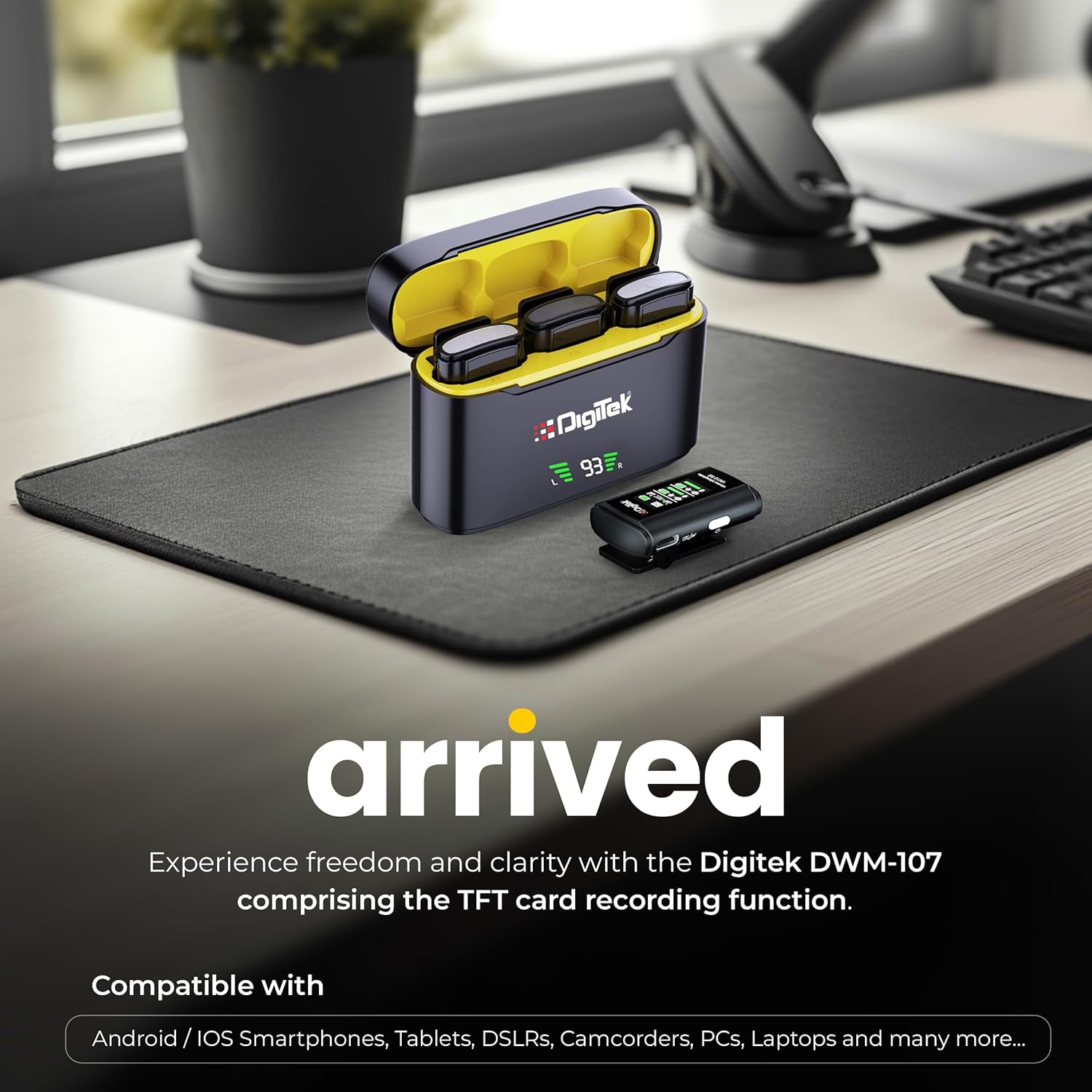
Image: Digitek DWM-107 compatibility with Android, iOS, DSLR, and PC devices.
Pemeliharaan
- Pembersihan: Gunakan kain lembut dan kering untuk membersihkan perangkat. Hindari penggunaan bahan kimia keras atau bahan abrasif.
- Penyimpanan: Simpan sistem mikrofon di tempat yang sejuk dan kering, jauh dari sinar matahari langsung dan suhu ekstrem.
- Perawatan Baterai: For long-term storage, ensure the batteries are partially charged (around 50%) to preserve battery health. Recharge periodically if stored for extended periods.
- Perawatan Kabel: Tangani kabel dengan hati-hati. Hindari tekukan tajam atau tarikan berlebihan untuk mencegah kerusakan.
Penyelesaian Masalah
| Masalah | Kemungkinan Penyebab | Larutan |
|---|---|---|
| Tidak ada keluaran audio |
|
|
| Kualitas audio buruk / Distorsi |
|
|
| TFT card recording not working |
|
|
| Daya tahan baterai pendek |
|
|
Spesifikasi
| Fitur | Detil |
|---|---|
| Nomor Model | DWM-107 |
| Teknologi Konektivitas | 2.4G Wireless (UHF) |
| Range Nirkabel | Hingga 60 meter (area terbuka) |
| Respon Frekuensi | 16 KHz (Full frequency audio quality) |
| Signal-to-Noise Ratio | 78dB |
| Pola Kutub | Segala arah |
| Impedansi | 32 Ohm |
| Battery Life (Tx/Rx) | Hingga 9 jam |
| Kapasitas Kotak Pengisian | 850 mAh |
| Waktu Pengisian Daya | Kurang lebih 1.2 - 1.5 jam |
| TFT Card Support | Yes (up to 32GB, Class 10 recommended) |
| Pembatalan Kebisingan | Sudah terpasang |
| Dimensi (P x L x T) | Ukuran 15x8x6 cm |
| Berat Barang | 450 gram |
| Bahan | Plastik |
| Warna | Hitam |
Garansi dan Dukungan
For warranty information and customer support, please refer to the warranty card included in your product packaging or visit the official Digitek website. You may also contact the manufacturer directly:
- Pabrikan: IMS Mercantile Pvt. Ltd.
- Alamat: 704, 7th floor, Ring Road Mall, Sec-3, Rohini, Delhi 110085
- Dukungan Bebas Pulsa: Nomor telepon 1800-123-544-444
Harap simpan bukti pembelian Anda untuk klaim garansi apa pun.