1. Produk Lebihview
The ID-COOLING FROZN A410 DK is an all-black single tower CPU air cooler designed for efficient heat dissipation. It features two 120mm FDB fans in a push-pull configuration and four direct contact heat pipes to effectively manage CPU temperatures. With a total height of 152mm, it offers broad compatibility with various chassis models and ensures non-interference with RAM and PCIe slots. The cooler supports a wide range of Intel and AMD sockets, including the latest LGA1700/1851 and AM4/AM5 platforms, providing a hassle-free installation experience.
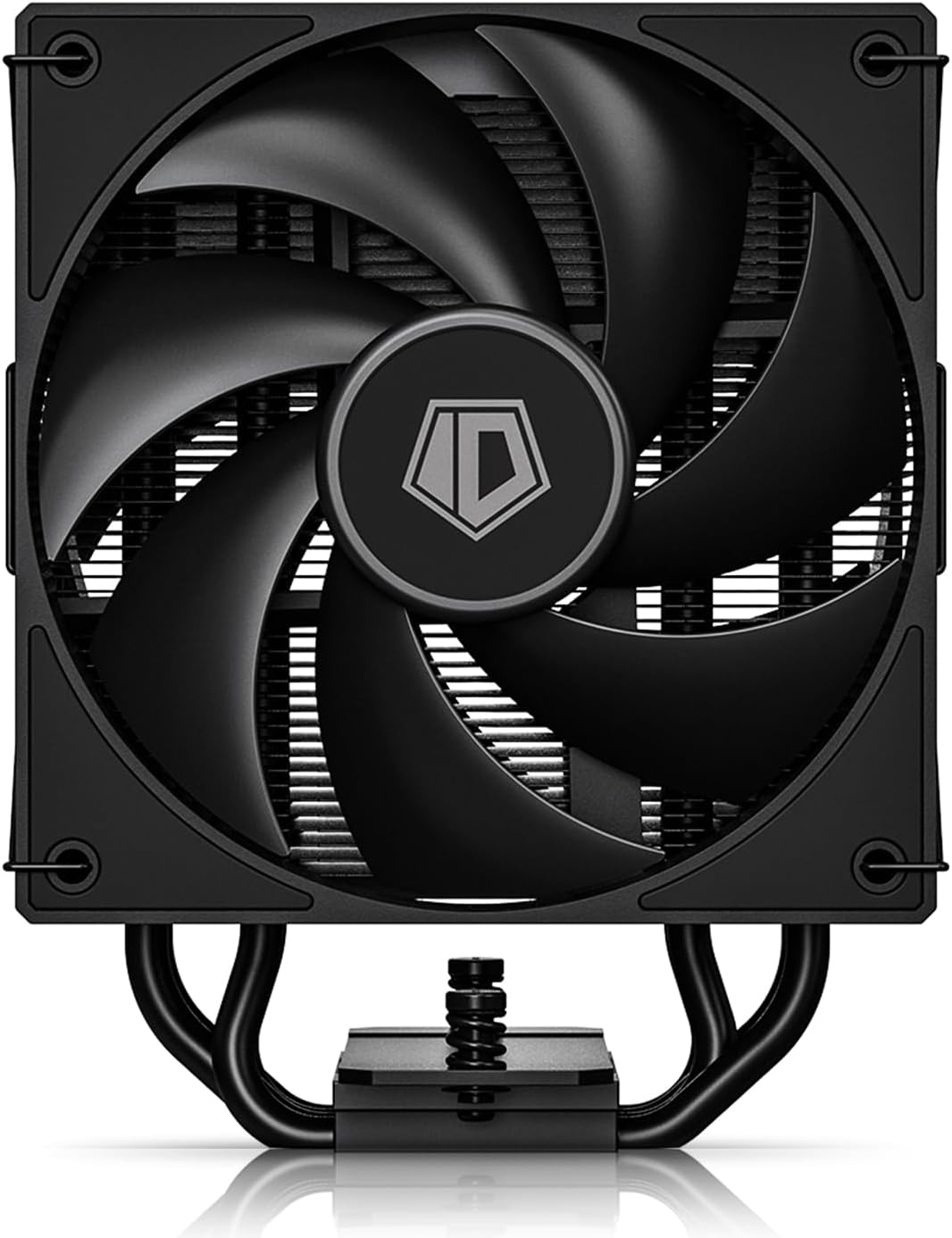
Gambar 1: Utama view of the ID-COOLING FROZN A410 DK CPU Cooler.
2. Fitur Utama
- Better Heat Dissipation: Single tower design with 4 heat pipes and two 120mm FDB fans in a push-pull configuration for excellent CPU cooling.
- Tinggi Kompak: 152mm total height ensures compatibility with a wide range of PC chassis.
- RAM Compatibility: Designed to avoid interference with memory modules and PCIe slots.
- Direct Contact Heat Pipes: Four Ø6mm direct contact heat pipes with exclusive technology for effective heat transfer.
- PWM Fans: Dual 120mm PWM fans offer automatic speed control and ultra-quiet operation (Max. Air Flow: 78.25CFM; Noise Level: 29.85dB(A) Max.).
- Instalasi Tanpa Ribet: Compatible with Intel LGA1700/1851/1200/1150/1151/1155/1156 and AMD AM4/AM5 sockets.
- Daya Tarik Estetika: All-black layout blends seamlessly into most computer cases.
3. Apa yang ada di dalam kotak
The ID-COOLING FROZN A410 DK CPU Cooler package includes:
- Pendingin
- 2x 120mm Cooling Fans
- Perangkat Keras Pemasangan (untuk soket Intel dan AMD)
- Grease termal
- 1-to-2 4-pin PWM Fan Splitter

Figure 2: Included components for the FROZN A410 DK CPU Cooler.
4. Panduan Instalasi
Follow these steps for proper installation of your ID-COOLING FROZN A410 DK CPU Cooler. Refer to the video guides for visual assistance.
4.1. Instalasi Intel LGA1700/1851/1200/115X
- Siapkan Pelat Belakang: Adjust the Intel backplate screws to the corresponding positions (pull outward for LGA1851/1700, pull inward for LGA1200/115X). Place the backplate through the back of the motherboard.
- Pasang Penyangga dan Braket: Install the rubber Intel standoffs and Intel bracket in sequence. Secure the bracket with screws.
- Apply Thermal Grease: Clean the CPU surface. Peel off the protective sticker from the copper plate of the heatsink. Apply a thin, even layer of thermal grease to the CPU surface.
- Dudukan Heatsink: Carefully place the heatsink onto the CPU, aligning it with the mounting holes. Secure it by tightening the two screws on each side.
- Pasang Kipas: Use the provided fan clips to secure both 120mm fans to the heatsink tower in a push-pull configuration. Ensure the airflow direction is correct (typically, one fan pushes air into the heatsink, and the other pulls it through).
- Hubungkan Kipas: Connect the two fan cables to the 1-to-2 4-pin splitter. Then, connect the splitter to the CPU_FAN header on your motherboard.
4.2. Instalasi AMD AM4/AM5
- Lepaskan Braket Stok: Remove the original AMD plastic retention frame from the motherboard, but keep the stock backplate.
- Pasang Penyangga dan Braket: Install the red AMD standoffs and the universal AMD bracket. Secure them with screws.
- Apply Thermal Grease: Clean the CPU surface. Peel off the protective sticker from the copper plate of the heatsink. Apply a thin, even layer of thermal grease to the CPU surface.
- Dudukan Heatsink: Carefully place the heatsink onto the CPU, aligning it with the mounting holes. Secure it by tightening the two screws on each side.
- Pasang Kipas: Use the provided fan clips to secure both 120mm fans to the heatsink tower in a push-pull configuration. Ensure the airflow direction is correct.
- Hubungkan Kipas: Connect the two fan cables to the 1-to-2 4-pin splitter. Then, connect the splitter to the CPU_FAN header on your motherboard.
Installation Video Guide (Intel & AMD)
Video 1: Official installation guide for the FROZN A410 DK CPU Cooler, demonstrating steps for both Intel and AMD platforms.
Produk Selesaiview and Installation Tips
Video 2: Penjelasan singkat tentangview of the FROZN A410 DK, highlighting key features and providing additional installation tips.
5. Petunjuk Pengoperasian
Once installed, the FROZN A410 DK CPU Cooler operates automatically via the motherboard's PWM fan control. Ensure your motherboard BIOS settings are configured for optimal fan curves to balance cooling performance and noise levels.
- Pengaturan BIOS/UEFI: Access your motherboard's BIOS/UEFI to customize fan speed curves. You can set fan speeds to increase with CPU temperature for better cooling under load or decrease for quieter operation at idle.
- Pemantauan Suhu: Use system monitoring software (e.g., HWMonitor, CPU-Z) to keep track of your CPU temperatures to ensure it stays within safe operating limits.
- Optimalisasi Aliran Udara: Ensure good airflow within your PC case by properly arranging other case fans to complement the push-pull configuration of the CPU cooler.
6. Pemeliharaan
Perawatan rutin membantu memastikan umur panjang dan kinerja optimal pendingin CPU Anda.
- Pembersihan Debu: Bersihkan sirip heatsink dan bilah kipas secara berkala menggunakan udara bertekanan atau sikat lembut. Pastikan kipas tidak berputar selama pembersihan.
- Pasta Termal: Reapply thermal paste if you remove the heatsink for any reason. Old thermal paste can dry out and reduce cooling efficiency.
- Inspeksi Penggemar: Check fan cables for secure connections and ensure fan blades are free from obstructions.
7. Penyelesaian masalah
Jika Anda mengalami masalah dengan pendingin CPU Anda, pertimbangkan hal berikut:
- Suhu CPU Tinggi:
- Check if the heatsink is securely mounted and making proper contact with the CPU.
- Pastikan pasta termal telah diaplikasikan dengan benar dan tidak mengering.
- Ensure fans are spinning and not obstructed.
- Check BIOS/UEFI fan settings to ensure an aggressive enough fan curve.
- Kebisingan Kipas yang Berlebihan:
- Check for dust buildup on fans and heatsink.
- Ensure fan cables are not hitting fan blades.
- Adjust BIOS/UEFI fan settings to a quieter fan curve if temperatures allow.
- Kipas Tidak Berputar:
- Verify that the fan splitter is correctly connected to both fans and the CPU_FAN header on the motherboard.
- Check motherboard BIOS/UEFI settings to ensure fan control is enabled.
8. Spesifikasi
| Fitur | Spesifikasi |
|---|---|
| Dimensi Produk | 4.72"P x 3.85"L x 5.98"T (120mm P x 98mm L x 152mm T) |
| Merek | ID-Pendinginan |
| Jenis Konektor Daya | 4-Pin PWM |
| Apatage (TDP) | 230 watt |
| Metode Pendinginan | Udara |
| Perangkat yang Kompatibel | Desktop CPUs (Intel LGA1700/1851/1200/1150/1151/1155/1156, AMD AM4/AM5) |
| Tingkat Kebisingan | 29.85 dB(A) Max |
| Kecepatan Rotasi Maksimum | 2000 putaran/menit |
| Kapasitas Aliran Udara | 78.25 CFM |
| Berat Barang | 2.61 pon |
9. Garansi dan Dukungan
For warranty information and technical support, please refer to the official ID-COOLING websitus web atau hubungi layanan pelanggan mereka secara langsung. Simpan struk pembelian Anda untuk klaim garansi.