
VGN N75BLUE
Panduan Pengguna Keyboard Gaming VGN N75
Model: N75BLUE | Brand: VGN
1. Pendahuluan
Welcome to the user manual for your VGN N75 Gaming Keyboard. This manual provides essential information on setting up, operating, maintaining, and troubleshooting your new keyboard. The VGN N75 is a compact, numeric keyless mechanical keyboard designed for an optimal gaming and typing experience.

Figure 1.1: VGN N75 Gaming Keyboard with RGB lighting enabled.

Gambar 1.2: Sudut view of the VGN N75 keyboard, highlighting its compact form factor.
2. Informasi Keselamatan
Please read the following safety guidelines carefully before using your VGN N75 keyboard:
- Jauhkan keyboard dari cairan dan kelembapan berlebihan untuk mencegah kerusakan.
- Hindari memaparkan keyboard pada suhu ekstrem (panas atau dingin).
- Do not attempt to disassemble or modify the keyboard. This may void your warranty and cause damage.
- Use only the provided USB-C cable for connection.
- Tangani dengan hati-hati untuk mencegah kerusakan fisik akibat terjatuh atau terbentur.
3. Fitur Produk
The VGN N75 keyboard is engineered with several features to enhance your typing and gaming experience:
- Tata Letak Kompak 75%: The US82 key numeric keyless design offers a space-saving solution compared to full-size keyboards, providing more desk space for mouse movement.
- Advanced Internal Construction: Features multiple buffer layers and specially tuned stabilizers for a smooth, quiet, and consistent typing experience.
- VGN "Dynamic Silver" Mechanical Switches: Equipped with VGN's original linear mechanical switches, offering a responsive feel and vibrant RGB illumination.
- Desain Khas: The "Caribbean Blue" model features striking keycap colors, adding a unique aesthetic to your setup.
- Integrated Metal Volume Knob: A conveniently located metal rotary knob allows for quick and precise volume adjustments, useful for both work and gaming.
- Pencahayaan RGB yang dapat disesuaikan: Enjoy dynamic and customizable RGB backlight options to personalize your keyboard's appearance.

Figure 3.1: The compact 75% layout of the VGN N75, demonstrating its space-saving advantage over a traditional full-size keyboard.

Figure 3.2: Detail of the VGN N75's unique "Dynamic Silver" mechanical switches, known for their linear feel and RGB compatibility.

Figure 3.3: An exploded diagram illustrating the multiple buffer layers and components within the VGN N75 keyboard, contributing to its smooth and quiet operation.

Figure 3.4: Close-up of the metal volume knob, providing convenient audio control.
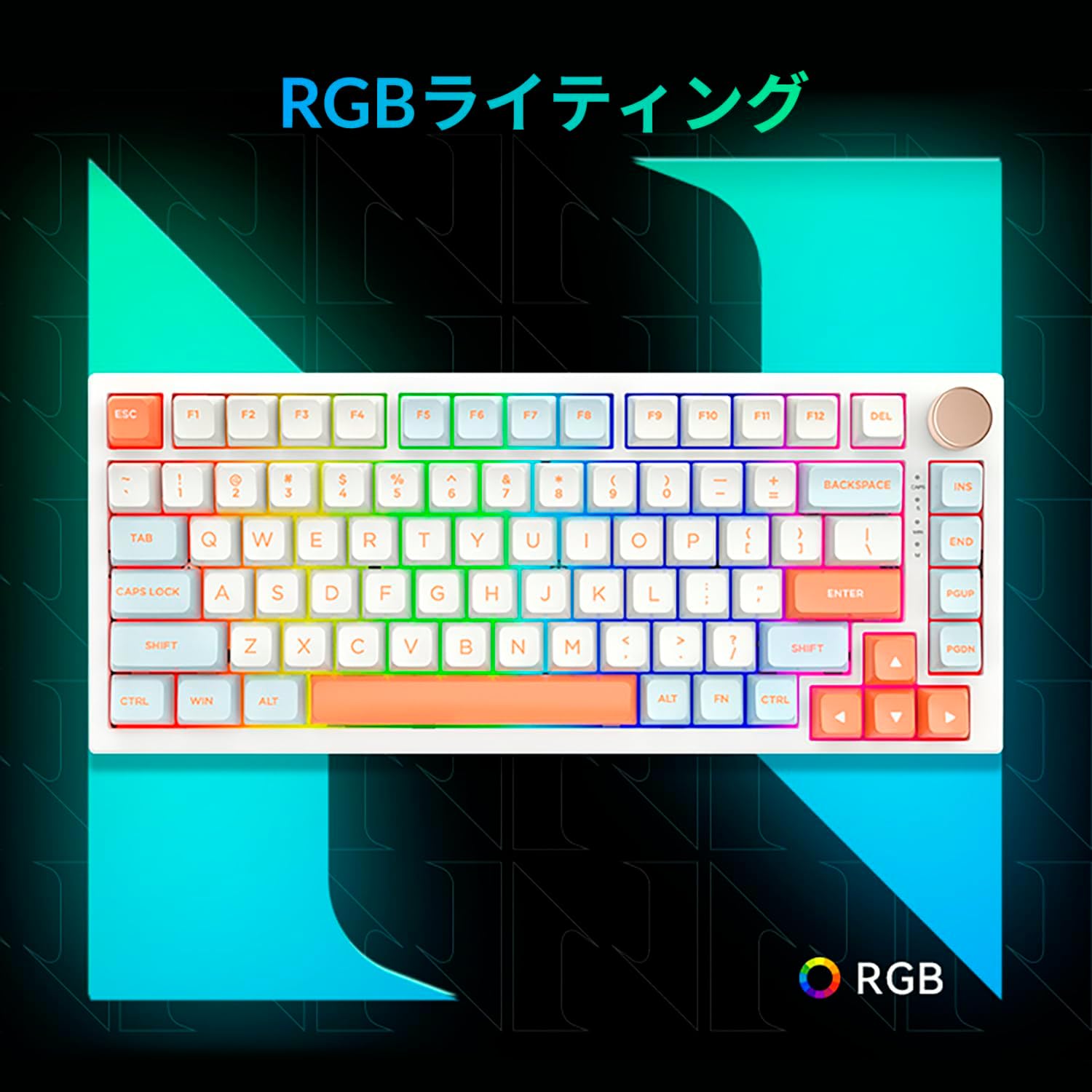
Figure 3.5: The VGN N75 keyboard displaying its customizable RGB lighting, enhancing the visual appeal.
4. Panduan Pengaturan
Follow these steps to set up your VGN N75 keyboard:
- Bongkar Keyboardnya: Carefully remove the keyboard and all included accessories (USB cable, keycap puller, replacement key) from the packaging.
- Hubungkan Kabel USB-C: Insert one end of the provided USB-C cable into the USB-C port on the keyboard.
- Hubungkan ke Perangkat Anda: Plug the other end of the USB-C cable into an available USB port on your computer or laptop.
- Instalasi Driver (Otomatis): Keyboard ini bersifat plug-and-play. Sistem operasi Anda akan secara otomatis mendeteksi dan menginstal driver yang diperlukan. Instalasi driver secara manual biasanya tidak diperlukan.
- Uji Awal: Open a text editor or any application to test the keys and ensure all functions are working correctly.
5. Petunjuk Pengoperasian
This section details the basic operation of your VGN N75 keyboard:
5.1. Fungsi Tombol Dasar
The VGN N75 features a standard US82 key layout. All keys function as labeled. For specific key combinations or software-defined macros, refer to any accompanying software documentation (if applicable, not included in this manual).
5.2. Using the Rotary Knob
- Kontrol Volume: Putar kenop searah jarum jam untuk menaikkan volume dan berlawanan arah jarum jam untuk menurunkan volume.
- Bisukan/Aktifkan suara: Tekan kenop untuk membisukan atau mengaktifkan suara.
5.3. Kontrol Pencahayaan RGB
The VGN N75 supports RGB lighting. While specific key combinations for lighting modes are not provided in the product description, most RGB keyboards allow cycling through effects using function key combinations (e.g., Fn + F-keys or dedicated lighting keys). Experiment with the 'Fn' key in combination with other keys (like arrow keys or Ins/Del/Home/End/PgUp/PgDn) to discover lighting controls.
6. Pemeliharaan
Perawatan yang tepat akan memperpanjang umur pakai keyboard Anda:
- Pembersihan:
- Lepaskan keyboard dari komputer sebelum membersihkan.
- Gunakan kain lembut dan bebas serat untuk sedikit membersihkannya.ampened with water or a mild cleaning solution to wipe the keycaps and frame.
- Untuk debu dan kotoran di sela-sela tombol, gunakan udara bertekanan.
- Jangan menyemprotkan cairan langsung ke keyboard.
- Penggantian Tombol dan Sakelar:
- The keyboard comes with a keycap puller and a replacement key.
- To remove a keycap, gently use the keycap puller to grip the keycap and pull upwards.
- To replace a keycap, align it with the switch stem and press down firmly until it clicks into place.
- Catatan: The VGN N75 features hot-swappable switches, allowing for easy replacement without soldering. To remove a switch, use a switch puller (not explicitly listed as included, but implied by "hot-swappable") to gently pry it out. Align the new switch's pins with the sockets and press firmly until it seats correctly.
7. Penyelesaian masalah
If you encounter issues with your VGN N75 keyboard, try the following solutions:
- Keyboard Tidak Merespons:
- Pastikan kabel USB-C terhubung dengan aman ke keyboard dan komputer Anda.
- Cobalah mencolokkan keyboard ke port USB lain di komputer Anda.
- Hidupkan ulang komputer Anda.
- Uji keyboard pada komputer lain untuk mengesampingkan masalah spesifik sistem.
- Kunci Tidak Terdaftar:
- Periksa apakah ada penghalang fisik di bawah penutup tombol.
- If a specific key is not working, consider replacing its switch if you have a switch puller and replacement switches.
- Masalah Pencahayaan RGB:
- Pastikan keyboard mendapatkan daya yang cukup.
- Try cycling through lighting modes using the keyboard's function key combinations.
- Rotary Knob Not Working:
- Check for any physical obstructions around the knob.
- Pastikan keyboard terhubung dengan benar.
8. Spesifikasi
| Atribut | Detil |
|---|---|
| Merek | VGN |
| Nomor Model | N75BLUE |
| Seri | N75 |
| Warna | Biru |
| Deskripsi Papan Ketik | Mekanis |
| Jumlah Kunci | 82 |
| Teknologi Konektivitas | USB Tipe C |
| Jenis Sumber Daya | Daya USB |
| Perangkat yang Kompatibel | Laptop |
| Penggunaan Produk yang Direkomendasikan | Permainan |
| Keyboard Backlight Colour Support | Bahasa Inggris: RGB |
| Bahan | Plastik |
| Komponen yang Termasuk | Keycap Puller, Replacement Key, USB Cable |
| Dimensi Paket | 42.1 x 18.8 x 6.5 cm; berat 1.1 kg |
| Tanggal Pertama Tersedia | 22 Maret 2024 |
9. Garansi dan Dukungan
The VGN N75 Gaming Keyboard comes with a 1-year warranty from the date of purchase, as indicated in the product listing. This warranty covers manufacturing defects under normal use.
For warranty claims, technical support, or further inquiries, please contact your point of purchase or the official VGN support channels. Keep your proof of purchase for warranty validation.
Catatan: Unauthorized disassembly or modification of the product may void the warranty.