
1. Pendahuluan
Thank you for choosing the iVOOMi 24" (60.45 cm) Ultra Slim Flat FHD Monitor. This monitor is designed to provide an immersive viewing experience with its 1920 x 1080 resolution, built-in speakers, and 100Hz refresh rate. Its bezel-less design and flicker-free technology ensure comfortable use for extended periods. This manual provides essential information for setting up, operating, and maintaining your new monitor.
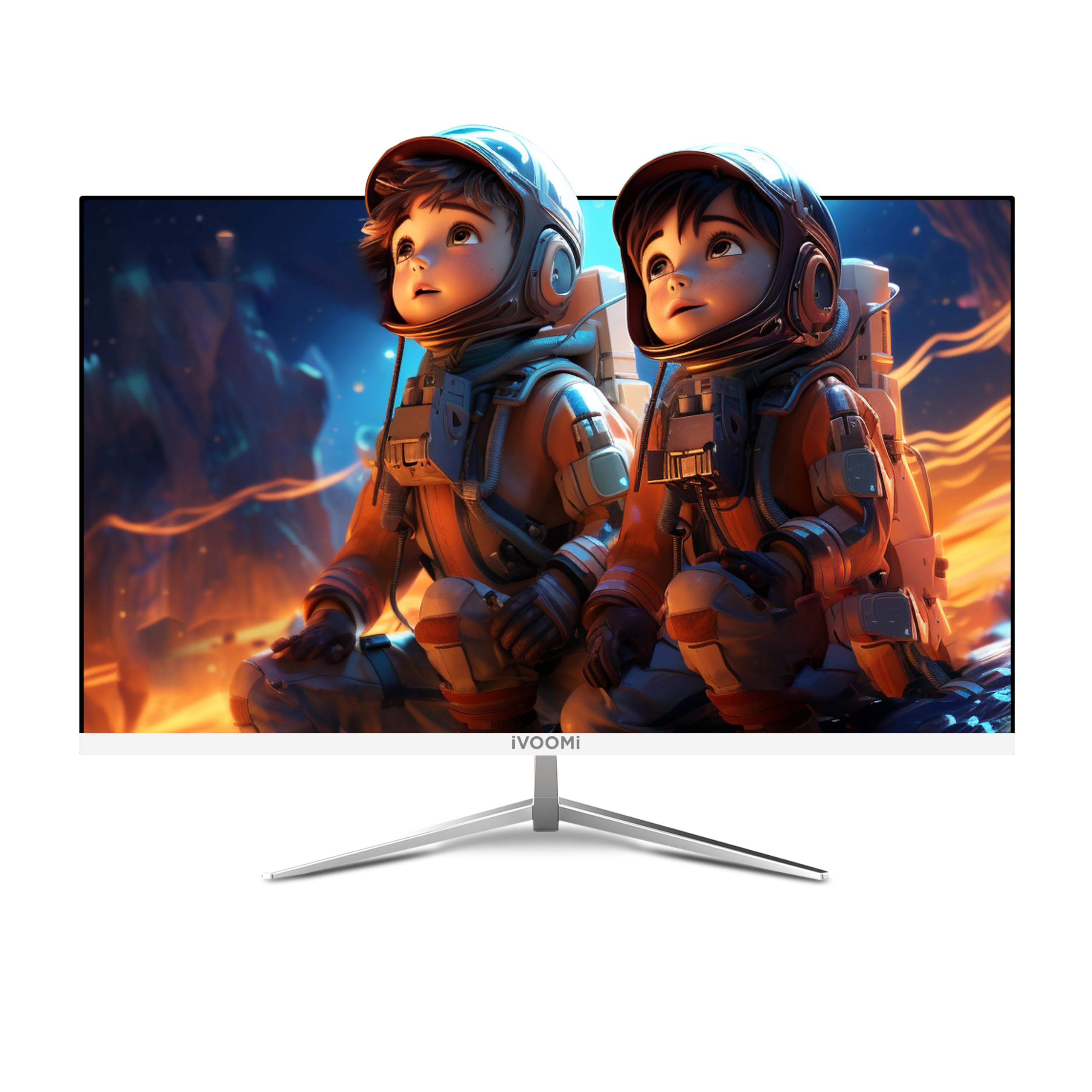
Image: The iVOOMi 24-inch Full HD Monitor, showcasing its sleek design on a desk setup.
2. Apa yang ada di dalam kotak
Harap periksa isi paket untuk memastikan semua item ada:
- Monitor Tanpa Bingkai
- Strong Stand
- Kabel HDMI
- Adaptor Daya
- User Manual (dokumen ini)
Video: Unboxing the iVOOMi 24-inch monitor, showing the contents of the package including the monitor, stand, cables, and manual.
3. Petunjuk Penyiapan
3.1. Merakit Dudukan
- Keluarkan komponen monitor dan dudukan secara hati-hati dari kemasannya.
- Pasang alas penyangga ke leher penyangga menggunakan sekrup yang disediakan. Pastikan terpasang dengan aman.
- Sejajarkan dudukan yang telah dirakit dengan titik pemasangan di bagian belakang monitor.
- Dorong penyangga dengan lembut hingga berbunyi klik atau terpasang dengan kencang menggunakan sekrup (jika ada).

Gambar: Detail view of the monitor's strong metal stand and wall-mountable option (75x75mm VESA), along with tilt adjustment range (-5° to 20°) and built-in speakers.
3.2. Kabel Penghubung
Hubungkan kabel-kabel yang diperlukan ke monitor dan komputer Anda:
- Kabel listrik: Hubungkan salah satu ujung kabel daya ke input daya monitor dan ujung lainnya ke stopkontak.
- Kabel HDMI: For optimal display quality, connect the included HDMI cable from your computer's HDMI output to the HDMI port on the monitor.
- VGA Cable (Optional): If your computer uses a VGA output, connect a VGA cable from your computer to the VGA port on the monitor.

Gambar: Close-up view of the monitor's rear panel showing the HDMI, VGA, Audio, and DC power input ports.
4. Petunjuk Pengoperasian
4.1. Daya Hidup/Mati
Tekan tombol daya yang terletak pada monitor untuk menghidupkan atau mematikannya. Lampu indikator daya akan menyala saat monitor aktif.
4.2. Pemilihan Masukan
Use the input selection button (usually labeled "Input" or an arrow icon) to cycle through available input sources (HDMI, VGA) until your desired source is displayed.
4.3. Menu Tampilan di Layar (OSD)
The OSD menu allows you to adjust various display settings. Use the navigation buttons (often located on the back or bottom right of the monitor) to:
- Sesuaikan kecerahan dan kontras.
- Select color modes.
- Ubah rasio aspek.
- Akses pengaturan lanjutan.

Image: The iVOOMi monitor displaying vibrant colors, highlighting features like high contrast ratio, 8-bit 16.7M colors, 96% sRGB, and 100Hz refresh rate with FreeSync.
5. Pemeliharaan
5.1. Membersihkan Layar
Untuk membersihkan layar monitor, usap perlahan dengan kain lembut dan bebas serat. Untuk noda membandel,ampen the cloth with a small amount of screen cleaner specifically designed for LCD/LED displays. Avoid using harsh chemicals or abrasive materials.
5.2. Perawatan Umum
- Jauhkan monitor dari sinar matahari langsung dan sumber panas.
- Pastikan ventilasi yang baik di sekitar monitor untuk mencegah panas berlebih.
- Hindari meletakkan benda berat di atas monitor atau kabelnya.
6. Penyelesaian masalah
| Masalah | Kemungkinan Penyebab | Larutan |
|---|---|---|
| Tidak ada gambar di layar | Monitor not powered on; incorrect input selected; loose video cable. | Ensure power cable is connected and monitor is on. Select correct input source. Check video cable connections. |
| Layar berkedip-kedip | Refresh rate mismatch; faulty cable. | Adjust refresh rate in computer display settings. Try a different HDMI cable. |
| Tidak ada suara dari speaker | Volume too low; audio output not selected on computer. | Increase monitor volume. Ensure iVOOMi monitor is selected as audio output device on your computer. |
7. Spesifikasi
| Fitur | Detil |
|---|---|
| Merek | iVOOMi |
| Model | IV-2422 |
| Ukuran Layar | 24 Inci (60.45 cm) |
| Resolusi | FHD 1080p (1920 x 1080 Piksel) |
| Tingkat Penyegaran | 100Hz |
| Waktu Respon | 5 Milidetik |
| Jenis Tampilan | DIPIMPIN |
| Viewsudut ing | 178 Derajat |
| Kecerahan Gambar | 250-300 Candela |
| Rasio Kontras Gambar | 3000:1 |
| Rasio Aspek | 16:9 |
| Antarmuka Perangkat Keras | hdmi, vga |
| Fitur Khusus | Built-In Speakers, Flicker-Free, Frameless, Tilt Adjustment, Ultra-Slim |
| Dimensi Produk | Ukuran 59.9x11.7x38.9 cm |
| Berat Barang | 2.5 kg |
8. Garansi dan Dukungan
Your iVOOMi 24" FHD Monitor comes with a Garansi 3 tahun, ensuring dependable performance. For any technical assistance, product inquiries, or warranty claims, please contact iVOOMi Customer Support:
- Telepon: 93358 28282
- E-mail: layanan pelanggan@ivoomi.co
- Jam Operasional: 9:30 AM - 6:00 PM, Monday to Saturday
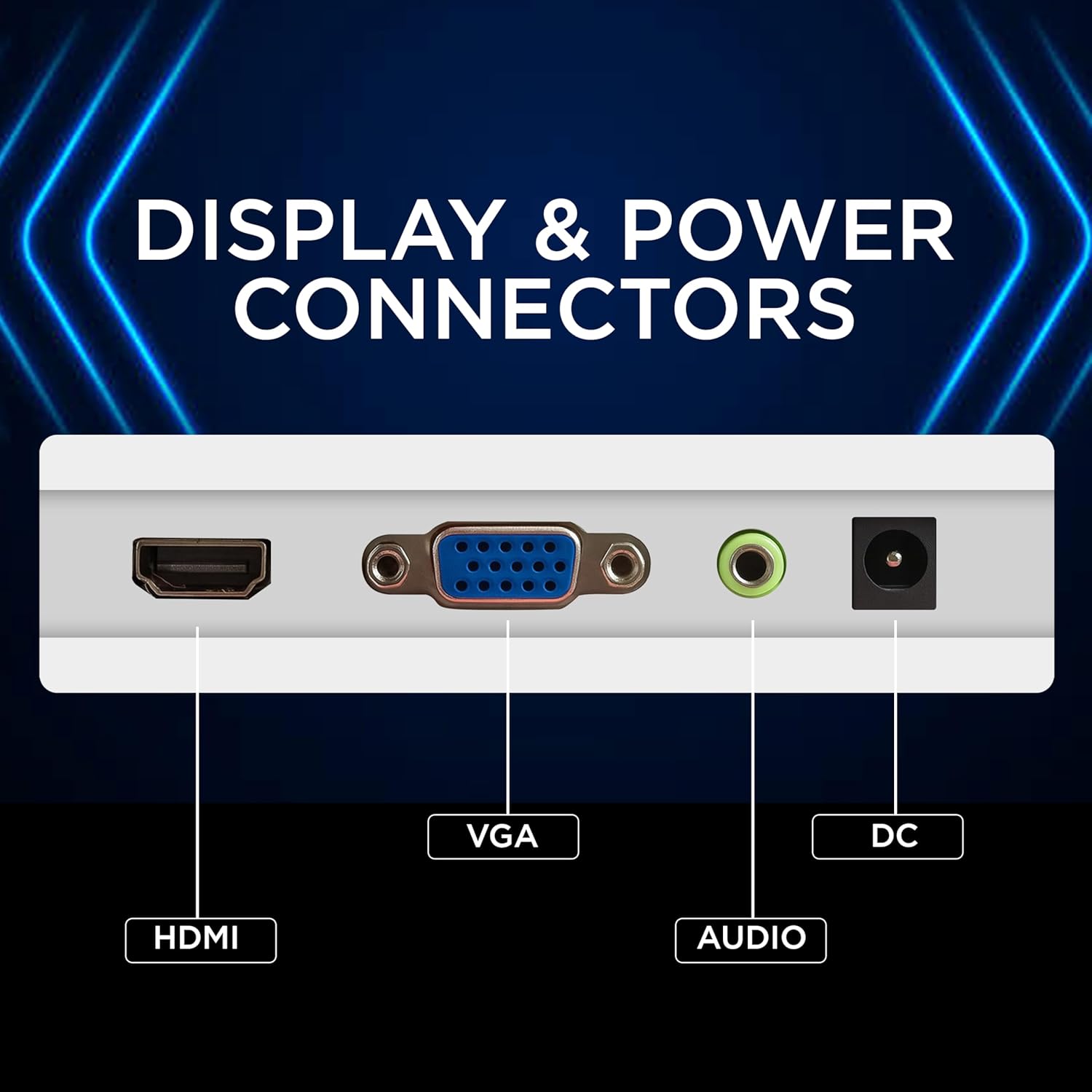
Image: Graphic displaying iVOOMi customer support contact details: phone number 93358 28282 and email customercare@ivoomi.co, with operating hours.