
1. Pendahuluan
Thank you for choosing the Tikom SD80 Self-Emptying Station. This station is designed to automatically empty the dustbin of your Tikom L9000 or L8000 series robot vacuum, providing a hands-free cleaning experience for up to 60 days. Please read this manual carefully before installation and operation to ensure proper use and maintenance.
2. Isi Paket
Verifikasi bahwa semua item ada dalam paket Anda:
- 1 x Tikom SD80 Self-Emptying Station
- 1 x Pre-installed 2.5L Dust Bag
- 1 x Extra 2.5L Dust Bag
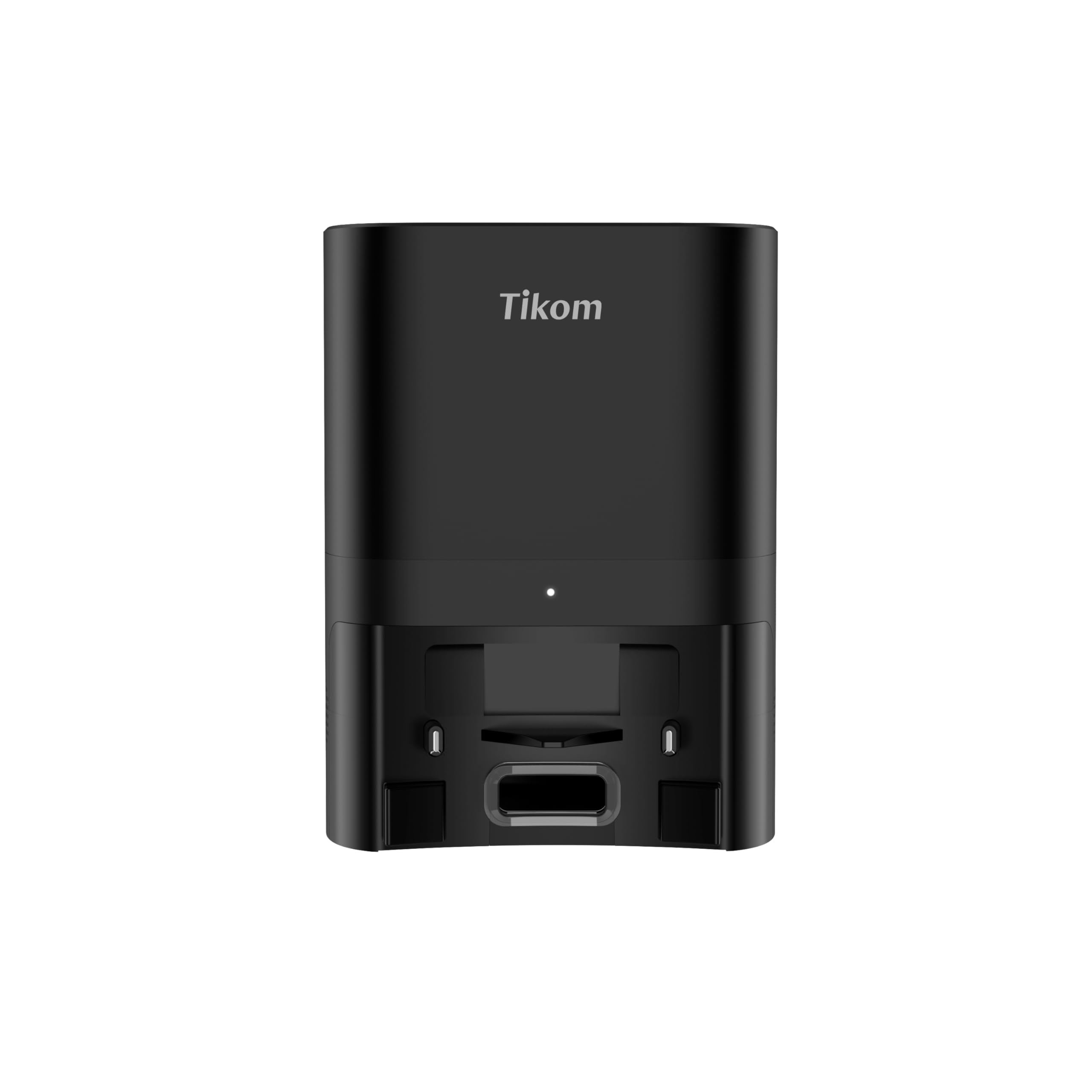
Image: The Tikom SD80 Self-Emptying Station shown with its lid open, revealing the internal dust bag. An additional, unused dust bag is displayed next to it, indicating the package contents.
3. Pengaturan
- Membongkar: Keluarkan semua komponen dari kemasannya dengan hati-hati.
- Penempatan: Place the self-emptying station on a hard, flat surface against a wall. Ensure there is at least 0.5 meters (1.6 feet) of clear space on both sides and 1.5 meters (4.9 feet) in front of the station for the robot vacuum to dock properly. Avoid placing it near stairs or obstacles.
- Sambungan Daya: Connect the power cord to the station and plug it into a wall outlet. Ensure the power indicator light on the station illuminates.
- Robot Vacuum Integration: The SD80 station replaces your robot vacuum's original charging dock. Position your Tikom L9000 or L8000 robot vacuum onto the station. The robot will automatically recognize the new docking station.
- Operasi Awal: Initiate a cleaning cycle from your robot vacuum or through the Tikom app. The robot will clean and then return to the SD80 station to charge and automatically empty its dustbin.
4. Petunjuk Pengoperasian
The Tikom SD80 Self-Emptying Station operates automatically in conjunction with your Tikom L9000 or L8000 robot vacuum.
- Pengumpul Debu Otomatis: After completing a cleaning cycle, or when its dustbin is full, your robot vacuum will return to the SD80 station. The station will then automatically suction the dust and debris from the robot's internal dustbin into its larger 2.5-liter dust bag. This process typically lasts less than a minute and may produce a noticeable sound.
- Pengisian daya: The station also serves as the charging base for your robot vacuum.
- Kontrol Aplikasi: You can monitor the status of your robot and the self-emptying process through the Tikom mobile application.
5. Pemeliharaan
Regular maintenance ensures optimal performance of your self-emptying station.
- Penggantian Kantong Debu: The 2.5-liter dust bag can hold up to 60 days of dust and debris, depending on usage and household environment. When the dust bag is full, the station's indicator light may change, or you may receive a notification via the app. To replace:
- Open the top lid of the self-emptying station.
- Carefully pull out the full dust bag. The bag is designed to seal automatically upon removal to prevent dust leakage.
- Buang seluruh kantong debu.
- Insert a new dust bag into the slot, ensuring it is properly seated.
- Tutup penutup atas dengan rapat.
- Membersihkan Stasiun: Periodically wipe the exterior of the station with a dry, soft cloth. Ensure the dust collection port and charging contacts are free of dust and debris to maintain efficient operation.
- Robot Vacuum Maintenance: While the self-emptying station reduces the frequency of manual dustbin emptying, it is still recommended to periodically check and clean your robot vacuum's internal dustbin and HEPA filter as per its own user manual. Some sticky dust may accumulate, and filter cleaning is essential for the robot's performance.
6. Penyelesaian masalah
If you encounter issues with your Tikom SD80 Self-Emptying Station, refer to the following common solutions:
- Robot not docking or emptying:
- Ensure the station is properly plugged in and powered on.
- Check for any obstructions around the station that might prevent the robot from docking.
- Clean the charging contacts on both the robot and the station.
- Verify that the dust bag is correctly installed and not full.
- Loud noise during emptying:
- A loud noise is normal during the self-emptying process, as it involves powerful suction. This typically lasts for a short duration (under a minute).
- If the noise is unusually loud or persistent, check for blockages in the dust collection port or within the station.
- Dust bag fills up too quickly:
- This may indicate a high volume of dust and debris in your environment or frequent cleaning cycles.
- Ensure the robot vacuum's internal dustbin and filters are clean, as a clogged robot filter can reduce its cleaning efficiency and potentially lead to more frequent emptying cycles.
- Station indicator light not working:
- Periksa sambungan daya.
- Jika masalah berlanjut, hubungi dukungan pelanggan.
7. Spesifikasi
| Fitur | Spesifikasi |
|---|---|
| Merek | Tikom |
| Nama Model | SD80 |
| Compatible Robot Vacuums | Tikom L9000 Series, Tikom L8000 Series |
| Warna | Hitam |
| Dimensi Produk (P x L x T) | 23.88 x 17.53 x 32 cm (9.4 x 6.9 x 12.6 inci) |
| Berat Barang | 3.84 kg (8.47 pon) |
| Kapasitas Kantong Debu | 2.5 Liters (up to 60 days of dust) |
| Fitur Khusus | Mengosongkan diri sendiri |
| Jenis Kontrol | App Control (via robot vacuum app) |
| Komponen yang Termasuk | Docking Station, Dust Bags |
| Rekomendasi Permukaan | Hard Floors (for robot vacuum operation) |
8. Garansi dan Dukungan
For warranty information, technical support, or service inquiries, please refer to the documentation provided with your Tikom L9000 or L8000 robot vacuum, or visit the official Tikom websitus. Simpan struk pembelian Anda sebagai bukti pembelian.