
AOLON GT5 Pro
Panduan Pengguna Smartwatch Aolon GT5 Pro
Model: GT5 Pro
1. Pendahuluan
Thank you for choosing the Aolon GT5 Pro Smart Watch. This manual provides essential information for setting up, operating, and maintaining your device. Please read it carefully to ensure optimal performance and longevity of your smart watch.
2. Isi Paket
Setelah membuka paket, harap pastikan bahwa semua barang yang tercantum di bawah ini ada:
- Aolon GT5 Pro Smart Watch (with one strap attached)
- Additional Strap (e.g., leather or silicone, depending on variant)
- Kabel Pengisi Daya Magnetik
- Panduan Pengguna

Image: Contents of the Aolon GT5 Pro Smart Watch package, showing the watch, an extra strap, a magnetic charging cable, and the user manual.
3. Produk Lebihview
The Aolon GT5 Pro Smart Watch features a robust design with a 1.6-inch HD display and multiple physical buttons for intuitive control, especially during outdoor activities.
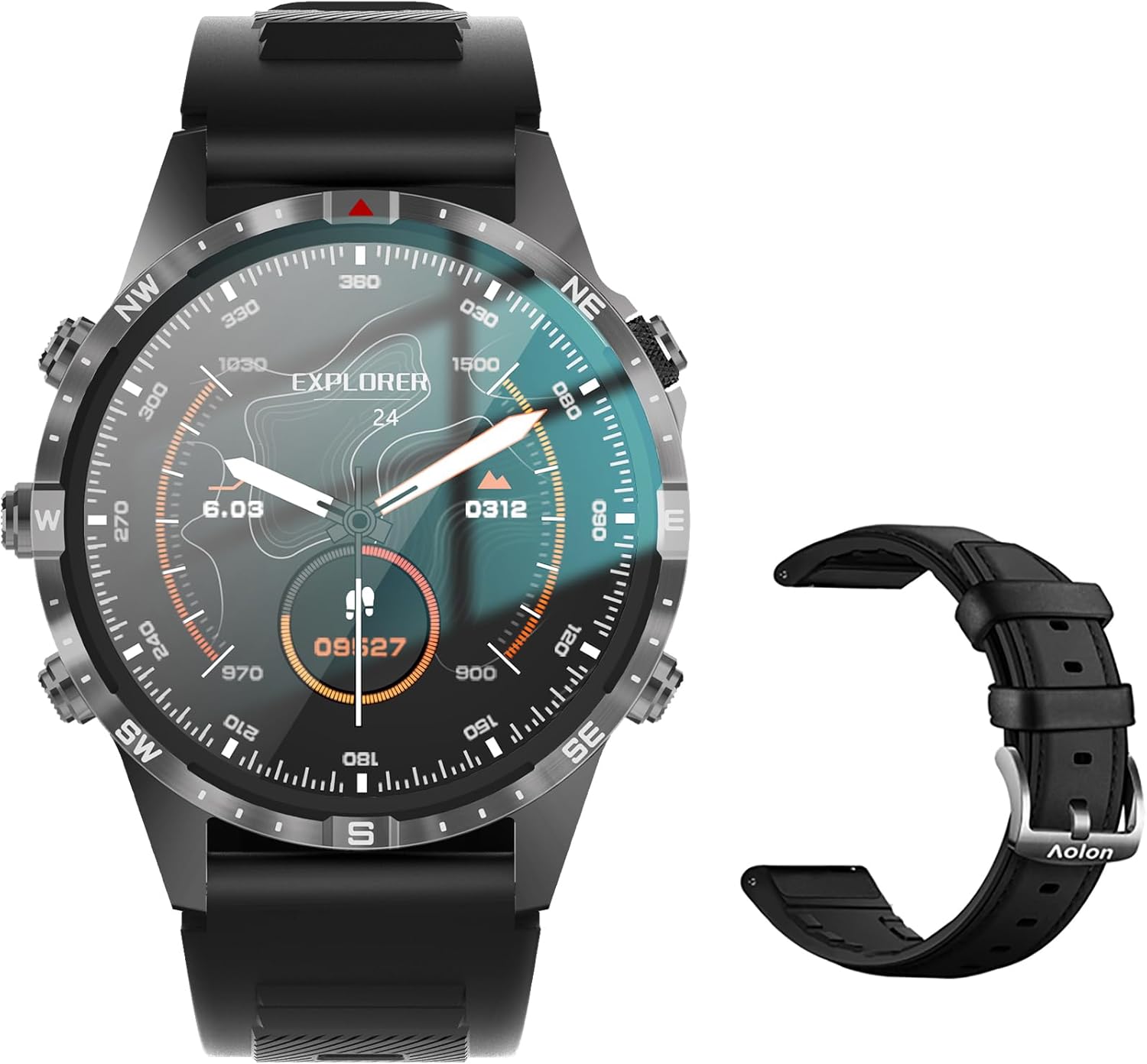
Image: The Aolon GT5 Pro Smart Watch displaying a compass-like watch face, alongside an additional black leather strap.
3.1. Komponen Jam Tangan
- Menampilkan: 1.6-inch HD Large Screen (360x360 resolution IPS HD with ultra-narrow bezel).
- Tombol: 5 independent physical buttons for precise control and navigation.
- Sensornya: Heart rate sensor, blood oxygen sensor, motion sensor.
- Speaker & Mikrofon: Untuk fungsi panggilan Bluetooth.

Gambar: Close-up view of the Aolon GT5 Pro Smart Watch screen, emphasizing its 1.6-inch HD display with 360x360 pixel resolution and narrow bezel.
4. Pengaturan
4.1. Mengisi Daya Jam Tangan Pintar
Before first use, fully charge your Aolon GT5 Pro Smart Watch. Connect the magnetic charging cable to the charging points on the back of the watch and plug the USB end into a power adapter (not included) or a computer's USB port.
- Waktu Pengisian Daya: Sekitar 1.5 jam untuk pengisian daya penuh.
- Battery Life: Up to 7-10 days with typical use, 30 days standby time.

Image: Visual representation of the Aolon GT5 Pro's battery performance, indicating 30 days standby, 7-10 days typical use, and 1.5 hours charging time.
4.2. Instalasi dan Pemasangan Aplikasi
To unlock the full potential of your smart watch, download the companion app on your smartphone.
- Unduh Aplikasi: Scan the QR code in the manual or on the watch screen, or search for the app name (usually mentioned in the quick start guide) in your phone's app store (App Store for iOS, Google Play Store for Android).
- Daftar/Masuk: Buka aplikasi dan ikuti petunjuk di layar untuk membuat akun atau masuk.
- Pasangkan Jam Tangan: Ensure Bluetooth is enabled on your smartphone. In the app, navigate to the device pairing section and select your Aolon GT5 Pro from the list of available devices. Confirm the pairing request on both your phone and watch.
5. Petunjuk Pengoperasian
5.1. Navigasi Dasar
- Geser ke Atas/Bawah: Gulir menu dan notifikasi.
- Geser ke Kiri/Kanan: Akses fungsi cepat atau berbagai widget.
- Tekan Tombol: Use the 5 independent buttons for specific functions like power on/off, back, or quick access to sports modes. Refer to the quick start guide for specific button assignments.
- Sentuh Layar: Select items or confirm actions.
5.2. Panggilan Bluetooth
The Aolon GT5 Pro supports Bluetooth calling, allowing you to make and receive calls directly from your wrist.
- Pastikan jam tangan Anda terhubung ke ponsel melalui Bluetooth.
- Access the call function on your watch to dial numbers or answer incoming calls.
- Receive message notifications from your phone's apps directly on your watch.

Image: The Aolon GT5 Pro Smart Watch showing its Bluetooth calling feature, with icons representing call, music, and contact functions.
5.3. Mode Olahraga
The watch supports over 100 sports modes, including swimming, running, cycling, and yoga. Select your desired activity to track specific metrics.
- Navigate to the Sports section on your watch.
- Choose your activity. The watch will record data such as calories burned, steps, distance, and pace.
- Connect to your phone's GPS via the app for detailed route tracking.
5.4. Pemantauan Kesehatan
The Aolon GT5 Pro continuously monitors various health metrics.
- Denyut Jantung: Dynamic heart rate measurement 24/7.
- Oksigen Darah: Low power consumption blood oxygen level monitoring.
- Pelacakan Tidur: Records your sleep status in real-time, providing data on deep, light, and awake times.

Image: The Aolon GT5 Pro Smart Watch screen showing health monitoring features, including heart rate, blood pressure, and blood oxygen levels.

Image: The Aolon GT5 Pro Smart Watch screen illustrating sleep quality monitoring, detailing sleep stagdan durasi.
5.5. Compass Navigation
Utilize the built-in guide needle navigation for accurate direction during outdoor activities.
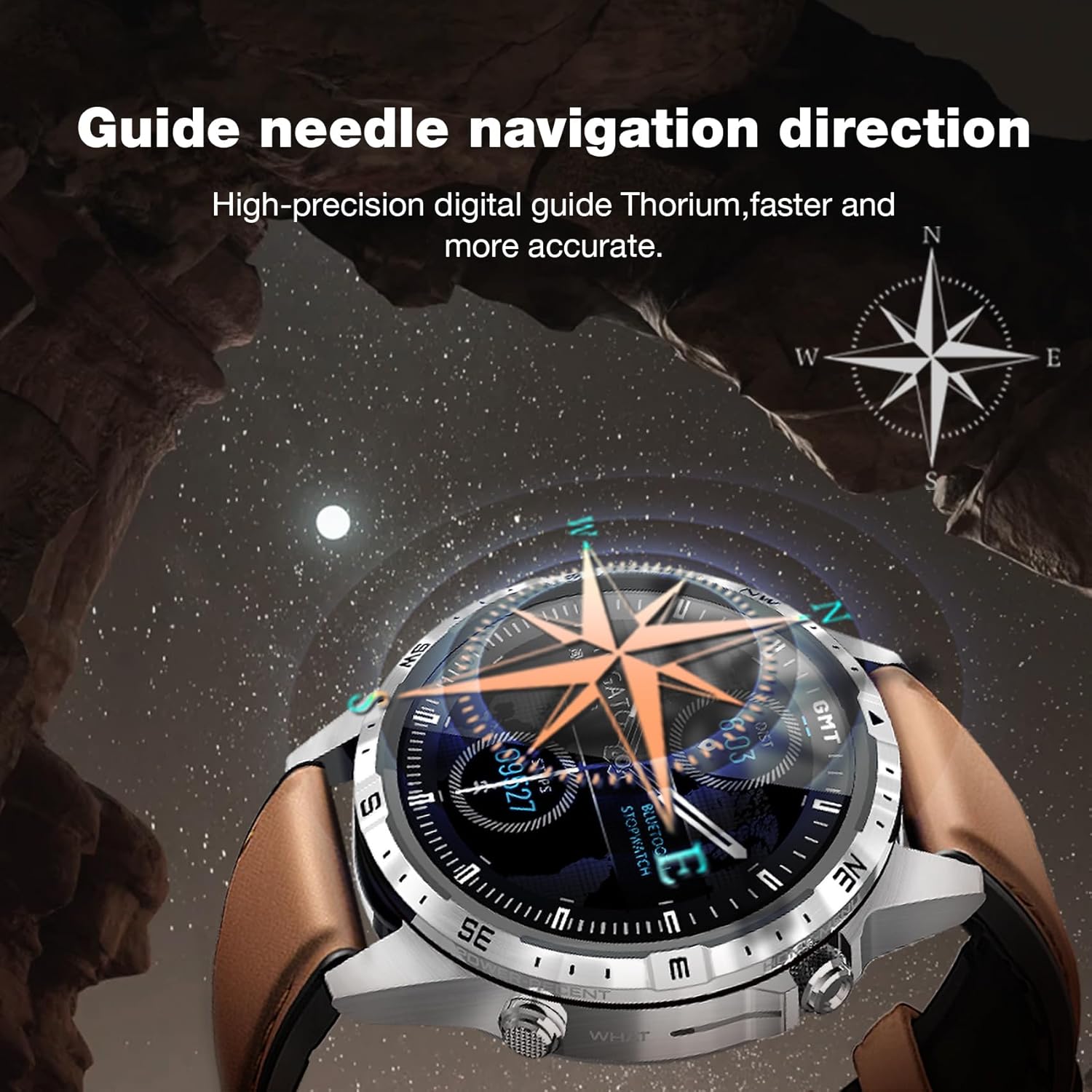
Image: The Aolon GT5 Pro Smart Watch showing its guide needle navigation feature, providing high-precision digital direction.
5.6. Fungsi Lainnya
The watch includes various other essential functions:
- Kontrol Musik
- Ramalan cuaca
- Stopwatch
- Kontrol Kamera Jarak Jauh
- Ambient Sound Monitoring
- Temukan Ponselku
- Jam Alarm
- Pengingat Sedentary
- Pengingat Obat
- Women's Menstrual Health Tips
5.7. Mengganti Tampilan Jam
Personalize your watch by choosing from multiple types of dials available through the watch or the companion app.

Image: A selection of diverse watch faces for the Aolon GT5 Pro, demonstrating customization options.
6. Pemeliharaan
6.1. Membersihkan Jam Tangan
- Bersihkan layar dan badan arloji dengan kain lembut dan tidak berbulu.
- Untuk kotoran membandel, sedikit dampBilas kain dengan air. Hindari penggunaan bahan kimia keras atau bahan abrasif.
- Pastikan kontak pengisian daya bersih dan kering sebelum pengisian daya.
6.2. Tahan Air
The Aolon GT5 Pro is IP67 waterproof. This means it is protected against dust and can withstand immersion in water up to 1 meter for 30 minutes.
- It is suitable for daily use, such as washing hands, face, or sweating during exercise.
- Hindari air panas, uap, atau perendaman dalam air dalam waktu lama.
- Jangan mengoperasikan tombol di bawah air.
6.3. Strap Care and Replacement
The watch comes with standard dual straps (silicone and leather). Clean straps regularly. The silicone strap is ideal for sports, while the leather strap offers a more formal look. Straps can be easily switched without tools.
7. Penyelesaian masalah
If you encounter issues with your Aolon GT5 Pro Smart Watch, refer to the following common solutions:
| Masalah | Larutan |
|---|---|
| Jam tangan tidak menyala | Pastikan jam tangan terisi penuh daya. Tekan dan tahan tombol daya selama beberapa detik. |
| Tidak dapat dipasangkan dengan ponsel pintar | Ensure Bluetooth is enabled on your phone. Restart both the watch and phone. Make sure the watch is not already paired with another device. Check app permissions. |
| Data kesehatan yang tidak akurat | Pastikan jam tangan terpasang dengan pas di pergelangan tangan Anda, tidak terlalu ketat atau terlalu longgar. Bersihkan area sensor di bagian belakang jam tangan. |
| Pemberitahuan tidak diterima | Check app notification settings on your phone and within the watch app. Ensure the watch is connected via Bluetooth. |
| Daya tahan baterai pendek | Reduce screen brightness, turn off unnecessary features (e.g., continuous heart rate monitoring if not needed), and ensure proper charging. |
8. Spesifikasi
| Fitur | Detil |
|---|---|
| Model | GT5 Profesional |
| Menampilkan | 1.6-inch HD IPS, 360x360 Pixel Resolution |
| Kapasitas Baterai | Polimer Litium 340 mAh |
| Daya Tahan Baterai | 7-10 hari (penggunaan normal), 30 hari (siaga) |
| Waktu Pengisian Daya | Sekitar 1.5 jam |
| Tahan Air | Tingkat IP67 |
| Konektivitas | Bahasa Indonesia: Bluetooth |
| Kesesuaian | Android dan iOS |
| Ukuran | 16.3 x 10 x 2.5 cm (Package); Watch: 47.5mm diameter, 22mm strap width |
| Berat | 180 g (Kemasan) |
9. Informasi Keselamatan
- Jangan mencoba membongkar atau memodifikasi jam tangan.
- Jauhkan jam tangan dari suhu ekstrem dan sinar matahari langsung.
- Consult a medical professional before starting any new exercise regimen or if you have pre-existing health conditions. The health data provided by the watch is for reference only and should not be used for medical diagnosis or treatment.
- Jauhkan dari jangkauan anak-anak.
10. Garansi dan Dukungan
For warranty information and customer support, please refer to the warranty card included in your package or visit the official AOLON webJika Anda menemukan masalah yang tidak tercakup dalam panduan ini, silakan hubungi layanan pelanggan untuk mendapatkan bantuan.
Ask a question about this manual
Ask about setup, troubleshooting, compatibility, parts, safety, or missing instructions. Manuals+ will review the question and use this page’s manual context to help answer it.