
1. Pendahuluan
Thank you for choosing LOBKIN S16 Kids Bluetooth Headphones. These headphones are designed with children's safety and comfort in mind, featuring a volume limit of 94dB to protect young ears. Enjoy vibrant colorful LED lights, a comfortable over-ear design, and versatile connectivity options including Bluetooth 5.4 and a detachable AUX cable. The foldable design and included carrying case make them ideal for travel, school, and everyday use.

Image: LOBKIN S16 Kids Bluetooth Headphones in Pink Purple, showcasing desain keseluruhan.
2. Apa yang ada di dalam kotak
Harap periksa isi paket untuk memastikan semua item ada:
- 1 x LOBKIN S16 Kids Bluetooth Headphones
- 1 x 3.5mm Kabel Aux
- 1 x Kabel Pengisian Daya USB
- 1 x Organiser with Cord (Cat-shaped carrying case)
- 1 x Instructions for Use (This manual)

Image: All items included in the LOBKIN S16 Kids Bluetooth Headphones package, including the headphones, cables, and carrying case.
3. Produk Lebihview
Familiarize yourself with the headphone's controls and features:

Gambar: Close-up view of the LOBKIN S16 Kids Bluetooth Headphones, highlighting the control buttons, charging port, and audio jack.
- Tombol Volume + / Lagu Berikutnya: Tekan untuk menaikkan volume; tekan lama untuk lagu berikutnya.
- Tombol Volume - / Lagu Sebelumnya: Tekan untuk mengecilkan volume; tekan lama untuk lagu sebelumnya.
- Tombol Multifungsi (MFB): Tombol Menghidupkan/Mematikan, Memutar/Menjeda, Menjawab/Mengakhiri Panggilan.
- Tombol Kontrol Lampu LED: Double-click to turn colorful LED lights on/off.
- Port Pengisian Daya Tipe-C: Untuk mengisi daya headphone.
- Port Audio 3.5 mm: For wired connection using the AUX cable.
- Mikropon: Built-in for calls and online communication.
- Lampu Indikator: Menampilkan status daya, mode pemasangan, dan status pengisian daya.
- Cat Ears with LED Lights: Decorative and functional colorful LED lights.
4. Pengaturan
4.1 Mengisi Daya Headphone
Sebelum penggunaan pertama, isi daya headphone hingga penuh. Pengisian daya hingga penuh membutuhkan waktu sekitar 1.5 jam.
- Connect the USB charging cable to the Type-C charging port on the headphones.
- Hubungkan ujung kabel USB lainnya ke sumber daya USB yang kompatibel (misalnya, port USB komputer, adaptor dinding USB).
- The indicator light will show red during charging and turn off when fully charged.
4.2 Pemasangan Bluetooth
Follow these steps to pair your LOBKIN S16 headphones with a Bluetooth-enabled device:
- Pastikan headphone dimatikan.
- Press and hold the Multi-function Button (MFB) for approximately 3-5 seconds until the indicator light flashes red and blue alternately. This indicates pairing mode.
- Pada perangkat Anda (misalnya, ponsel pintar, tablet, laptop), aktifkan Bluetooth dan cari perangkat yang tersedia.
- Select "S16" from the list of found devices.
- Once successfully paired, the indicator light will flash blue slowly.
- If pairing fails, turn off the headphones and repeat the steps.

Image: Visual guide demonstrating Bluetooth 5.4 pairing with a mobile device for the LOBKIN S16 Kids Bluetooth Headphones.
4.3 Koneksi Kabel (Mode AUX)
You can use the headphones with the included 3.5mm AUX cable for a wired connection, which does not require battery power.
- Plug one end of the 3.5mm AUX cable into the audio port on the headphones.
- Plug the other end of the 3.5mm AUX cable into the audio jack of your device.
- Headphone akan secara otomatis beralih ke mode kabel.
5. Petunjuk Pengoperasian
5.1 Daya Hidup/Mati
- Nyalakan: Press and hold the Multi-function Button (MFB) for 3 seconds until the indicator light flashes blue.
- Matikan: Press and hold the Multi-function Button (MFB) for 3 seconds until the indicator light turns off.
5.2 Kontrol Volume
- Tingkatkan Volume: Tekan tombol Volume +.
- Kurangi Volume: Tekan tombol Volume -.
The LOBKIN S16 headphones feature a 94dB safe volume limit to protect children's hearing.
5.3 Pemutaran Media
- Putar/Jeda: Tekan Tombol Multifungsi (MFB) sekali.
- Lagu Berikutnya: Tekan lama tombol Volume +.
- Lagu Sebelumnya: Tekan lama tombol Volume -.
5.4 Manajemen Panggilan
- Menjawab/Mengakhiri Panggilan: Tekan Tombol Multifungsi (MFB) sekali.
- Tolak Panggilan: Long press the Multi-function Button (MFB) for 2 seconds.
5.5 Kontrol Lampu LED
- Menghidupkan/Mematikan Lampu: Double-click the LED Light Control Button.
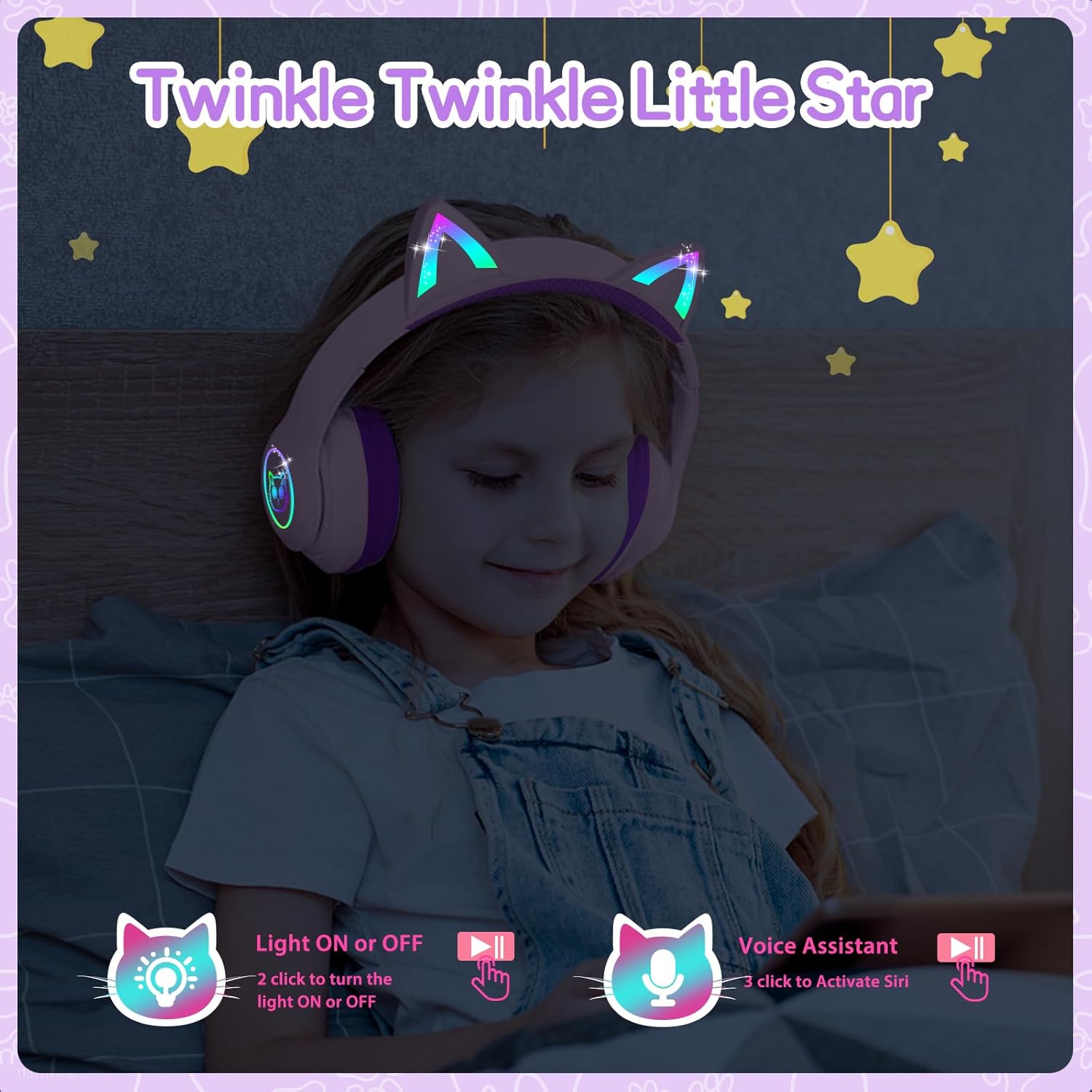
Image: A child wearing the LOBKIN S16 Kids Bluetooth Headphones, showcasing the colorful LED lights on the cat ears and earcups.
5.6 Asisten Suara
- Aktifkan Asisten Suara (Siri): Triple-click the LED Light Control Button.
6. Pemeliharaan
To ensure the longevity and optimal performance of your LOBKIN S16 headphones, follow these maintenance guidelines:
- Pembersihan: Gunakan kain lembut dan kering untuk membersihkan headphone. Jangan gunakan pembersih abrasif atau pelarut.
- Penyimpanan: When not in use, store the headphones in the provided cat-shaped carrying case to protect them from dust, scratches, and accidental damage.
- Suhu: Hindari memaparkan headphone pada suhu ekstrem (panas atau dingin) atau kelembapan tinggi.
- Tahan Air: These headphones are not water resistant. Avoid contact with liquids.
- Perawatan Kabel: Handle the charging and AUX cables gently to prevent damage.
7. Penyelesaian masalah
Jika Anda mengalami masalah dengan headphone Anda, lihat masalah dan solusi umum berikut:
| Masalah | Larutan |
|---|---|
| Headphone tidak mau menyala | Pastikan headphone terisi penuh daya. Tekan dan tahan tombol MFB selama 3 detik. |
| Tidak dapat memasangkan melalui Bluetooth | Ensure headphones are in pairing mode (red and blue flashing light). Turn off and restart both headphones and the device. Make sure the device is within 10 meters. |
| Tidak ada suara dalam mode Bluetooth | Check device volume and headphone volume. Ensure headphones are successfully paired. Try re-pairing. |
| No sound in wired (AUX) mode | Ensure the AUX cable is securely plugged into both the headphones and the device. Check device volume. |
| Lampu LED tidak berfungsi | Double-click the LED Light Control Button to toggle lights on/off. Ensure headphones are charged. |
| Mikrofon tidak berfungsi | Ensure headphones are connected via Bluetooth. Check device settings to ensure the headphone microphone is selected as the input device. |
8. Spesifikasi
| Fitur | Detil |
|---|---|
| Nama Model | S16 |
| Teknologi Konektivitas | Berkabel, Nirkabel (Bluetooth 5.4) |
| Jangkauan Bluetooth | Hingga 10 meter |
| Daya Tahan Baterai | 50 Hours (lights off) |
| Waktu Pengisian Daya | 1.5 Jam |
| Batas Volume Aman | 94dB |
| Bentuk Lubang Suara | Di Atas Telinga |
| Bahan | Akrilonitril Butadiena Stirena (ABS) |
| Berat Barang | 240 Gram (8.5 ons) |
| Dimensi Produk | 6.3x3.1x7.6 inci |
| Fitur Khusus | Colorful LED Lights, Microphone, Adjustable Headband, Detachable 3.5mm Audio Cable |
9. Garansi & Dukungan
LOBKIN provides an Layanan kualitas produk selama 18 bulan for these headphones. If you encounter any issues with the product itself during this period, please contact LOBKIN customer support for free repair or replacement services.
For further assistance or inquiries, please visit the LOBKIN store on Amazon or contact their customer service directly.
LOBKIN-US Customer Service: Kontak Penjual
Video: Official LOBKIN S16 Cute Cat Ear Headphones product video, demonstrating features and design.
Video: Official LOBKIN video showcasing Kids Wireless Headphones with Bag, highlighting their suitability as gifts.