
1. Pendahuluan
Thank you for choosing the SANODESK FL2 L-Shaped Height Adjustable Standing Desk. This manual provides essential information for the safe assembly, operation, and maintenance of your new desk. Please read it thoroughly before use and retain it for future reference.
2. Informasi Keselamatan
Untuk memastikan pengoperasian yang aman dan mencegah kerusakan, harap perhatikan hal-hal berikut:
- Do not exceed the weight limit of the desk (220 Pounds).
- Pastikan perakitan yang benar untuk stabilitas.
- Use the child lock function to prevent unexpected movement.
- Jauhkan anak-anak dan hewan peliharaan dari meja selama pengoperasian.
- Hindari menaruh cairan langsung pada panel kontrol atau di dekat komponen listrik.
- Regularly check all screws and bolts to ensure they are tightened.
3. Isi Paket
Your SANODESK FL2 L-Shaped Standing Desk package includes:
- Height-adjustable desk components (frame, desktop sections)
- Control panel and power adapter
- 4 laci
- Side headphone hooks
- Monitor stand/shelf components
- Manual instruksi
- Semua alat perakitan yang diperlukan
4. Pengaturan dan Perakitan
The desk is designed for easy assembly, with all necessary tools included. It is recommended that two people assemble the desk due to its size and weight (220 Pounds).
Opsi Majelis: The L-shaped desktop can be configured for either a left or right orientation to best suit your workspace. Decide on your preferred orientation before beginning assembly.
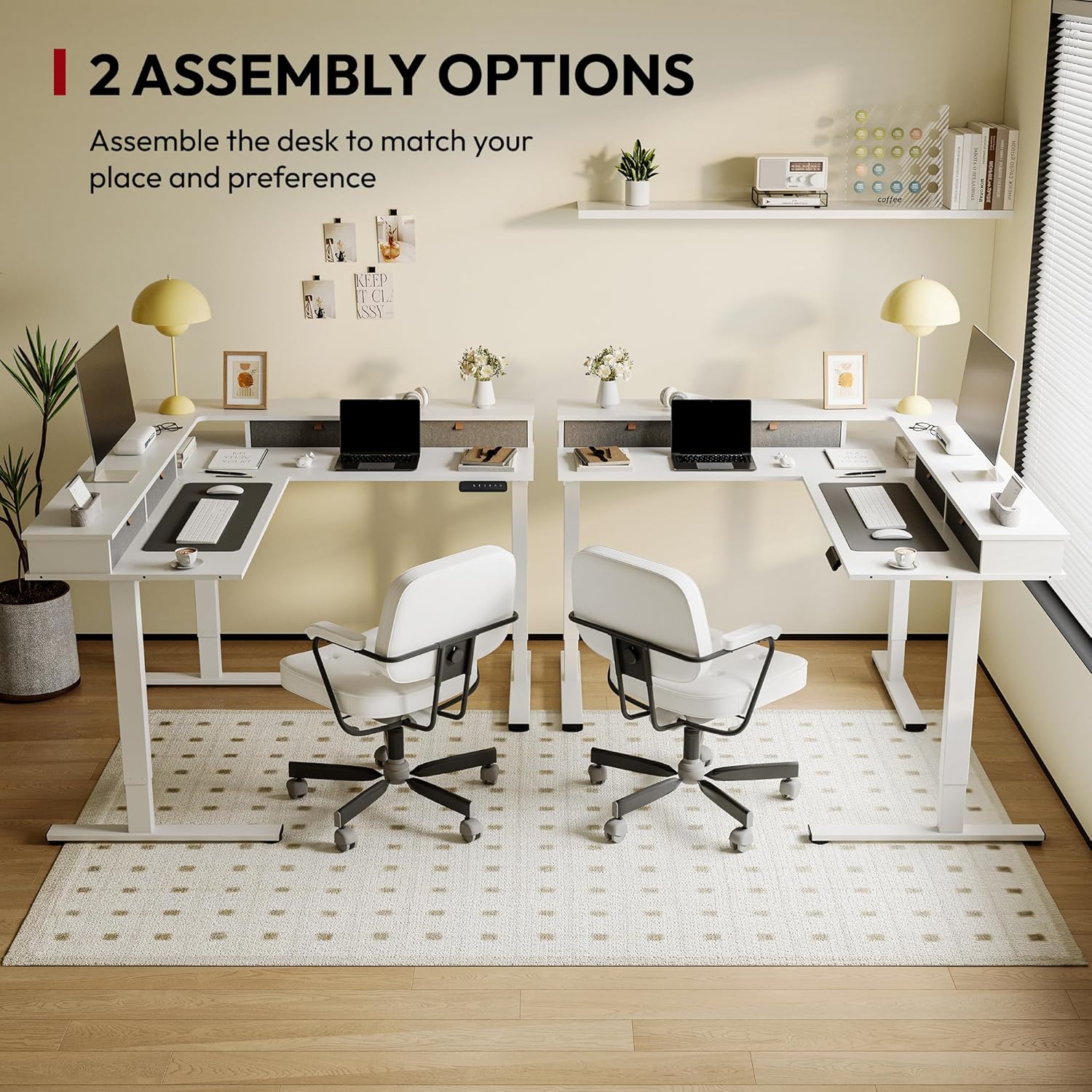
The desk can be assembled in two orientations, allowing for a left or right L-shape to fit various room layouts.
Refer to the detailed instruction manual provided in the package for step-by-step assembly guidance.
Panduan Video Perakitan
Pertunjukan video produk resmiasing the assembly process and various features of the SANODESK L-Shaped Standing Desk, including its adjustable height and robust design.
5. Petunjuk Pengoperasian
Your SANODESK FL2 features an electric lifting mechanism for seamless height adjustment.
5.1. Penyesuaian Ketinggian
The desk height can be adjusted from a minimum of 28.3 inci to a maximum of 45.9 inci. Use the up and down arrows on the control panel to manually adjust the desk to your desired height.
5.2. Smart Control Panel

The intuitive control panel features a digital display, up/down arrows, and four memory preset buttons for customized height settings. It also includes sedentary reminder and anti-collision functions.
The control panel is located conveniently under the desktop and includes:
- Tampilan digital: Shows the current desk height.
- Panah Atas/Bawah: For manual height adjustment.
- Pengaturan Memori (1, 2, 3, 4): Store up to four preferred height settings.
- Pengingat Sedentary: Prompts you to change positions to promote healthier work habits.
- Kunci Anak: Prevents accidental adjustments.
- Anti-Collision Function: Automatically stops and slightly reverses the desk's movement if it encounters an obstacle during adjustment.
5.3. Mengatur Preset Memori
- Sesuaikan ketinggian meja sesuai keinginan Anda menggunakan panah atas/bawah.
- Press and hold one of the memory preset buttons (1, 2, 3, or 4) until the display flashes or beeps, indicating the height has been saved.
- To use a preset, simply press the corresponding button, and the desk will automatically move to the saved height.
5.4. Sedentary Reminder and Child Lock
Consult the full instruction manual for detailed steps on activating and customizing the sedentary reminder and child lock features.
Panduan Video Pengoperasian
Official product video demonstrating the height adjustment, storage drawers, and overall functionality of the SANODESK L-Shaped Standing Desk with shelf and drawers.
6. Fitur
The SANODESK FL2 is designed with several features to enhance your productivity and comfort.
6.1. Ample Ruang Penyimpanan

The desk includes four spacious drawers for organizing desktop essentials, keeping your workspace tidy.
The desk boasts 4 laci besar, providing convenient storage for your office supplies and keeping your desktop organized.
6.2. All-Around Shelf Design
The integrated shelf is designed to elevate your monitors, reducing neck and shoulder strain from prolonged computer use. This improves posture and creates additional usable desk space.
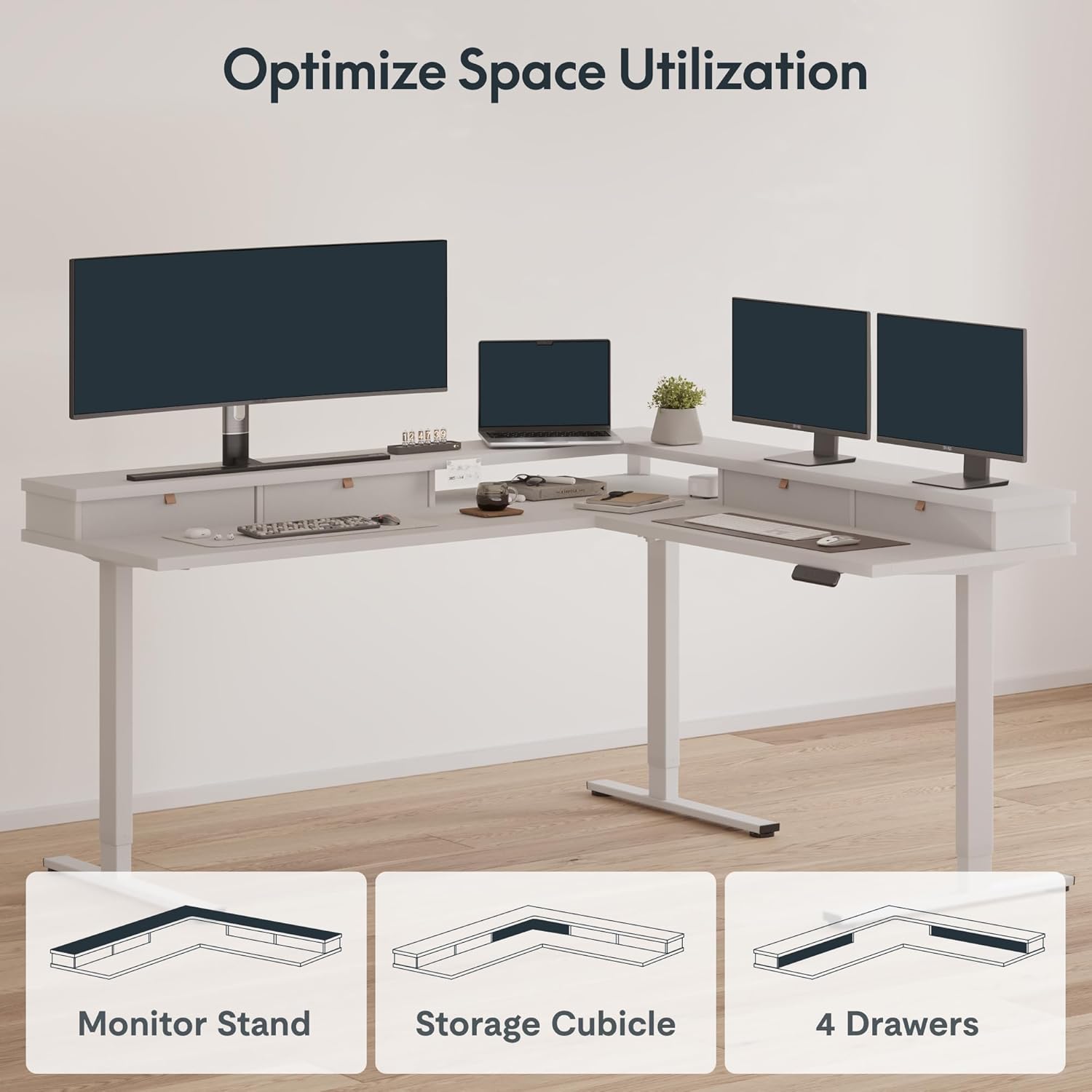
The versatile design allows for optimized space utilization with integrated monitor stands, storage cubicles, and drawers.
6.3. Side Headphone Hooks
Conveniently located side headphone hooks keep your headphones within reach and off your desk surface.
6.4. Port Pengisian USB
A built-in USB charging port provides easy access to power for your devices, reducing cable clutter.
7. Pemeliharaan
To maintain the appearance and functionality of your SANODESK FL2, follow these simple guidelines:
- Pembersihan: Bersihkan permukaan meja dengan adamp kain. Hindari bahan kimia keras atau pembersih abrasif.
- Inspeksi: Periodically check all connections and moving parts for any signs of wear or looseness. Tighten screws as needed.
- Manajemen Kabel: Ensure cables are properly managed to prevent interference with the desk's movement.
8. Penyelesaian masalah
If you encounter any issues with your SANODESK FL2, please refer to the following common troubleshooting tips:
- Meja tidak bergerak: Check all power connections. Ensure the power cable is securely plugged into both the desk and the wall outlet.
- Gerakan tidak merata: Verify that the desk is not overloaded and that all feet are properly adjusted on an even surface.
- Kode kesalahan pada layar: Consult the detailed troubleshooting section in the full instruction manual for specific error code meanings and solutions.
- Anti-collision activation: If the desk stops unexpectedly, check for any obstructions in its path. Remove obstacles and try adjusting the height again.
If the problem persists, please contact SANODESK customer support.
9. Spesifikasi
| Fitur | Detil |
|---|---|
| Merek | SANODESK |
| Nomor Model | FL2 |
| Membentuk | Bentuk-L |
| Desain Meja | Meja Berdiri |
| Dimensi Produk | 63"P x 71"L x 29"T (Keseluruhan) |
| Warna | Putih |
| Gaya | Modern |
| Bahan Dasar | Baja Karbon |
| Jenis Bahan Atas | Kayu Rekayasa |
| Fitur Khusus | Adjustable Height, Electric, Ergonomic, Rust Resistant, Scratch Resistant, Sedentary Reminder, Child Lock, Anti-Collision |
| Jumlah Laci | 4 |
| Berat Barang | 220 pon |
| Ketebalan Meja | 0.63 inci |
| Tinggi Minimum | 28.7 inci |
| Tinggi Maksimum | 45.9 inci |
| Mekanisme Pengangkatan | Listrik |
| Perakitan yang Diperlukan | Ya |
| Jumlah Orang yang Direkomendasikan untuk Pertemuan | 2 |
| Termasuk Semua Alat Perakitan | Ya |
10. Garansi dan Dukungan
The SANODESK FL2 L-Shaped Height Adjustable Standing Desk comes with a Garansi Terbatas. For specific details regarding warranty coverage, please refer to the warranty card included in your package or visit the official SANODESK weblokasi.
For any questions, technical support, or warranty claims, please contact SANODESK customer service through their official channels. You can find contact information on the SANODESK websitus atau dalam dokumentasi produk Anda.