
1. Pendahuluan
Terima kasih sudah membeliasing the VOKSUN S450 Vintage 3-Speed Turntable. This manual provides essential information for the safe and efficient operation of your new record player. Please read it thoroughly before use and retain it for future reference.
2. Petunjuk Keselamatan Penting
- Bacalah petunjuk ini dengan saksama.
- Simpan petunjuk ini untuk referensi di masa mendatang.
- Perhatikan semua peringatan.
- Ikuti semua instruksi.
- Jangan gunakan peralatan ini di dekat air.
- Bersihkan hanya dengan kain kering.
- Jangan halangi lubang ventilasi apa pun. Pasang sesuai petunjuk produsen.
- Jangan memasang di dekat sumber panas seperti radiator, pemanas, kompor, atau peralatan lainnya (termasuk amppengangkat) yang menghasilkan panas.
- Lindungi kabel daya agar tidak terinjak atau terjepit, terutama pada bagian steker, stopkontak, dan titik keluarnya kabel dari peralatan.
- Gunakan hanya perlengkapan/aksesoris yang ditentukan oleh produsen.
- Cabut peralatan ini saat terjadi badai petir atau bila tidak digunakan dalam waktu lama.
- Serahkan semua perbaikan ke teknisi servis yang berkualifikasi. Perbaikan diperlukan jika peralatan mengalami kerusakan, seperti kabel atau steker catu daya rusak, cairan tumpah atau benda jatuh ke dalam peralatan, peralatan terkena hujan atau lembap, tidak beroperasi secara normal, atau terjatuh.
3. Isi Paket
Pastikan semua barang lengkap dan dalam kondisi baik saat membongkar kemasan:
- VOKSUN S450 Turntable Unit
- Adaptor Daya
- Panduan Pengguna
4. Produk Lebihview
The VOKSUN S450 is a vintage-style 3-speed turntable designed for versatile audio playback. It features a belt-drive system, built-in stereo speakers, Bluetooth connectivity, AM/FM radio, AUX input, headphone output, and RCA output.
Depan dan Atas View

Gambar: Tampak depan dan atas view of the VOKSUN S450 turntable, showcasing its wooden finish and the record platter.
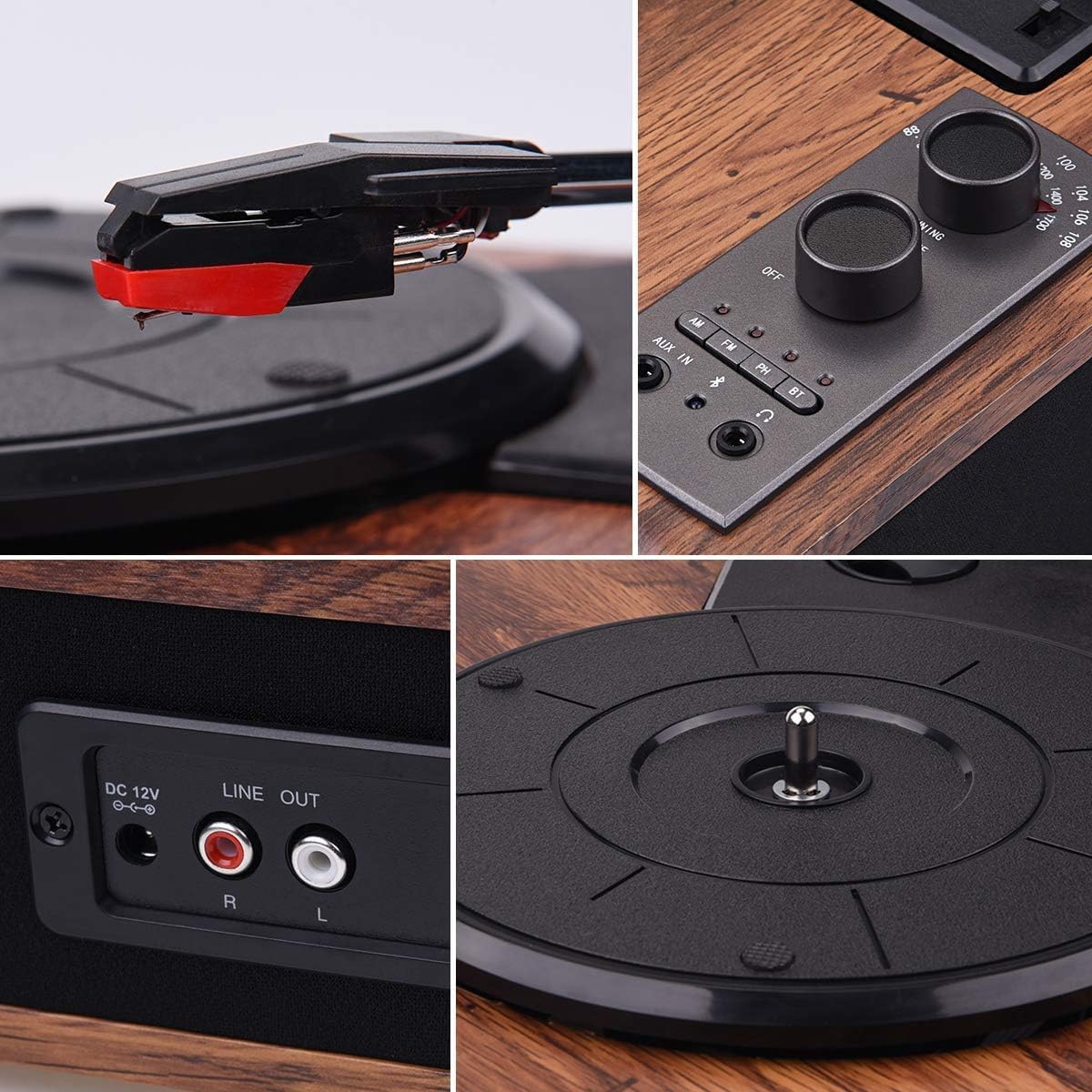
Image: Close-up of the control panel, showing the power/volume knob, tuning knob, mode selection buttons (AM, FM, AUX IN, BT), and headphone jack.
Panel Belakang

Image: Rear panel of the turntable, highlighting the DC 12V power input and the Stereo RCA Line Out connectors (Red for Right, White for Left).
Speaker Terintegrasi

Gambar: Samping view of the turntable, illustrating the integrated stereo speakers.
5. Pengaturan
- Penempatan: Letakkan meja putar di permukaan yang stabil dan rata, jauhkan dari sinar matahari langsung, sumber panas, dan debu atau getaran yang berlebihan.
- Sambungan Daya: Connect the supplied power adapter to the DC 12V input port on the rear of the turntable. Plug the other end into a suitable wall outlet.
- Stylus Protector: Carefully remove the clear plastic stylus protector from the needle before first use.
- Pengaturan Piring: Ensure the platter is correctly seated on the spindle. If a belt is separate, ensure it is correctly placed around the motor pulley and the inner rim of the platter.
6. Petunjuk Pengoperasian
6.1 Memutar Piringan Hitam
- Nyalakan: Turn the Power/Volume knob clockwise to power on the unit.
- Pilih Modus: Press the 'PH' button to select Phono mode.
- Rekor Tempat: Letakkan piringan hitam dengan hati-hati di atas piringan pemutar piringan hitam.
- Pilih Kecepatan: Adjust the speed switch (located near the tonearm base) to match the record's speed (33-1/3, 45, or 78 RPM).
- Angkat Lengan Tonearm: Angkat lengan pemutar piringan hitam secara perlahan menggunakan tuas pengatur posisi.
- Posisi Tonearm: Move the tonearm over the desired track of the record.
- Lengan Nada Bawah: Slowly lower the tonearm onto the record using the cueing lever. The music will begin to play.
- Sesuaikan Volume: Use the Power/Volume knob to adjust the sound level.
- Akhir Permainan: When the record finishes, the tonearm will automatically return to its rest position (auto-stop function). Lift the tonearm and return it to its rest clip manually if needed.

Image: A hand carefully lowering the tonearm onto a spinning vinyl record.
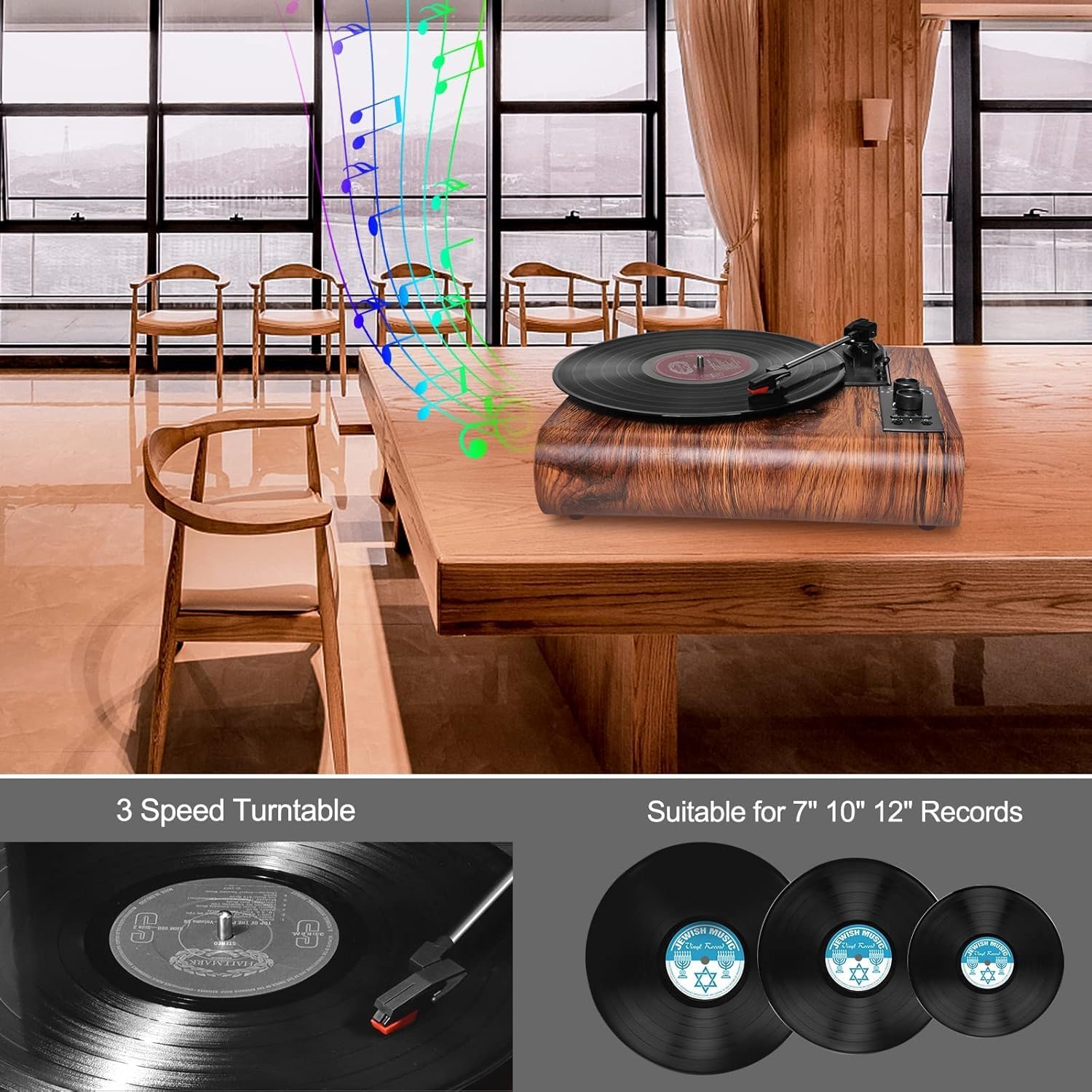
Image: Illustration showing three common vinyl record sizes: 7-inch (45 RPM), 10-inch (45 RPM), and 12-inch (33-1/3 RPM).
6.2 Mode Bluetooth
- Pilih Modus: Press the 'BT' button to select Bluetooth mode. The Bluetooth indicator light will flash.
- Pasangkan Perangkat: On your external Bluetooth device (smartphone, tablet, etc.), enable Bluetooth and search for 'VOKSUN TURNTABLE'. Select it to pair.
- Konfirmasi: Once successfully paired, the Bluetooth indicator light will stop flashing and remain solid.
- Putar Musik: You can now play music from your device through the turntable's speakers.

Image: A smartphone displaying its Bluetooth settings, showing a successful connection to 'VOKSUN TURNTABLE'.
Radio 6.3 AM/FM
- Pilih Modus: Press the 'AM' or 'FM' button to select the desired radio band.
- Dengarkan Stasiun: Use the 'TUNING' knob to scan for radio stations.
- Sesuaikan Volume: Use the Power/Volume knob to adjust the sound level.

Image: A person relaxing and listening to the VOKSUN S450 turntable, which is playing radio content.
6.4 Masukan AUX
- Pilih Modus: Press the 'AUX IN' button to select AUX input mode.
- Hubungkan Perangkat: Connect an external audio device (e.g., MP3 player, CD player) to the AUX IN port using a 3.5mm audio cable (not included).
- Putar Musik: Putar audio dari perangkat yang terhubung. Suara akan dikeluarkan melalui speaker pemutar piringan hitam.
6.5 Keluaran Headphone
- Hubungkan Headphone: Plug your headphones into the 3.5mm headphone jack on the control panel.
- Mendengarkan Secara Pribadi: Audio will be routed to your headphones for private listening. The built-in speakers will be muted.

Image: A person enjoying music from the turntable using wired headphones for private listening.
6.6 Keluaran RCA
- Hubungkan Kabel: Use an RCA cable (not included) to connect the 'LINE OUT' ports (Red for Right, White for Left) on the rear of the turntable to the corresponding input ports on an external amplifier atau speaker bertenaga.
- Audio Eksternal: This allows you to output the turntable's audio to a larger sound system for enhanced listening.

Image: The VOKSUN S450 turntable connected to a pair of external speakers using RCA cables, demonstrating the Line Out functionality.
7. Pemeliharaan
7.1 Membersihkan Unit
- Bersihkan bagian luar unit dengan kain lembut dan kering.
- Jangan gunakan bahan kimia keras, larutan pembersih, atau deterjen kuat.
7.2 Membersihkan Stylus
- Use a soft brush (not included) to gently clean the stylus, brushing from back to front.
- Hindari menyentuh stylus dengan jari Anda.
7.3 Perawatan Catatan
- Pegang piringan hitam pada bagian tepinya untuk menghindari sidik jari dan kotoran.
- Store records in their sleeves in a cool, dry place.
- Clean records regularly with a dedicated record cleaning kit (not included).
8. Penyelesaian masalah
| Masalah | Kemungkinan Penyebab | Larutan |
|---|---|---|
| Tidak ada daya | Adaptor daya tidak terhubung atau stopkontak tidak berfungsi. | Pastikan adaptor daya terhubung dengan aman ke unit dan stopkontak yang berfungsi. |
| Tidak ada suara dari speaker | Volume terlalu rendah; mode yang dipilih salah; headphone terhubung. | Increase volume; select correct mode (PH, BT, AM, FM, AUX IN); disconnect headphones. |
| Melewati rekaman | Dirty or scratched record; dirty stylus; turntable not level. | Clean record; clean stylus; ensure turntable is on a level surface. |
| Bluetooth tidak terhubung | Turntable not in Bluetooth mode; device too far; device already connected to another unit. | Ensure turntable is in BT mode; move device closer; disconnect from other devices and try again. |
| Penerimaan radio buruk | Sinyal lemah; gangguan. | Adjust the unit's position; extend the antenna (if applicable, not specified but common for AM/FM). |
9. Spesifikasi
- Nomor Model: S450
- Merek: VOKSUN
- Kecepatan: 33-1/3, 45, 78 putaran per menit
- Ukuran Catatan: 7", 10", 12"
- Tipe Motor: Penggerak Sabuk
- Pena: Ruby Needle
- Pembicara: Speaker Stereo 2 x 5W
- Bluetooth dapat digunakan untuk berbagai keperluan, seperti: Version 5.0 (Range: up to 10m)
- Radio: AM/FM Analog Stereo Radio
- Masukan: AUX In (3.5mm)
- Keluaran: RCA Line Out, Headphone Jack (3.5mm)
- Sumber Daya: Kabel listrik
- Jil.tage: 100 Volt
- Konsumsi Daya: 5 Watt
- Gaya: Anggurtage
- Warna: Brown (Wood Noyer)
10. Garansi & Dukungan
VOKSUN products are manufactured to the highest quality standards. For warranty information or technical support, please refer to the contact details provided with your purchase or visit the official VOKSUN website. Please have your model number (S450) and purchase date ready when contacting support.