
1. Pendahuluan
This manual provides detailed instructions for setting up, operating, maintaining, and troubleshooting your UOTEK AX3000 5G WiFi 6 Router. This device offers high-speed 5G cellular network access and advanced WiFi 6 connectivity for your home or office environment.
2. Isi Paket
- UOTEK AX3000 5G WiFi 6 Router (Model UT-R9010-M)
- 8 x High-Gain Omnidirectional Antennas
- Adaptor Daya
- Kabel Ethernet
- Panduan Pengguna / Panduan Mulai Cepat
3. Produk Lebihview
Kenali komponen fisik dan indikator pada router tersebut.
3.1. Panel Depan
The front panel features LED indicators for Power, Internet status, 2.4GHz WiFi, 5GHz WiFi, and Cellular signal strength.
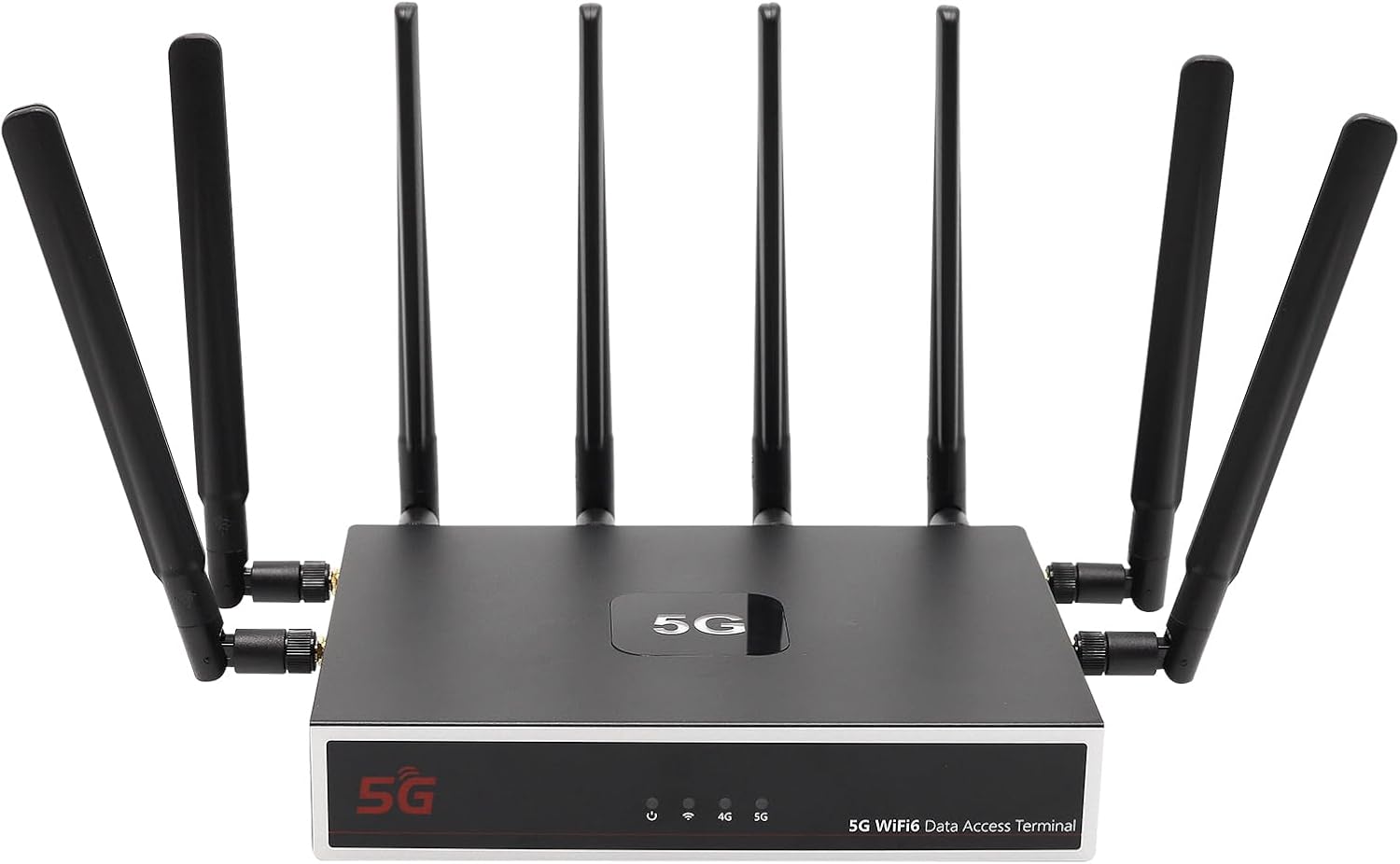
Gambar: Depan view of the UOTEK AX3000 5G WiFi 6 Router, showcasing its sleek design and 8 external antennas for enhanced signal coverage.
3.2. Panel Samping
The side panel includes the dual Nano SIM card slots and connectors for the external antennas.

Gambar: Samping view of the UOTEK AX3000 router, highlighting the dual Nano SIM card slots and the interfaces for connecting the external antennas.
3.3. Panel Belakang
The rear panel provides the DC 12V power input, a WAN port for wired internet connection, two LAN ports for wired devices, and a reset button.

Gambar: Belakang view of the UOTEK AX3000 router, displaying the Ethernet LAN/WAN ports and the power input socket.
4. Pengaturan
4.1. Insert SIM Cards
- Locate the SIM card slots on the side of the router.
- Buka penutup pelindung dengan hati-hati.
- Insert your Nano SIM card(s) into the designated slots with the gold contacts facing down and the notched corner aligned correctly.
- Dorong kartu SIM perlahan hingga berbunyi klik dan terpasang dengan benar.
- Tutup penutup pelindung dengan rapat.

Gambar: Detail view of the dual Nano SIM card slots on the UOTEK AX3000 router, showing the correct orientation for insertion.
4.2. Attach Antennas
Screw all 8 high-gain omnidirectional antennas firmly into their respective connectors on the router. Ensure they are securely tightened for optimal signal reception.

Image: The UOTEK AX3000 5G WiFi 6 Router with all 8 external antennas fully extended, ready for operation.
4.3. Hubungkan Daya
Connect the provided power adapter to the DC 12V input port on the rear panel of the router, then plug the adapter into a power outlet. The router will power on automatically.
4.4. Akses dan Konfigurasi Awal
- Hubungkan ke Router: Anda dapat terhubung ke router melalui Wi-Fi atau Ethernet.
- Wifinya: Pencarian untuk the default Wi-Fi network name (SSID) printed on the router's label. Connect using the default Wi-Fi password also found on the label.
- Eternet: Connect an Ethernet cable from one of the LAN ports on the router to your computer.
- Mengakses Web Antarmuka: Buka sebuah web browser dan masukkan alamat IP default (misalnya,
192.168.100.1) ke dalam bilah alamat. - Login: Masukkan nama pengguna default (misalnya,
admin) dan kata sandi (misalnya,admin) when prompted. You will be guided through the initial setup process. - Set Admin Password: For security, change the default administrator password immediately.
- Konfigurasikan Wi-Fi: Customize your Wi-Fi network name (SSID) and set a strong password.
4.5. Panduan Video Pengaturan
Video: This video demonstrates the unboxing, SIM card insertion, and antenna connection process for a similar 5G router, providing a visual guide for the initial physical setup.
5. Petunjuk Pengoperasian
5.1. Menghubungkan Perangkat
- Wifinya: On your devices (smartphones, laptops, tablets), search for your configured Wi-Fi network name (SSID) and enter the password.
- Eternet: Connect devices like desktop computers, smart TVs, or gaming consoles to the router's LAN ports using Ethernet cables for a stable wired connection.

Image: The UOTEK AX3000 5G WiFi 6 Router efficiently connecting up to 100 smart devices simultaneously, ensuring high capacity and efficiency.
5.2. Dual SIM Card Functionality
The router supports dual SIM cards, allowing for automatic switching between networks to maintain optimal signal strength and connectivity. If one network signal weakens, the router can seamlessly switch to the stronger available SIM card.
5.3. Wi-Fi 6 (802.11ax) Enhancements
Benefit from advanced Wi-Fi 6 technologies like OFDMA and DL MU-MIMO, which enable more stable and high-speed wireless transmission. These technologies allow the router to synchronously schedule multiple users to send and receive data in parallel, reducing network latency and improving overall efficiency.

Image: A diagram comparing Wi-Fi 6 (OFDMA+MU-MIMO) with Wi-Fi 5, showing how Wi-Fi 6 allows data from multiple users to be transferred simultaneously, improving efficiency.
5.4. Konfigurasi VPN
The router comes with pre-installed OpenVPN and WireGuard support, allowing you to configure VPN services for enhanced security and privacy. Access the VPN settings through the web interface to set up your preferred VPN service.
Video: This video provides a setup guide for a GL.iNet router, demonstrating how to connect to Wi-Fi and configure VPN services through the web interface, which is applicable to general router setup.
6. Pemeliharaan
6.1. Pembaruan Firmware
Regularly check the UOTEK official website for the latest firmware updates. Firmware updates can improve performance, add new features, and enhance security. Follow the instructions provided with the firmware update package carefully.
6.2. Mengatur Ulang ke Pengaturan Pabrik
If you encounter persistent issues or wish to clear all configurations, you can reset the router to its factory default settings. Locate the reset button on the rear panel, use a paperclip or a thin object to press and hold the button for about 10 seconds until the LED indicators flash.
6.3. Penempatan Optimal
For the best Wi-Fi coverage and 5G signal reception, place the router in a central location within your home or office, away from obstructions like thick walls, large metal objects, and other electronic devices that may cause interference. Elevating the router can also improve signal distribution.
7. Penyelesaian masalah
7.1. Tidak ada koneksi internet
- Check if the SIM card(s) are correctly inserted and activated with your mobile carrier.
- Verify that the cellular signal LED indicator is lit and stable.
- Ensure the Ethernet cable is securely connected to the WAN port (if using wired internet).
- Mulai ulang router dengan mencabut dan memasang kembali adaptor daya.
7.2. Weak Wi-Fi Signal or Slow Speeds
- Adjust the position of the external antennas for better signal reception.
- Pindahkan router ke area yang lebih sentral dan terbuka, jauh dari sumber gangguan potensial.
- Pastikan perangkat Anda kompatibel dengan Wi-Fi 6 agar dapat memanfaatkan sepenuhnya kemampuan router.
7.3. Tidak Dapat Mengakses Web Antarmuka
- Verify that your device is connected to the router's network (Wi-Fi or Ethernet).
- Double-check the IP address entered in the browser (e.g.,
192.168.100.1). - Bersihkan cache peramban Anda atau coba peramban lain.
- If you forgot your admin password, perform a factory reset (see Section 6.2).
8. Spesifikasi
| Fitur | Keterangan |
|---|---|
| Nama Model | UT-R9010-M |
| Teknologi Konektivitas | WiFi 6 (802.11ax), 5G, Ethernet |
| Kelas Pita Frekuensi | Pita Ganda (2.4GHz & 5GHz) |
| Jenis Antena | 8 x External High-Gain Omnidirectional Antennas |
| Dukungan Kartu SIM | Dual Nano SIM Card Slots |
| Port Ethernet | 1x WAN, 2x LAN Gigabit Ports |
| Fitur Khusus | Internet Security, LED Indicators, VPN Support (OpenVPN, WireGuard) |
| Berat Barang | 3.1 pon |
| Dimensi Paket | 10.47x10.24x3.11 inci |
| Pabrikan | UTEK TECHNOLOGY(SHENZHEN) CO.,LTD. |
9. Garansi dan Dukungan
The UOTEK AX3000 5G WiFi 6 Router comes with a standard manufacturer's warranty. For detailed warranty information, technical support, or customer service inquiries, please visit the official UOTEK websitus atau menghubungi tim dukungan mereka secara langsung.