
1. Produk Lebihview
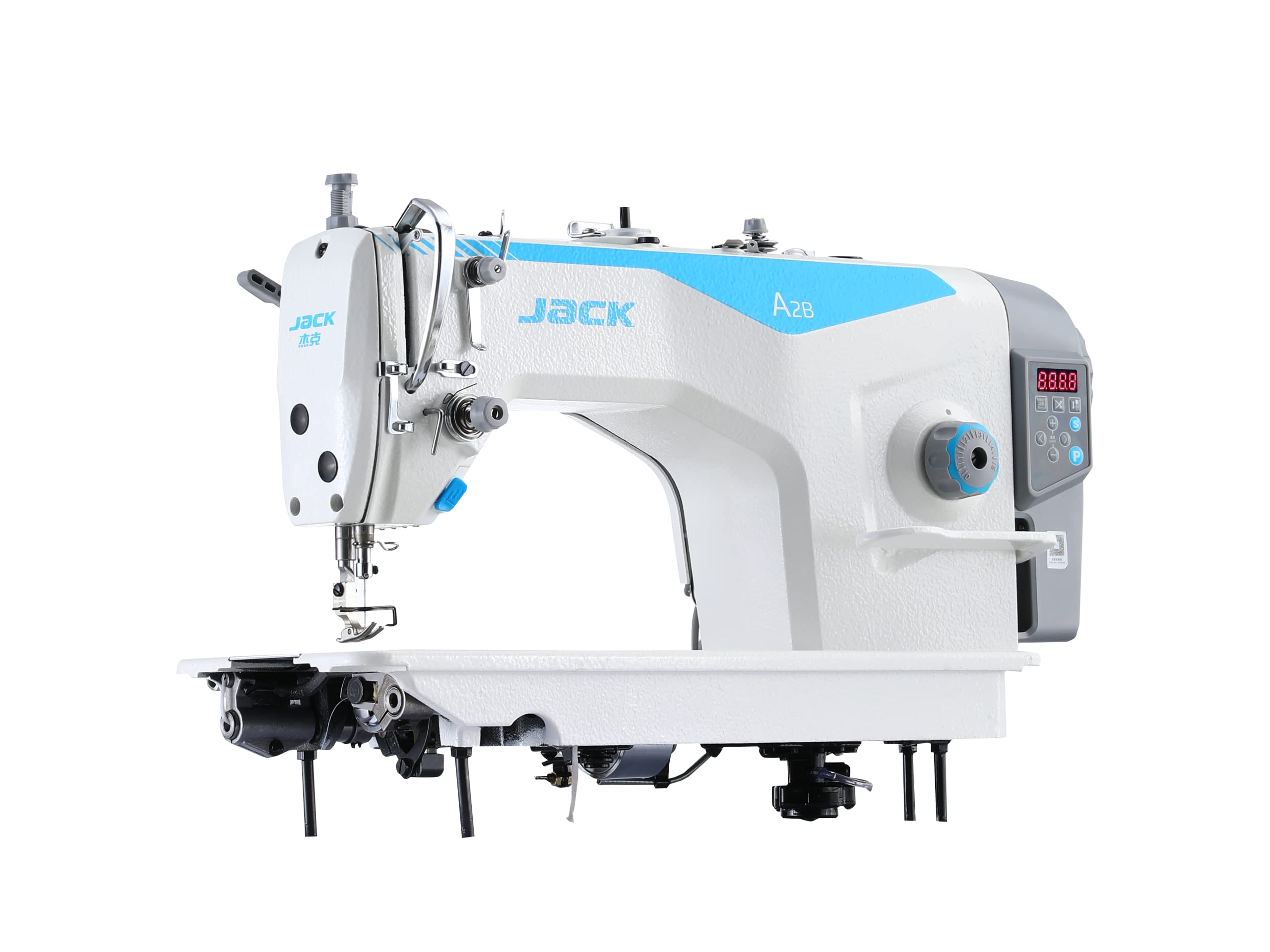
The JACK A2B Digital Industrial Sewing Machine is engineered for high-performance and reliability in professional and manufacturing environments. This machine integrates advanced digital technology with robust construction, making it suitable for a wide range of heavy-duty sewing applications.
Fitur utama meliputi:
- Konstruksi Tahan Lama: Built with a cast aluminum frame and stainless steel base for long-term use.
- Operasi Kecepatan Tinggi: Capable of up to 5500 stitches per minute, with adjustable stitch length up to 6mm.
- Advanced Digital Features: Includes automatic needle threading, an integrated stitch regulator, and needle up/down functionality for precise control.
- Aplikasi serbaguna: Ideal for apparel manufacturing, quilting, home decor, and heavy fabric sewing.
- Visibilitas yang Ditingkatkan: Equipped with a bright LED light to illuminate the work area.

Figure 1: The JACK A2B Digital Industrial Sewing Machine.
2. Informasi Keselamatan
Read all instructions before operating the machine. Failure to follow safety guidelines may result in injury or damage to the machine.
- Selalu cabut mesin dari sumber listrik sebelum membersihkan, melakukan perawatan, atau saat tidak digunakan.
- Keep fingers and hands away from the needle, presser foot, and other moving parts during operation.
- Do not operate the machine with damaged cords or if it has been dropped or damaged.
- Pastikan mesin ditempatkan pada permukaan yang stabil dan rata.
- Gunakan hanya aksesori dan pelengkap yang direkomendasikan.
- Jauhkan anak-anak dan hewan peliharaan dari mesin selama pengoperasian.
3. Panduan Pengaturan
3.1 Pembongkaran dan Penempatan
Carefully remove all packaging materials. Place the sewing machine on a sturdy, level table or stand. Ensure adequate space around the machine for comfortable operation and material handling.
3.2 Sambungan Daya
Connect the power cord to a grounded electrical outlet. The machine operates on a corded electric power source. Verify that the voltage cocok dengan catu daya lokal Anda.
3.3 Pemeriksaan Awal
- Check that the needle is correctly installed and not bent.
- Ensure the bobbin is properly wound and inserted.
- Verify that all covers and guards are securely in place.
4. Petunjuk Pengoperasian
4.1 Panel Kontrol Selesaiview
The digital control panel provides access to various machine functions and settings. Refer to the image below for button identification.
Gambar 2: Panel Kontrol Digital.
- Tampilan digital: Shows current stitch length, speed, and error codes.
- Penyesuaian Kecepatan: Use '+' and '-' buttons to increase or decrease sewing speed.
- Pengaturan Panjang Jahitan: Use dedicated buttons to set stitch length up to 6mm.
- Needle Up/Down: Controls the final resting position of the needle.
- Pemotong Benang Otomatis: Activates the automatic thread cutting function.
4.2 Memasang Benang pada Mesin
Follow these steps to thread the upper thread:
- Letakkan gulungan benang pada pin gulungan.
- Guide the thread through the thread guides as indicated in the machine's physical markings.
- Lewatkan benang melalui cakram penegang.
- Masukkan tuas pengambil benang.
- Gunakan alat pemasang benang otomatis atau pasang benang pada jarum secara manual dari depan ke belakang.
4.3 Menggulung Bobbin
The machine features an integrated bobbin winder for convenience.

Figure 3: Bobbin Winder.
- Letakkan kumparan kosong pada poros penggulung kumparan.
- Arahkan benang dari gulungan melalui cakram penegang penggulung kumparan.
- Lilitkan benang beberapa kali di sekitar kumparan.
- Push the bobbin winder spindle towards the right to engage.
- Nyalakan mesin; kumparan akan menggulung secara otomatis. Hentikan saat sudah penuh.
4.4 Menggunakan Lampu LED
The integrated LED light illuminates the sewing area, improving visibility and reducing eye strain.

Figure 4: LED Work Light.
The LED light can typically be turned on or off via a dedicated button on the machine head or control panel, or it may activate automatically when the machine is in operation.
5. Pemeliharaan
Perawatan rutin memastikan umur panjang dan kinerja optimal mesin jahit Anda.
5.1 Pembersihan
- Sehari-hari: Remove lint and dust from the bobbin case, feed dogs, and needle plate area using a small brush.
- Mingguan: Clean the entire machine surface with a soft, dry cloth.
- Bulanan: For thorough cleaning, consult a qualified technician or refer to the detailed cleaning instructions in the full service manual.
5.2 Pelumasan
Industrial sewing machines require regular lubrication. Refer to the machine's lubrication points diagram in the comprehensive manual. Use only high-quality sewing machine oil. Over-oiling can cause issues.
5.3 Penggantian Jarum
Replace the needle regularly, especially if it becomes bent, dull, or if you experience skipped stitches. Use the correct needle type (DBx1 11-18#) for your fabric and thread.

Figure 5: Needle and Presser Foot Area.
6. Penyelesaian masalah
Bagian ini membahas masalah umum yang mungkin Anda temui.
| Masalah | Kemungkinan Penyebab | Larutan |
|---|---|---|
| Jahitan yang Dilewati | Jarum yang salah, jarum bengkok, pemasangan benang yang tidak tepat, tegangan yang salah. | Ganti jarum, pasang benang kembali ke mesin, sesuaikan tegangan. |
| Kerusakan Benang | High tension, poor quality thread, burrs on needle plate, incorrect threading. | Kurangi tegangan, gunakan benang berkualitas, periksa apakah ada gerigi, pasang kembali benang. |
| Jahitan Tidak Rata | Ketegangan yang tidak tepat, gigi penarik kain yang aus, pengumpanan kain yang tidak konsisten. | Sesuaikan tegangan, bersihkan gigi penarik kain, pastikan penanganan kain konsisten. |
| Mesin Tidak Mulai | Tidak ada daya, sakelar pengaman aktif, masalah motor. | Check power connection, ensure safety switches are disengaged, consult technician. |
6.1 Kode Kesalahan
The digital display may show error codes to indicate specific issues.

Figure 6: E-04 High Voltage alarm.
- E-04 (High Voltag(Alarm): Indicates an issue with the power supply or internal voltage regulation. Disconnect power, wait a few minutes, and reconnect. If the error persists, contact support.
- For other error codes, refer to the comprehensive service manual or contact customer support.
7. Spesifikasi
Below are the general specifications for the JACK A2B Digital Industrial Sewing Machine.
| Fitur | Detil |
|---|---|
| Merek | MENDONGKRAK |
| Model | Pesawat A2B |
| Warna | Putih |
| Berat Barang | 65 Kilogram |
| Bahan | Solid Alloy |
| Dimensi Produk (P x L x T) | Ukuran 60D x 60L x 30T cm |
| Sumber Daya | Listrik Kabel |
| Pengoperasian Listrik | Ya |
| Max. Stitch Speed | 5500 jahitan per menit |
| Panjang Jahitan Maksimum | 6 mm |
| Jenis Jarum | DBx1 11-18# |
| Pengangkat Kaki Penekan | 5-13 mm |

Gambar 7: Spesifikasi Model Terperinci.
8. Garansi dan Dukungan
8.1 Informasi Garansi
The JACK A2B Digital Industrial Sewing Machine comes with a Garansi 3 tahun. This warranty covers manufacturing defects and ensures ongoing support and maintenance if required. Please retain your proof of purchase for warranty claims.
8.2 Dukungan Pelanggan
For technical assistance, troubleshooting beyond this manual, or warranty service, please contact your authorized JACK dealer or the manufacturer's customer support. Contact details can typically be found on the product packaging or the official JACK weblokasi.