
Vangoa MAE-02
Vangoa MAE-02 MIDI EWI Electronic Wind Instrument User Manual
Model: MAE-02 | Brand: Vangoa
1. Pendahuluan
The Vangoa MAE-02 MIDI EWI Electronic Wind Instrument is a versatile digital wind instrument designed for musicians of all levels. It offers a wide range of tones and fingerings, along with various connectivity options for enhanced musical expression and practice.
Key features include 35 distinct tones, three selectable fingering modes, touch-sensitive buttons for responsive play, versatile connectivity via Bluetooth, USB, and a 3.5mm jack, and a long-lasting 1200mAh rechargeable battery providing up to 4 hours of playtime. The instrument also features a built-in 2W speaker for immediate sound output.
2. Produk Lebihview
Familiarize yourself with the components of your Vangoa MAE-02 instrument.

Gambar 2.1: Labeled diagram of the Vangoa MAE-02 Digital Wind Instrument, highlighting the mouthpiece, speaker, note sensing buttons, sharp-half button, flat-half button, LCD screen, octave controls, function buttons, neck belt hook/finger rest, hook snap ring, Type-C port, charging indicator light, battery compartment, 3.5mm jack, and exhaust vent.
3. Pengaturan
Follow these steps to set up your Vangoa MAE-02 instrument for first use.
- Membuka kemasan: Carefully remove all components from the packaging. Ensure you have the MAE-02 instrument, USB-C charging cable, two silicone mouthpieces, neck strap, and user manual.
- Mouthpiece Attachment: Select one of the silicone mouthpieces and gently slide it onto the instrument's mouthpiece until it is securely in place.
- Pengisian daya: Connect the USB-C charging cable to the instrument's Type-C port and the other end to a compatible USB power adapter (not included). The charging indicator light will illuminate. A full charge takes approximately 2 hours and provides up to 4 hours of playtime.
- Tali Leher (Opsional): Attach the neck strap to the hook snap ring on the instrument for comfortable and secure playing.
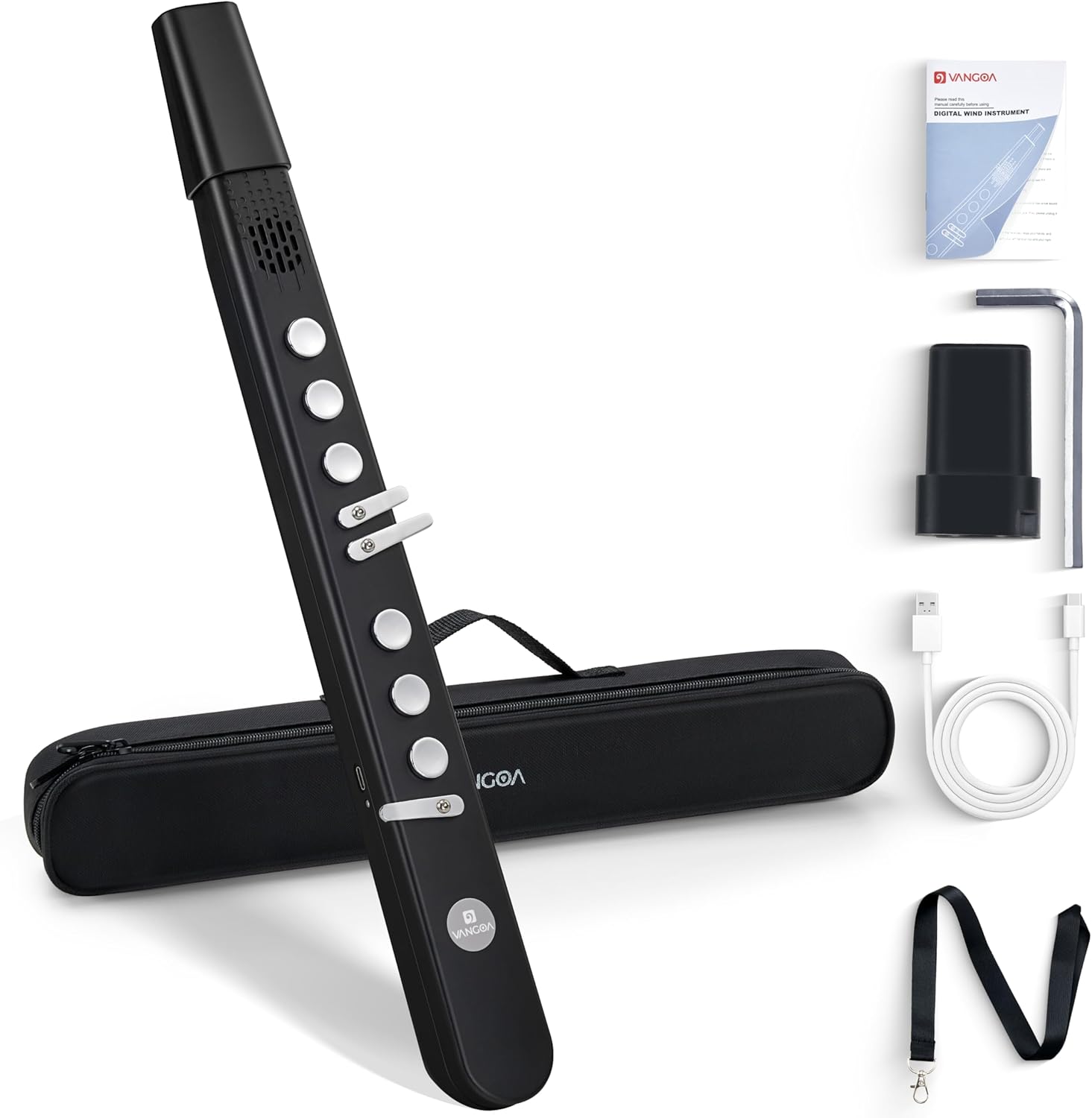
Gambar 3.1: The Vangoa MAE-02 Digital Wind Instrument shown with its included accessories: USB-C cable, two silicone mouthpieces, neck strap, and user manual.

Gambar 3.2: The Vangoa MAE-02 Digital Wind Instrument connected to a USB-C charging cable, illustrating the charging process and battery life.
Setup Video: What's in the box?
Deskripsi Video: This video provides a visual guide to unboxing the Vangoa MAE-02, showing all included accessories and how to prepare the instrument for use.
4. Petunjuk Pengoperasian
4.1 Daya Hidup/Mati
Press and hold the power button (located on the back control panel) for a few seconds until the LCD screen illuminates to power on the instrument. Repeat the process to power off.
4.2 Penempatan Jari
The MAE-02 offers three distinct fingering modes to accommodate various playing styles and instrument emulations:
- Hulusi Fingering: Captures traditional ethnic tones, ideal for folk music.
- Saxophone Fingering: Mirrors saxophone sounds, suitable for jazz and modern genres.
- Flute Fingering: Produces clear tones, perfect for soft, melodious tunes.

Gambar 4.1: Visual representation of the three available fingering charts: Cucurbit Flute Finger, Saxophone Finger, and Flute Finger.
4.3 Nada
The instrument provides access to 35 different tones, replicating various instruments from pianos and violins to bagpipes and synthesizers. Use the 'Tone' button and +/- controls on the back panel to select your desired tone.

Gambar 4.2: An illustration of the 35 professional tones available on the Vangoa MAE-02, including Alto Saxophone, Clarinet, Bamboo Flute, Violin, and more.
Video: MIDI EWI with 35 Tones for Beginners Adults Teens Kids
Deskripsi Video: This video demonstrates the various tones and features of the MIDI EWI, showcasing its suitability for beginners and advanced players alike.
4.4 Kontrol dan Fungsi
The instrument features touch-sensitive buttons and a control panel on the back for various functions:
- Tombol Sensitif Sentuh: Enable gentle triggers for bends, pitch raises, or drops.
- Octave Control: Use the dedicated octave buttons to shift the playing range.
- Volume (VOL): Adjust the output volume from 0-100 levels (default 30).
- Pitch (PIT): Fine-tune the pitch up to 12.5 steps up or down.
- Reverb (REV): Adjust the reverb effect from 0-100 levels (default 30).
- Blowing Force (B.F.): Select from 3 levels (light, standard, heavy) to adjust sensitivity.
- Reset (RES): Mengembalikan pengaturan pabrik.

Gambar 4.3: The control panel of the Vangoa MAE-02, detailing the seven main functions: Tone, Blowing Force, Volume, Pitch, Reverb, Reset, and Fingering.
4.5 Pilihan Konektivitas
The MAE-02 offers multiple ways to connect to other devices:
- Bluetooth (BT): Connect wirelessly to mobile devices for backing tracks or app control. To activate Bluetooth, press and hold the 'FG' button.
- USB-C: Transmit MIDI data to a computer or other MIDI-compatible devices.
- Jack 3.5mm: Connect headphones for private practice or external speakers for amppertunjukan yang diperkuat.

Gambar 4.4: Sebuah selesaiview of the various connectivity options for the Vangoa MAE-02, including wireless Bluetooth, USB, and 3.5mm jack connections.
Video: How to connect the BT?
Deskripsi Video: This video provides a step-by-step guide on how to connect the Vangoa MAE-02 to other devices via Bluetooth.
Video: Using the digital wind instrument as a MIDI controller
Deskripsi Video: This video demonstrates how to use the Vangoa MAE-02 as a MIDI controller, showcasing its capabilities for digital music production.
4.6 Latihan Diam
For private practice, connect headphones to the 3.5mm jack. This mutes the built-in speaker, allowing you to practice without disturbing others.
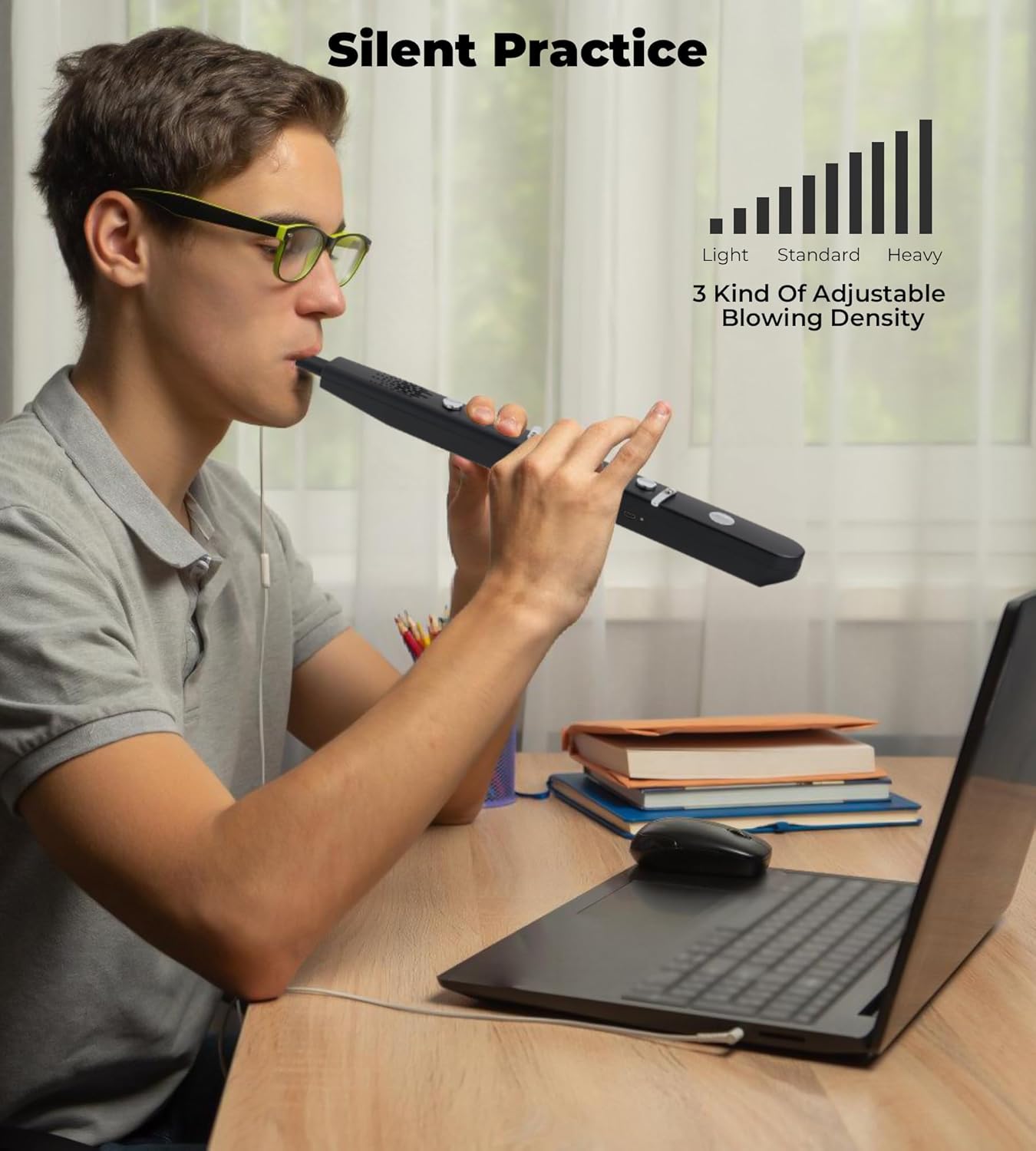
Gambar 4.5: A user engaged in silent practice with the Vangoa MAE-02, wearing headphones connected to the instrument.
5. Pemeliharaan
- Pembersihan: Regularly wipe the instrument's body with a soft, dry cloth. For the silicone mouthpiece, remove it and wash with mild soap and water, then rinse thoroughly and allow to air dry before reattaching.
- Penyimpanan: Store the instrument in its protective case when not in use to prevent dust accumulation and accidental damage.
- Perawatan Baterai: To prolong battery life, avoid fully discharging the battery frequently. Charge the instrument regularly, even if not in constant use.
6. Penyelesaian masalah
- Tidak Ada Keluaran Suara:
- Check the volume level on the instrument.
- Ensure headphones are not plugged in if you intend to use the built-in speaker.
- Verify the instrument is powered on and charged.
- Masalah Konektivitas Bluetooth:
- Ensure Bluetooth is enabled on both the MAE-02 (by holding the 'FG' button) and your mobile device.
- Make sure the instrument is not already paired with another device.
- Try restarting both the instrument and your mobile device.
- Unresponsive Buttons/Incorrect Tones:
- Ensure fingers are making proper contact with the touch-sensitive buttons.
- Perform a factory reset using the 'Reset' button on the back panel.
- Excessive Moisture/Dripping:
- This is normal due to condensation from breath. Use the exhaust vent at the bottom of the instrument to drain moisture.
- Regularly clean the mouthpiece and allow it to dry.
7. Spesifikasi
| Fitur | Detil |
|---|---|
| Nama Model | MAE-02 |
| Nomor Model Barang | C2000066 |
| Merek | Vangoa |
| Berat Barang | 2.79 pon |
| Dimensi Paket | 19.5x4x3 inci |
| Warna | Hitam |
| Jenis Bahan | Metal, Synthetic |
| Bahan Tubuh | Plastik |
| Jenis Konektor | USB, 3.5mm Jack, Bluetooth |
| Sumber Daya | Bertenaga Baterai |
| Kapasitas Baterai | 1200 mAh |
| Daya Tahan Baterai | Hingga 4 jam |
| Tingkat Keterampilan | Pemula |
8. Garansi & Dukungan
For warranty information or technical support, please refer to the contact details provided in your product packaging or visit the official Vangoa websitus. Simpan struk pembelian Anda sebagai bukti pembelian.
Ask a question about this manual
Ask about setup, troubleshooting, compatibility, parts, safety, or missing instructions. Manuals+ will review the question and use this page’s manual context to help answer it.