
eppfun Cutemeet 818 (LS003)
eppfun Cutemeet 818 Wireless Headphones User Manual
Model: LS003
Brand: eppfun
Perkenalan
Terima kasih sudah membeliasing the eppfun Cutemeet 818 Wireless Headphones. These headphones are designed to provide a superior audio experience with advanced features such as Bluetooth 5.4, LE Audio, and aptX Lossless support. They offer both wireless and wired connectivity, ensuring versatility for various listening scenarios. With a lightweight and comfortable design, the Cutemeet 818 is perfect for extended use.
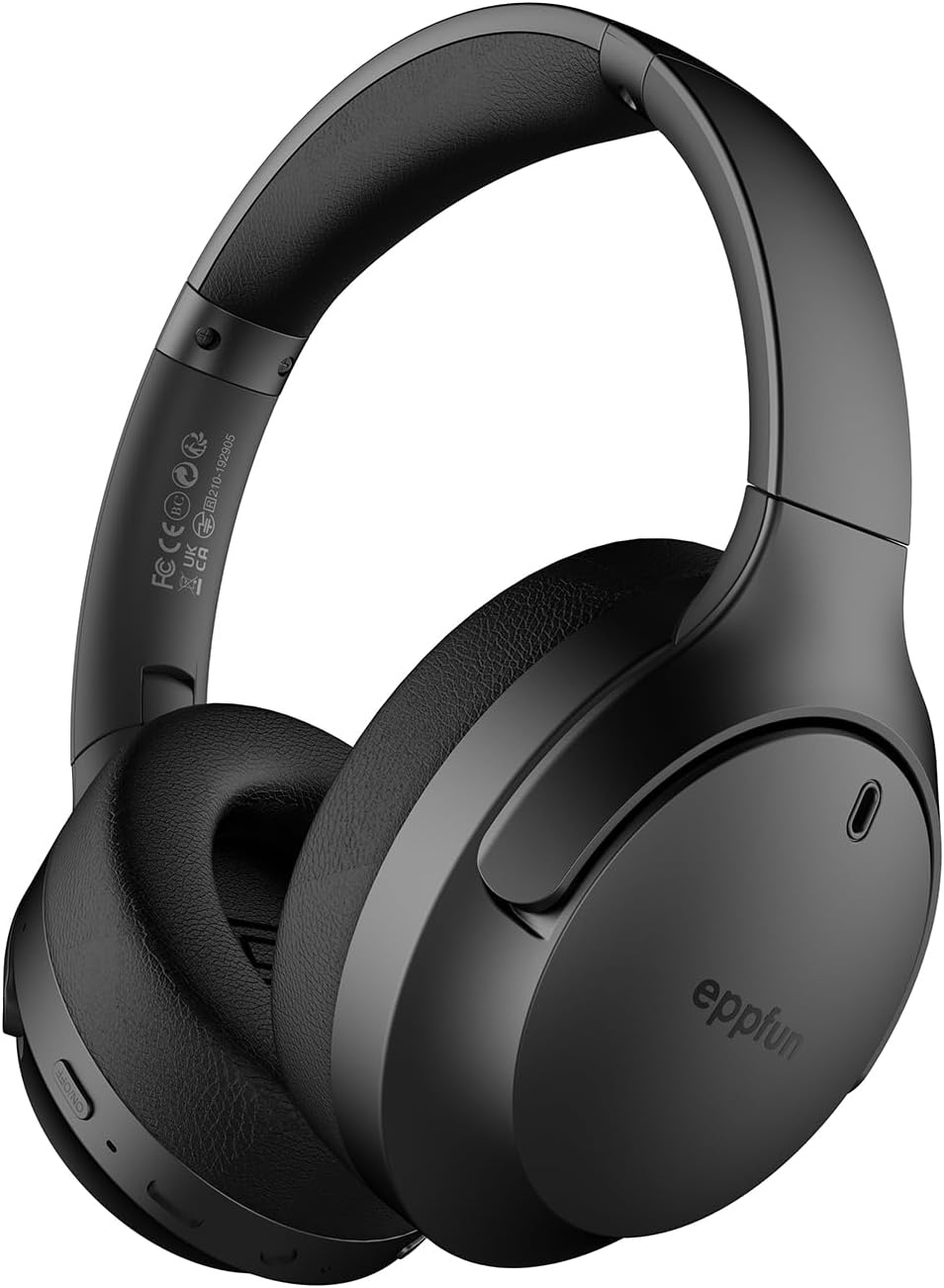
Figure 1: eppfun Cutemeet 818 Wireless Headphones
The image displays the eppfun Cutemeet 818 wireless headphones in black, showcasing their sleek design and over-ear form factor. The eppfun logo is visible on the earcups.
Informasi Keselamatan
Please read this safety information carefully before using the headphones to ensure proper operation and prevent damage or injury.
- Jangan biarkan headphone terkena suhu ekstrem, kelembapan, atau zat korosif.
- Hindari menjatuhkan atau membiarkan headphone terkena benturan keras.
- Jangan membongkar atau mencoba memperbaiki headphone sendiri. Ini akan membatalkan garansi.
- Bersihkan headphone dengan kain lembut dan kering. Jangan gunakan bahan kimia keras atau bahan abrasif.
- Dengarkan dengan volume sedang untuk mencegah kerusakan pendengaran. Paparan suara keras dalam waktu lama dapat menyebabkan kehilangan pendengaran permanen.
- Jauhkan dari jangkauan anak-anak dan hewan peliharaan.
Isi Paket
Verifikasi bahwa semua item ada dalam paket Anda:
- eppfun Cutemeet 818 Wireless Headphones
- Kabel Pengisian Daya USB-C
- Kabel Audio AUX 3.5mm
- User Manual (dokumen ini)
Produk Selesaiview
Familiarize yourself with the various parts and controls of your headphones.
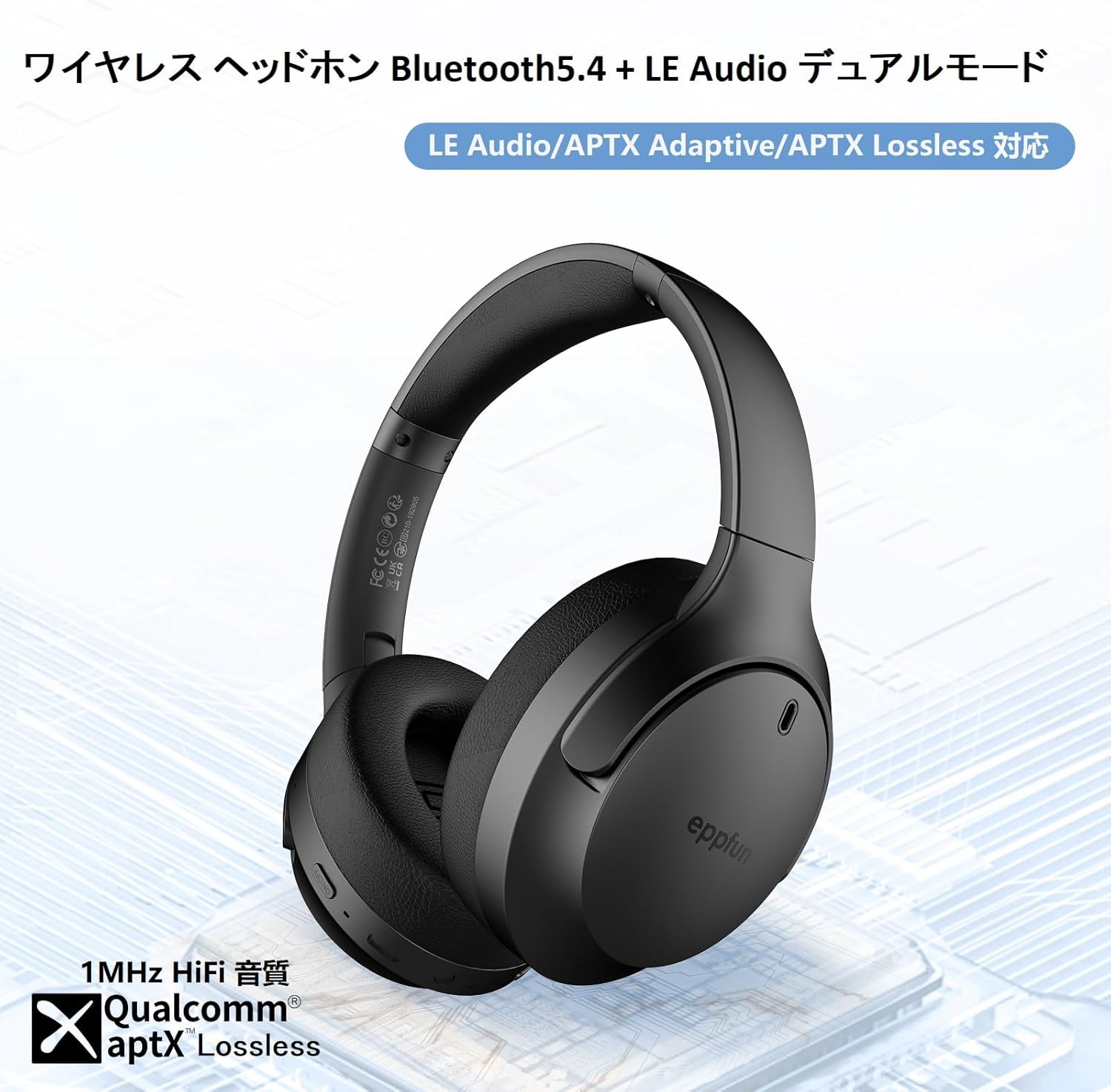
Figure 2: Headphone Features and Controls
This image highlights the eppfun Cutemeet 818 headphones, emphasizing their support for Bluetooth 5.4, LE Audio, APTX Adaptive, and APTX Lossless technologies, indicating high-fidelity audio capabilities.
Kontrol dan Port:
- Tombol Daya: Tekan dan tahan untuk menghidupkan/mematikan. Tekan sebentar untuk memutar/menjeda.
- Tombol Volume Naik/Lagu Berikutnya: Tekan sebentar untuk menaikkan volume. Tekan lama untuk lagu berikutnya.
- Tombol Volume Turun/Lagu Sebelumnya: Tekan sebentar untuk mengecilkan volume. Tekan lama untuk memutar lagu sebelumnya.
- Tombol Multifungsi (MFB): Used for answering/ending calls, activating voice assistant.
- Port Pengisian Daya USB-C: Untuk mengisi daya headphone.
- Jack Audio 3.5mm: For wired connection using the AUX cable.
- Indikator LED: Menampilkan status daya, status pemasangan, dan status pengisian daya.
- Mikropon: Built-in CVC 8.0 noise-cancelling microphone for clear calls.
Pengaturan
1. Mengisi Daya Headphone
Before first use, fully charge the headphones. Connect the USB-C charging cable to the headphone's USB-C port and the other end to a USB power adapter (not included) or a computer's USB port. The LED indicator will show charging status and turn off or change color when fully charged.
2. Pemasangan Bluetooth
- Pastikan headphone dimatikan.
- Press and hold the Power button for approximately 5 seconds until the LED indicator flashes blue and red alternately, indicating pairing mode.
- Pada perangkat Anda (ponsel pintar, tablet, komputer), aktifkan Bluetooth dan cari perangkat baru.
- Select "eppfun Cutemeet 818" from the list of available devices.
- Setelah terhubung, indikator LED akan berubah menjadi biru pekat atau berkedip biru perlahan.

Figure 3: Bluetooth Connectivity Example
This image illustrates the eppfun Cutemeet 818 headphones wirelessly connected to both a smartphone and a tablet, demonstrating their versatile Bluetooth 5.4 capabilities for seamless audio and communication.
3. Koneksi Kabel (Mode AUX)
To use the headphones in wired mode, connect one end of the included 3.5mm AUX audio cable to the headphone's 3.5mm audio jack and the other end to your audio source's 3.5mm output. The headphones will automatically switch to wired mode, and the Bluetooth function will be disabled.
Petunjuk Pengoperasian
Daya Hidup/Mati
- Nyalakan: Press and hold the Power button for 2-3 seconds until the LED indicator flashes blue.
- Matikan: Press and hold the Power button for 3-4 seconds until the LED indicator flashes red and then turns off.
Putar Musik
- Putar/Jeda: Tekan sebentar tombol Daya.
- Volume Naik: Tekan sebentar tombol Volume Naik.
- Volume Turun: Tekan sebentar tombol Volume Turun.
- Lagu Berikutnya: Tekan lama tombol Volume Naik.
- Lagu Sebelumnya: Tekan lama tombol Volume Turun.
Manajemen Panggilan
- Menjawab/Mengakhiri Panggilan: Tekan sebentar MFB.
- Tolak Panggilan: Tekan lama tombol MFB.
- Aktifkan Voice Assistant: Tekan dua kali MFB.
LE Audio and Auracast Functionality
The eppfun Cutemeet 818 headphones support LE Audio for superior sound quality with low power consumption and Auracast for ultra-low latency audio transmission. To utilize the Auracast feature for ultra-low latency, an eppfun LE Audio transmitter (sold separately, e.g., ASIN B0CCRTMQ3W) is required. Connect the headphones to the transmitter for an optimized gaming or video experience.

Figure 4: LE Audio and Auracast Support
This image displays a comparison chart of Bluetooth codecs, highlighting the advantages of LC3 (LE Audio) over SBC in terms of audio quality at various bitrates. It also features the Auracast logo, indicating support for this advanced audio sharing technology.
Pemeliharaan
- Pembersihan: Use a soft, lint-free cloth to wipe the headphones. For earcups, gently wipe with a slightly damp cloth and then dry thoroughly. Do not use alcohol, solvents, or abrasive cleaners.
- Penyimpanan: When not in use, store the headphones in a cool, dry place, away from direct sunlight and extreme temperatures. The foldable design (Figure 5) allows for compact storage and easy portability.
- Perawatan Baterai: To prolong battery life, avoid fully discharging the headphones frequently. Charge them regularly, especially if not used for extended periods.

Gambar 5: Desain Lipat untuk Portabilitas
This image demonstrates the foldable design of the eppfun Cutemeet 818 headphones, highlighting their compact nature for convenient storage and travel.
Penyelesaian Masalah
| Masalah | Kemungkinan Penyebab | Larutan |
|---|---|---|
| Headphone tidak mau menyala. | Baterai lemah. | Isi daya headphone hingga penuh. |
| Tidak dapat dipasangkan dengan perangkat. | Headphone tidak dalam mode berpasangan; Bluetooth perangkat mati; terlalu jauh dari perangkat. | Ensure headphones are in pairing mode (flashing blue/red). Turn on device Bluetooth. Move headphones closer to device (within 10m). |
| Tidak ada suara atau kualitas suara buruk. | Volume too low; incorrect audio source; interference; low battery. | Increase volume on headphones and device. Check if AUX cable is properly connected. Move away from sources of interference. Charge headphones. |
| Kualitas panggilan buruk. | Kebisingan lingkungan; penghalangan mikrofon. | Move to a quieter environment. Ensure microphone is not covered. |
| Intermittent connection/audio drops. | Terlalu jauh dari perangkat; gangguan; baterai lemah. | Move closer to the device. Avoid obstacles between headphones and device. Charge headphones. |
Spesifikasi
| Fitur | Detil |
|---|---|
| Nama Model | LS003 (Cutemeet 818) |
| Teknologi Konektivitas | Bluetooth 5.4, Wired (3.5mm AUX) |
| Teknologi Komunikasi Nirkabel | Bahasa Indonesia: Bluetooth |
| Kontrol Kebisingan | Sound Isolation (CVC 8.0 for calls) |
| Soket Headphone | Colokan 3.5mm |
| Komponen yang Termasuk | Cable, Headphones |
| Target Usia | Dewasa |
| Bahan | Acrylonitrile Butadiene Styrene (ABS), Leather, Metal |
| Perangkat yang Kompatibel | iPhone & Android Smartphones, Gaming Consoles, TVs, Laptops, Mobile Phones |
| Tingkat Tahan Air | Tahan Air |
| Baterai Diperlukan | Ya |
| Pabrikan | eppfun |
| Berat Barang | 430 gram |
| Impedansi | 32 Ohm |
| Gaya Headphone | Di Atas Telinga |
| Codec Audio yang Didukung | LE Audio (LC3), aptX Lossless, aptX Adaptive |
Garansi dan Dukungan
eppfun products come with a standard warranty. For detailed warranty information, product support, or technical assistance, please refer to the warranty card included in your package or visit the official eppfun website. You can also contact eppfun customer service through the retailer where you purchased the product.
Catatan Penting: The maximum communication distance for Bluetooth is 10 meters. This distance may vary depending on the usage environment and interference from other electronic devices. If the battery level is too low, latency may occur. Please charge the headphones regularly.