
MELOKEA ReliefBack Ergonomic Office Chair F045B User Manual
Model: F045B
Perkenalan
Thank you for choosing the MELOKEA ReliefBack Ergonomic Office Chair. This manual provides detailed instructions for the assembly, operation, maintenance, and troubleshooting of your new chair. Designed for optimal comfort and support, the ReliefBack chair features dynamic lumbar support, an adaptive backrest, and a robust construction suitable for users up to 150 kg and heights ranging from 155 cm to 195 cm.
Please read this manual carefully before assembly and use to ensure proper function and longevity of your product. Keep this manual for future reference.
Pengaturan dan Perakitan
The MELOKEA ReliefBack office chair is designed for easy installation, typically taking about 15 minutes to assemble. Ensure all parts are present before beginning.
Isi Paket
- Sandaran Kursi
- Bantal Duduk
- Sandaran Tangan (Kiri dan Kanan)
- Sandaran Kepala
- Silinder Pengangkat Gas
- Basis Bintang
- Roda (5 buah)
- Plat Mekanisme
- Screws and Allen Key
Langkah-langkah Perakitan
- Pasangkan Roda ke Pangkalan: Insert the five wheels into the holes at the end of each leg of the star base until they click securely into place.
- Masukkan Gas Lift: Place the gas lift cylinder into the central hole of the star base.
- Pasang Mekanisme ke Kursi: Align the mechanism plate with the screw holes on the underside of the seat cushion. Ensure the front of the mechanism faces the front of the seat. Secure with screws using the provided Allen key.
- Pasangkan Sandaran Tangan ke Kursi: Pasang sandaran lengan ke sisi bantalan kursi menggunakan sekrup yang telah disediakan.
- Pasangkan Sandaran ke Kursi: Connect the backrest to the seat assembly, aligning the mounting points and securing with screws.
- Pasangkan Sandaran Kepala: Slide the headrest into the top of the backrest until it is firmly in place.
- Hubungkan Kursi ke Alas: Letakkan dudukan yang telah dirakit dengan hati-hati di atas silinder pengangkat gas, pastikan posisinya berada di tengah dan stabil.
Gambar 1: Meledak view komponen kursi untuk perakitan.
Petunjuk Pengoperasian dan Penyesuaian
Your MELOKEA ReliefBack chair offers multiple adjustment options to customize your seating experience for maximum comfort and ergonomic support.
Penyesuaian Ketinggian Kursi
Untuk menyesuaikan ketinggian kursi, temukan tuas di sisi kanan di bawah dudukan. Saat duduk, tarik tuas ke atas untuk menurunkan kursi. Untuk menaikkan kursi, berdiri dan tarik tuas ke atas. Lepaskan tuas pada ketinggian yang diinginkan.
Kunci Sudut Kemiringan
The chair features a three-position tilt lock, allowing you to recline and lock the backrest at 90°, 113°, or 123°. Use the lever on the left side beneath the seat to engage or disengage the tilt lock. Push the lever in to lock the backrest at the current angle, and pull it out to allow the backrest to recline freely.

Figure 2: Tilt angle lock and adjustment controls.
Penyesuaian Sandaran Kepala
The 2D headrest can be adjusted in height by up to 10 cm and rotated up to 90° to provide optimal support for your head and neck. Simply grasp the headrest and move it to your preferred position.
Penyesuaian sandaran tangan
The 3D armrests offer versatile customization. They can be adjusted in height by up to 7.5 cm, moved forward/backward by up to 4 cm, and rotated up to 30°. Use the buttons or levers on the armrests to make these adjustments, ensuring individualized support for your arms and shoulders.

Figure 3: Headrest and armrest adjustment capabilities and chair dimensions.
Dukungan Pinggang Dinamis
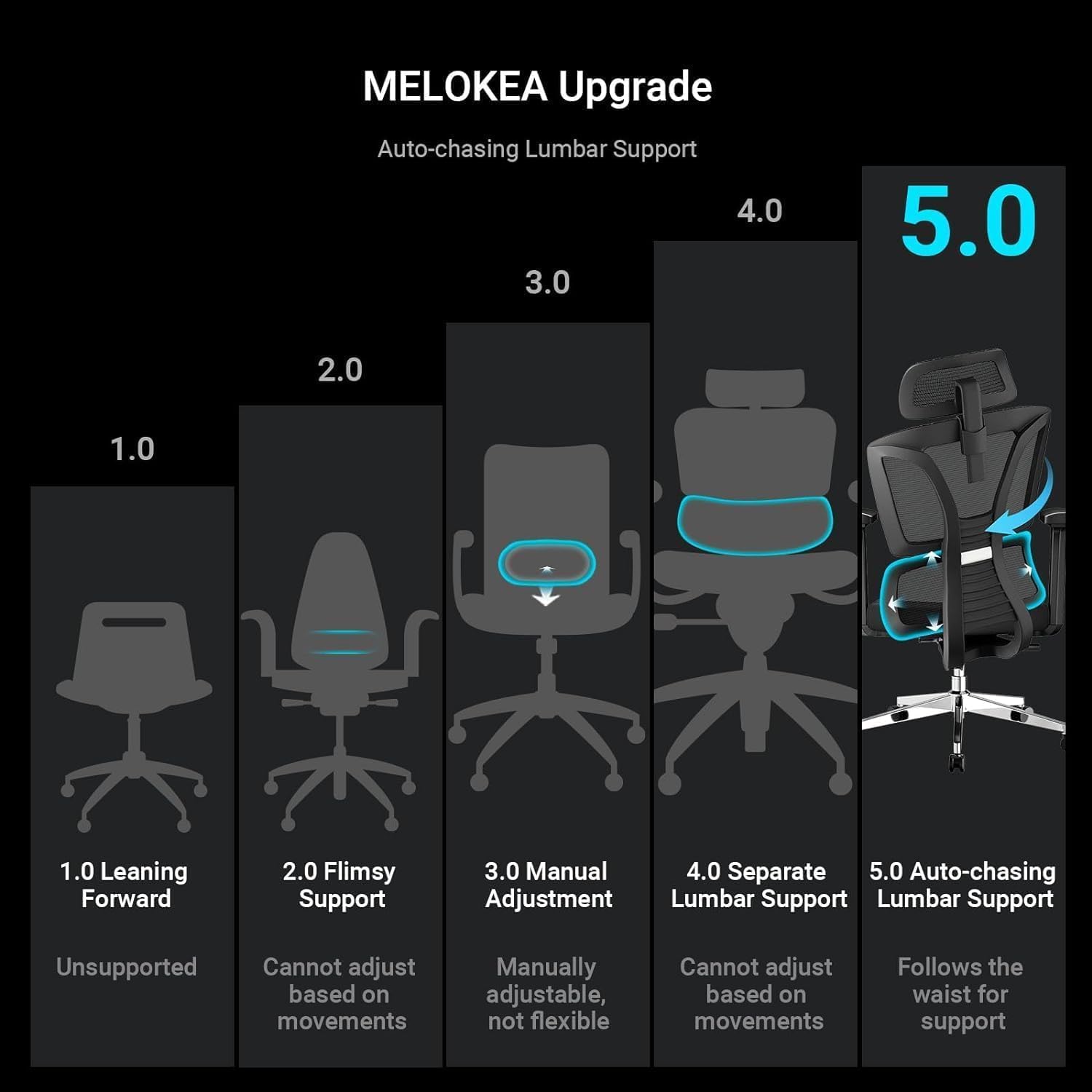
The innovative FlexBack technology provides dynamic lumbar support that adapts to your lower back's movements. It moves up and down as needed, offering continuous support regardless of your sitting position or body rotation, effectively protecting your lower back and preventing pain.

Figure 4: Dynamic Lumbar Support vs. Traditional Lumbar Support.
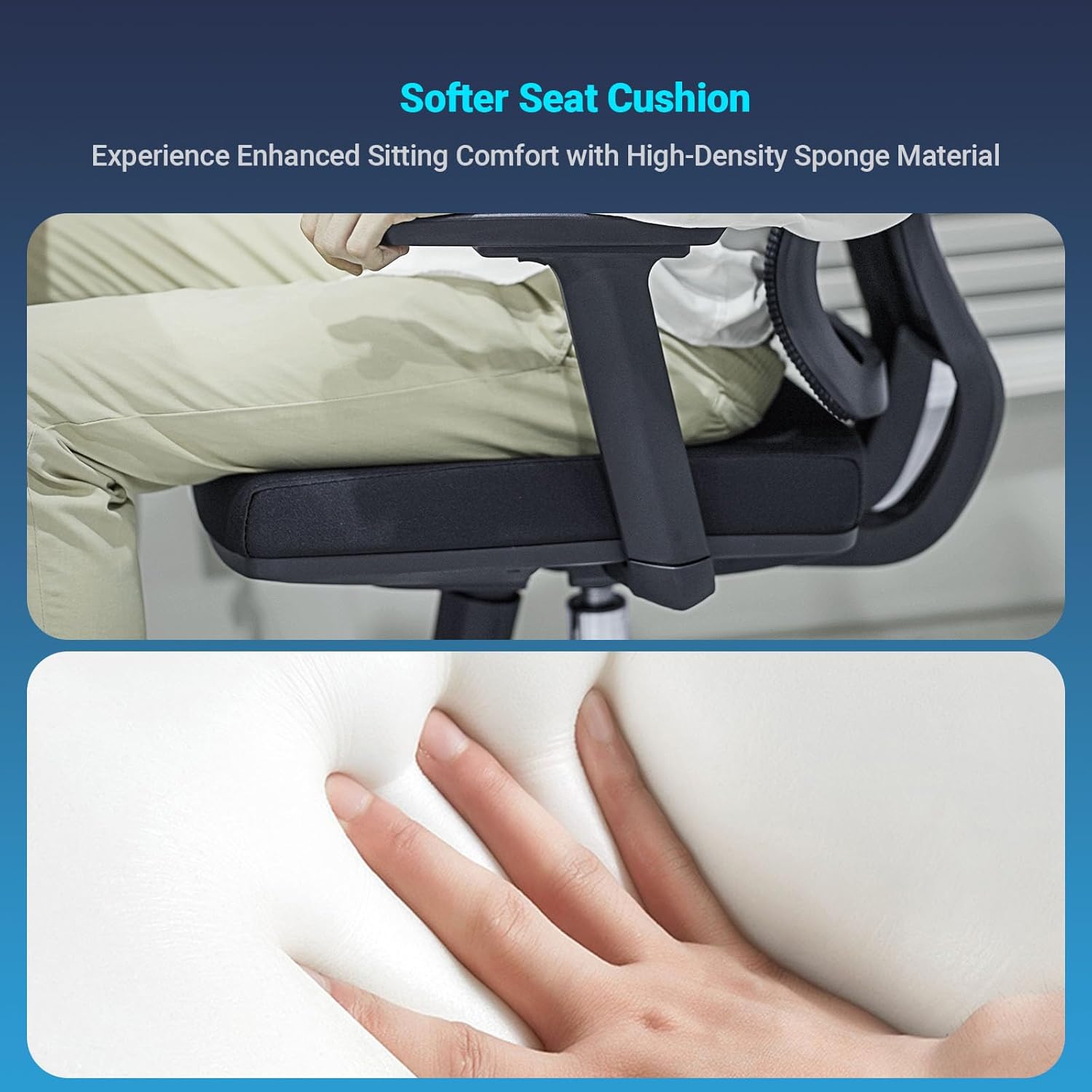
Figure 5: Evolution of Lumbar Support, featuring MELOKEA's 5.0 Auto-Chasing Lumbar Support.
Adaptive Backrest
The ReliefBack office chair features a unique adaptive backrest with ReliefBack flex technology. This backrest follows your movements, providing support, ensuring correct shoulder positioning, and promoting spine relaxation. Its 3D torsional structure and ergonomic design help relieve muscle fatigue and prevent back strain by adapting to your natural movements.
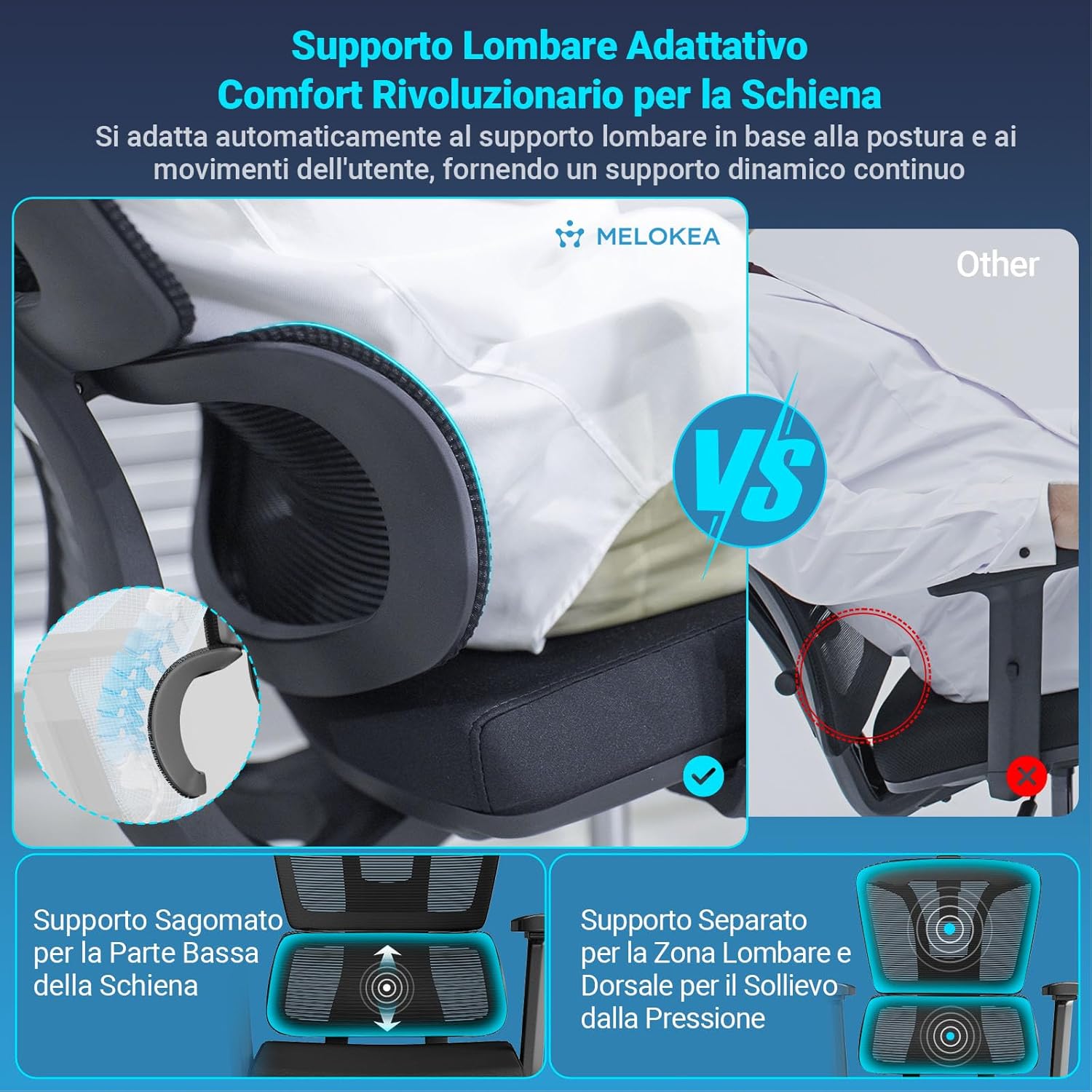
Figure 6: Adaptive Backrest providing personalized support.
Bantal Duduk
The generously padded seat, filled with high-quality foam, offers a comfortable seating experience with excellent elasticity and cushioning. The chair is made of high-quality mesh fabric, ensuring durability and breathability.
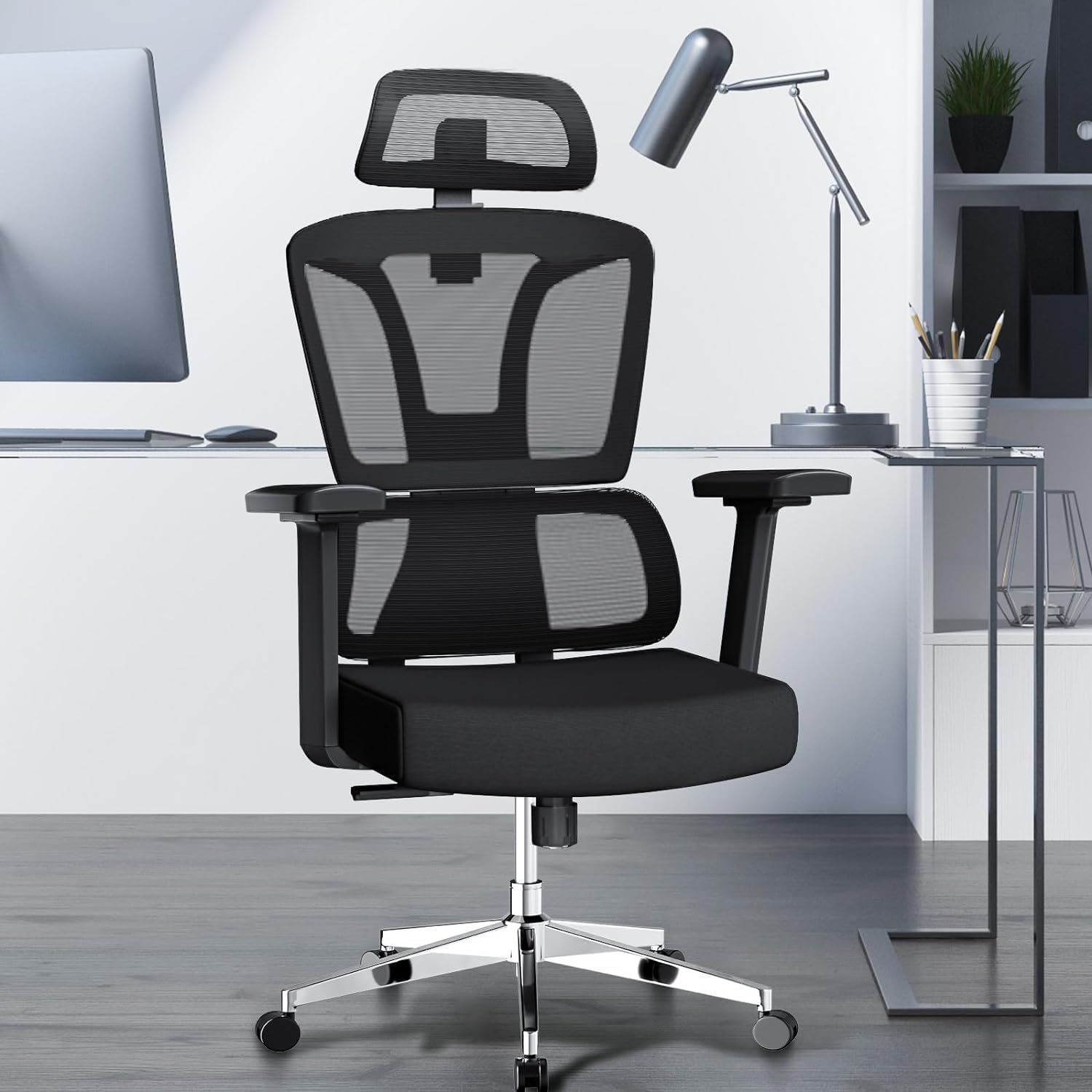
Figure 7: Soft seat cushion for enhanced comfort.
Pemeliharaan
Regular maintenance will help prolong the life and performance of your MELOKEA office chair.
Pembersihan
- Kain Jaring: Use a soft brush or vacuum cleaner to remove dust and debris. For stains, gently wipe with a damp cloth and mild soap solution. Avoid harsh chemicals.
- Komponen Plastik dan Logam: Bersihkan dengan kain lembut,amp kain. Jangan gunakan pembersih yang bersifat abrasif.
Inspeksi
- Periksa semua sekrup dan baut secara berkala untuk memastikan kekencangannya. Kencangkan kembali jika perlu.
- Inspect the wheels for any accumulated hair or debris and clean them to ensure smooth rolling.
- Ensure the gas lift operates smoothly.
Penyelesaian Masalah
Jika Anda mengalami masalah apa pun dengan kursi Anda, lihat masalah umum dan solusi berikut:
- Kursi tidak dapat diatur ketinggiannya:
Ensure the gas lift lever is fully engaged. Check if the gas lift cylinder is properly seated in the base and mechanism. If the issue persists, the gas lift may need replacement. - Kursi mengeluarkan suara berderit:
Tighten all assembly screws, especially those connecting the seat to the mechanism and the backrest. Lubricate moving parts with a silicone-based spray if necessary, avoiding contact with fabric. - Roda tidak berputar dengan lancar:
Check the wheels for any trapped debris, hair, or lint and remove them. Ensure the wheels are securely inserted into the star base. - Sandaran punggung tidak dapat direbahkan atau dikunci:
Verify that the tilt lock lever is correctly positioned. Ensure no obstructions are preventing the backrest from moving.
If these solutions do not resolve the issue, please contact MELOKEA customer service for further assistance.
Spesifikasi
| Fitur | Detil |
|---|---|
| Merek | MELOKEA |
| Nomor Model | Pesawat F045B |
| Dimensi Produk | 20.47"P x 27.56"L x 47.24"T (52cm P x 70cm L x 120cm T) |
| Rentang Tinggi yang Dapat Disesuaikan | 116cm to 137cm (total height) |
| Tinggi Sandaran Punggung | 90 cm |
| Tinggi Pengguna yang Direkomendasikan | 155cm sampai 195cm |
| Rekomendasi Berat Maksimum | 150 Kilogram (330 lbs) |
| Bahan | Metal, Mesh Fabric, High-Density Foam |
| Fitur Khusus | Ergonomic, Dynamic Lumbar Support, Adaptive Backrest, 3-Level Tilt Lock |
| Sandaran tangan | 3D Adjustable (Height, Forward/Backward, Rotate) |
| Sandaran Kepala | 2D Adjustable (Height, Rotate) |
| Sertifikasi | BIFMA, SGS (Gas Piston) |
| Berat Barang | 15.2 Kilogram (33.4 pon) |
Garansi dan Dukungan Pelanggan
MELOKEA stands by the quality of its products. Your ReliefBack Ergonomic Office Chair comes with a Garansi 5 tahun that exceeds industry standards, reflecting our commitment to durability and customer satisfaction.
Our professional customer service team is dedicated to providing exceptional support. If you have any questions, concerns, or require assistance with your product, please do not hesitate to contact us. We aim to provide a quick response to all inquiries within 24 hours.
Informasi Kontak
For warranty claims, technical support, or general inquiries, please visit the official MELOKEA website or contact our customer service department through the platform where you purchased the product.