
1. Pendahuluan
Terima kasih sudah membeliasing the RUIZU X66 64GB MP3 Player. This portable digital audio player is designed for high-quality music playback, featuring Bluetooth 5.3 connectivity, a built-in voice recorder, FM radio, and a convenient clip design. This manual provides detailed instructions on how to set up, operate, and maintain your device.
Video: Selesaiview of RUIZU X66 MP3 Player features.
2. Isi Paket
Harap centang kotak untuk item berikut:
- Pemutar MP3 RUIZU X66
- Headphone Berkabel
- Kabel Adaptor USB-C
- Kotak Hadiah
- Panduan Pengguna

Image: Contents of the RUIZU X66 MP3 Player package.
3. Tata Letak Perangkat
Familiarize yourself with the buttons and ports on your RUIZU X66 MP3 Player.

Gambar: Lebih dariview of the RUIZU X66 MP3 Player's multi-functional features and layout.
- Tampilan Layar: Shows menus, track information, and settings.
- Tombol Kontrol: Navigation, play/pause, volume up/down.
- Port USB Tipe-C: For charging and data transfer. Features a magnetic cap.
- Jack Headphone 3.5mm: For wired headphone connection.
- Recording Slide Button: Quick access to voice recording.
- Klip: For attaching the player to clothing or bags.
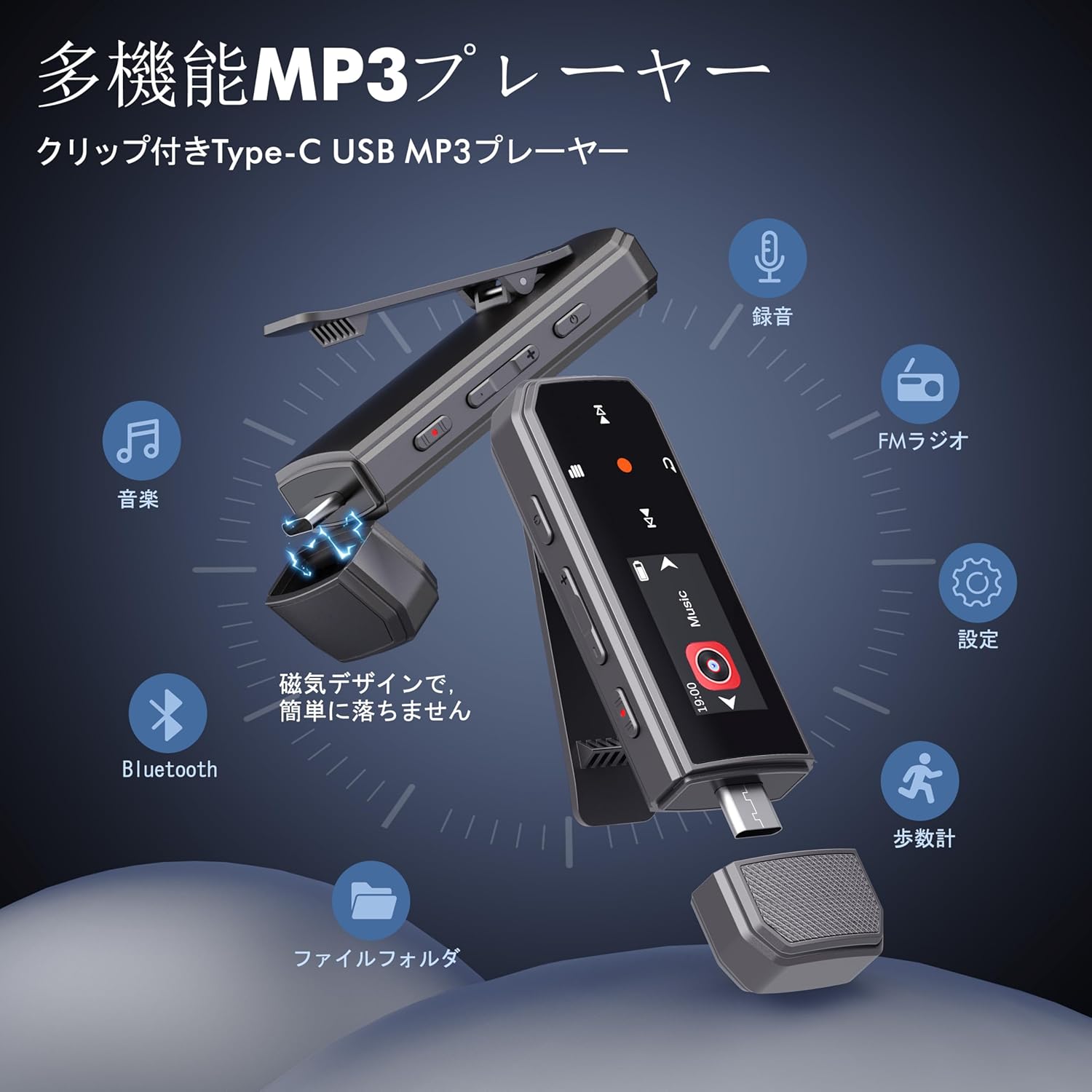
Image: RUIZU X66 MP3 Player highlighting its compact dimensions and clip.
4. Memulai
4.1. Mengisi Daya Perangkat
Before first use, fully charge your MP3 player. The device has a built-in rechargeable battery that provides up to 20 hours of playback time on a 2-hour charge.
- Remove the magnetic cap from the USB Type-C port.
- Connect the included USB-C adapter cable to the player.
- Colokkan ujung kabel lainnya ke sumber daya USB (misalnya, komputer, adaptor dinding).
- Ikon baterai di layar akan menunjukkan status pengisian daya.

Image: Magnetic cap of the RUIZU X66 MP3 Player.
4.2. Mentransfer Musik Files
The RUIZU X66 has 64GB of internal storage. You can transfer music files from your computer or compatible smartphone.
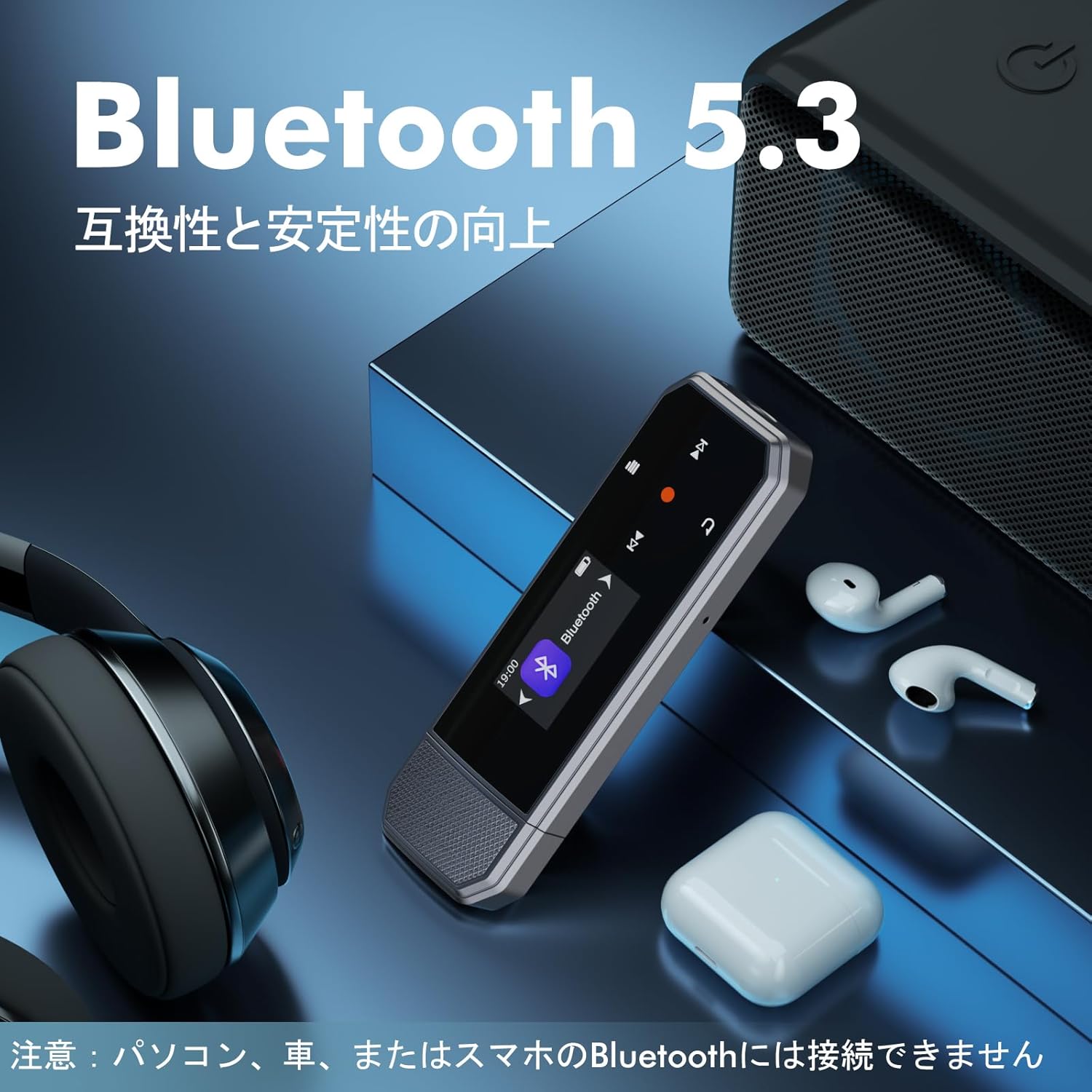
Image: Key specifications of the RUIZU X66 MP3 Player.
4.2.1. Via Computer (USB Connection)
- Connect the MP3 player to your computer using the USB-C adapter cable.
- Pemutar tersebut akan muncul sebagai drive disk yang dapat dilepas.
- Seret dan lepas musik Anda files (MP3, WMA, APE, FLAC, WAV, M4A, OGG) into the player's storage.
- Safely eject the device from your computer before disconnecting.
4.2.2. Via Smartphone (OTG Function)
The player supports OTG (On-The-Go) for direct file Transfer data dari ponsel pintar Android yang kompatibel.
- Connect the MP3 player directly to your Android smartphone's Type-C port.
- Your phone will recognize the player as external storage.
- Use your phone's file manager to transfer music files.
Note: OTG file transfer is not supported on iOS devices. Batch transfer is limited to 1GB at a time.

Gambar: File transfer options for the RUIZU X66 MP3 Player.
5. Operasi Dasar
5.1. Daya Hidup/Mati
- Untuk menghidupkan: Tekan dan tahan tombol Daya hingga layar menyala.
- Untuk mematikan perangkat: Tekan dan tahan tombol Daya hingga perangkat mati.
5.2. Pemutaran Musik
- Navigate to the 'Music' menu using the control buttons.
- Select a song or folder to play.
- Gunakan tombol Putar/Jeda untuk memulai atau menjeda pemutaran.
- Gunakan tombol Berikutnya/Sebelumnya untuk melewati trek.
5.2.1. Mode Pemutaran
Pemutar mendukung berbagai mode pemutaran:
- Sequential Playback: Plays songs in order.
- Putar acak: Memutar lagu secara acak.
- Ulangi Satu: Mengulang lagu yang sedang diputar.
- Ulangi Semua: Repeats all songs in the current folder/playlist.
5.3. Kontrol Volume
Use the dedicated Volume Up and Volume Down buttons on the side of the device to adjust the audio level.
5.4. Koneksi Bluetooth
Connect your RUIZU X66 to Bluetooth headphones or speakers for wireless audio.

Image: RUIZU X66 MP3 Player demonstrating Bluetooth 5.3 connectivity.
- Nyalakan headphone atau speaker Bluetooth Anda dan atur ke mode pemasangan.
- Pada pemutar MP3, navigasikan ke menu 'Bluetooth'.
- Pilih 'Pencarian untuk perangkat' atau 'Pasangkan perangkat baru'.
- Choose your device from the list to connect.
Note: The RUIZU X66 cannot connect to car Bluetooth, computer Bluetooth, or smartphone Bluetooth for audio output.
6. Fitur Lanjutan
6.1. Rekaman Suara
The RUIZU X66 features a one-button recording function.

Image: Activating the voice recording function on the RUIZU X66 MP3 Player.
- To start recording: Slide the red recording button on the side of the device upwards.
- To save recording: Slide the red recording button downwards.
- Tercatat files are saved in the 'Record' folder and can be played back from the device.
6.2. Radio FM
Dengarkan stasiun radio FM favorit Anda.

Image: Using the FM radio feature with wired headphones.
- Connect wired headphones to the 3.5mm jack (they act as the antenna).
- Navigate to the 'FM Radio' menu.
- Use the auto-tune function to scan for available stations or manually tune.
6.3. Alat pengukur langkah
Track your steps during exercise.
- Navigate to the 'Pedometer' menu to start tracking.
- The device records step count, distance, and time.
- Review your activity history within the pedometer menu.
6.4. Fungsi Lainnya
- Equalizer: Sesuaikan suara profilesesuai dengan preferensi Anda.
- Penanda buku: Mark specific points in audio files for quick return.
- Batas Volume: Set a maximum volume level to protect hearing.
- File Folder: Organize and browse your music by folders.
- Flash disk: The device can also function as a portable USB storage drive.
7. Pemeliharaan
- Pembersihan: Gunakan kain lembut dan kering untuk membersihkan perangkat. Hindari penggunaan cairan pembersih.
- Penyimpanan: Simpan pemutar musik di tempat yang sejuk dan kering, jauhkan dari sinar matahari langsung dan suhu ekstrem.
- Perawatan Baterai: Untuk memperpanjang masa pakai baterai, hindari sering-sering menguras baterai sepenuhnya. Isi daya secara teratur.
- Perlindungan Layar: The screen is susceptible to scratches. Handle with care.
8. Penyelesaian masalah
| Masalah | Solusi yang mungkin |
|---|---|
| Perangkat tidak menyala. | Pastikan baterai terisi daya. Hubungkan ke sumber daya dan coba lagi. |
| Tidak dapat mentransfer files ke perangkat. | Check USB cable connection. Ensure the device is properly recognized by your computer/phone. For OTG, confirm your phone is Android and supports OTG. |
| Bluetooth connection unstable or not pairing. | Ensure your Bluetooth accessory is in pairing mode and within range. Restart both devices. Remember, the player cannot connect to car, PC, or phone Bluetooth for audio output. |
| Tidak ada suara dari headphone. | Periksa koneksi headphone. Pastikan volume tidak dimatikan atau terlalu rendah. Coba dengan headphone yang berbeda. |
| Radio FM tidak berfungsi. | Wired headphones must be connected as they act as the antenna. Ensure you are in an area with good signal reception. |
9. Spesifikasi
- Merek: RUIZU
- Model: X66
- Kapasitas Penyimpanan Memori: 64 GB
- Teknologi Konektivitas: Bluetooth 5.3, USB Type-C, 3.5mm AUX
- Format Audio yang Didukung: MP3, WMA, APE, FLAC, WAV, M4A, DRM, ACELP, OGG
- Daya Tahan Baterai: Hingga 20 jam (pemutaran)
- Waktu Pengisian: Sekitar 2 jam
- Berat: 26 gram
- Ukuran: Ukuran 8.1x2.5x1.3 cm
- Fitur: FM Radio, Voice Recorder, Pedometer, Equalizer, Clip Design
10. Garansi & Dukungan
RUIZU offers a 1-year warranty for product defects or malfunctions from the date of purchase. For any product issues, please contact our customer support for free refunds or exchanges.
If you have any questions about the product, please feel free to contact us. Refer to the "Product Packaging" for detailed contact information.