
1. Pendahuluan
Thank you for choosing the ZAFRO 35-Pint Dehumidifier. This powerful household appliance is designed to effectively remove excess moisture from your living environment, covering areas up to 3000 square feet. It helps to purify the air, prevent mold and mildew, and create a more comfortable atmosphere in your home, large rooms, or bedrooms. This manual provides essential information for the safe and efficient operation of your dehumidifier.

Gambar 1.1: Depan view of the ZAFRO 35-Pint Dehumidifier. This unit features a sleek white design with a visible water level indicator on the front.
2. Fitur Produk
- Pengeringan Udara Berkapasitas Tinggi: Capable of removing up to 35 pints of moisture per day in areas up to 3000 square feet, based on 65°F and 60% RH conditions.
- Beberapa Mode Pengoperasian: Includes Normal Dehumidification, Continuous Dehumidification, Strong (Turbo) Dehumidification, and Ventilation modes to suit various needs.
- Kontrol Kelembaban Cerdas: Allows setting desired humidity levels between 30% and 80%. The unit automatically stops when the target humidity is reached and restarts when humidity rises.
- Smart Operation Panel: Features a clear digital display for current humidity and intuitive buttons for mode selection, fan speed, timer, and special functions.
- Desain Portabel: Equipped with 360° casters and side handles for easy mobility between rooms, ensuring flexibility in placement.
- Convenient Drainage Options: Offers both manual water tank drainage with an auto-shutoff feature when full, and continuous drainage via a hose connection (hose not included).
- Mode tidur: Optimizes the resting environment by operating quietly and dimming display lights.
- Pengatur Waktu 24 Jam: Allows scheduling operation for up to 24 hours.
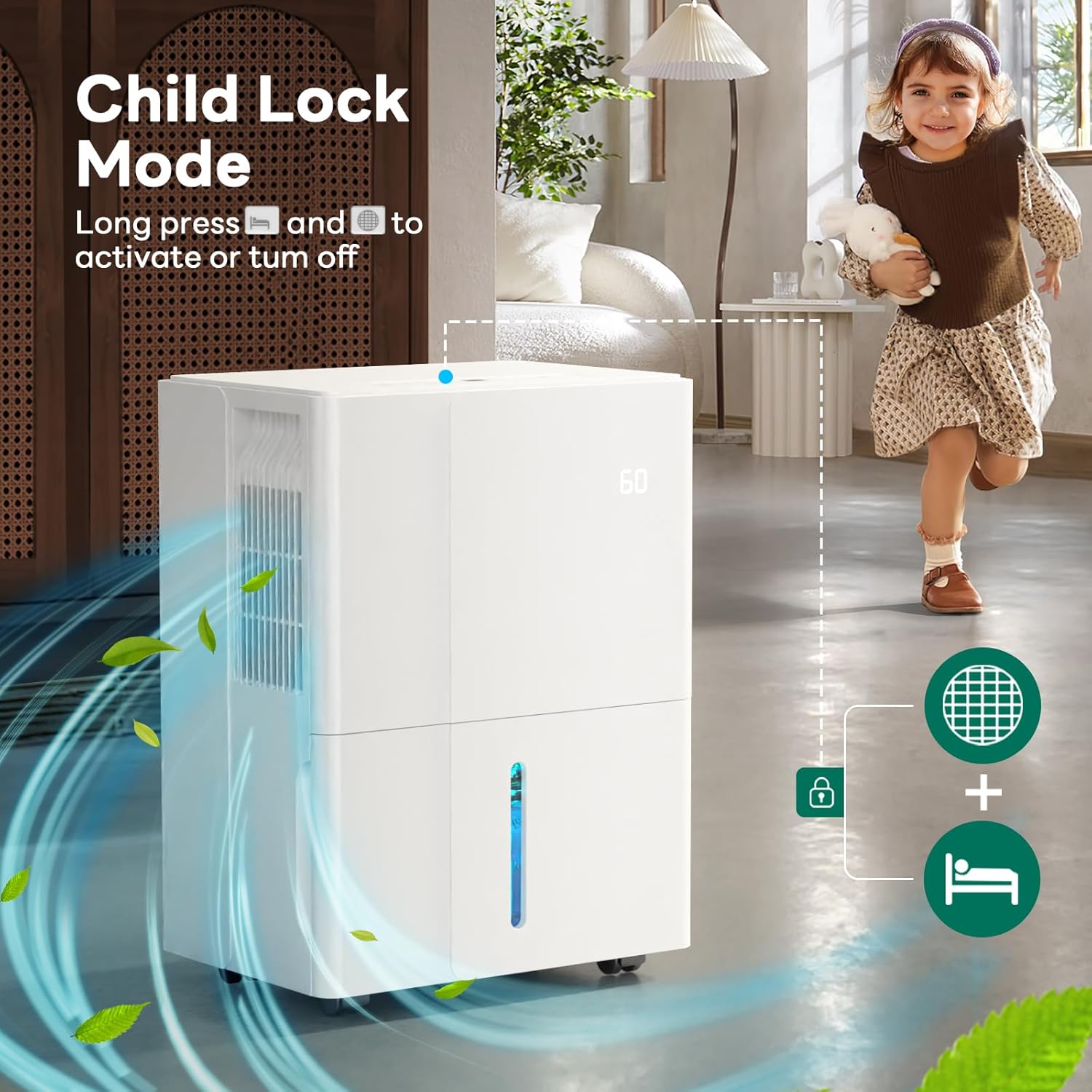
- Kunci Anak: Mencegah perubahan pengaturan yang tidak disengaja.
- Filter Clean Reminder: An indicator light illuminates after 250 hours of operation to remind users to clean the filter.
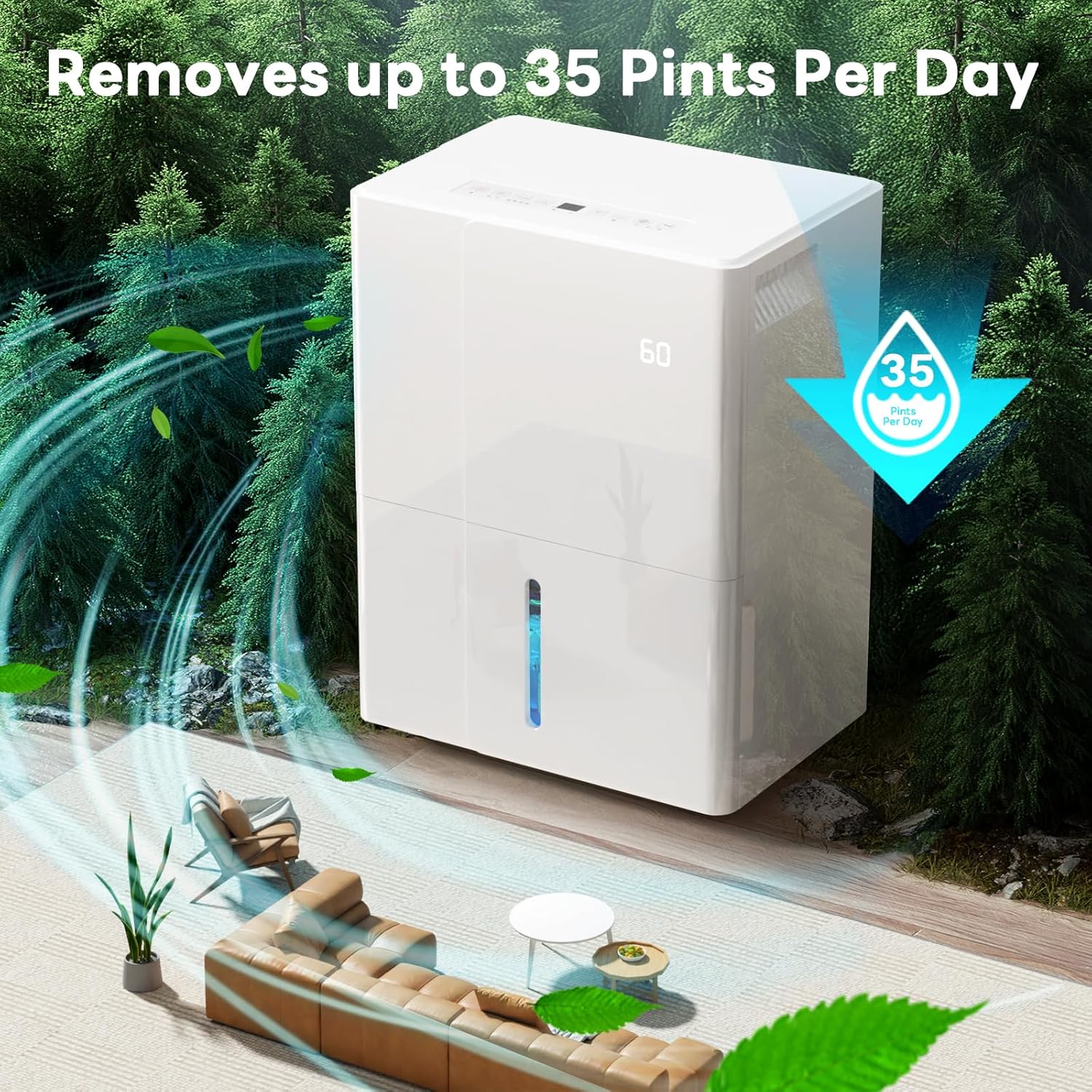
Figure 2.1: The ZAFRO Dehumidifier efficiently removes up to 35 pints of moisture per day, improving air quality in large spaces.
3. Pengaturan dan Penempatan
3.1 Membongkar
Carefully remove the dehumidifier from its packaging. Inspect the unit for any signs of damage during transit. Remove any internal packing materials from the water tank compartment before first use.
3.2 Penempatan Optimal
For best performance, place the dehumidifier in a central location within the area you wish to dehumidify. Ensure there is at least 8 inches (20 cm) of space around the unit for proper airflow. Avoid placing it directly against walls or furniture that might obstruct the air intake or exhaust vents.
- The unit is designed to be portable with 360° casters and side handles, allowing for easy movement between rooms.
- Ideal for basements, large living rooms, bedrooms, and other areas prone to high humidity.

Figure 3.1: The dehumidifier's compact dimensions (24.41"D x 11.02"W x 14.96"H) and 360° casters ensure easy mobility and space-saving placement.
3.3 Sambungan Daya
Hubungkan kabel daya ke stopkontak yang diarde. Pastikan volumetage matches the specifications listed on the unit's rating label.
Gambar 3.2: Belakang view of the dehumidifier, highlighting the power cord holder for neat storage when not in use.
4. Petunjuk Pengoperasian
4.1 Panel Kontrol Selesaiview
The ZAFRO Dehumidifier features an intuitive digital control panel located on the top of the unit. The current humidity level is also displayed on the front of the unit for easy monitoring.

Gambar 4.1: Rinci view of the digital control panel, showing buttons for Sleep, 24H Timer, Filter Clean, Mode selection, Fan Speed, and Power, along with the digital display.
4.2 Operasi Dasar
- Daya Hidup/Mati: Tekan tombol Kekuatan tombol () untuk menghidupkan atau mematikan unit.
- Adjust Humidity Level: Gunakan Up () Dan Turun () arrow buttons to set your desired humidity level between 30% and 80%. The unit will operate until this level is reached.
- Pilih Modus: Tekan tombol Mode tombol () untuk beralih melalui mode-mode berikut:
- Dehumidifikasi Normal: Standard operation with adjustable humidity (30%-80%).
- Pengeringan Udara Berkelanjutan: Unit runs continuously regardless of humidity level. Fan speed is adjustable.
- Strong (Turbo) Dehumidification: Increases dehumidification effort for faster moisture removal.
- Ventilasi: Unit operates as a fan, circulating air without dehumidifying.
- Sesuaikan Kecepatan Kipas: Tekan tombol Kecepatan Kipas tombol () untuk beralih antara kecepatan kipas rendah dan tinggi.

Figure 4.2: Visual representation of the four distinct operating modes: Normal Dehumidification, Ventilation, Strong Dehumidification, and Continuous Dehumidification.
4.3 Fungsi Lanjut
- Fungsi Pengatur Waktu: Tekan tombol Pengatur waktu tombol () to set the desired operating duration from 1 to 24 hours. The unit will automatically turn off after the set time.
- Mode tidur: Mengaktifkan Mode Tidur () for quiet operation and dimmed display lights, ideal for nighttime use. Press any button to temporarily illuminate the display.
- Kunci Anak: To activate or deactivate the Child Lock, long press the two leftmost buttons (Sleep and Timer) simultaneously. When activated, the control panel buttons will be unresponsive to prevent unintended changes.
Figure 4.3: Illustration demonstrating how to activate Child Lock Mode by long-pressing the Sleep and Timer buttons, ensuring settings remain undisturbed.
4.4 Drainase Air
Your ZAFRO Dehumidifier offers two drainage options:
- Pengurasan Manual (Tangki Air):
- When the water tank is full, the dehumidifier will automatically stop operating, and the "Water Full" indicator light will illuminate.
- Tarik keluar tangki air dari bagian depan unit dengan hati-hati.
- Kosongkan air yang terkumpul.
- Slide the tank back into the unit until it clicks into place. The dehumidifier will resume operation.
- Continuous Drainage (Hose):
- For continuous operation without needing to empty the tank, connect a suitable drain hose (not included) to the continuous drainage port at the back of the unit.
- Ensure the hose is sloped downwards to allow gravity drainage to a floor drain or large container.
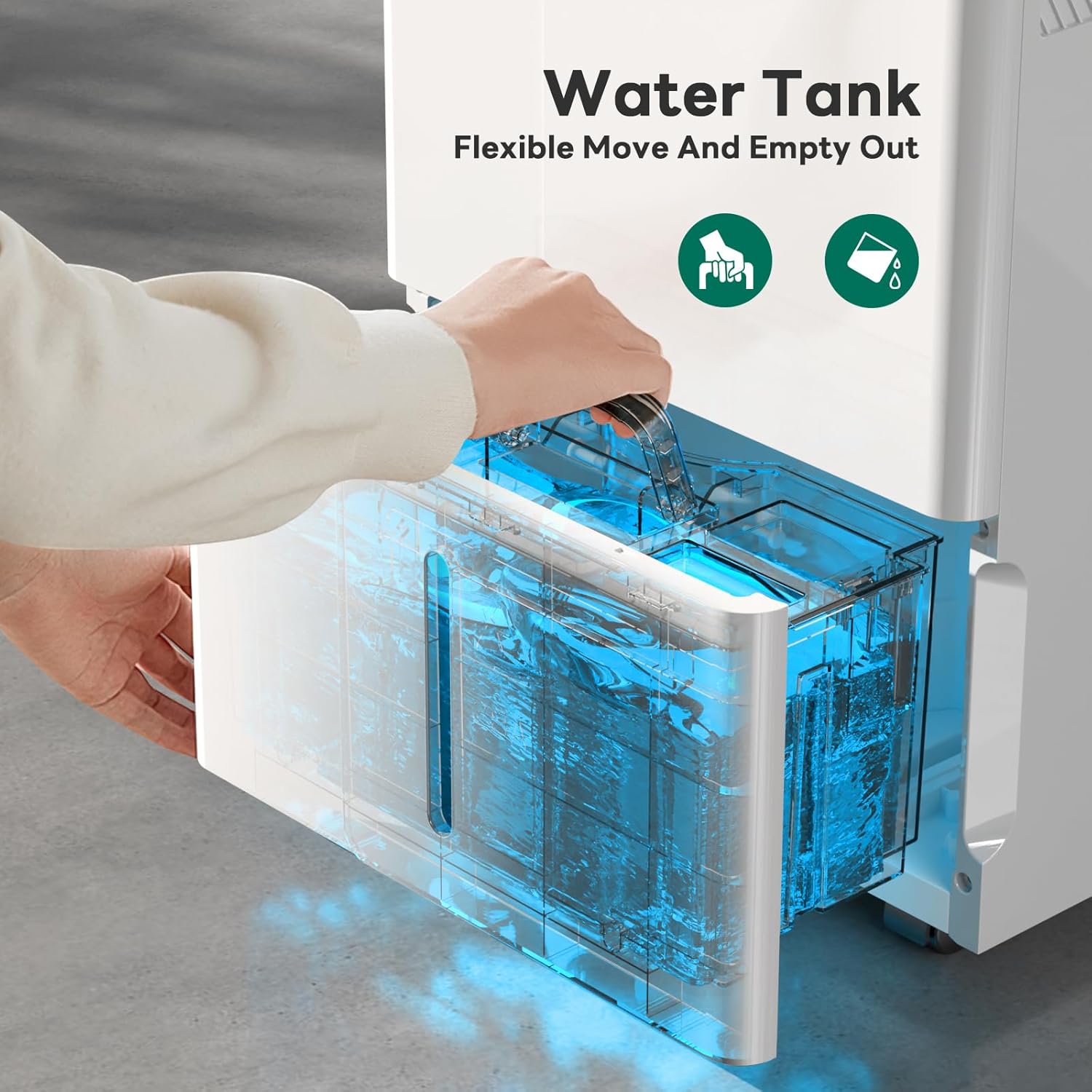
Figure 4.4: A hand demonstrating the removal of the water tank for manual emptying. The tank is designed for flexible movement and easy disposal of collected water.
5. Pemeliharaan
5.1 Pembersihan Filter Udara
Regular cleaning of the air filter is crucial for maintaining the dehumidifier's efficiency and lifespan. The "Filter Clean" indicator light will illuminate after approximately 250 hours of operation.
- Matikan dan cabut steker dehumidifier.
- Temukan dan lepaskan filter udara (biasanya di bagian belakang atau samping unit).
- Clean the filter using a vacuum cleaner or wash it with warm, soapy water. Ensure it is completely dry before reinserting.
- Once the clean filter is reinserted, long press the "Filter Clean" button on the control panel to reset the timer and turn off the indicator light.
5.2 Pembersihan Tangki Air
Bersihkan tangki air secara teratur untuk mencegah pertumbuhan jamur dan bakteri.
- Remove the water tank as described in Section 4.4.
- Wash the tank with mild detergent and warm water.
- Rinse thoroughly and dry completely before placing it back into the unit.
5.3 Pembersihan Eksterior
Lap bagian luar dehumidifier dengan lembut, damp kain. Jangan gunakan bahan kimia keras atau pembersih abrasif.
6. Penyelesaian masalah
| Masalah | Kemungkinan Penyebab | Larutan |
|---|---|---|
| Dehumidifier tidak menyala. | No power; Water tank full; Child Lock activated. | Check power connection; Empty water tank; Deactivate Child Lock (long press Sleep + Timer buttons). |
| Unit stops operating unexpectedly. | Desired humidity level reached; Water tank full. | This is normal operation; Empty water tank. |
| Alat pengering udara tidak menampung air. | Tingkat kelembapan terlalu rendah; Filter udara tersumbat; Suhu ruangan terlalu rendah. | Adjust desired humidity higher; Clean air filter; Ensure room temperature is above 41°F (5°C). |
| Unit berisik. | Fan speed set to High; Unit not on a level surface. | Switch to Low fan speed; Place unit on a flat, stable surface. |
| Air bocor dari unit tersebut. | Water tank not properly seated; Continuous drain hose improperly connected or blocked. | Ensure water tank is fully inserted; Check hose connection and clear any blockages. |
7. Spesifikasi
| Fitur | Detil |
|---|---|
| Merek | ZAFRO |
| Nama Model | Pengering Kelembaban |
| Nomor Model Barang | FDD35-5320V1R3 |
| Kapasitas Dehumidifikasi | 35 Pint per Hari (pada suhu 65°F, 60% RH) |
| Area Cakupan | Hingga 3000 kaki persegi |
| Warna | PUTIH |
| Dimensi Produk | 24.41"Panjang x 11.02"Lebar x 14.96"T |
| Berat Barang | 42 pon |
| Mode Operasi | Berselang |
| Fitur Khusus | Penghilang Kelembapan Otomatis |
| Penggunaan yang Direkomendasikan | Perumahan |
| Komponen yang Termasuk | Unit Pengering Udara |
8. Garansi dan Dukungan
For warranty information and customer support, please refer to the warranty card included with your product or contact ZAFRO customer service directly. Extended protection plans may also be available for purchase.
- Rencana Perlindungan: Tersedia paket perlindungan 3 tahun dan 4 tahun.
- Kebijakan Pengembalian: Typically 30-day return/replacement policy.
For technical assistance or inquiries, please visit the official ZAFRO website or contact their support team through the contact information provided in your product documentation.