
1. Pendahuluan
Thank you for choosing the AWEI T58 Wireless Bluetooth Earbuds. These earbuds are designed to provide a high-quality audio experience with advanced features such as Bluetooth 5.3 connectivity, IPX6 waterproofing, and intuitive touch controls. This manual will guide you through the setup, operation, and maintenance of your new earbuds.

Image: The AWEI T58 Wireless Bluetooth Earbuds with their transparent charging case, showcasing desain mereka.
2. Apa yang ada di dalam kotak
Harap periksa isi paket untuk memastikan semua item ada:
- Earbud Nirkabel (Kiri dan Kanan)
- Kotak Pengisian Daya
- Kabel Pengisian Daya USB (Tipe-C)
- Ujung telinga (berbagai ukuran)
- User Manual (dokumen ini)
3. Pengaturan
3.1 Mengisi Daya Earbud dan Casing
Sebelum penggunaan pertama, isi daya earbud dan casing pengisi daya hingga penuh.
- Connect the provided USB Type-C cable to the charging port on the case and to a USB power adapter (not included).
- The LED indicators on the charging case will show the charging status. Red lights indicate charging, and blue lights indicate decorative ambient lighting.
- Place the earbuds into the charging case. Ensure they are properly seated; the earbuds will automatically begin charging.
- A full charge for the case takes approximately 1.5 hours. The earbuds provide up to 7 hours of continuous use per charge. The charging case extends total playtime to 35 hours in dual-ear mode, or up to 70 hours in single-ear mode by alternating earbuds.

Image: The AWEI T58 charging case displaying its LED ambient and charging lights.
3.2 Memasangkan dengan Perangkat Anda
The earbuds utilize Bluetooth 5.3 technology for a stable and efficient connection.
- Buka casing pengisi daya. Earbud akan otomatis masuk ke mode berpasangan.
- Pada telepon pintar, tablet, atau perangkat lain yang mendukung Bluetooth, buka pengaturan Bluetooth.
- Pencarian untuk Perangkat yang tersedia dan pilih "AWEI T58" dari daftar.
- Setelah terhubung, Anda akan mendengar konfirmasi suara, dan earbud siap digunakan.
- Earbud akan secara otomatis tersambung kembali ke perangkat terakhir yang dipasangkan saat dilepaskan dari casing, jika Bluetooth diaktifkan pada perangkat.
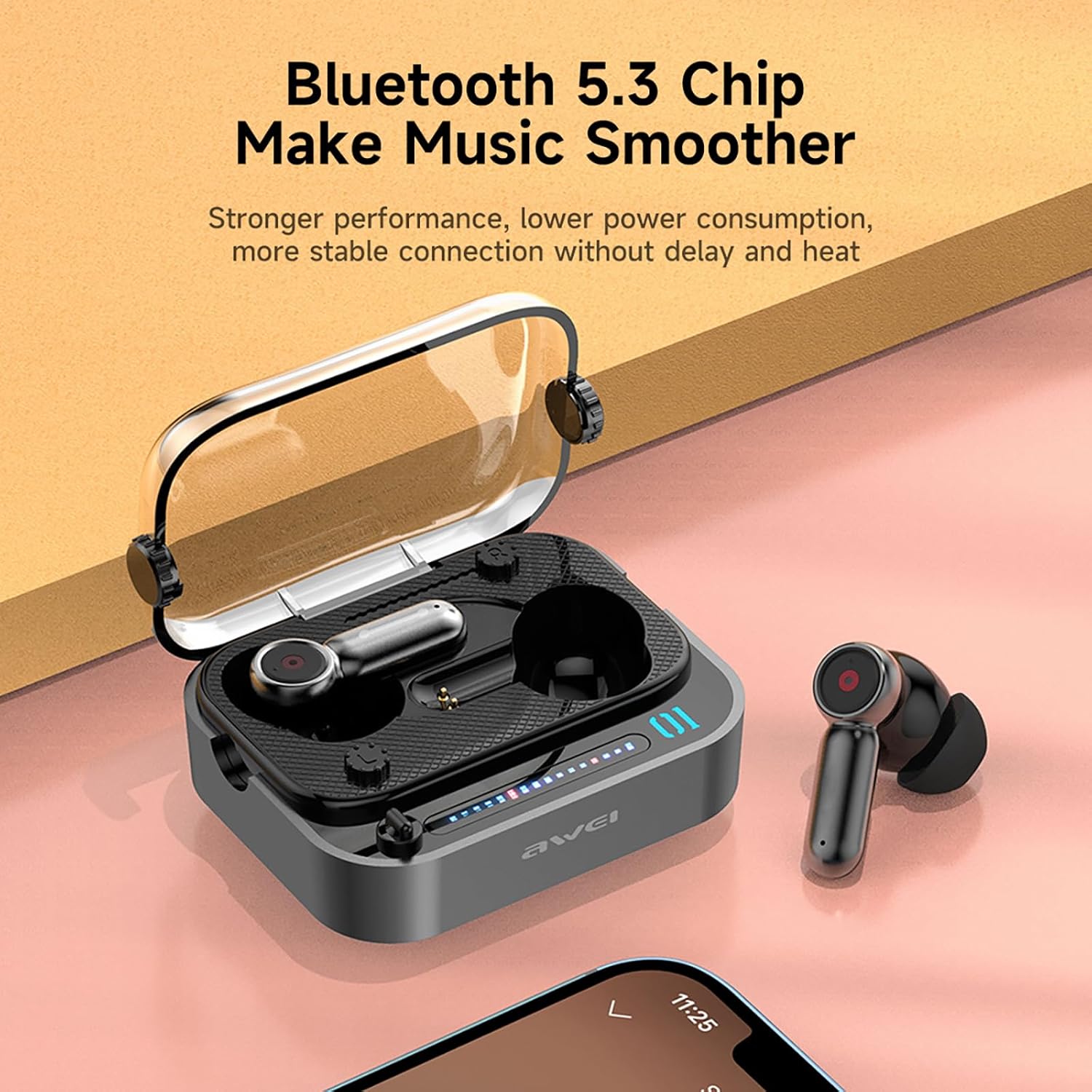
Image: The AWEI T58 earbuds in their charging case, highlighting the Bluetooth 5.3 chip for stable connection.
3.3 Mengenakan Earbud
Untuk kualitas suara dan kenyamanan optimal, pastikan kecocokan yang tepat.
- Select the eartip size that best fits your ear canal.
- Masukkan setiap earbud dengan lembut ke telinga Anda, putar sedikit hingga terasa aman dan nyaman.
- The ergonomic design is intended for a snug fit without discomfort.
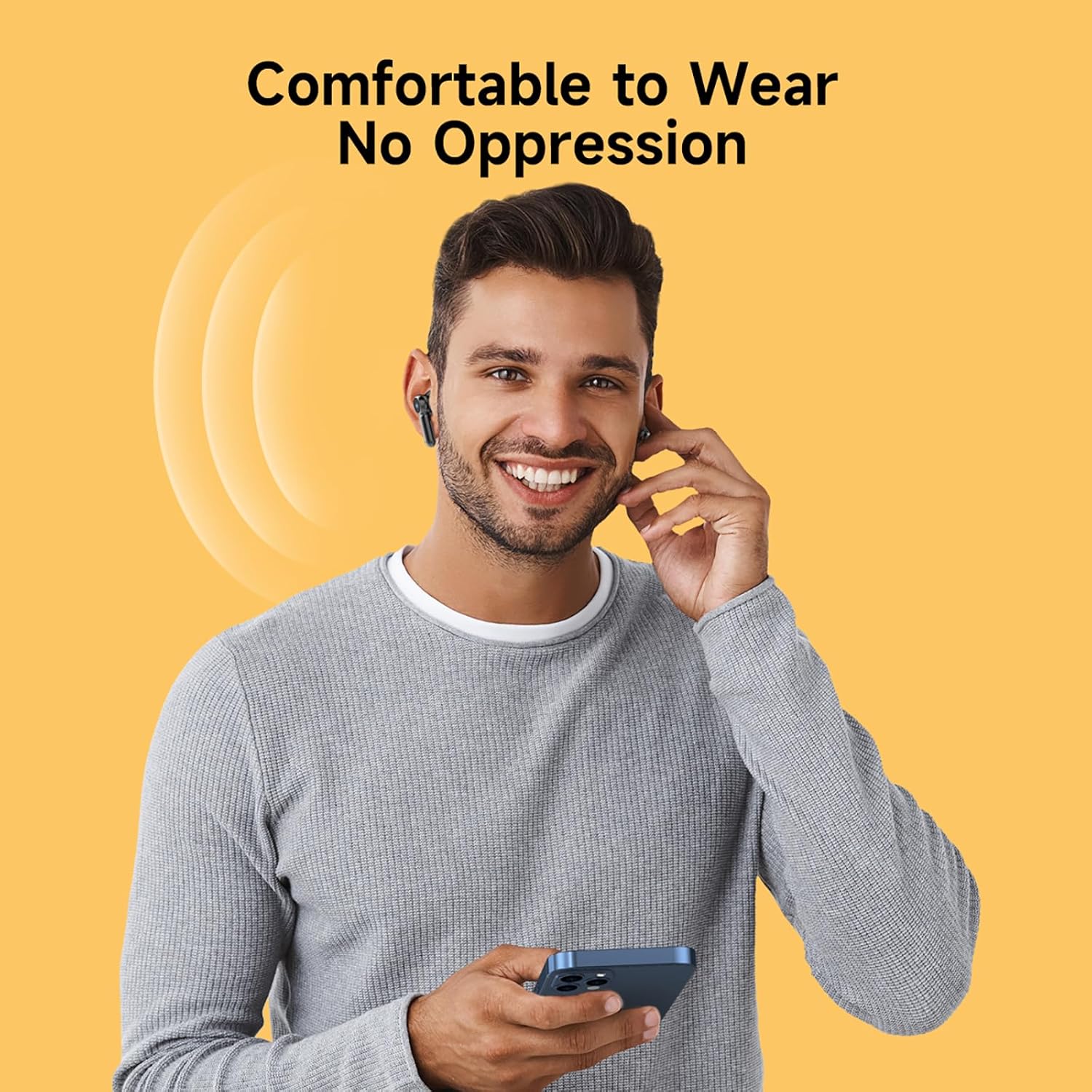
Image: A person wearing the AWEI T58 earbuds, demonstrating their comfortable and secure fit.
4. Mengoperasikan Earbud
4.1 Kontrol Sentuh
The AWEI T58 earbuds feature sensitive touch controls on both the left and right earbuds for easy management of audio and calls.
| Tindakan | Earbud Kiri | Earbud Kanan |
|---|---|---|
| Putar/Jeda | Ketukan Tunggal | Ketukan Tunggal |
| Lagu Berikutnya | Ketuk Dua Kali | Ketuk Dua Kali |
| Lagu Sebelumnya | Ketuk Tiga Kali | Ketuk Tiga Kali |
| Menjawab/Mengakhiri Panggilan | Ketukan Tunggal | Ketukan Tunggal |
| Tolak Panggilan | Tekan Lama (2 detik) | Tekan Lama (2 detik) |
| Aktifkan Asisten Suara | Tekan Lama (2 detik) | Tekan Lama (2 detik) |
| Volume Naik | Tidak tersedia | Tekan Lama (Kanan) |
| Volume Turun | Tekan Lama (Kiri) | Tidak tersedia |

Image: The AWEI T58 earbuds illustrating the touch-sensitive control area.
4.2 Mode Earbud Tunggal dan Ganda
The AWEI T58 earbuds support both single and dual earbud usage:
- Mode Dua Earbud: Both earbuds connect to your device for stereo sound.
- Mode Earbud Tunggal: Either the left or right earbud can be used independently. Simply take one earbud out of the case, and it will connect to your device. The other earbud can remain in the case or be used by another person.
4.3 Hi-Fi Sound Quality and Noise Cancellation
Equipped with 13mm speakers, the earbuds deliver deep bass, clear vocals, and bright treble. The integrated ANC (Active Noise Cancellation) technology specifically enhances call clarity by reducing ambient noise during phone conversations, ensuring clear communication whether indoors or outdoors.
Video: Sebuah overview of the AWEI T58 Wireless Bluetooth Headset, demonstrating its features and design.
5. Pemeliharaan
5.1 Pembersihan
Untuk menjaga kinerja dan kebersihan yang optimal:
- Bersihkan earbud dan casing pengisi daya secara teratur dengan kain yang lembut, kering, dan tidak berbulu.
- Lepaskan ujung earphone dan bersihkan dengan sabun lembut dan air, lalu keringkan sepenuhnya sebelum memasangnya kembali.
- Hindari penggunaan bahan abrasif, pelarut, atau bahan kimia keras.
5.2 Tahan Air (IPX6)
The AWEI T58 earbuds are rated IPX6 waterproof, meaning they are protected against high-pressure water jets from any direction. This makes them suitable for use during workouts or in light rain.
- Jangan merendam earbud di dalam air.
- Ensure the charging port on the case is dry before charging.
- The IPX6 rating applies to the earbuds, not the charging case.

Image: The AWEI T58 earbuds and case with water droplets, illustrating their IPX6 waterproof capability.
5.3 Penyimpanan
Jika tidak digunakan, simpan earbud dalam wadah pengisi dayanya untuk melindunginya dan menjaganya tetap terisi daya.
6. Penyelesaian masalah
If you encounter issues with your AWEI T58 earbuds, please refer to the following common solutions:
- Earbud tidak dapat dipasangkan:
- Pastikan kedua earbud terisi dayanya.
- Matikan Bluetooth pada perangkat Anda, lalu hidupkan kembali.
- Forget "AWEI T58" in your device's Bluetooth settings and attempt to pair again.
- Masukkan kembali earbud ke dalam wadahnya, tutup kembali, tunggu beberapa detik, lalu buka untuk masuk kembali ke mode pemasangan.
- Hanya satu earbud yang berfungsi:
- Pastikan kedua earbud terisi dayanya.
- Place both earbuds back into the charging case, close the lid, then open it again. This often resets the connection between them.
- Jika masalah berlanjut, coba setel ulang earbud (lihat petunjuk produsen). web(Lihat situs web untuk petunjuk pengaturan ulang spesifik jika tidak tercakup di sini).
- Tidak ada suara atau volume rendah:
- Periksa tingkat volume pada perangkat dan earbud Anda.
- Pastikan earbud terhubung dengan benar ke perangkat Anda.
- Bersihkan segala kotoran dari speaker earbud.
- Masalah pengisian daya:
- Pastikan kabel pengisi daya terhubung dengan aman ke casing dan sumber daya.
- Coba kabel USB atau adaptor daya lain.
- Pastikan kontak pengisian daya pada earbud dan bagian dalam casing bersih dan bebas dari kotoran.
7. Spesifikasi
| Fitur | Spesifikasi |
|---|---|
| Nama Model | T58 |
| Merek | AWEI |
| Versi Bluetooth | 5.3 |
| Jangkauan Bluetooth | Hingga 10 meter (33 kaki) |
| Penempatan Telinga | Di Telinga |
| Jenis Kontrol | Kontrol Sentuh |
| Ukuran Speaker | ukuran 13mm |
| Waktu Bermain Earbud | Hingga 7 jam (sekali pengisian daya) |
| Total Waktu Bermain (dengan casing) | Hingga 35 jam (mode dua telinga), 70 jam (mode satu telinga bergantian) |
| Baterai Kotak Pengisian Daya | 300 mAh |
| Waktu Pengisian Daya (Kasus) | Kurang lebih 1.5 jam (Tipe-C) |
| Tahan Air | IPX6 (hanya earbud) |
| Pembatalan Kebisingan | ANC for calling |
| Fitur Tambahan | Fast Charging, Lightweight, Rechargeable Battery, Touch Control |
8. Garansi dan Dukungan
8.1 Informasi Garansi
The AWEI T58 Wireless Bluetooth Earbuds come with a 1-year manufacturer's warranty. This warranty covers defects in materials and workmanship under normal use. It does not cover damage caused by misuse, accidents, unauthorized modifications, or normal wear and tear.
8.2 Dukungan Pelanggan
For technical assistance, warranty claims, or further inquiries, please contact AWEI customer support through their official website or the retailer from whom you purchased the product. Please have your product model number (T58) and proof of purchase ready.