
Pemimpi UD009
Udreamer Turntable Instruction Manual
Model: UD009

Image: Udreamer Turntable, a sleek wooden record player with a black vinyl record on its platter, showcasing desainnya yang elegan.
Perkenalan
This instruction manual provides comprehensive guidance for the setup, operation, and maintenance of your new Udreamer Turntable. Please read this manual thoroughly before using the product to ensure proper functionality and longevity. This turntable is designed to deliver high-fidelity audio from your vinyl records and offers versatile connectivity options including Bluetooth input and output, and USB recording.
Apa yang ada di dalam kotak
- 1 x Unit Meja Putar
- 1 x Panduan Pengguna
- 1 x 9V 2A Power Cord
- 1 x RCA Cable Line
- 1 x PC Cable Line (USB)
Fitur Utama
- Double Bluetooth Connectivity: Features both Bluetooth input (BT IN) to stream music from your smart devices to the turntable's speakers (if connected) and Bluetooth output (BT OUT) to stream audio from your vinyl records to external Bluetooth speakers or headphones.
- Phono Pre Terpaduamp & Passive Speaker Connection Jacks: Provides high-fidelity stereo sound with integrated phono preamp. Includes both Phono and Line outputs, allowing connection to an amplifier or active speakers. Passive speaker connection jacks are also available for direct connection of passive speakers.
- USB-PC Recording: Supports USB digital output, enabling you to convert your vinyl records into MP3 format and transfer them directly to your computer using the included USB-PC cable.
- 3 Adjustments & 2 Speeds: Includes pitch control for fine-tuning speed, counterweight for precise needle pressure adjustment, and an auto-stop switch to control platter spinning. Supports 33 and 45 RPM playback speeds.
- Moving Magnetic Stylus & Iron Platter: Equipped with a Moving Magnetic Cartridge for outstanding clarity and rich sound. The precision-manufactured solid iron platter ensures rotation stability.
- Spray Painting Craft: Menampilkan anggurtage piano look achieved through polishing and spray painting, making it an aesthetically pleasing addition to any space.
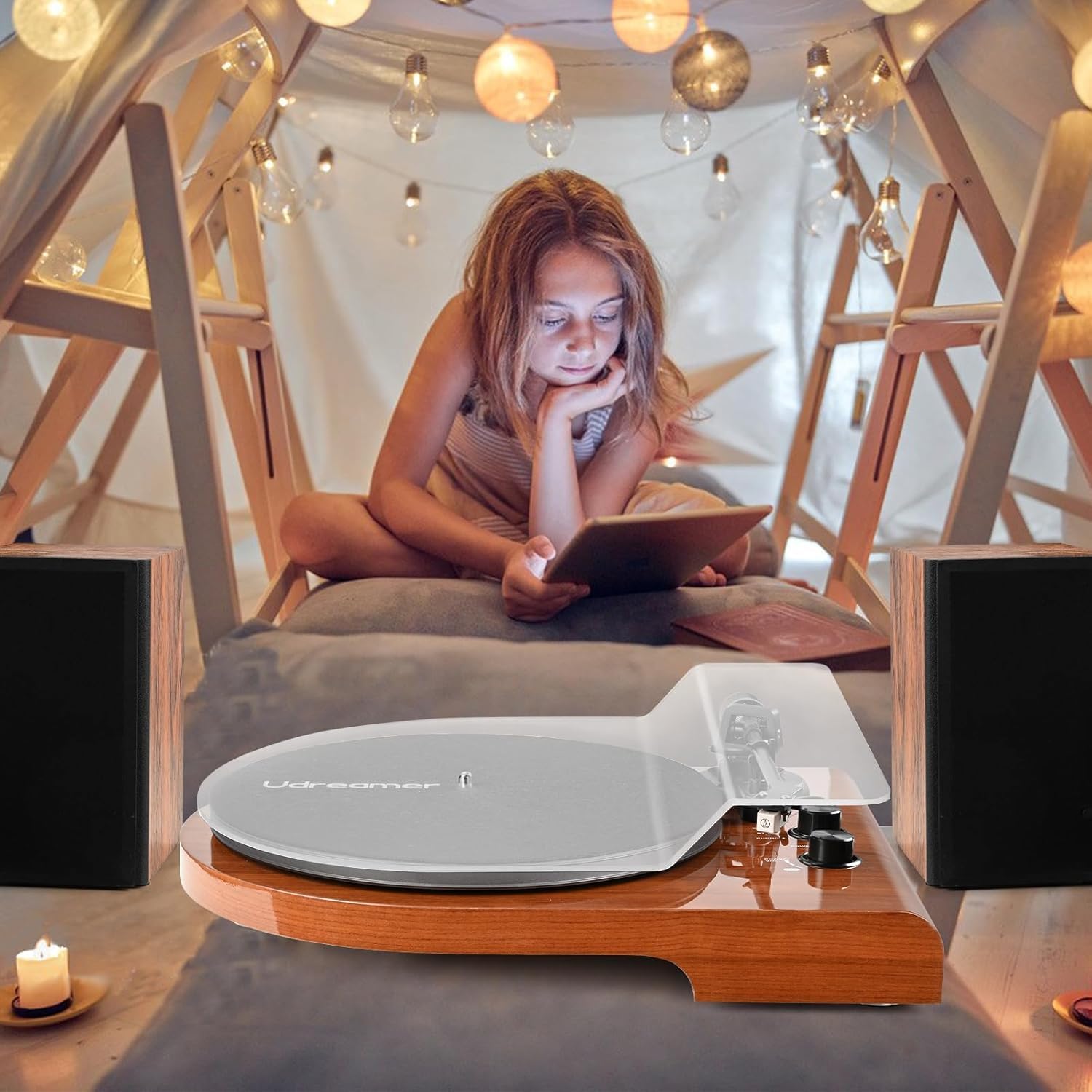
Image: The Udreamer Turntable highlighting its dual Bluetooth capabilities, showing wireless connection to a phone for input and to external speakers for output.

Image: Close-up of the turntable's rear panel, showing RCA audio output, Phono/Line switch, and passive speaker terminals, emphasizing the built-in preamp fitur.

Image: The turntable connected via USB to a laptop displaying audio recording software, illustrating the USB-PC recording capability.
Panduan Pengaturan
Follow these steps to set up your Udreamer Turntable:
- Membongkar: Keluarkan semua komponen dari kemasan dengan hati-hati. Pastikan semua barang yang tercantum di bagian "Isi Kotak" ada di dalamnya.
- Pemasangan Platter:
Note: This record player has been upgraded. The sub-platter and the main platter are now designed as a single unit, so there is no separate sub-platter anymore.

Image: A graphic illustrating the integrated platter design, emphasizing that there is no separate sub-platter.
Place the main platter onto the turntable spindle. Ensure it sits securely. The belt is pre-installed on the underside of the platter. Gently stretch the belt around the motor pulley. For visual guidance, please refer to the product video titled "Record Player with Build in Preamp 2 Bluetooth Modes Vintage" in the operating section.
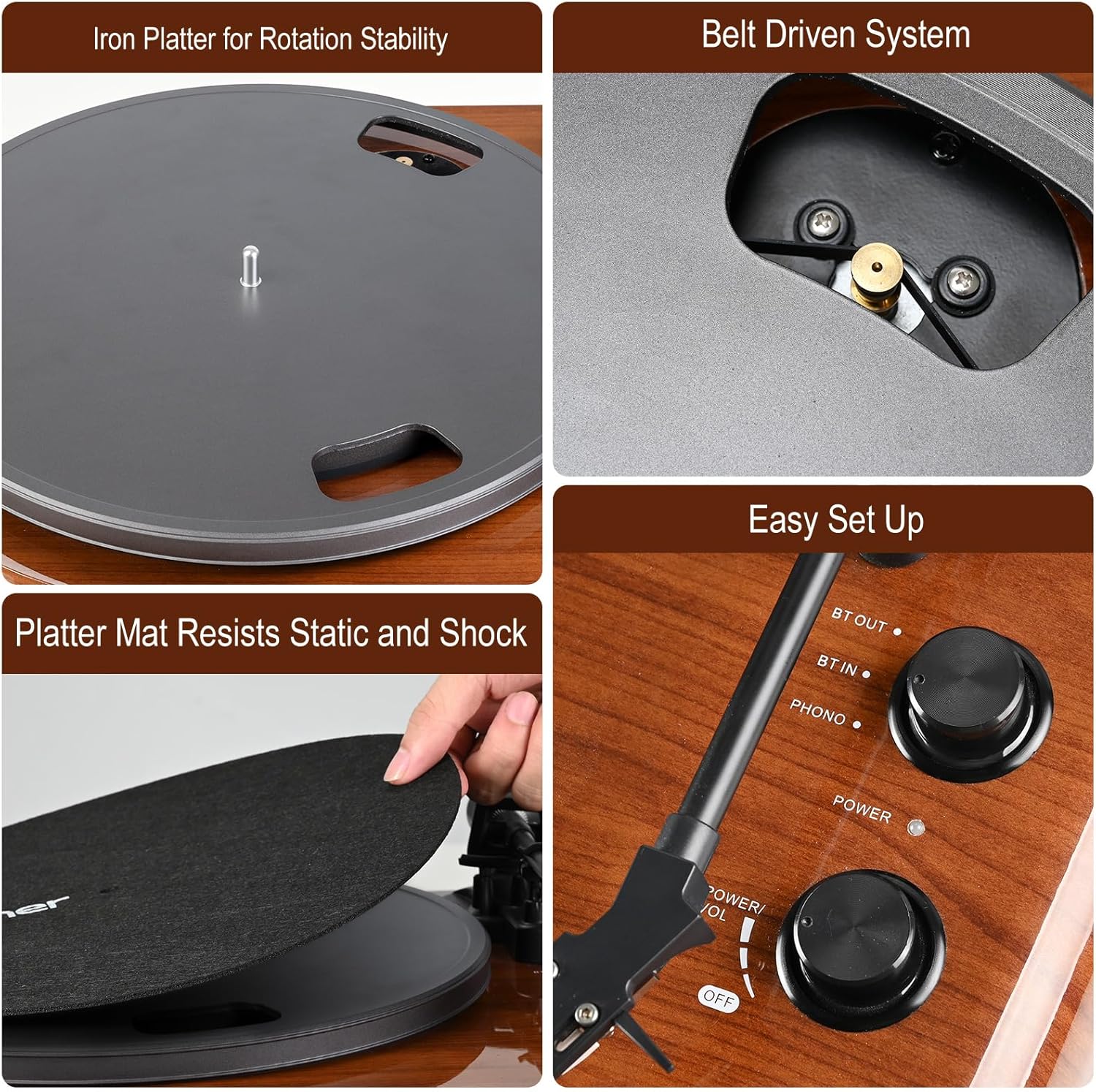
Gambar: Detail view of the turntable's iron platter, belt-driven mechanism, and the platter mat, showing how components fit together.
- Platter Mat Placement: Place the felt platter mat on top of the platter.
- Counterweight Adjustment: Slide the counterweight onto the rear of the tonearm. Rotate it until the tonearm is balanced and floats horizontally. Then, adjust the counterweight to the recommended tracking force (refer to stylus specifications, typically 1.5-3.0 grams).
- Konektivitas:
Connect the power cord to the DC IN 9V 2A port on the rear of the turntable and plug it into a wall outlet.
For external audio, use the RCA Cable Line to connect the "AUDIO OUTPUT" jacks to your amplifier or active speakers. Alternatively, connect passive speakers directly to the "SPEAKER OUTPUT" terminals using speaker wire.
For USB recording, connect the "USB-PC" port to your computer using the provided PC Cable Line.

Image: A detailed diagram of the turntable's rear panel, labeling RCA output, Phono/Line switch, USB-PC port, power input, and passive speaker connection jacks.
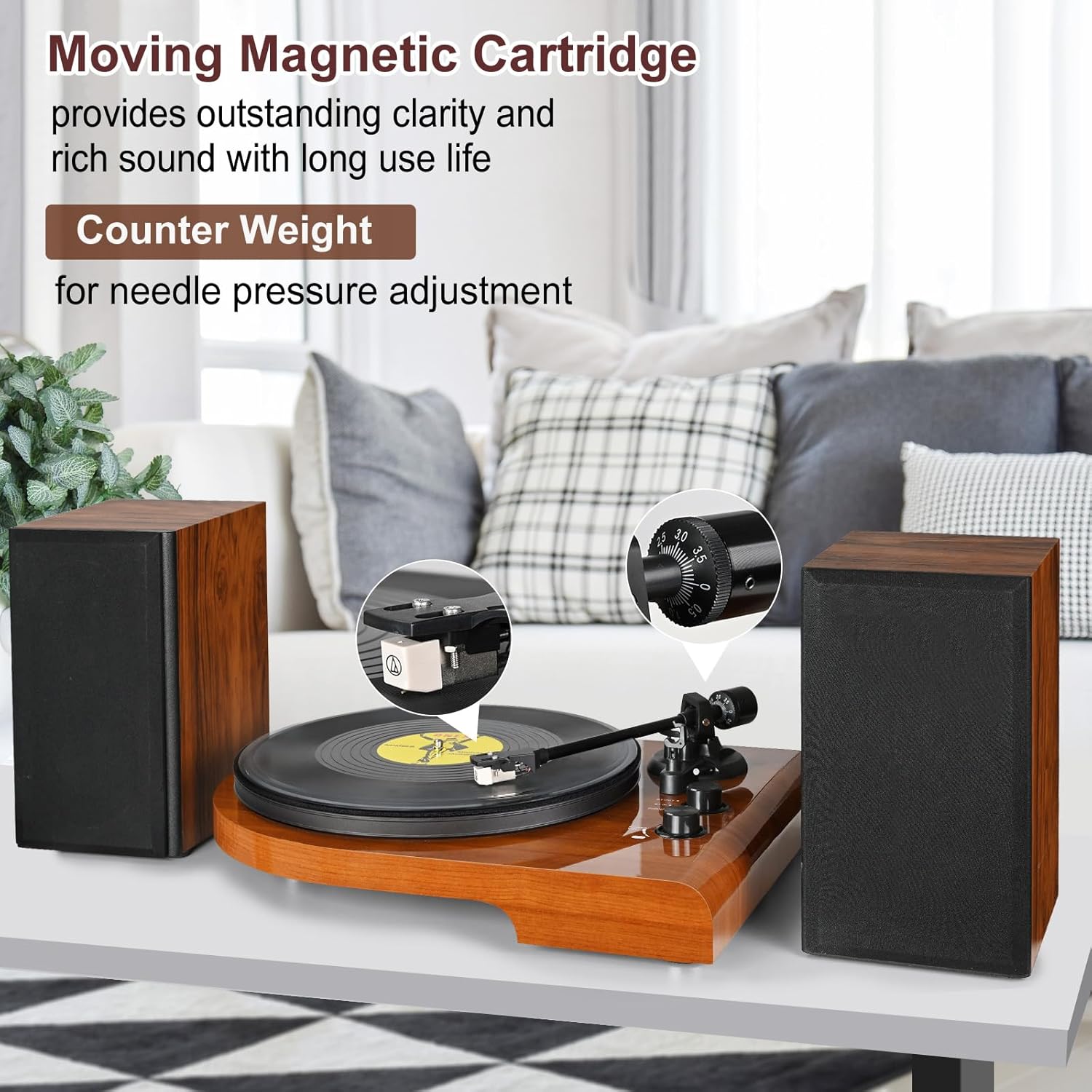
Image: A close-up of the tonearm, highlighting the moving magnetic cartridge and the adjustable counterweight for precise tracking force.
Petunjuk Pengoperasian
- Nyalakan: Turn the "POWER/VOL" knob clockwise to power on the turntable. The power indicator light will illuminate.
- Pilih Modus: Use the "BT OUT / BT IN / PHONO" switch to select your desired mode:
- telepon: For playing vinyl records through connected speakers or an amppengangkat.
- BT IN (Bluetooth Input): To stream audio from your Bluetooth-enabled device (e.g., smartphone) to the turntable. The turntable will act as a Bluetooth speaker.
- BT OUT (Bluetooth Output): To stream audio from your vinyl records to external Bluetooth speakers or headphones. The turntable will search for and connect to a nearby Bluetooth audio device.
- Memainkan Rekaman:
- Letakkan piringan hitam pada piringan tersebut.
- Select the appropriate speed (33 or 45 RPM) using the "33/45 RPM" switch.
- Angkat lengan tonearm menggunakan tuas pengatur posisi.
- Carefully position the stylus over the desired track on the record.
- Lower the tonearm gently using the cueing lever. The record will begin to play.
- Adjust the volume using the "POWER/VOL" knob.
- Fungsi Berhenti Otomatis: The "AUTO STOP ON/OFF" switch controls whether the platter stops spinning automatically at the end of a record. Set to "ON" for automatic stop, or "OFF" for continuous spinning.
- Penyesuaian Pitch: Use the "PITCH" knob to make minor adjustments to the playback speed for precise tuning.
Video Produk Resmi: Pengoperasian dan Fitur
Video: A comprehensive demonstration of the Udreamer Turntable's setup, operation, and various features, including Bluetooth connectivity and sound quality. This video is provided by the seller.
Pemeliharaan
Proper maintenance ensures the longevity and optimal performance of your turntable:
- Membersihkan Stylus: Gently clean the stylus using a soft brush designed for turntable styli. Brush from back to front to avoid damaging the cantilever.
- Membersihkan Unit: Wipe the turntable's surface with a soft, dry, lint-free cloth. Avoid using harsh chemicals or abrasive cleaners.
- Platter Mat Care: The platter mat helps resist static and shock. Keep it clean and free of dust.
- Penutup Debu: Always use a dust cover (if included or purchased separately) when the turntable is not in use to protect it from dust and debris.
Penyelesaian Masalah
| Masalah | Kemungkinan Penyebab | Larutan |
|---|---|---|
| Tidak ada daya | Kabel daya tidak tersambung; stopkontak tidak aktif. | Ensure power cord is securely connected to the turntable and a working electrical outlet. |
| Tidak ada suara dari speaker | Incorrect mode selected; speakers not connected or powered; volume too low. | Set mode to PHONO. Check RCA or speaker wire connections. Ensure external speakers are powered on and volume is up. |
| Masalah koneksi Bluetooth | Device not in pairing mode; too far from turntable; interference. | Ensure turntable is in BT IN or BT OUT mode. Put external device/speaker in pairing mode. Keep devices within range (approx. 10m). Reduce interference from other electronic devices. |
| Record not spinning or spinning incorrectly | Belt not properly installed; platter not seated correctly; auto-stop engaged prematurely. | Verify the drive belt is correctly positioned around the motor pulley and platter. Ensure the platter is fully seated. Check the "AUTO STOP ON/OFF" switch. Refer to the setup video for belt installation. |
| Suara terputus-putus atau terdistorsi | Stylus dirty or worn; tracking force incorrect; record dirty or damaged; turntable not level. | Clean stylus. Adjust counterweight for proper tracking force. Clean record. Place turntable on a stable, level surface. |
Spesifikasi Teknis
| Fitur | Nilai |
|---|---|
| Dimensi Produk | 19.9x16.3x11.02 inci |
| Berat Barang | 14.67 pon |
| Nomor Model Barang | UD009 |
| Pabrikan | pemimpi |
| Negara Asal | Cina |
| Teknologi Konektivitas | Bahasa Indonesia: Bluetooth |
| Kecepatan Rotasi Maksimum | 45 putaran/menit |
| Bahan | Kayu, Plastik |
| Warna | Cokelat |
| Perangkat yang Kompatibel | Komputer Pribadi, Speaker |
Garansi dan Dukungan
Udreamer is committed to providing quality products and excellent customer service. For any questions or technical assistance regarding your turntable, please contact our support team. We aim to provide one-on-one prompt service within 24 hours.
Silakan lihat dokumen pembelian Anda untuk detail garansi dan informasi kontak yang spesifik.
Ask a question about this manual
Ask about setup, troubleshooting, compatibility, parts, safety, or missing instructions. Manuals+ will review the question and use this page’s manual context to help answer it.