
Perkenalan
Thank you for choosing the SUNITEC BH880 Wireless Headset. This manual provides detailed instructions for setting up, operating, and maintaining your headset to ensure optimal performance and longevity. The BH880 headset is designed for clear communication and comfortable use in various environments, featuring advanced noise-cancelling technology and multiple connectivity options.

Image: SUNITEC BH880 Wireless Headset, showcasing its design with an adjustable microphone boom.
Apa yang ada di dalam kotak
Verifikasi bahwa semua item ada dalam paket:
- 1 x SUNITEC BH880 Bluetooth Computer Headset with Microphone
- 1 x Kabel Pengisian Daya Tipe-C
- 1 x Bluetooth Audio USB-A Dongle Adapter
- 1x Kabel Audio 3.5mm
- 1 x Panduan Pengguna (dokumen ini)

Image: The SUNITEC BH880 headset, USB-C charging cable, USB-A dongle, and 3.5mm audio cable, illustrating the package contents.
Produk Selesaiview
Familiarize yourself with the components and controls of your SUNITEC BH880 headset.
Fitur Utama:
- AI Noise Cancelling Microphone: Blocks 99% of ambient noise for clear voice transmission.
- Chipset Qualcomm QCC3034: Provides stable and fast Bluetooth transmission with aptX HD and aptX LL support.
- Desain yang nyaman: Soft dual ear pads and an adjustable headband for extended wear.
- 270° Rotatable Boom Microphone: Can be positioned on either the left or right side.
- Daya Tahan Baterai yang Lama: Hingga 45 jam waktu bicara dengan sekali pengisian daya.
- Konektivitas Berganda: Bluetooth, USB Dongle, and 3.5mm wired connection.

Image: Close-up of the memory foam earpads, highlighting the comfort feature of the headset.

Image: Detail of the individual mute button located on the microphone boom.

Gambar: Sebuah internal view highlighting the Qualcomm QCC3034 chipset, responsible for stable and fast connections.
Pengaturan
1. Mengisi Daya Headset
Before first use, fully charge the headset. Connect the Type-C charging cable to the headset's charging port and the other end to a USB power source (e.g., computer USB port, wall adapter). The LED indicator will show charging status. A full charge takes approximately 2 hours and provides up to 45 hours of talk time or 400 hours of standby time.
2. Daya Hidup/Mati
- Nyalakan: Tekan dan tahan tombol Daya selama beberapa detik hingga indikator LED menyala.
- Matikan: Tekan dan tahan tombol Daya selama beberapa detik hingga indikator LED mati.
3. Opsi Konektivitas
The SUNITEC BH880 offers three ways to connect to your devices:
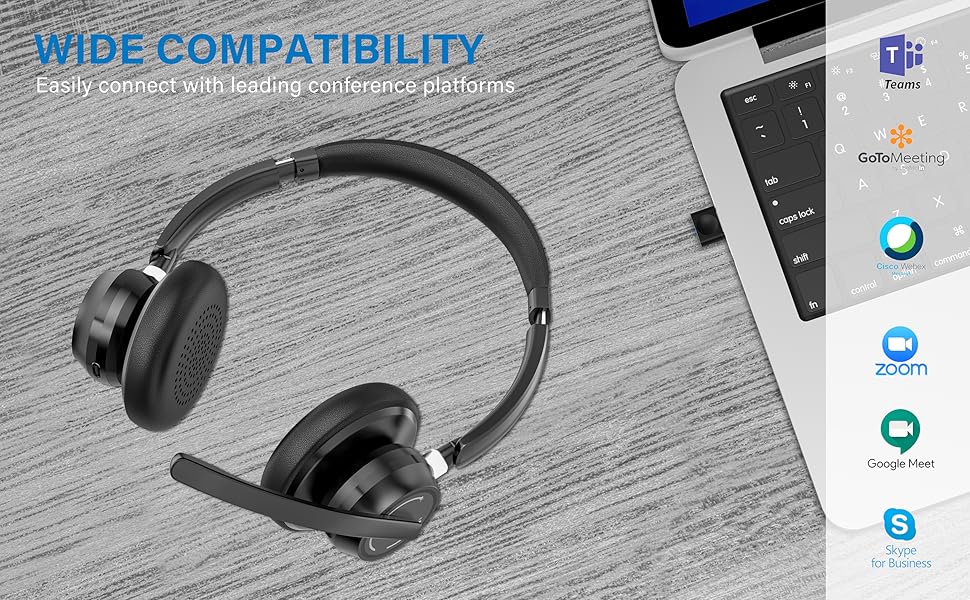
Image: Visual representation of Bluetooth, USB Dongle, and Wired connection methods for the headset.
Koneksi Bluetooth:
- Pastikan headset dimatikan.
- Tekan dan tahan tombol Daya hingga indikator LED berkedip biru dan merah secara bergantian, yang menandakan mode pemasangan.
- Pada perangkat Anda (ponsel pintar, tablet, komputer), aktifkan Bluetooth dan cari perangkat baru.
- Select "SUNITEC BH880" from the list of available devices.
- Setelah terhubung, indikator LED akan berkedip biru perlahan.
Koneksi Dongle USB:
This method is ideal for computers without built-in Bluetooth or for a more stable connection.
- Plug the USB-A Dongle Adapter into an available USB port on your computer.
- Power on the SUNITEC BH880 headset. It will automatically attempt to connect to the dongle.
- The LED indicator on the dongle and headset will show a solid blue light once connected.
- You may need to select the "SUNITEC BH880" as the audio input/output device in your computer's sound settings.

Image: A USB dongle being inserted into a laptop's USB port, demonstrating the dongle connection method.
Koneksi Kabel:
Use the included 3.5mm audio cable to connect the headset directly to devices with a 3.5mm audio jack. Note that the microphone function is not available when using the 3.5mm wired connection; the headset will function as headphones only.

Image: The headset shown with logos of popular communication platforms like Teams, Zoom, Google Meet, and Skype, indicating wide compatibility.
Petunjuk Pengoperasian
Fungsi Dasar:
- Volume Naik/Turun: Use the dedicated volume buttons on the earcup.
- Putar/Jeda: Tekan tombol Multifungsi sekali.
- Lagu Berikutnya: Tekan dan tahan tombol Volume Naik.
- Lagu Sebelumnya: Tekan dan tahan tombol Volume Turun.
Fungsi Panggilan:
- Menjawab/Mengakhiri Panggilan: Tekan tombol Multifungsi sekali.
- Tolak Panggilan: Tekan dan tahan tombol Multifungsi selama 2 detik.
- Panggil Ulang Nomor Terakhir: Tekan dua kali tombol Multifungsi.
Fungsi Bisu Mikrofon:
The headset features an individual mute button on the microphone boom for quick privacy control.
- Bisukan/Aktifkan suara: Press the mute button on the microphone boom. The LED indicator on the microphone will show red when muted.
- Catatan: For PC platforms, microphone mute functionality may also be controlled via the software application (e.g., Zoom, Teams).
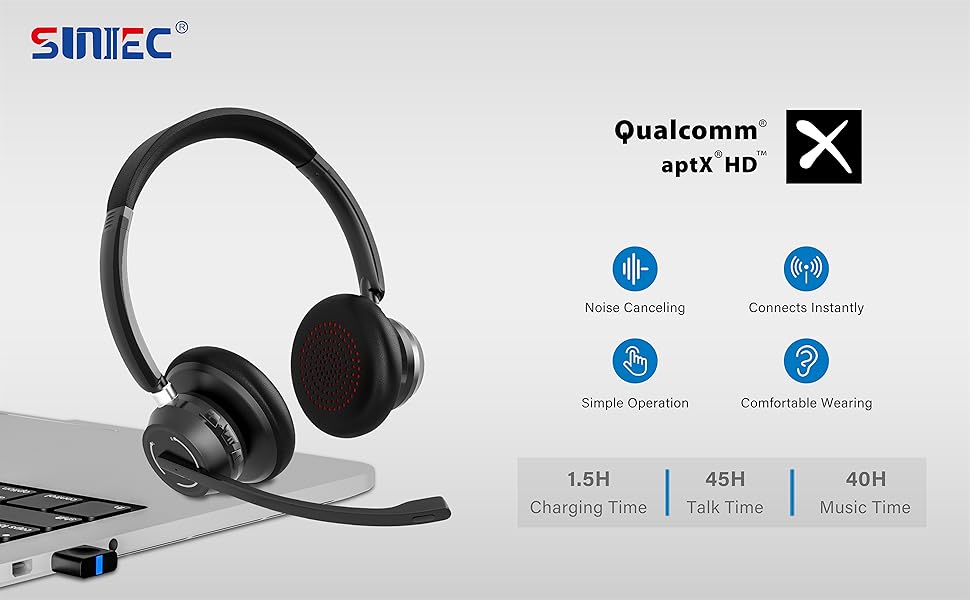
Image: A graphic demonstrating how the noise-cancelling microphone filters out background noise for clearer audio output.
Pemeliharaan
Proper care ensures the longevity of your SUNITEC BH880 headset.
- Pembersihan: Gunakan kain lembut dan kering untuk membersihkan headset. Jangan gunakan pembersih abrasif atau pelarut.
- Penyimpanan: Simpan headset di tempat yang sejuk dan kering, jauhkan dari sinar matahari langsung dan suhu ekstrem.
- Perawatan Baterai: Untuk menjaga daya tahan baterai, hindari sering-sering mengosongkan daya headset sepenuhnya. Isi daya secara teratur, meskipun tidak digunakan dalam waktu lama.
- Hindari Kelembaban: The headset is not water-resistant. Keep it away from liquids and high humidity.
Penyelesaian Masalah
If you encounter issues with your SUNITEC BH880 headset, refer to the following common solutions:
| Masalah | Larutan |
|---|---|
| Headset tidak menyala. | Ensure the headset is charged. Connect it to a power source using the Type-C cable. |
| Tidak dapat dipasangkan melalui Bluetooth. |
|
| Tidak ada suara atau kualitas suara buruk. |
|
| Mikrofon tidak berfungsi. |
|
| USB Dongle not connecting. |
|
Spesifikasi
| Fitur | Detil |
|---|---|
| Nama Model | BH880 |
| Teknologi Konektivitas | Wireless (Bluetooth), Wired (3.5mm), USB Dongle |
| Teknologi Komunikasi Nirkabel | Bluetooth 5.1 |
| Jangkauan Bluetooth | Hingga 15 meter (49 kaki) |
| Kontrol Kebisingan | Peredam Kebisingan Adaptif (Mikrofon) |
| Ukuran Driver Audio | 40 Milimeter |
| Jenis Penggerak Audio | Driver Dinamis |
| Impedansi | 32 Ohm |
| Bentuk Lubang Suara | Di Atas Telinga |
| Daya Tahan Baterai (Waktu Bicara) | Hingga 45 Jam |
| Waktu Pengisian Daya | Approximately 2 Hours (Type-C) |
| Berat Barang | 280 Gram (9.9 ons) |
| Dimensi Produk | 5.91x3.94x1.96 inci |
| Bahan | Plastik |
| Perangkat yang Kompatibel | Computers, Communication Software (Skype, Zoom, MS Teams, Google Meet) |
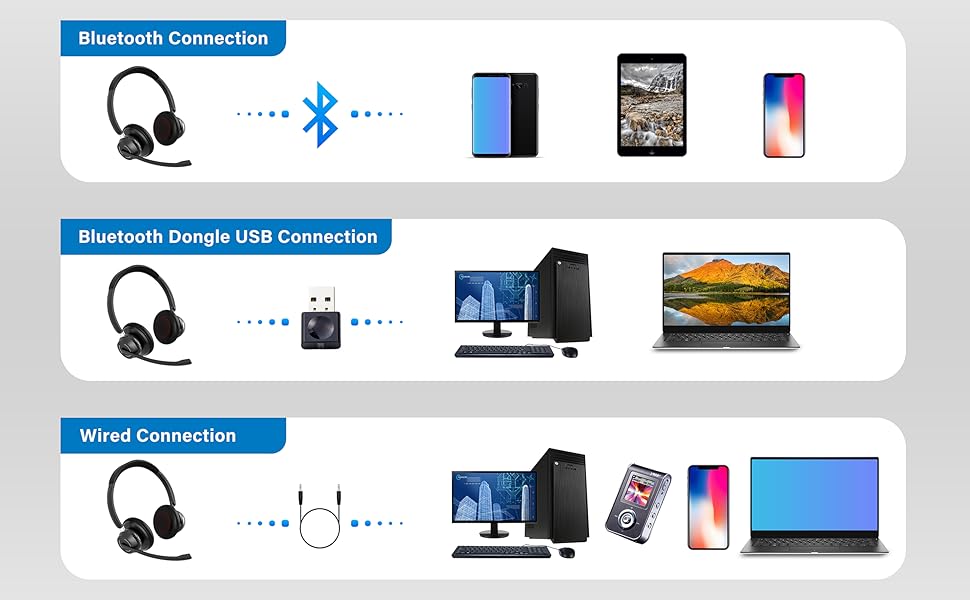
Image: An illustration highlighting the headset's battery performance, indicating up to 45 hours of wireless talk time.
Garansi dan Dukungan
SUNITEC products are designed for reliability and performance. For warranty information or technical support, please refer to the contact details provided with your purchase or visit the official SUNITEC websitus. Simpan struk pembelian Anda sebagai bukti pembelian untuk klaim garansi.
For further assistance, you may contact SUNITEC customer service through their official channels.