
1. Pendahuluan
The Awei H15 Smartwatch is designed to integrate seamlessly into your daily life, offering health monitoring, communication features, and smart notifications. This manual provides essential information for setting up, operating, and maintaining your device.
2. Apa yang ada di dalam kotak
- 1 x Awei H15 Smartwatch
- 1 x Kabel Pengisian Daya
- 1 x Panduan Pengguna (dokumen ini)
3. Produk Lebihview
Familiarize yourself with the key components of your Awei H15 Smartwatch.
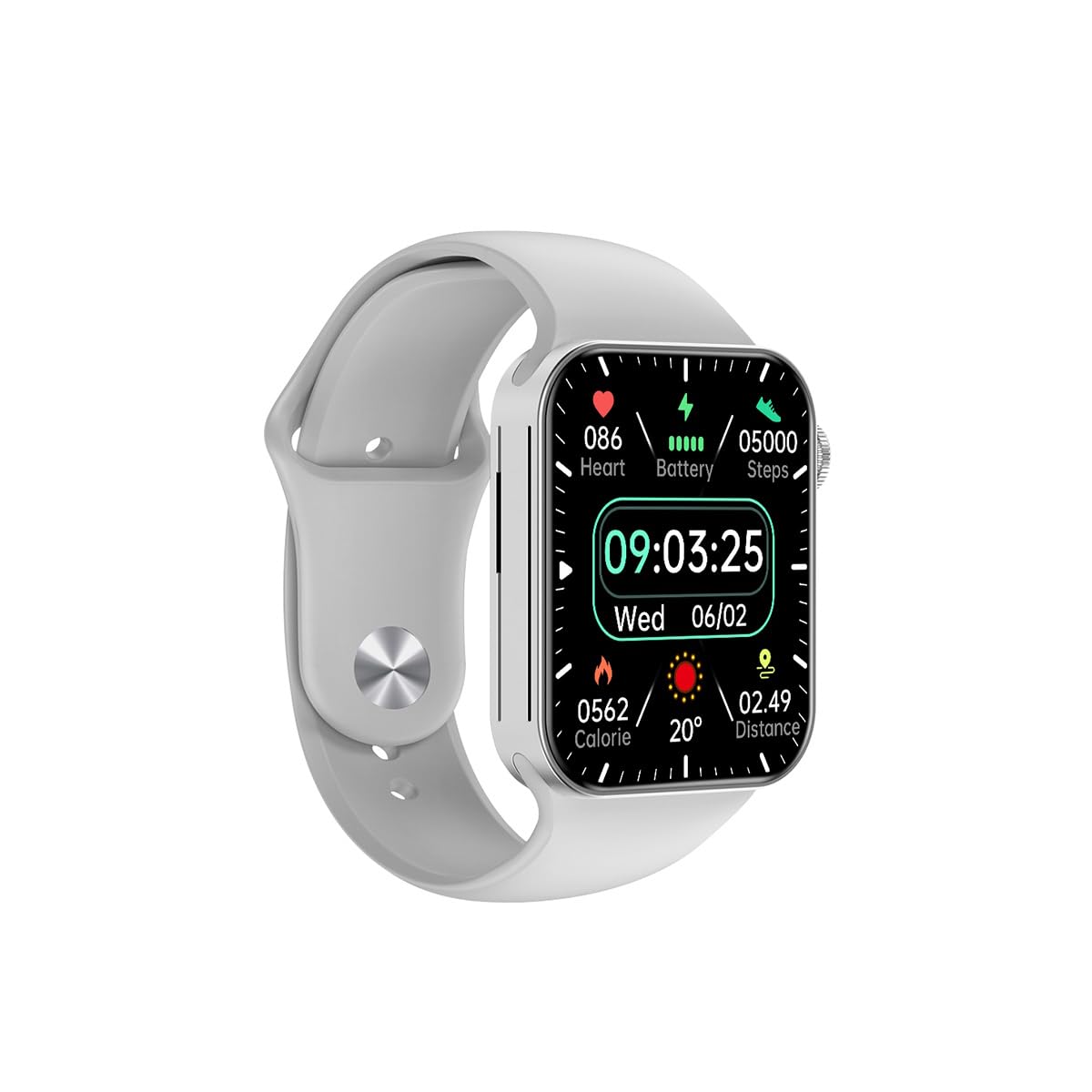
Gambar 3.1: Depan view of the Awei H15 Smartwatch display, illustrating various health metrics and time.

Gambar 3.2: Samping view of the smartwatch, highlighting the rotary crown for navigation and an additional button.
4. Pengaturan
4.1 Mengisi Daya Jam Tangan Pintar
Before first use, fully charge your Awei H15 Smartwatch. Connect the provided charging cable to the charging port on the back of the watch and to a standard USB power adapter (not included).
- Waktu Pengisian: Sekitar 2-3 jam untuk pengisian penuh.
- Battery Life: Up to 7 days with calls, up to 15 days without calls.
4.2 Daya Hidup/Mati
- Untuk menghidupkan: Press and hold the side button until the Awei logo appears.
- Untuk mematikan: Tekan dan tahan tombol samping, lalu pilih 'Matikan Daya' di layar.
4.3 Memasangkan dengan Ponsel Pintar Anda
The Awei H15 Smartwatch uses Dual Bluetooth 3.0/5.0 for stable connectivity. To unlock full features, download the companion app (refer to the packaging or quick start guide for app name) from your smartphone's app store.
- Pastikan smartwatch Anda menyala dan baterainya terisi penuh.
- Aktifkan Bluetooth di telepon pintar Anda.
- Open the companion app and follow the on-screen instructions to search for and connect to your Awei H15 Smartwatch.
- Konfirmasikan permintaan pemasangan di ponsel pintar dan jam tangan pintar Anda.
5. Petunjuk Pengoperasian
5.1 Navigasi Dasar
- Layar Sentuh: Geser ke kiri, kanan, atas, atau bawah untuk menavigasi menu dan layar. Ketuk untuk memilih item.
- Mahkota Putar: Rotate the crown to scroll through lists or zoom in/out (where applicable). Press the crown to return to the home screen or confirm selections.
5.2 Multi-Dial Switching
Customize your smartwatch's appearance by switching between various watch faces.

Gambar 5.1: Examples of different watch faces available on the Awei H15 Smartwatch.
Untuk mengubah tampilan jam:
- From the home screen, press and hold the display.
- Geser ke kiri atau ke kanan untuk melihat tampilan jam yang tersedia.
- Tap on a watch face to select it.
5.3 Pemantauan Kesehatan
The Awei H15 Smartwatch tracks various health metrics to support your active lifestyle.
- Denyut Jantung: Pantau detak jantung Anda sepanjang hari.
- Pelacakan Aktivitas: The built-in G-Sensor (MSA311) accurately tracks steps, distance, and calories burned.
- Pemantauan Tidur: Track your sleep patterns (light sleep, deep sleep, wake-up times).
Access detailed health data through the companion app on your smartphone.
5.4 Fitur Cerdas
- Panggilan: Make and receive calls directly from your smartwatch when connected to your phone via Bluetooth.
- Pemberitahuan: Receive alerts for messages, emails, and app notifications.
- Pembaruan Cuaca: Dapatkan informasi cuaca secara real-time.
- Kontrol Musik: Kontrol pemutaran musik di ponsel cerdas Anda.
6. Pemeliharaan
6.1 Pembersihan
Bersihkan jam tangan pintar Anda secara teratur untuk memastikan kinerja dan kebersihan yang optimal.
- Bersihkan layar dan badan dengan kain lembut dan tidak berbulu.
- Untuk kotoran membandel, sedikit dampBilas kain dengan air. Hindari bahan kimia keras.
- Bersihkan kontak pengisian daya secara berkala untuk memastikan koneksi yang baik.
6.2 Tahan Air (IP67)
The Awei H15 Smartwatch is IP67 water-resistant, meaning it is protected against dust and can withstand immersion in water up to 1 meter for 30 minutes.
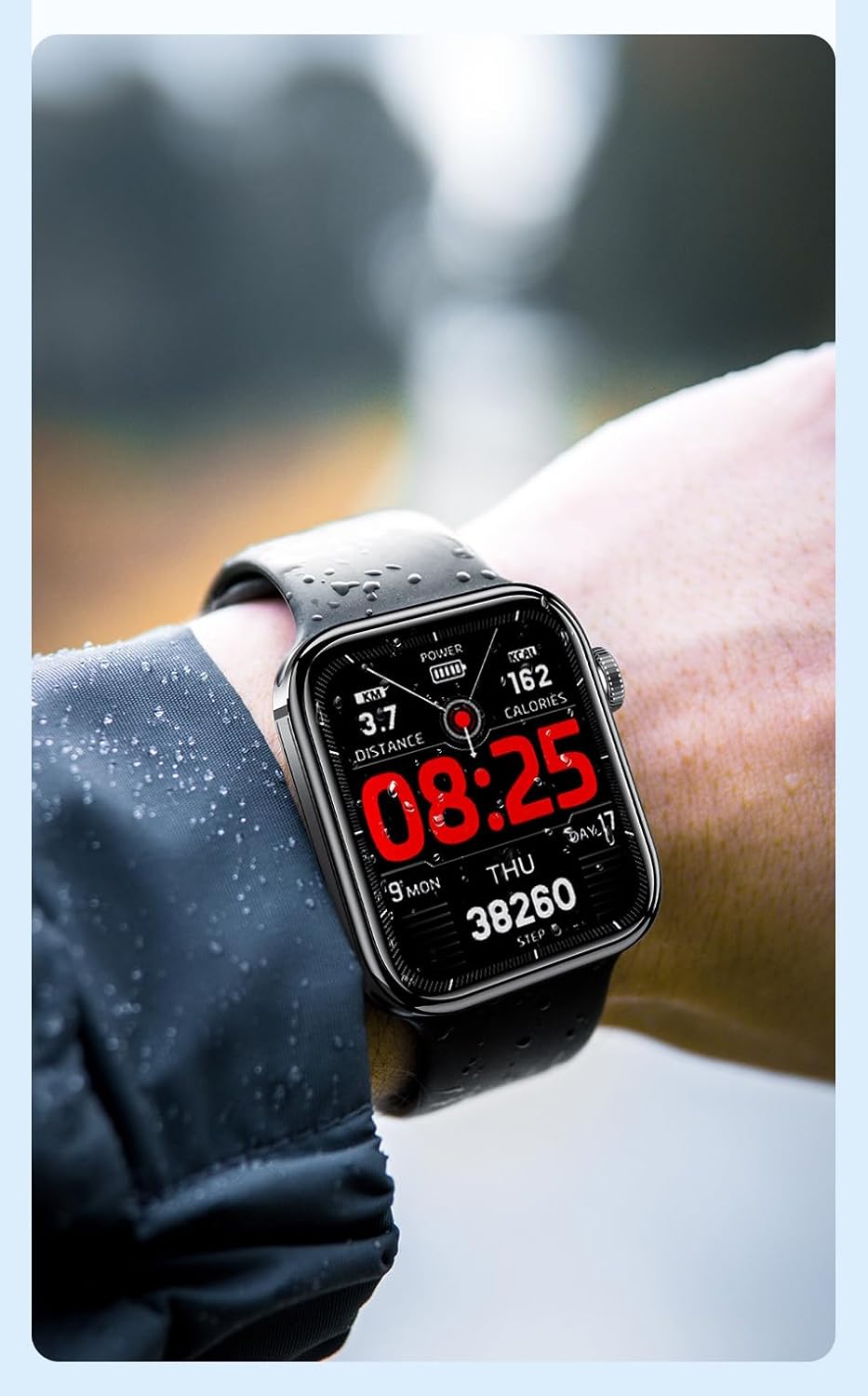
Gambar 6.1: The Awei H15 Smartwatch is designed to withstand splashes and dust.
Important: IP67 rating does not mean the watch is suitable for swimming, showering, or diving. Avoid exposing the watch to hot water, steam, or high-velocity water.
7. Penyelesaian masalah
- Jam tidak menyala: Pastikan jam tangan terisi penuh. Hubungkan ke pengisi daya minimal 30 menit.
- Tidak dapat dipasangkan dengan telepon pintar:
- Pastikan Bluetooth diaktifkan pada ponsel dan jam tangan Anda.
- Pastikan jam tangan berada dalam jangkauan telepon Anda.
- Mulai ulang jam tangan dan ponsel Anda.
- Periksa apakah aplikasi pendamping sudah diperbarui ke versi terbaru.
- Data kesehatan yang tidak akurat: Pastikan jam tangan terpasang dengan pas di pergelangan tangan Anda, tidak terlalu ketat atau terlalu longgar. Bersihkan sensor di bagian belakang jam tangan.
- Masa pakai baterai pendek: Reduce screen brightness, disable unnecessary notifications, and limit continuous heart rate monitoring.
8. Spesifikasi
| Fitur | Spesifikasi |
|---|---|
| Model | H15 |
| Teknologi Konektivitas | Bluetooth 3.0/5.0 |
| Tahan Air | Tingkat IP67 |
| Kapasitas Baterai | 260 mAh |
| Waktu Pengisian Daya | 2-3 jam |
| Waktu Pemakaian | Up to 7 days (with calls), 15 days (without calls) |
| Sensor G | Bahasa Indonesia: MSA311 |
| Ukuran | Ukuran 36.8x42.5x13.2mm |
| Panjang gelang: | ukuran 270mm |
| Pabrikan | Awei |
9. Garansi dan Dukungan
Your Awei H15 Smartwatch comes with a Garansi 6 bulan sejak tanggal pembelian. Garansi ini mencakup cacat produksi dalam penggunaan normal.
For warranty claims or technical support, please contact your retailer or the official Awei customer service. Keep your proof of purchase for warranty validation.