
IFYOO IFYOO-G53-Black3
IFYOO G53 Wireless Vertical Ergonomic Mouse
Manual Instruksi
Merek: IFYOO | Model: IFYOO-G53-Black3
1. Pendahuluan
The IFYOO G53 Wireless Vertical Ergonomic Mouse is designed to provide superior comfort and enhance productivity. Its unique vertical design promotes a natural handshake position, reducing wrist strain and discomfort often associated with traditional mice. This tri-mode mouse offers versatile connectivity options and customizable features to adapt to various computing environments.

Figure 1.1: IFYOO G53 Wireless Vertical Ergonomic Mouse.
2. Fitur Utama
- Superior Ergonomic Design: Keeps your hand in a natural handshake position to reduce wrist stress and pain, helping to prevent Carpal Tunnel Syndrome.
- Konektivitas Tiga Mode: Supports 2.4GHz wireless, Bluetooth 5.1, and wired USB-C connections, allowing seamless switching between multiple devices.
- DPI yang dapat disesuaikan: Max 8400 DPI for smooth and accurate tracking, with multiple DPI settings (500, 1600, 2400, 3200, 4000, 4800, 8400) for precise control.
- Pencahayaan RGB Dinamis: Features 9 RGB lighting modes for customizable visual effects, which can also be turned off. DPI changes are indicated by logo color.
- 5 Programmable Side Buttons: Boost productivity with shortcuts for forward/backward webpage navigation, changing lighting effects, opening file explorer, or returning to desktop. (Note: Some side button shortcuts may not work with Mac OS, iPad OS, and other operating systems, except for light switch, and are primarily supported on Windows 10/11).
- Baterai Isi Ulang: Built-in 600mAh rechargeable battery with intelligent power saving. Charges via USB-C.

Figure 2.1: Ergonomic design promotes a natural hand position, reducing wrist strain.
3. Isi Paket
Pastikan semua item ada dalam paket:
- 1x IFYOO G53 Wireless Vertical Ergonomic Mouse
- 1x Panduan Pengguna (dokumen ini)
- 1x Kabel Pengisian USB Tipe-C
- 1x 2.4 GHz USB Receiver (stored at the bottom of the mouse)
4. Pengaturan
4.1 Mengisi Daya Mouse
Before first use, it is recommended to fully charge the mouse. Connect the provided USB-C cable to the charging port on the front of the mouse and the other end to a USB power source (e.g., computer USB port, USB wall adapter). The RGB lighting may indicate charging status.
4.2 Menghubungkan ke Perangkat Anda
The G53 mouse offers three connection modes:
- Mode Nirkabel 2.4GHz:
- Locate the 2.4 GHz USB receiver stored in the magnetic compartment at the bottom of the mouse.
- Colokkan penerima USB ke port USB yang tersedia di komputer Anda.
- Slide the mode switch at the bottom of the mouse to the "2.4G" position. The mouse should connect automatically.
- Mode Bluetooth (BT):
- Slide the mode switch at the bottom of the mouse to the "BT" position.
- On your device (Windows, Mac, iPad OS, Android), go to Bluetooth settings and search for new devices.
- Select "IFYOO G53" from the list of available devices to pair.
- Mode Berkabel:
- Connect the provided USB-C cable to the mouse's charging port and the USB-A end to your computer's USB port.
- Slide the mode switch at the bottom of the mouse to the "Wired" position. The mouse will function as a wired device and charge simultaneously.

Figure 4.1: Seamless multi-device connectivity with 2.4G, Wired, and Bluetooth modes.
4.3 Driver Software (Windows Only)
To modify mouse configurations and customize buttons (excluding light switch), driver software is available for Windows OS only. Visit www.ifyoo.net to download the latest driver. This software allows for personalized profiles, macro settings, and advanced RGB control.

Figure 4.2: Professional driver software interface for Windows customization.
5. Petunjuk Pengoperasian
5.1 Fungsi Tombol
The IFYOO G53 mouse features 10 buttons for enhanced control:

Figure 5.1: Mouse layout and button overview.
- Tombol Kiri (1): Fungsi klik kiri standar.
- Roda Gulir (2): Gulir ke atas/bawah, klik tengah.
- Tombol Kanan (3): Fungsi klik kanan standar.
- Tombol DPI (4): Berganti-ganti pengaturan DPI.
- Forward Button (5): Navigasi maju dalam web peramban/aplikasi.
- Backward Button (6): Navigasi mundur di web peramban/aplikasi.
- Light Effect Button (7): Changes RGB lighting modes.
- File Resource Manager (8): Membuka File Explorer (Windows only).
- BOSS Button (9): Returns to desktop (Windows only).
- Mode Indicator (10): Displays current connection mode.
- 2.4G Receiver (11): USB dongle for 2.4GHz wireless connection.
- Tombol Modus (12): Switch between 2.4G, Wired, and BT modes.
Note: Due to system compatibility, functions of buttons 5, 6, 8, and 9 can only be used on Windows OS.
5.2 Menyesuaikan Sensitivitas DPI
Tekan tombol DPI Button (4) to cycle through the available DPI settings. Each change in DPI will typically be indicated by a change in the logo's LED color, allowing you to visually confirm your current sensitivity level.
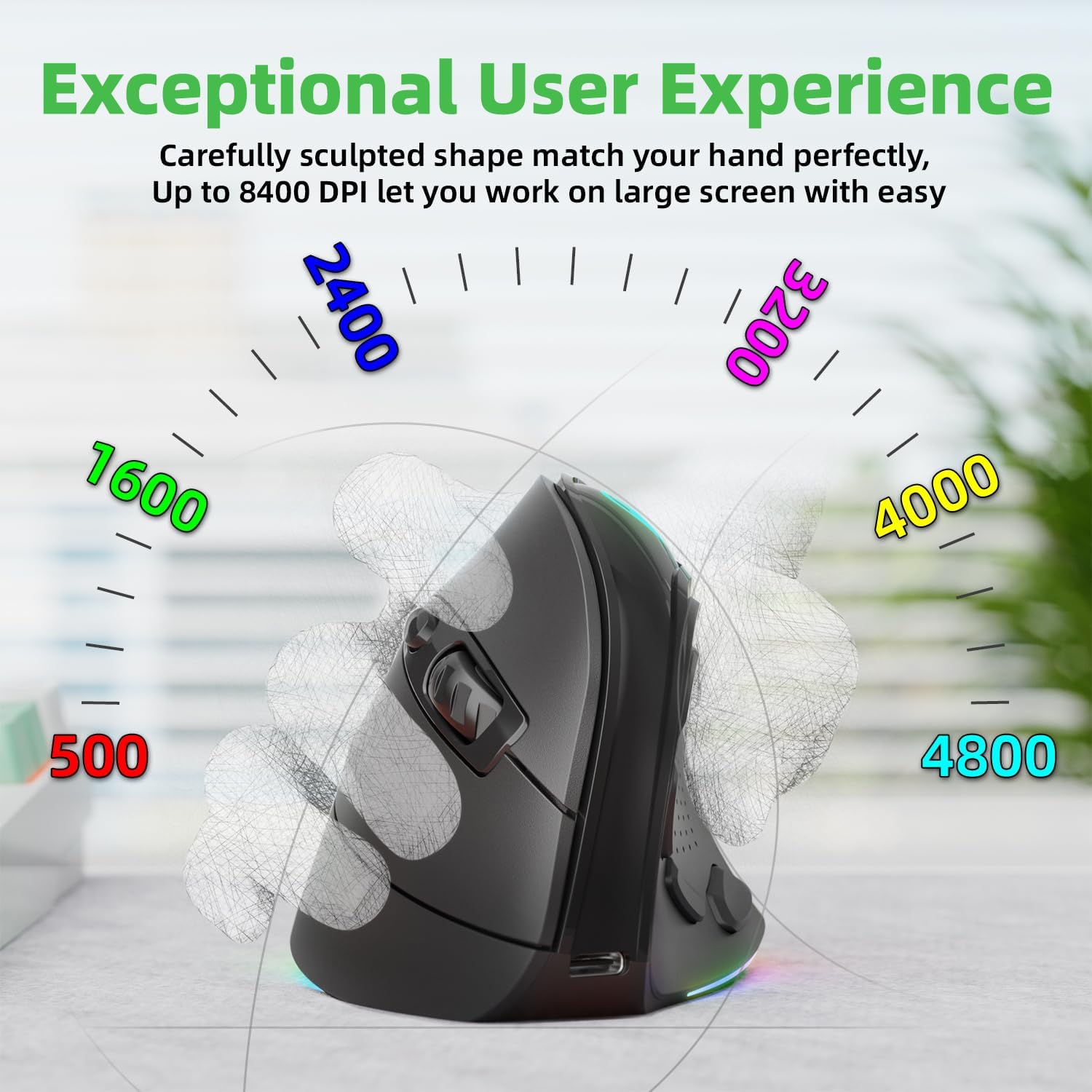
Figure 5.2: Adjustable DPI up to 8400, with logo color indicating current DPI.
5.3 Mengontrol Pencahayaan RGB
Tekan tombol Light Effect Button (7) to cycle through the 9 dynamic RGB lighting modes. Continue pressing to find your preferred effect or to turn the lighting off.
6. Pemeliharaan
- Pembersihan: Gunakan kain lembut dan kering untuk membersihkan mouse. Untuk kotoran yang membandel, sedikit keringkan.ampBilas kain dengan air atau larutan pembersih ringan. Hindari bahan kimia keras atau bahan abrasif.
- Penyimpanan: When not in use for extended periods, store the mouse in a cool, dry place. Ensure the 2.4 GHz receiver is stored securely in its compartment at the bottom of the mouse.
- Perawatan Baterai: Untuk memperpanjang masa pakai baterai, hindari sering-sering mengosongkan daya mouse sepenuhnya. Isi daya saat indikator baterai lemah.
7. Penyelesaian masalah
- Mouse tidak merespons:
- Pastikan mouse terisi daya.
- Check the connection mode switch (2.4G, Wired, BT) is in the correct position.
- Untuk frekuensi 2.4GHz, pastikan penerima USB terpasang dengan aman. Coba port USB yang berbeda.
- Untuk Bluetooth, pastikan Bluetooth diaktifkan di perangkat Anda dan mouse sudah dipasangkan. Coba pasangkan ulang.
- In wired mode, ensure the USB-C cable is properly connected.
- Pergerakan kursor tidak menentu atau lambat:
- Sesuaikan pengaturan DPI menggunakan tombol DPI.
- Pastikan sensor mouse bersih dan bebas dari kotoran.
- Gunakan mouse pada permukaan yang bersih dan tidak memantulkan cahaya, atau pada alas mouse.
- Side buttons not working (Mac OS/iPad OS):
- As noted, some side button functions (Forward, Backward, File Resource Manager, BOSS Button) are system-specific and primarily supported on Windows OS. The Light Effect Button should function across all compatible OS.
8. Spesifikasi
| Merek | IFYOO |
| Nomor Model | IFYOO-G53-Black3 |
| Teknologi Konektivitas | 2.4GHz Wireless, Bluetooth 5.1, Wired (USB-C) |
| Teknologi Deteksi Gerakan | Optik |
| Jumlah Tombol | 10 |
| Pengaturan DPI | Hingga 8400 (Dapat disesuaikan) |
| Baterai | Baterai Lithium Polimer 600mAh (Dapat Diisi Ulang) |
| Port Pengisian Daya | USB Tipe C |
| Kesesuaian | Windows 11/10/7/8, Mac OS, iPad OS, Android |
| Berat Barang | 8.4 ons |
| Dimensi Paket | 5.87x4.49x3.31 inci |
| Negara Asal | Cina |
9. Garansi & Dukungan
9.1 Garansi Satu Tahun
IFYOO offers a 90-day free replacement and one-year warranty service from the date of purchase. If there are any problems with the product, please do not hesitate to contact us.
9.2 Dukungan Pelanggan
- Resmi Weblokasi: www.ifyoo.net
- Email Layanan Pelanggan: cs@ifyoo.net (9:00 - 18:00 Monday to Friday)
- Manuals, Drivers, Firmware Updates: dukungan.ifyoo.net
- Tutorial Video: www.youtube.com/IFYOO