
Perkenalan
Thank you for choosing the AWEI T28 Wireless Earbuds. This manual provides detailed instructions for setting up, operating, and maintaining your earbuds to ensure optimal performance and longevity. Please read this manual thoroughly before using the product.
Isi Paket
Verifikasi bahwa semua item ada dalam paket Anda:
- Wireless Bluetooth Headset (Left and Right Earbuds)
- Wireless Bluetooth Headset Charging Case
- Kabel Pengisian Daya USB-C
- User Instructions (This Manual)
Produk Selesaiview
The AWEI T28 Wireless Earbuds are designed for a comfortable in-ear fit, offering high-fidelity audio and clear call performance. They feature Bluetooth 5.3 technology for stable connectivity and touch controls for easy operation.

Gambar 1: AWEI T28 Wireless Earbuds and Charging Case. This image displays the white earbuds resting inside their open charging case, highlighting their compact and sleek design.

Gambar 2: Earbuds and Charging Case. The image shows the earbuds removed from the charging case, which is open, illustrating the product's design and indicating its readiness for use or charging.
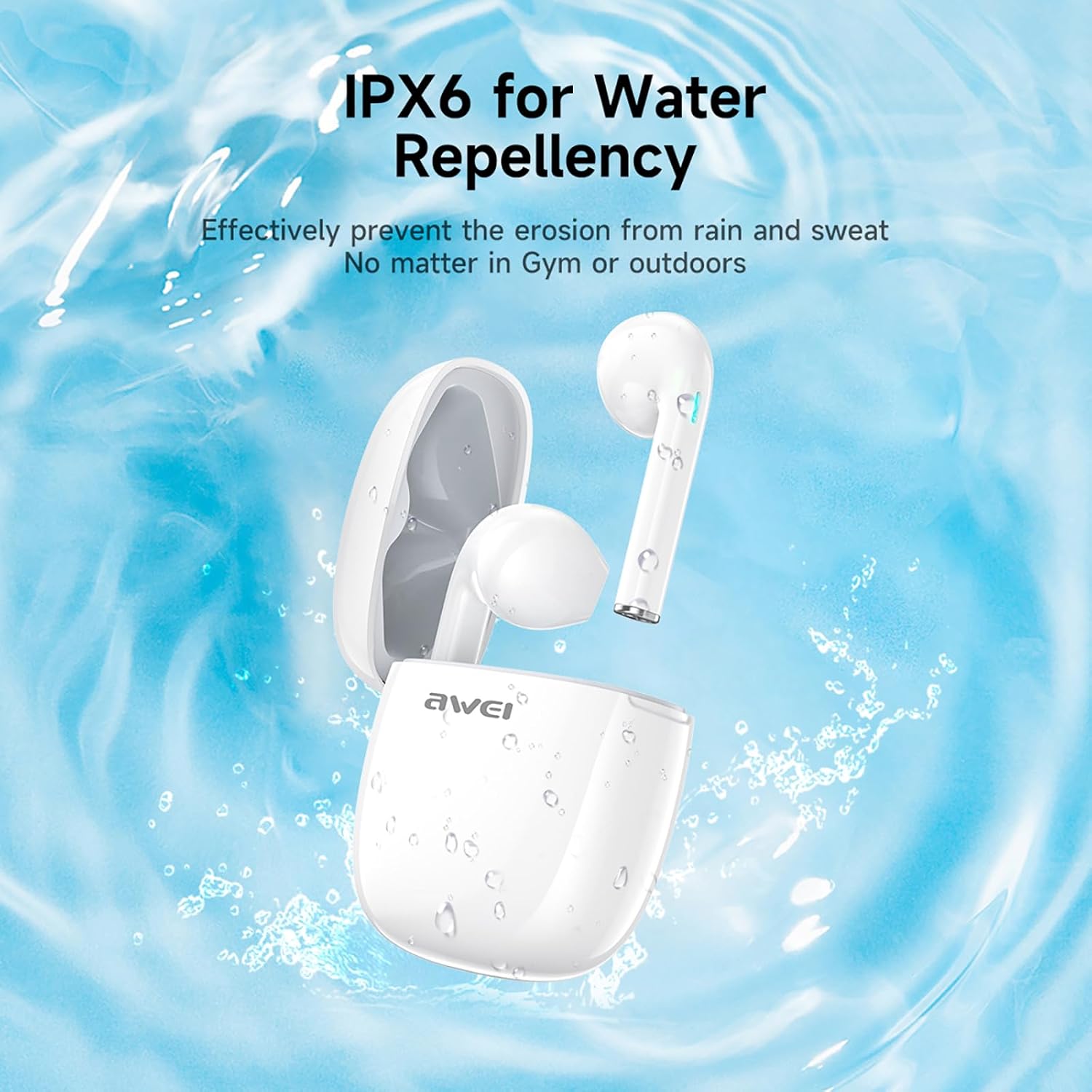
Gambar 3: IPX6 Water Repellency. This image depicts the earbuds and charging case with water splashes, visually representing their IPX6 waterproof rating, suitable for use during exercise or in light rain.
Pengaturan
1. Mengisi Daya Earbud dan Casing
- Tagihan Awal: Sebelum penggunaan pertama, isi daya earbud dan casing pengisi daya hingga penuh.
- Mengisi Daya Casing: Connect the provided USB-C charging cable to the charging port on the case and to a USB power source. The charging time for the case is approximately 1.5 hours.
- Mengisi Daya Earbud: Place the earbuds into the charging case. They will automatically begin charging. The earbuds provide approximately 7 hours of continuous use per charge. The charging case extends total playback time to 35 hours in dual-ear mode, or up to 70 hours in single-ear mode by alternating earbuds.
- Indikator Baterai: Refer to the LED indicators on the case and earbuds for charging status.
2. Memasangkan dengan Perangkat
- Nyalakan: Buka casing pengisi daya. Earbud akan otomatis menyala dan masuk ke mode berpasangan.
- Aktifkan Bluetooth: Pada ponsel pintar, tablet, atau perangkat lain yang mendukung Bluetooth, buka pengaturan Bluetooth dan aktifkan Bluetooth.
- Pilih alat: Cari "AWEI T28" di daftar perangkat yang tersedia dan pilih untuk terhubung.
- Konfirmasi: Once connected, you will hear an audio prompt from the earbuds, and the device's Bluetooth settings will show "AWEI T28" as connected.
- Sambungan Ulang Otomatis: Setelah pemasangan awal, earbud akan secara otomatis terhubung ke perangkat yang terakhir dipasangkan saat dikeluarkan dari wadah pengisian daya, asalkan Bluetooth diaktifkan pada perangkat tersebut.
Petunjuk Pengoperasian
Kontrol Sentuh
The AWEI T28 earbuds feature smart touch controls on each earbud for convenient management of audio playback and calls.
- Putar/Jeda: Ketuk satu kali pada salah satu earbud.
- Lagu Berikutnya: Ketuk dua kali earbud kanan.
- Lagu Sebelumnya: Ketuk dua kali earbud kiri.
- Volume Naik: Ketuk tiga kali earbud kanan.
- Volume Turun: Ketuk tiga kali earbud kiri.
- Menjawab/Mengakhiri Panggilan: Ketuk satu kali pada salah satu earbud saat ada panggilan masuk.
- Tolak Panggilan: Tekan dan tahan salah satu earbud selama 2 detik selama panggilan masuk.
- Aktifkan Voice Assistant: Press and hold either earbud for 3 seconds (functionality may vary by device).
Monaural and Binaural Mode
The earbuds support both monaural (single earbud) and binaural (both earbuds) modes. You can seamlessly switch between modes:
- Modus Binaural: Remove both earbuds from the charging case. They will automatically connect to each other and then to your device.
- Modus Monaural: Remove only one earbud from the charging case. It will connect to your device independently. You can place the other earbud back in the case or keep it off.
- Beralih: If using one earbud, simply remove the other from the case to automatically switch to binaural mode. If using both, place one back in the case to switch to monaural mode.
Pemeliharaan
Proper maintenance ensures the longevity and performance of your AWEI T28 Wireless Earbuds.
- Pembersihan: Bersihkan earbud dan wadah pengisi daya secara teratur dengan kain lembut, kering, dan bebas serat. Jangan gunakan pembersih abrasif atau pelarut.
- Ujung Telinga: If applicable, gently remove ear tips and clean them with mild soap and water, then dry thoroughly before reattaching.
- Pengisian Kontak: Pastikan kontak pengisian daya pada kedua earbud dan di dalam wadah bersih dan bebas dari kotoran agar pengisian daya tetap berjalan dengan baik.
- Tahan Air: The earbuds are IPX6 waterproof, meaning they are resistant to strong jets of water. However, they are not designed for swimming or submersion. Ensure they are dry before placing them back in the charging case.
- Penyimpanan: Saat tidak digunakan, simpan earbud di dalam wadah pengisian dayanya untuk melindunginya dari debu dan kerusakan. Simpan di tempat yang sejuk dan kering, jauhkan dari suhu ekstrem.
Penyelesaian Masalah
If you encounter issues with your AWEI T28 Wireless Earbuds, refer to the following common solutions:
- Earbud tidak berpasangan dengan perangkat:
- Pastikan kedua earbud terisi penuh.
- Matikan Bluetooth pada perangkat Anda, lalu hidupkan kembali.
- Forget "AWEI T28" from your device's Bluetooth list and attempt to pair again.
- Ensure the earbuds are in pairing mode (usually indicated by flashing LED lights).
- Coba pasangkan dengan perangkat lain untuk menyingkirkan masalah spesifik perangkat.
- Hanya satu earbud yang berfungsi:
- Place both earbuds back into the charging case, close the lid, wait a few seconds, then open the lid and remove both earbuds simultaneously.
- Pastikan kedua earbud terisi dayanya.
- Check if the earbuds are connected in monaural mode. If so, try re-pairing both earbuds.
- Earbud tidak mengisi daya:
- Pastikan casing pengisi daya terisi daya.
- Check that the charging contacts on the earbuds and inside the case are clean and free of obstructions.
- Pastikan earbud terpasang dengan benar di wadah pengisi daya.
- Coba gunakan kabel USB-C atau adaptor daya yang berbeda.
- Volume rendah atau kualitas suara buruk:
- Sesuaikan volume pada perangkat dan earbud Anda.
- Pastikan earbud terpasang dengan benar di telinga Anda agar kedap suara.
- Bersihkan kotoran telinga atau debu dari ujung penyumbat telinga.
- Try playing different audio sources to determine if the issue is with the earbuds or the audio file.
- Koneksi sering terputus:
- Ensure there are no significant obstacles (walls, large electronic devices) between the earbuds and your connected device.
- Keep the earbuds within the 10-meter Bluetooth range of your device.
- Avoid environments with high Wi-Fi or other wireless interference.
Spesifikasi
| Model | T28 |
| Merek | Awei |
| Teknologi Konektivitas | Nirkabel (Bluetooth 5.3) |
| Penempatan Telinga | Di Telinga |
| Jenis Kontrol | Kontrol Sentuh |
| Tingkat Tahan Air | Tahan Air IPX6 |
| Battery Average Life (Earbuds) | 7 Jam |
| Total Waktu Bermain dengan Casing Pengisi Daya | Up to 35 Hours (Dual-ear), 70 Hours (Single-ear) |
| Waktu Pengisian Daya (Kasus) | 1.5 Jam |
| Bahan | Silikon |
| Berat Barang | 150 gram |
| Perangkat yang Kompatibel | Smartphones, Computers, TVs |
Garansi dan Dukungan
For warranty information and customer support, please refer to the documentation provided with your purchase or contact the retailer where you purchased the AWEI T28 Wireless Earbuds. Keep your proof of purchase for any warranty claims.
For further assistance, you may also visit the official Awei websitus atau hubungi layanan pelanggan mereka secara langsung.