
1. Pendahuluan
Thank you for choosing the AWEI T21 Bluetooth Earbuds. These wireless earbuds are designed to provide a high-quality audio experience with advanced features such as Bluetooth 5.3 connectivity, smart touch controls, and IPX6 waterproofing. This manual will guide you through the setup, operation, and maintenance of your new earbuds.

Gambar: Lebih dariview of AWEI T21 Earbuds key features including Bluetooth 5.3, TWS, HD Microphone, comfortable fit, Type-C fast charging, and touch control.
2. Isi Paket
- AWEI T21 Wireless Bluetooth Headset (Left and Right Earbuds)
- Kotak Pengisian Daya
- Kabel Pengisian Daya USB-C
- User Instructions (This Manual)
3. Pengaturan
3.1 Pengisian Awal
Before first use, fully charge the earbuds and the charging case. Connect the provided USB-C cable to the charging port on the case and to a power source. The charging case has a 300mAh capacity and takes approximately 1.5 hours to fully charge.

Image: The AWEI T21 charging case with its Type-C fast-fill port, shown connected to a power source.

Image: The AWEI T21 multi-function charging case highlighting its 300mAh capacity, 2.5 hours play time, and 130 hours standby time.
3.2 Memasangkan dengan Perangkat
- Buka casing pengisi daya. Earbud akan otomatis menyala dan masuk ke mode berpasangan.
- Pada perangkat Anda (ponsel pintar, tablet, laptop), aktifkan Bluetooth.
- Pencarian untuk Ketik "AWEI T21" dalam daftar perangkat Bluetooth yang tersedia dan pilih untuk terhubung.
- Setelah terhubung, Anda akan mendengar nada konfirmasi, dan earbud siap digunakan.
The earbuds feature Bluetooth 5.3 technology for a fast and stable connection, with a range of up to 10 meters.

Image: AWEI T21 earbuds in their charging case, illustrating instant connection via Bluetooth 5.3 upon removal.
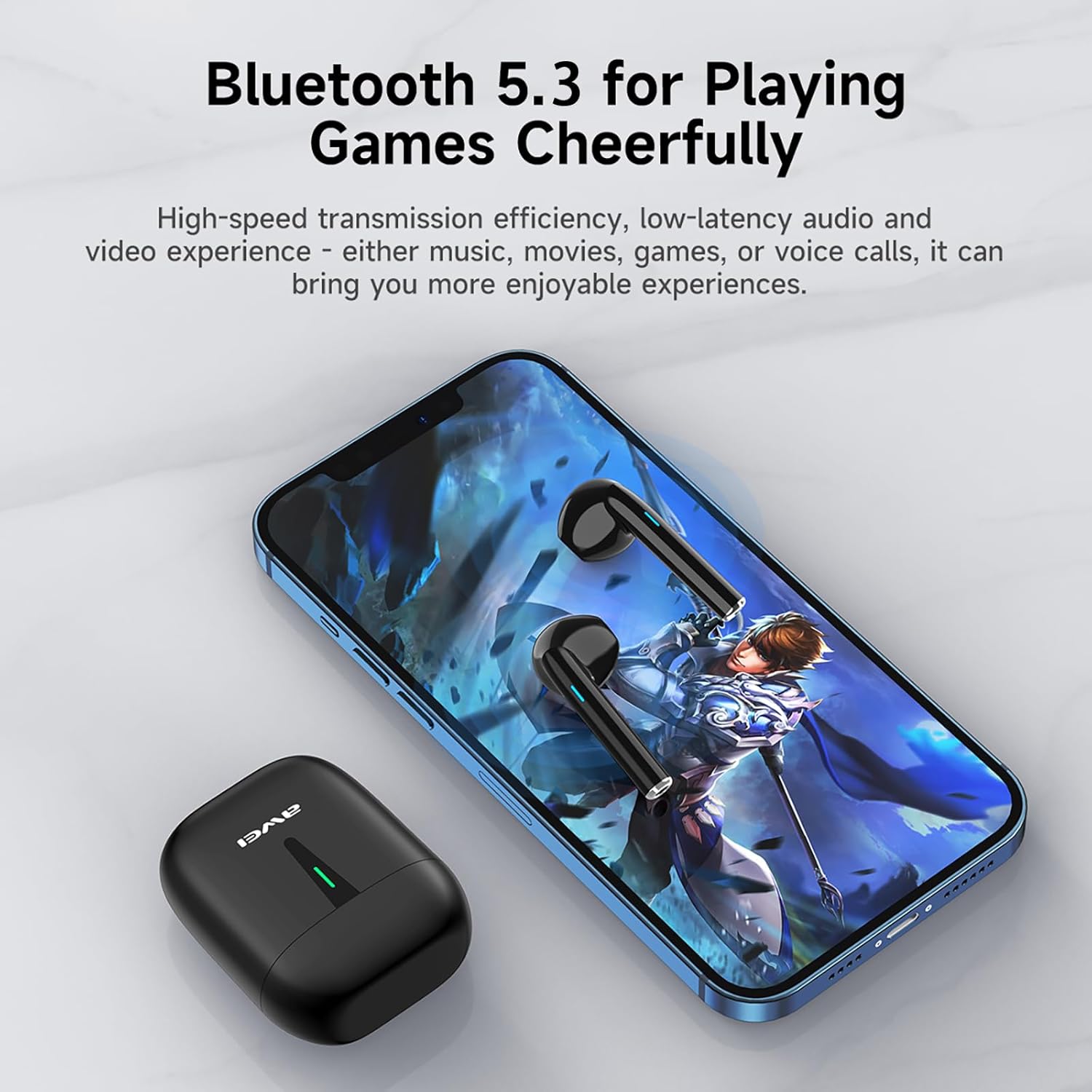
Image: A smartphone displaying a game, with AWEI T21 earbuds and their charging case nearby, emphasizing Bluetooth 5.3 for low-latency audio.
4. Petunjuk Pengoperasian
4.1 Daya Hidup/Mati
- Nyalakan: Earbud akan otomatis menyala saat dilepaskan dari wadah pengisi daya.
- Matikan: Masukkan kembali earbud ke dalam wadah pengisi daya untuk mematikannya secara otomatis dan memulai pengisian daya.
4.2 Kontrol Sentuh Cerdas
The AWEI T21 earbuds feature intuitive touch controls on each earbud. Specific touch functions may vary slightly by device, but common controls include:
- Putar/Jeda: Ketuk satu kali pada salah satu earbud.
- Lagu Berikutnya: Ketuk dua kali pada earbud kanan.
- Lagu Sebelumnya: Ketuk dua kali pada earbud kiri.
- Menjawab/Mengakhiri Panggilan: Ketuk satu kali pada salah satu earbud.
- Tolak Panggilan: Tekan dan tahan salah satu earbud selama 2 detik.
- Kontrol Volume: (Specific gesture not detailed in product info, typically long press or multiple taps. Refer to device settings if needed.)
- Aktifkan Voice Assistant: (Specific gesture not detailed in product info, typically triple tap or long press.)
4.3 Monaural and Binaural Modes
The earbuds support both single-ear (monaural) and dual-ear (binaural) usage modes.
- Modus Monaural: Use one earbud independently while the other is in the charging case. This extends total listening time by allowing you to alternate earbuds.
- Modus Binaural: Use both earbuds simultaneously for stereo sound.

Image: Illustration of AWEI T21 earbuds in both monaural (single earbud connected) and binaural (both earbuds connected for stereo) modes.
5. Pemeliharaan
5.1 Pembersihan
- Bersihkan earbud dan casing pengisi daya secara perlahan menggunakan kain yang lembut, kering, dan tidak berbulu.
- Jangan gunakan pembersih abrasif, pelarut, atau semprotan aerosol.
- Pastikan kontak pengisian daya pada earbud dan casing bersih dan kering.
5.2 Tahan Air
The AWEI T21 earbuds are rated IPX6 waterproof, meaning they are protected against high-pressure water jets from any direction. This makes them suitable for use during workouts or in light rain. However, they are not designed for submersion in water. Ensure earbuds are dry before placing them back in the charging case.
5.3 Penyimpanan
Saat tidak digunakan, simpan earbud di dalam wadah pengisi dayanya untuk melindungi dan menjaga dayanya tetap terisi. Simpan di tempat yang sejuk dan kering, jauhkan dari suhu ekstrem.
6. Penyelesaian masalah
| Masalah | Solusi yang mungkin |
|---|---|
| Earbud tidak berpasangan dengan perangkat. |
|
| Hanya satu earbud yang berfungsi. |
|
| Earbud tidak dapat diisi dayanya. |
|
| Low sound quality or intermittent connection. |
|
7. Spesifikasi
| Nama Model | T21 |
| Merek | Awei |
| Teknologi Konektivitas | Nirkabel (Bluetooth) |
| Versi Bluetooth | 5.3 |
| Jangkauan Bluetooth | 10 Meter |
| Penempatan Telinga | Di Telinga |
| Jenis Kontrol | Kontrol Sentuh |
| Tingkat Tahan Air | Tahan Air IPX6 |
| Masa Pakai Baterai Earbud | 6 Jam (penggunaan terus menerus) |
| Kapasitas Kotak Pengisian Daya | 300 mAh |
| Total Waktu Bermain (dengan casing) | Up to 36 Hours (dual-ear mode), Up to 72 Hours (single-ear alternating) |
| Waktu Pengisian Daya (Kasus) | 1.5 Jam (melalui Tipe-C) |
| Jenis Penggerak Audio | Driver Dinamis (speaker 10mm) |
| Bahan | Silicone (ear caps) |
| Berat Barang | 0.09 Kilogram |
| Komponen yang Termasuk | USB-C Charging Cable, Wireless Bluetooth Headset, User Instructions, Wireless Bluetooth Headset Charging Case |
8. Informasi Garansi
The AWEI T21 Bluetooth Earbuds come with a Garansi 1 tahun Terhitung sejak tanggal pembelian. Garansi ini mencakup cacat produksi. Harap simpan bukti pembelian Anda untuk klaim garansi. Garansi ini tidak mencakup kerusakan yang disebabkan oleh penyalahgunaan, kecelakaan, modifikasi tanpa izin, atau keausan normal.
9. Dukungan Pelanggan
For further assistance, technical support, or warranty inquiries, please contact Awei customer service through the retailer where you purchased the product or visit the official Awei websitus untuk informasi kontak.