
HOMCOM 712-068V00WT
HOMCOM Upright Rollator Walker Instruction Manual
Model: 712-068V00WT
Merek: HOMCOM
1. Pendahuluan
Thank you for choosing the HOMCOM Upright Rollator Walker, Model 712-068V00WT. This manual provides essential information for the safe assembly, operation, and maintenance of your new mobility aid. Please read these instructions thoroughly before use and retain them for future reference.

Image 1.1: The HOMCOM Upright Rollator Walker. This image displays the complete walker from a front-side angle, highlighting its white frame, black wheels, and integrated storage bag and tray.
2. Informasi Keselamatan
Tindakan pencegahan keselamatan yang penting:
- Always ensure all parts are securely assembled before each use.
- Periksa rem secara berkala untuk memastikan fungsinya berjalan dengan baik.
- Do not exceed the maximum weight capacity of 240 lbs for the handle and 11 lbs for the storage pocket.
- Gunakan pada permukaan yang datar dan stabil. Hindari medan yang tidak rata, tangga, atau eskalator.
- Ensure the walker is fully locked in the open position before transferring weight to it.
- Consult a healthcare professional for guidance on proper walker use if you have specific mobility needs.
3. Isi Paket
Upon opening the package, verify that all components are present and undamaged. If any parts are missing or damaged, contact customer support immediately.
- 1x HOMCOM Upright Rollator Walker (partially assembled)
- Tas Penyimpanan 1x
- 1x Baki
- 1x Buku Petunjuk

Image 3.1: The product package. This image shows a brown cardboard box labeled "HOMCOM" with "1x PACKAGE" next to it, indicating the product comes in a single package.
4. Pengaturan dan Perakitan
The HOMCOM Upright Rollator Walker requires minimal assembly, typically taking 5-10 minutes. No special tools are required.
- Buka Walker: Carefully remove the walker from its packaging. Gently pull the sides apart until the frame locks into its open position. Ensure all locking mechanisms are engaged.
- Attach Storage Bag and Tray: Place the storage bag onto the designated hooks or frame sections. Position the tray securely on top of the storage bag or frame, ensuring it is stable.
- Sesuaikan Tinggi Pegangan: Refer to Section 5 for detailed instructions on adjusting the handle height to your comfort.

Image 4.1: The HOMCOM Upright Rollator Walker positioned indoors. This image shows the fully assembled walker in a home setting, ready for use.
5. Penyesuaian
5.1 Menangani Penyesuaian Tinggi
The walker features five height adjustment levels to accommodate users from 5'3" to 6'3" tall, ensuring personalized comfort and usability.
- Locate the push-button mechanisms on the side of the handle bars.
- Tekan tombol dan geser pegangan ke atas atau ke bawah hingga ketinggian yang diinginkan.
- Ensure the button fully re-engages into one of the five adjustment holes, securing the handle at the chosen height. Repeat for the other side.
- Verify both handles are at the same height before use.

Image 5.1: Diagram illustrating handle height adjustment. This graphic shows the walker's adjustable handle, indicating 5 levels of height adjustment and suitability for users between 5'3" and 6'3".
6. Petunjuk Pengoperasian
6.1 Using the Walker
To use the walker, stand behind it with your hands on the handles. Push the walker forward a short distance, then step forward with one foot, followed by the other. Maintain a steady pace and keep your body centered within the walker's frame.
6.2 Dual Hand Brakes
The walker is equipped with dual hand brakes for enhanced safety and control.
- Untuk Memperlambat atau Menghentikan: Gently squeeze the brake levers located on the handles. The harder you squeeze, the more braking force will be applied.
- Untuk mengunci rem: Push the brake levers down until they click into the locked position. This will prevent the walker from moving, providing stability when standing or resting. To unlock, pull the levers back up.
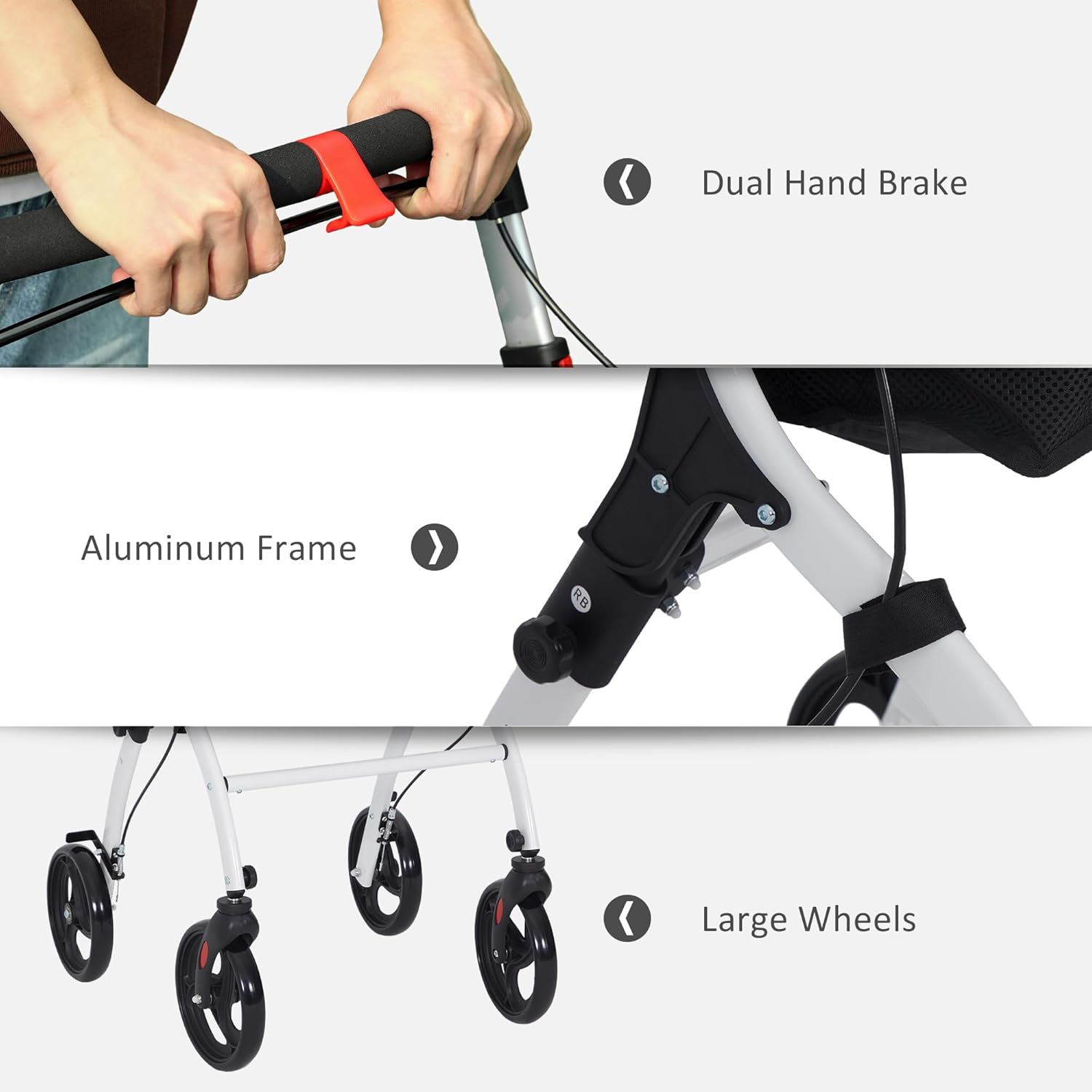
Gambar 6.1: Detail view of key features. This image highlights the dual hand brakes on the handle, the robust aluminum frame, and the large wheels designed for smooth mobility.
6.3 Using the Storage Bag and Tray
The integrated storage bag and tray provide convenient space for personal items.
- The top tray is ideal for holding items like phones, drinks, or snacks for easy access.
- The storage bag beneath the tray can hold larger personal items. Ensure items are securely placed and do not exceed the 11 lbs weight limit.

Image 6.2: Close-up of the storage features. This image details the storage bag and the top tray, showing how they can be used to carry personal items and small objects.

Gambar 6.3: Interior view of the storage basket. This image provides a clear view inside the mesh storage basket, demonstrating its capacity for various items.
7. Penyimpanan dan Portabilitas
The HOMCOM Upright Rollator Walker features a compact, foldable design for easy storage and transport.
- Lipat: To fold the walker, ensure the brakes are unlocked. Follow the reverse steps of assembly, typically involving releasing a latch or pulling a strap to collapse the frame.
- Once folded, the walker becomes compact, making it suitable for storage in small spaces or for transport in a vehicle.
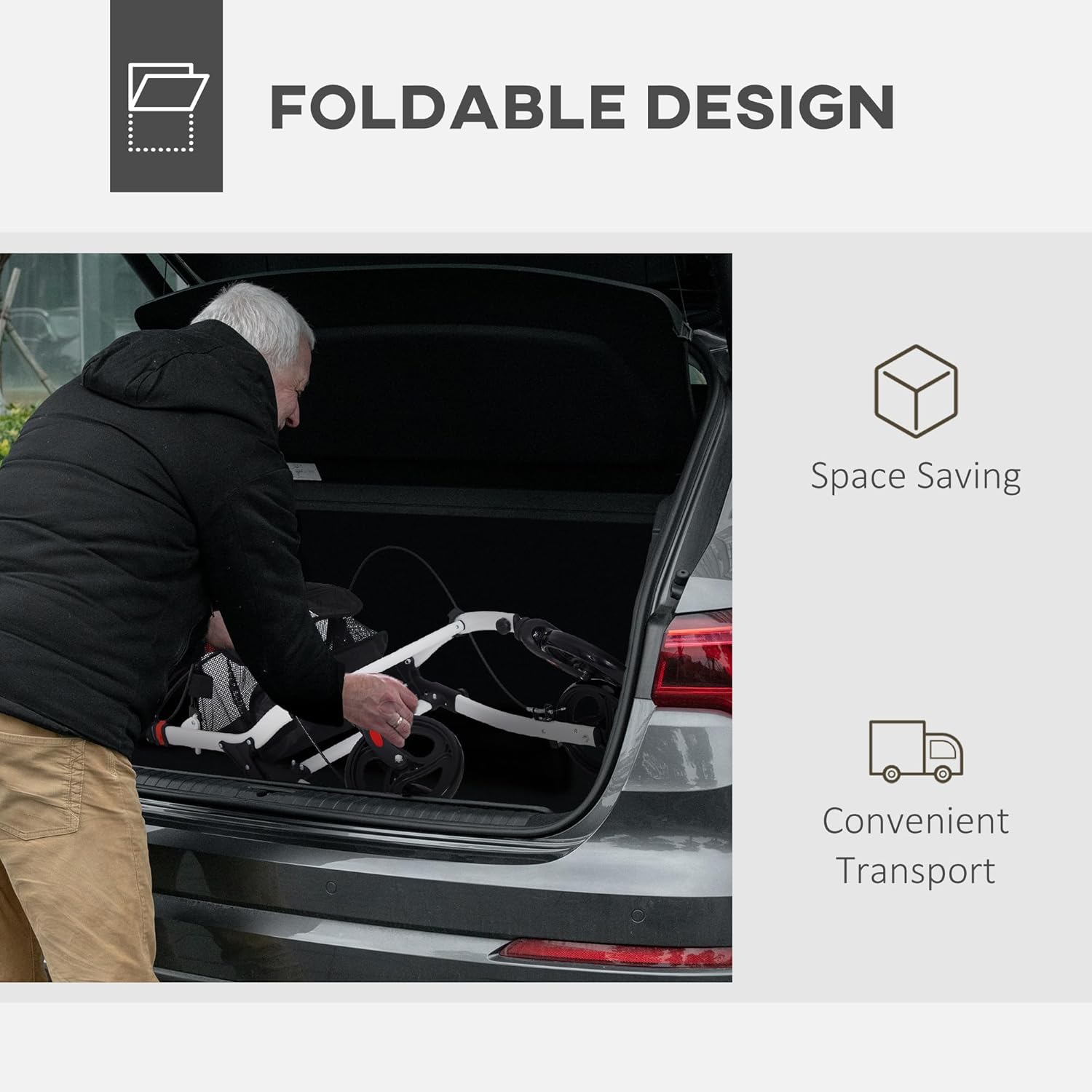
Image 7.1: Demonstrating the foldable design. This image shows an individual easily folding the walker and placing it into the trunk of a car, illustrating its space-saving and convenient transport features.

Image 7.2: Dimensions of the walker, folded and unfolded. This diagram provides a clear visual of the walker's measurements in both its operational and folded states, highlighting its compact nature for storage.
8. Pemeliharaan
Perawatan rutin memastikan umur panjang dan pengoperasian yang aman dari alat bantu jalan Anda.
- Pembersihan: Bersihkan bingkai dengan iklanamp kain dan deterjen ringan. Hindari pembersih yang bersifat abrasif.
- Rem: Periodically check brake cables and levers for wear and proper tension. Adjust if necessary (consult a professional if unsure).
- Roda: Inspect wheels for debris and ensure they roll smoothly. Clean any accumulated dirt or hair from the axles.
- Pengencang: Ensure all screws, bolts, and locking mechanisms are tight and secure.
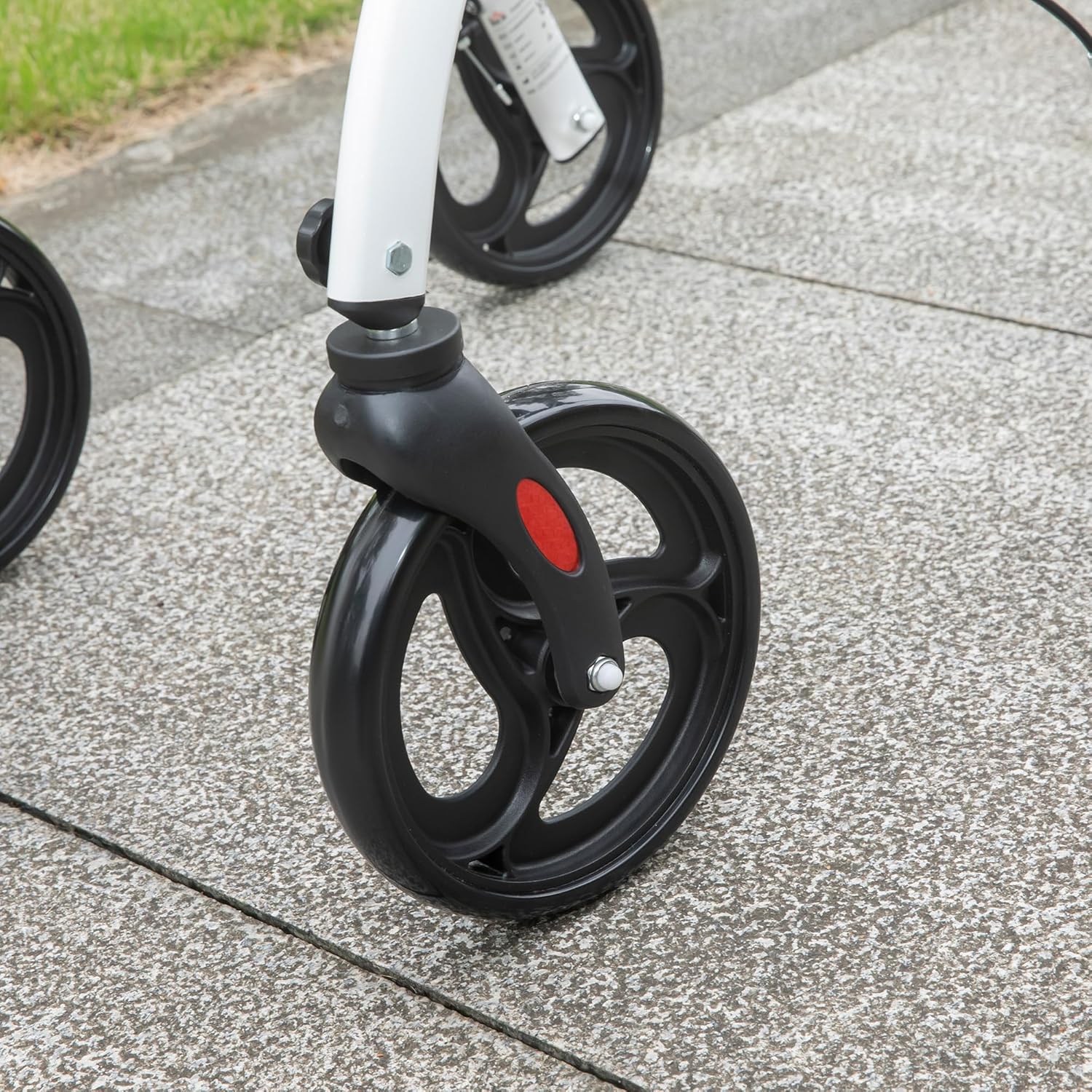
Gambar 8.1: Close-up view of a walker wheel. This image focuses on one of the large wheels, showing its design and attachment point, which should be kept clean for optimal performance.
9. Penyelesaian masalah
| Masalah | Kemungkinan Penyebab | Larutan |
|---|---|---|
| Walker does not roll smoothly. | Serpihan di roda, poros longgar, roda aus. | Clean wheels, check axle tightness, replace worn wheels if necessary. |
| Remnya tidak berfungsi dengan baik. | Loose brake cable, worn brake pads, improper adjustment. | Check and tighten brake cables. Adjust brake tension. If issues persist, consult a professional. |
| Walker merasa tidak stabil. | Not fully unfolded/locked, loose fasteners, uneven handle height. | Ensure walker is fully locked open. Tighten all fasteners. Verify handle heights are equal. |
10. Spesifikasi
- Model: 712-068V00WT
- Merek: HOMKOM
- Bahan: Aluminium
- Warna: Putih
- Dimensi Produk (Saat Dibuka): 21.3"Panjang x 25.4"Lebar x 40.2"T
- Ukuran terlipat: 37.8"P x 21.9"L x 13.4"T
- Berat Barang: 15 pon
- Handle Weight Capacity: 240 pon
- Storage Pocket Capacity: 11 pon
- Tinggi Pegangan yang Dapat Diatur: 5 levels, suitable for users 5'3" - 6'3"
11. Garansi dan Dukungan
Untuk informasi garansi, dukungan produk, atau pemesanan suku cadang pengganti, silakan hubungi layanan pelanggan HOMCOM. Lihat dokumentasi pembelian Anda untuk ketentuan garansi spesifik dan detail kontak.
Pabrikan: Aosom LLC
Tanggal Pertama Tersedia: 15 Nopember 2024
Ask a question about this manual
Ask about setup, troubleshooting, compatibility, parts, safety, or missing instructions. Manuals+ will review the question and use this page’s manual context to help answer it.