
1. Pendahuluan
This manual provides essential information for the safe and effective use of your Technical Precision Replacement For DIE HARD 50765 BATTERY. This product is designed as a direct replacement for the specified battery model, ensuring compatibility and reliable performance. Please read this manual thoroughly before installation and retain it for future reference.
2. Informasi Keselamatan
Batteries contain corrosive sulfuric acid and produce explosive hydrogen gas. Improper handling can lead to severe injury or death. Always follow these safety guidelines:
- Gunakan Pelindung Mata: Selalu kenakan kacamata pengaman atau pelindung mata saat bekerja dengan baterai.
- Kenakan Pakaian Pelindung: Use gloves and protective clothing to prevent contact with battery acid.
- Hindari percikan api dan nyala api: Jauhkan semua percikan api, nyala api, dan bahan berasap dari baterai.
- Pastikan Ventilasi: Work in a well-ventilated area to disperse hydrogen gas.
- Alat yang Tepat: Use insulated tools to prevent short circuits.
- Pertolongan Pertama: In case of contact with acid, flush immediately with water and seek medical attention.
- Pembuangan yang Benar: Buang baterai bekas secara bertanggung jawab di pusat daur ulang resmi.
3. Pengaturan dan Instalasi
Before beginning, ensure your vehicle's ignition is off and the parking brake is engaged. It is recommended to consult your vehicle's owner's manual for specific battery replacement procedures.
- Temukan Baterai: Identify the location of the battery in your vehicle.
- Disconnect Negative Terminal: Using an appropriate wrench, loosen and remove the negative (-) cable (usually black) first. Move it away from the battery terminal.
- Disconnect Positive Terminal: Next, loosen and remove the positive (+) cable (usually red). Move it away from the battery terminal.
- Remove Hold-Down Clamp: Loosen and remove any battery hold-down clamps atau tali.
- Lepaskan Baterai Lama: Carefully lift the old battery out of the battery tray. Batteries are heavy; use proper lifting techniques or seek assistance.
- Bersihkan Baki Baterai dan Terminal: Inspect the battery tray for corrosion and clean it thoroughly. Clean the battery cable clamps with a wire brush if necessary.
- Pasang Baterai Baru: Carefully place the new Technical Precision Replacement Battery into the battery tray, ensuring it is seated securely.
- Secure Hold-Down Clamp: Reinstall and tighten the battery hold-down clamp to secure the battery in place.
- Hubungkan Terminal Positif: Connect the positive (+) cable to the positive (+) terminal of the new battery and tighten securely.
- Hubungkan Terminal Negatif: Connect the negative (-) cable to the negative (-) terminal of the new battery and tighten securely.
- Pemeriksaan Akhir: Ensure all connections are tight and the battery is stable.
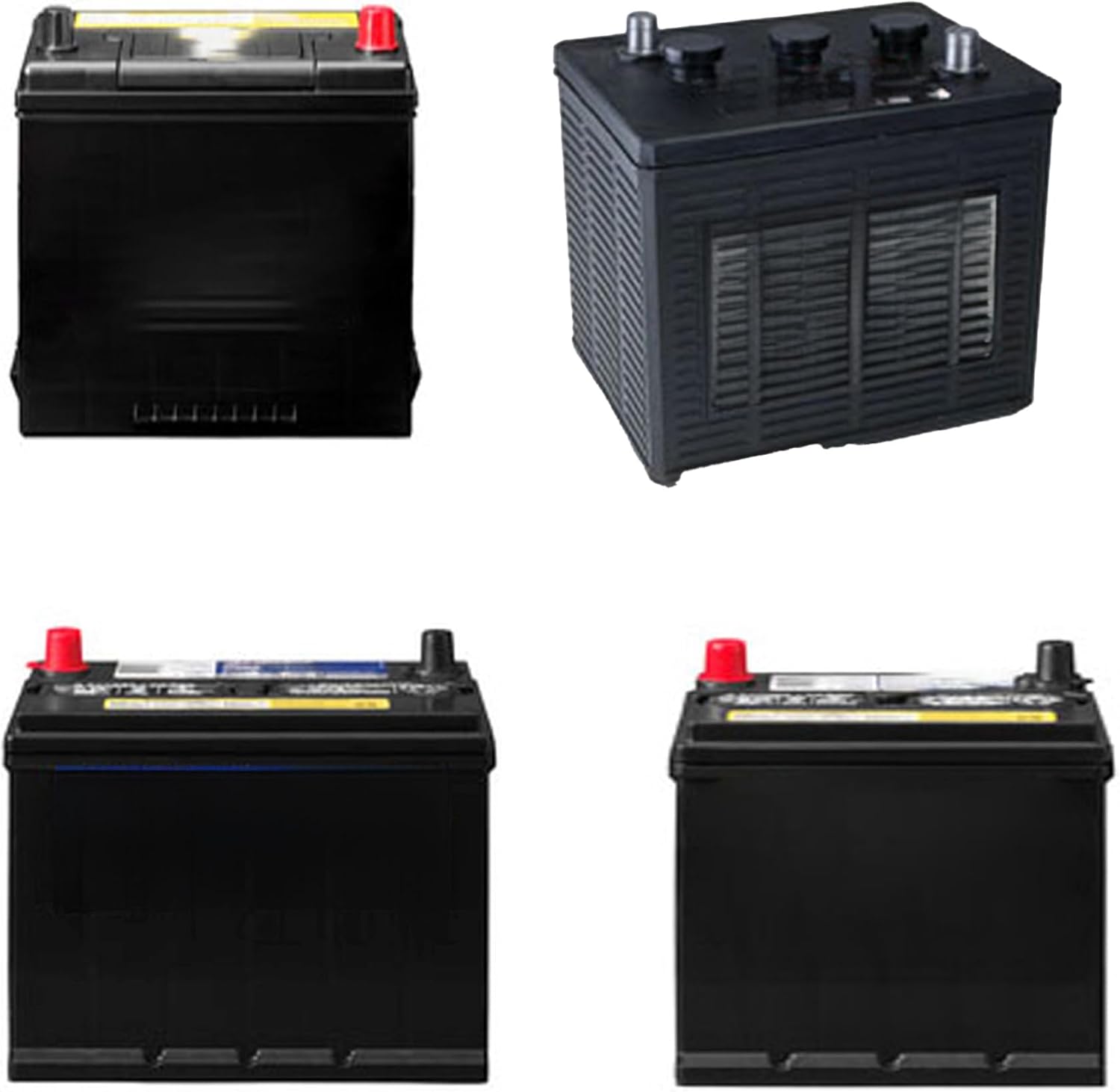
Image: Various perspectives of the replacement battery, showing its standard automotive design with positive (red) and negative (black) terminals, and a ribbed casing.
4. Operasi
After successful installation, your vehicle should be ready to start. Turn the ignition key to the 'ON' position and observe the dashboard lights. Then, attempt to start the engine. If the engine cranks normally and starts, the installation was successful. Allow the vehicle to run for a few minutes to ensure the alternator begins charging the new battery.
5. Pemeliharaan
Regular maintenance can extend the life of your battery and ensure reliable performance:
- Jaga Terminal Tetap Bersih: Periksa terminal baterai secara berkala untuk melihat adanya korosi. Jika terdapat korosi, bersihkan dengan sikat kawat dan campuran soda kue dan air. Bilas dengan air bersih dan keringkan hingga benar-benar kering.
- Periksa Koneksi: Ensure battery cable connections remain tight. Loose connections can lead to poor performance and potential damage.
- Keep Battery Top Clean: Wipe down the top of the battery to remove dirt and grime, which can create conductive paths and lead to self-discharge.
- Biaya Monitor: If the vehicle is not used for extended periods, consider using a trickle charger to maintain the battery's charge.
- Hindari Pelepasan Cairan Dalam: Do not allow the battery to fully discharge, as this can significantly reduce its lifespan.
6. Penyelesaian masalah
If you encounter issues after installing the battery, refer to the table below for common problems and solutions:
| Masalah | Kemungkinan Penyebab | Larutan |
|---|---|---|
| Engine won't crank or cranks slowly | Low battery charge; Loose or corroded terminals | Periksa volume bateraitage; Clean and tighten battery terminals; Recharge or replace battery if necessary. |
| Lampu depan redup | Low battery charge; Faulty alternator | Periksa volume bateraitage; Have alternator tested by a professional. |
| Lampu indikator baterai di dasbor menyala. | Charging system issue (alternator, voltagpengatur) | Have charging system inspected by a qualified mechanic. |
| Korosi pada terminal | Normal chemical reaction; Loose connections | Clean terminals thoroughly; Apply anti-corrosion grease; Ensure connections are tight. |
7. Spesifikasi
The following are the technical specifications for the Replacement For DIE HARD 50765 BATTERY:
| Fitur | Detil |
|---|---|
| Merek | Presisi Teknis |
| Model | 50765 BATTERY-AX-BRV2-4 |
| Nomor Model Barang | 50765 BATTERY-AX-BRV2-4 |
| Nomor Bagian Pabrikan | 50765 BATTERY-AX-BRV2-4 |
| Jenis Kesesuaian Otomotif | Kesesuaian Khusus Kendaraan |
| ASIN | B0DNNFWCDD |
| Tanggal Pertama Tersedia | 12 Oktober 2022 |
8. Garansi dan Dukungan
For any questions, technical assistance, or warranty inquiries regarding your Technical Precision Replacement For DIE HARD 50765 BATTERY, please contact Technical Precision customer support. Refer to your purchase documentation for specific warranty terms and contact information.