
AODK OKTB01060701003JP
AODK L-Shaped Desk Instruction Manual
Model: OKTB01060701003JP
1. Pendahuluan
Terima kasih sudah membeliasing the AODK L-Shaped Desk. This manual provides essential information for the safe and correct assembly, operation, and maintenance of your new desk. Please read these instructions carefully before beginning assembly and retain them for future reference.
2. Fitur Produk
The AODK L-Shaped Desk is designed for versatility and durability, suitable for various uses including gaming, office work, and studying. Key features include:
- Desain Berbentuk L: Maximizes corner space, providing ample work surface.
- Integrated Storage Rack: Conveniently located shelves for books, documents, and other items.
- Rak yang Dapat Disesuaikan: The height of the shelves can be adjusted to accommodate different items.
- Konstruksi kokoh: Features a high-strength steel frame and melamine laminated board for stability and durability, with a tabletop load capacity of 50kg.
- Monitor Arm Compatibility: Improved design with inward-positioned reinforcement pipes allows for easy attachment of monitor arm clamps.
- Lubang Pengelolaan Kabel: Helps keep cables organized and out of sight.
- Pengait Samping: Convenient hooks for hanging bags, headphones, or other accessories.
- Kaki yang Dapat Disesuaikan: Equipped with adjusters to ensure stability on uneven floors and prevent wobbling.
- Desain Berfokus pada Keselamatan: Tabletop features rounded (fillet) corners to prevent accidental bumps and injuries.

Gambar 2.1: Keseluruhan view of the AODK L-Shaped Desk setup.

Image 2.2: The monitor stand feature helps elevate your screen for better posture.

Image 2.3: Integrated cable management hole for a tidy workspace.

Image 2.4: Adjustable feet ensure desk stability on uneven surfaces.
3. Isi Paket
Before beginning assembly, please verify that all parts listed in the assembly guide (included in the package) are present and undamaged. If any parts are missing or damaged, please contact customer support.
Biasanya, paket tersebut mencakup:
- Tabletop sections (L-shaped)
- Steel frame components (legs, crossbars)
- Shelf boards
- Dudukan monitor
- Side hooks
- Kaki yang bisa disesuaikan
- All necessary screws, bolts, and assembly tools (e.g., Allen wrench)
- Manual Instruksi Perakitan
4. Petunjuk Perakitan
Assembly requires careful attention to detail. It is recommended to have two people for easier and safer assembly. Please follow the step-by-step instructions provided in the separate assembly guide included with your product. Below are general guidelines and important notes:
- Persiapan: Clear a spacious area for assembly. Lay out all parts and hardware. Keep the assembly guide handy.
- Perakitan Rangka Awal: Begin by assembling the main steel frame components. Ensure all parts are oriented correctly before tightening screws.
- Attaching Tabletop: Carefully place the tabletop sections onto the assembled frame. Secure them with the provided screws.
- Memasang Rak: Insert the shelf boards into the designated slots on the frame. Adjust the height as desired before fully securing.
- Menambahkan Aksesori: Attach the monitor stand, side hooks, and adjustable feet.
Catatan Perakitan Penting:
- Do Not Overtighten Screws: Tighten screws firmly but avoid excessive force, as this can damage the material. Stop tightening once you feel resistance.
- Verify Part Orientation: Pay close attention to the orientation of similar-looking parts, especially crossbars. Some users have reported that parts labeled 'H' and 'I' in the manual may be reversed in practice. Always cross-reference with the visual diagrams and ensure parts fit correctly before fully securing.
- Kaki yang Dapat Disesuaikan: Once assembled, adjust the feet to level the desk and prevent any wobbling.

Image 4.1: Desk dimensions for planning your space.
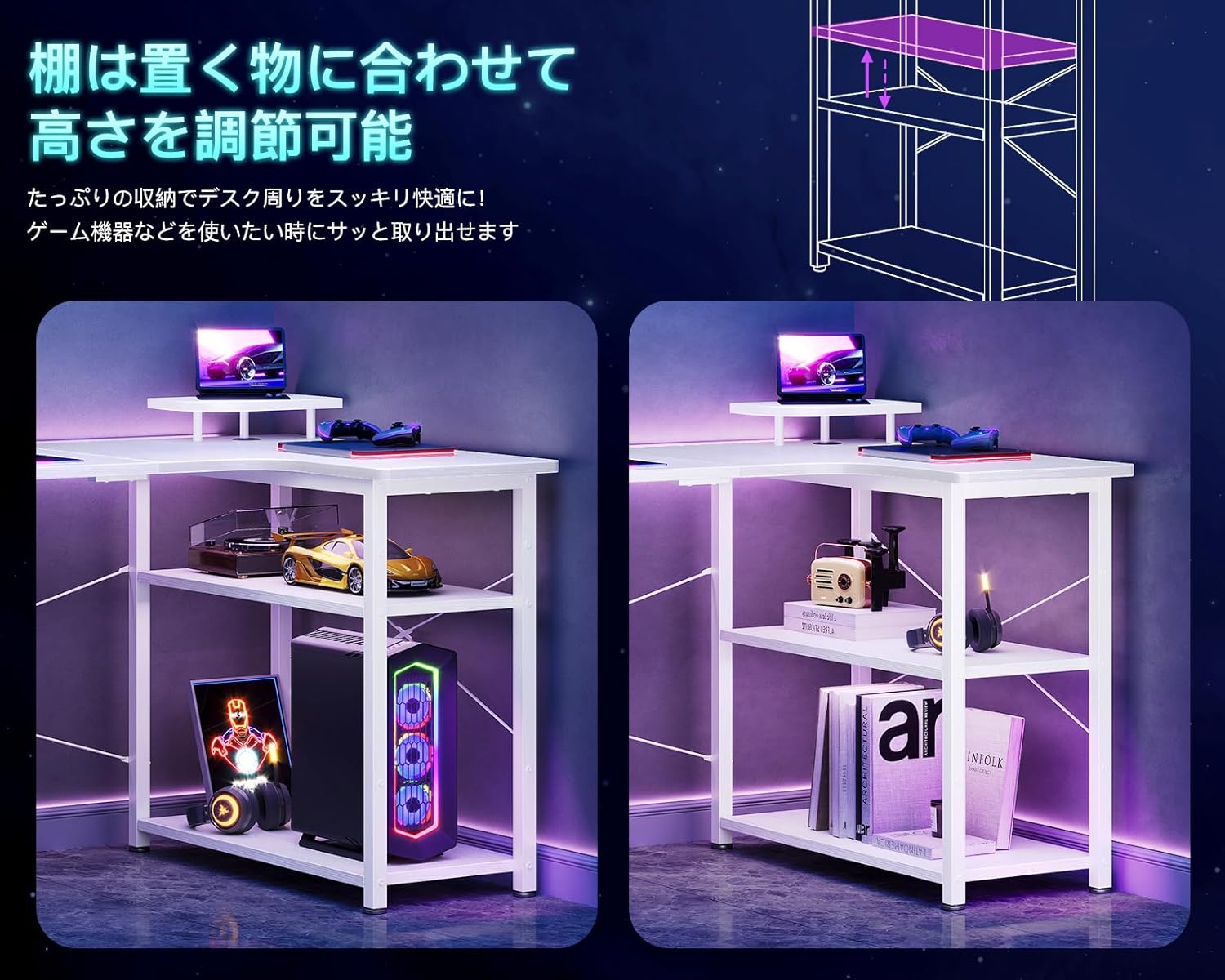
Image 4.2: The integrated shelves can be adjusted to different heights.
5. Petunjuk Pengoperasian
Your AODK L-Shaped Desk is designed for optimal functionality and comfort. Here are guidelines for its use:
- Pemanfaatan Ruang Kerja: Desain berbentuk L menyediakan ample space for multiple monitors, a keyboard, mouse, and other peripherals. Arrange your setup to maximize comfort and efficiency.
- Penyimpanan: Use the integrated shelves to store books, documents, computer towers, or decorative items. Adjust shelf heights as needed to fit your items.
- Dudukan Monitor: Place your monitor on the elevated stand to improve your ergonomic posture and reduce strain on your neck and shoulders.
- Manajemen Kabel: Route power cords and data cables through the designated cable management hole to keep your desktop clear and organized.
- Pengait Samping: Utilize the side hooks for convenient storage of headphones, bags, or other items you need to keep within reach but off the desk surface.
- Monitor Arm Installation: If using a monitor arm, attach the clamp to the edge of the desk. The improved design ensures sufficient space for secure attachment without interference from internal reinforcement pipes.
6. Pemeliharaan
Proper care will extend the life and appearance of your AODK L-Shaped Desk:
- Pembersihan: Bersihkan permukaan meja dengan kain lembut dan kering.amp cloth. For stubborn stains, use a mild soap solution and dry immediately. Avoid abrasive cleaners or harsh chemicals, as they can damage the finish.
- Tumpahan: Immediately wipe up any spills to prevent water damage or staining, especially on the melamine laminated board.
- Perlindungan Panas: While the tabletop is heat-resistant, it is advisable to use coasters or heat pads for hot items to prevent potential damage over time.
- Pemeriksaan Rutin: Periodically check all screws and bolts to ensure they remain tight. Retighten if necessary, but remember not to overtighten.
- Hindari Dampak Berat: Do not place excessively heavy items on the desk or subject it to strong impacts, which could compromise its structural integrity.
7. Penyelesaian masalah
If you encounter any issues with your AODK L-Shaped Desk, refer to the following common solutions:
- Meja goyang:
- Pastikan semua sekrup dan baut dikencangkan dengan aman.
- Adjust the leveling feet at the bottom of the desk legs to compensate for uneven floor surfaces.
- Verify that all frame components are correctly assembled according to the manual.
- Parts Don't Fit During Assembly:
- Double-check the part numbers and orientations against the assembly guide. Some similar-looking parts (e.g., crossbars H and I) might be easily confused or incorrectly labeled in the manual. Try swapping them if they don't fit initially.
- Ensure no screws are overtightened prematurely, which could misalign holes. Loosen slightly, adjust, and then retighten.
- Goresan atau Kerusakan Selama Perakitan:
- Always assemble on a soft, clean surface (e.g., a rug or cardboard) to prevent scratching the desk components.
- If minor cosmetic damage occurs, it may be repairable with touch-up paint or furniture markers.
If these steps do not resolve your issue, please contact AODK customer support for further assistance.
8. Spesifikasi
| Merek | AODK |
| Nomor Model | OKTB01060701003JP |
| Membentuk | Berbentuk L |
| Jenis Meja | Computer Desk, Desk with Shelves |
| Dimensi Produk (P x L x T) | 75 cm x 90 cm x 74 cm (Kurang lebih 29.5 x 35.4 x 29.1 inci) |
| Berat Barang | Approx. 12 KG (Approx. 26.5 lbs) |
| Kapasitas Beban Meja | 50 kg (Sekitar 110 lbs) |
| Warna | Putih |
| Bahan Dasar | Logam (Baja) |
| Bahan Meja | High-strength Melamine Laminated Board |
| Jenis Selesai | Powder Coated (frame) |
| Perakitan Diperlukan | Yes (Customer Assembly) |
| Alat yang disertakan | Ya |
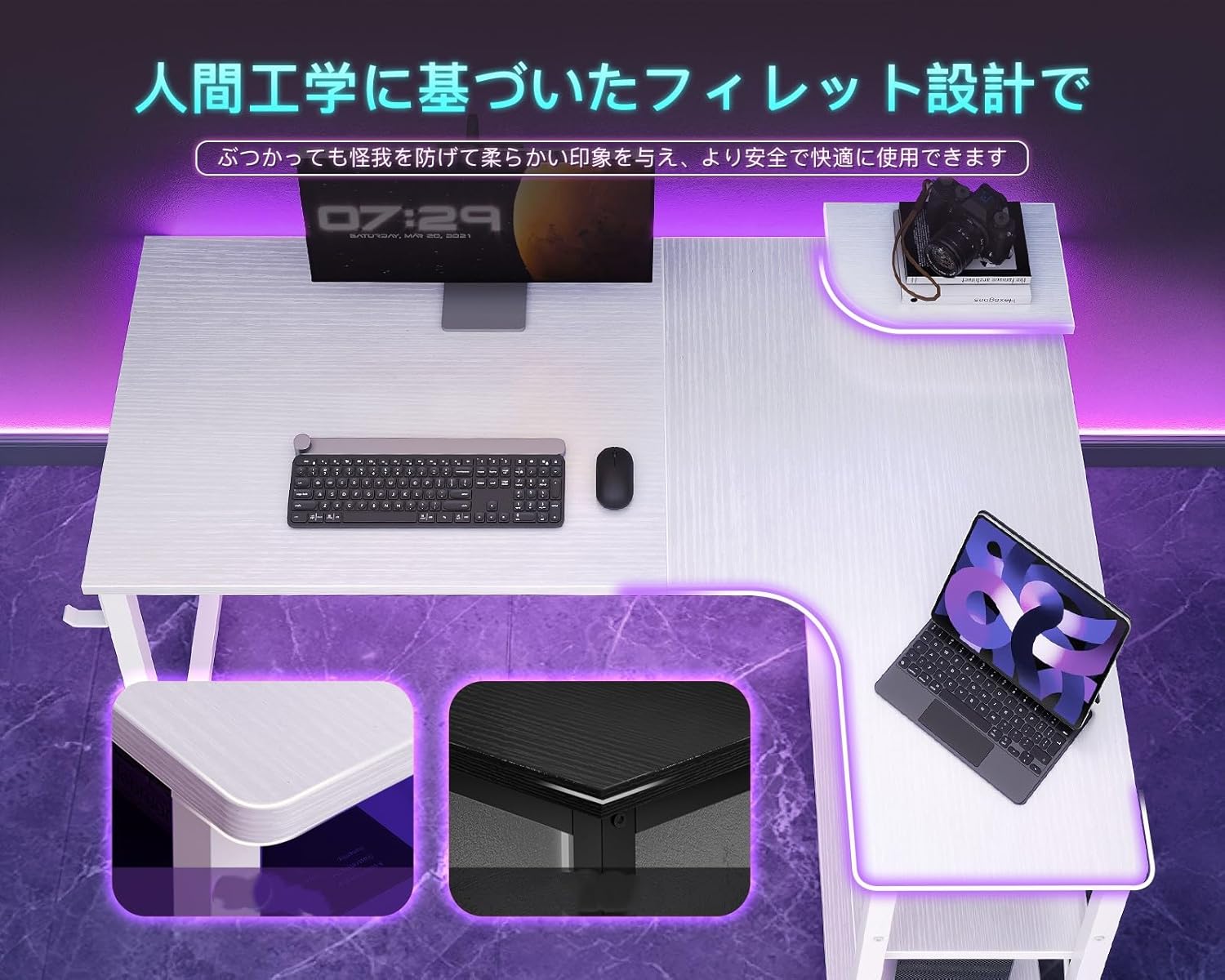
Image 8.1: Detail of the rounded corners for safety.
9. Garansi dan Dukungan
AODK is committed to providing high-quality products. For any questions, concerns, or issues regarding your L-Shaped Desk, please refer to the contact information provided with your purchase or visit the official AODK websitus untuk detail dukungan pelanggan.
In case of initial defects upon purchase, please contact customer support immediately for assistance.
Ask a question about this manual
Ask about setup, troubleshooting, compatibility, parts, safety, or missing instructions. Manuals+ will review the question and use this page’s manual context to help answer it.