
1. Pendahuluan
This manual provides essential information for the safe and efficient operation of your GROWATT INFINITY 2000 Pro Portable Power Station Expansion Battery. Please read this manual thoroughly before using the product and retain it for future reference.
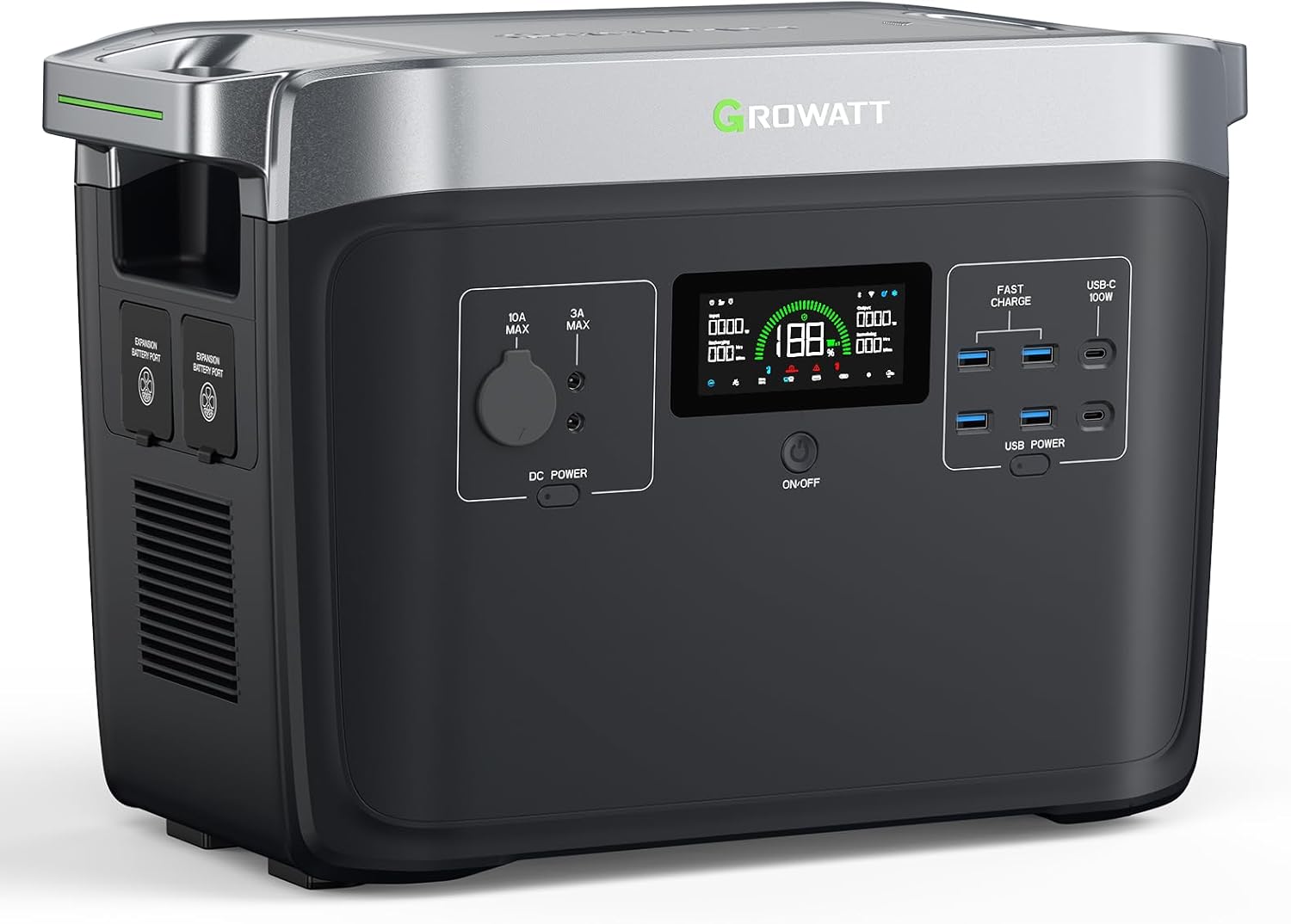
Image 1.1: The GROWATT INFINITY 2000 Pro Portable Power Station Expansion Battery.
2. Petunjuk Keselamatan
Untuk memastikan pengoperasian yang aman, selalu ikuti pedoman berikut:
- Jangan membongkar, memperbaiki, atau memodifikasi unit.
- Jauhkan unit dari sumber panas, sinar matahari langsung, dan bahan yang mudah terbakar.
- Jangan biarkan unit terkena air atau cairan lainnya.
- Gunakan hanya aksesori asli atau bersertifikat.
- Pastikan ventilasi yang tepat selama penggunaan dan pengisian daya.
- Jauhkan dari jangkauan anak-anak dan hewan peliharaan.
3. Isi Paket
Verifikasi bahwa semua item ada dalam paket Anda:
- GROWATT INFINITY 2000 Pro Expansion Battery
- Kabel Ekspansi Baterai
- Panduan Pengguna
- Panduan Memulai Cepat
- Kartu Garansi
4. Fitur Produk
4.1. Kapasitas yang Dapat Diperluas
The INFINITY 2000 Pro Expansion Battery provides an additional 2048Wh capacity. It can be connected to the INFINITY 2000 Pro Portable Power Station to expand its total capacity to 4096Wh. Up to two expansion batteries can be added, increasing the total capacity to a maximum of 6144Wh for extended power needs.
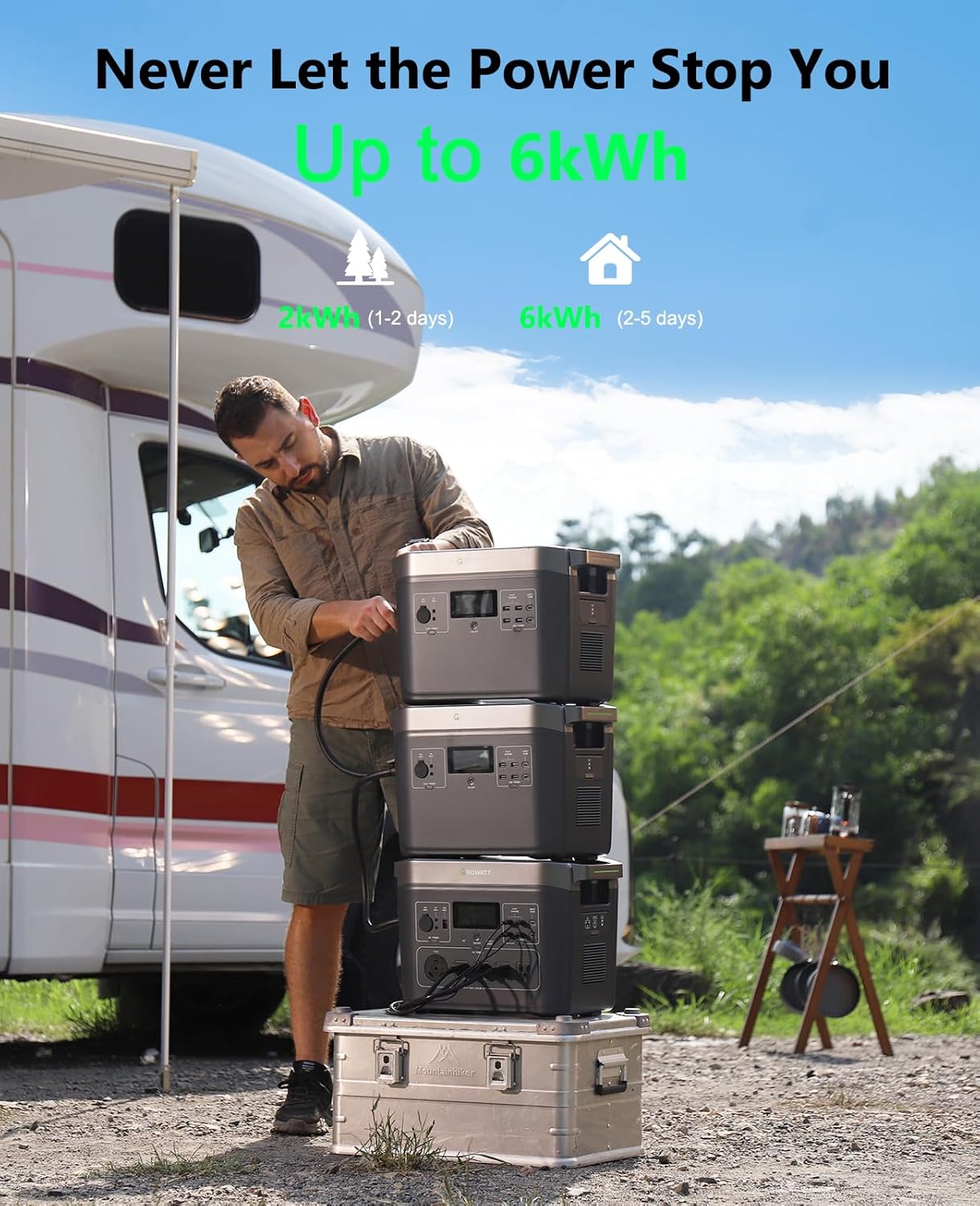
Image 4.1: The GROWATT INFINITY 2000 Pro with multiple expansion batteries, demonstrating expandable capacity.
4.2. Advanced Battery Technology
Equipped with a LifePO4 battery, this unit offers over 4000 charge cycles, ensuring a lifespan of over 10 years. The integrated Battery Management System (BMS) provides comprehensive protection for safe and reliable operation.
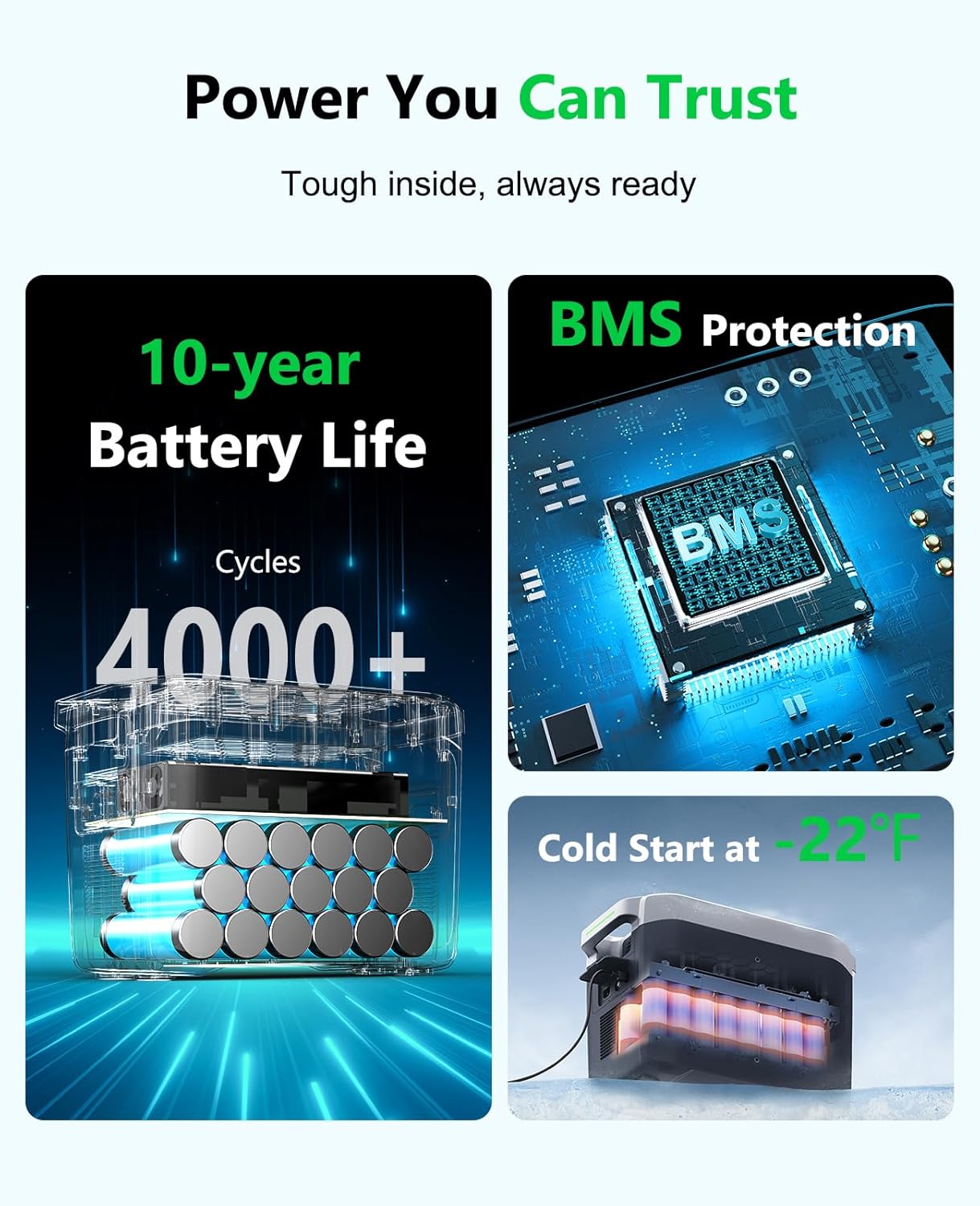
Image 4.2: Visual representation of the LifePO4 battery cells and the Battery Management System (BMS) for enhanced durability and safety.
4.3. Versatile Output Ports
The expansion battery features multiple DC outlets to power various devices independently:
- 4 x USB-A Quick Charge ports
- 2 port USB-C 100W
- 2 port DC5521
- 1 x 13.6V/10A Car Outlet

Image 4.3: The GROWATT INFINITY 2000 Pro connected to a laptop and tablet, illustrating the use of its diverse output ports.
4.4. Cold Start Feature
The unit includes an exclusive Cold Start feature that heats the battery below operating temperatures, ensuring reliable power even in extreme cold conditions down to -22°F (-30°C).
4.5. Kontrol Aplikasi Cerdas
Monitor and control your power station via the dedicated smartphone application. The app allows for customized power settings, firmware upgrades, and access to customer support.
4.6. Quiet Charge Mode
Operates at an ultra-low noise level of just 30dB during charging, providing a peaceful environment.
Video 4.1: Sebuah overview of the GROWATT INFINITY 2000 Pro's features, including its capacity, output, and various charging options. This video highlights the product's versatility for outdoor and indoor use.
5. Pengaturan dan Koneksi
5.1. Connecting the Expansion Battery
To expand the capacity of your INFINITY 2000 Pro Portable Power Station, connect the expansion battery using the provided battery expansion cable. Ensure both units are powered off before connecting. Align the connectors and push firmly until they click into place.

Image 5.1: The GROWATT INFINITY 2000 Pro units featuring built-in storage for cables, indicating ease of connection and organization.
6. Petunjuk Pengoperasian
6.1. Menghidupkan/Mematikan
Tekan dan tahan tombol daya utama selama beberapa detik untuk menghidupkan atau mematikan unit. Layar akan menyala setelah diaktifkan.
6.2. Menggunakan Stopkontak AC
The main INFINITY 2000 Pro unit provides AC power. Ensure the AC power button is activated. Plug your devices into the appropriate AC outlets.
6.3. Using DC Outlets
The expansion battery features dedicated DC outlets. Activate the DC power button to enable these ports. Connect your USB-A, USB-C, DC5521, or car outlet devices.
7. Mengisi Baterai
The INFINITY 2000 Pro Expansion Battery can be recharged by connecting it to the main INFINITY 2000 Pro Portable Power Station, which then connects to an AC power source or solar panels.
7.1. AC Charging
Connect the main power station to a standard AC wall outlet using the appropriate charging cable. The unit supports fast AC recharging, reaching 100% in approximately 3 hours.

Image 7.1: Two GROWATT INFINITY 2000 Pro units stacked, with the bottom unit connected to a wall outlet for fast AC recharging.
7.2. Pengisian Daya Tenaga Surya
Connect compatible solar panels to the main power station. The unit supports up to 1200W solar input. Charging time will vary based on solar panel wattage and sunlight conditions.
7.3. Combined Charging
For the fastest charging, the INFINITY 2000 Pro supports combined charging from both AC and solar inputs, achieving a full charge in as little as 1.6 hours with 2300W input.
8. Pemeliharaan
Regular maintenance ensures the longevity and optimal performance of your expansion battery:
- Simpan unit di tempat yang sejuk dan kering, jauhkan dari sinar matahari langsung.
- Charge the battery to 80% every 3-6 months if not in regular use.
- Clean the exterior with a dry, soft cloth. Do not use harsh chemicals or abrasives.
- Ensure ventilation ports are clear of dust and debris.
9. Penyelesaian masalah
Jika Anda mengalami masalah, lihat masalah umum dan solusi berikut:
| Masalah | Kemungkinan Penyebab | Larutan |
|---|---|---|
| Unit tidak menyala | Baterai habis; Tombol daya tidak ditekan dengan benar | Charge the unit; Press and hold the power button for 3 seconds |
| Devices not charging from DC outlets | DC power not activated; Cable faulty | Activate DC power; Try a different cable |
| Pengisian daya lambat | Low input power; High ambient temperature | Ensure maximum input power; Move to a cooler environment |
| Peringatan kelebihan beban | Connected devices exceed output limit | Disconnect some devices; Reduce load |
10. Spesifikasi
| Fitur | Spesifikasi |
|---|---|
| Nama Model | INFINITY 2000 Pro Expansion Battery |
| Jenis Baterai | KehidupanPo4 |
| Kapasitas | 2048 jam |
| Kapasitas yang Dapat Diperluas | Up to 6144Wh (with 2 expansion batteries) |
| Siklus Hidup | 4000+ siklus |
| Port Keluaran DC | 4 x USB-A Quick Charge, 2 x USB-C (100W), 2 x DC5521, 1 x 13.6V/10A Car Outlet |
| AC Input (via main unit) | 1800W Max |
| Solar Input (via main unit) | 1200W Max |
| Pengisian Gabungan | Up to 2300W (AC+Solar) |
| Dimensi (P x L x T) | 20.8" x 12.4" x 16.5" |
| Berat | 23 pon |
| Suhu Operasional | Cold Start down to -22°F (-30°C) |
11. Garansi dan Dukungan
The GROWATT INFINITY 2000 Pro Portable Power Station Expansion Battery comes with a 5-year warranty. For technical support, warranty claims, or further assistance, please refer to the contact information provided on your warranty card or visit the official GROWATT weblokasi.
Untuk sumber daya tambahan dan informasi produk, Anda dapat mengunjungi GROWATT Store on Amazon.