
1. Produk Lebihview
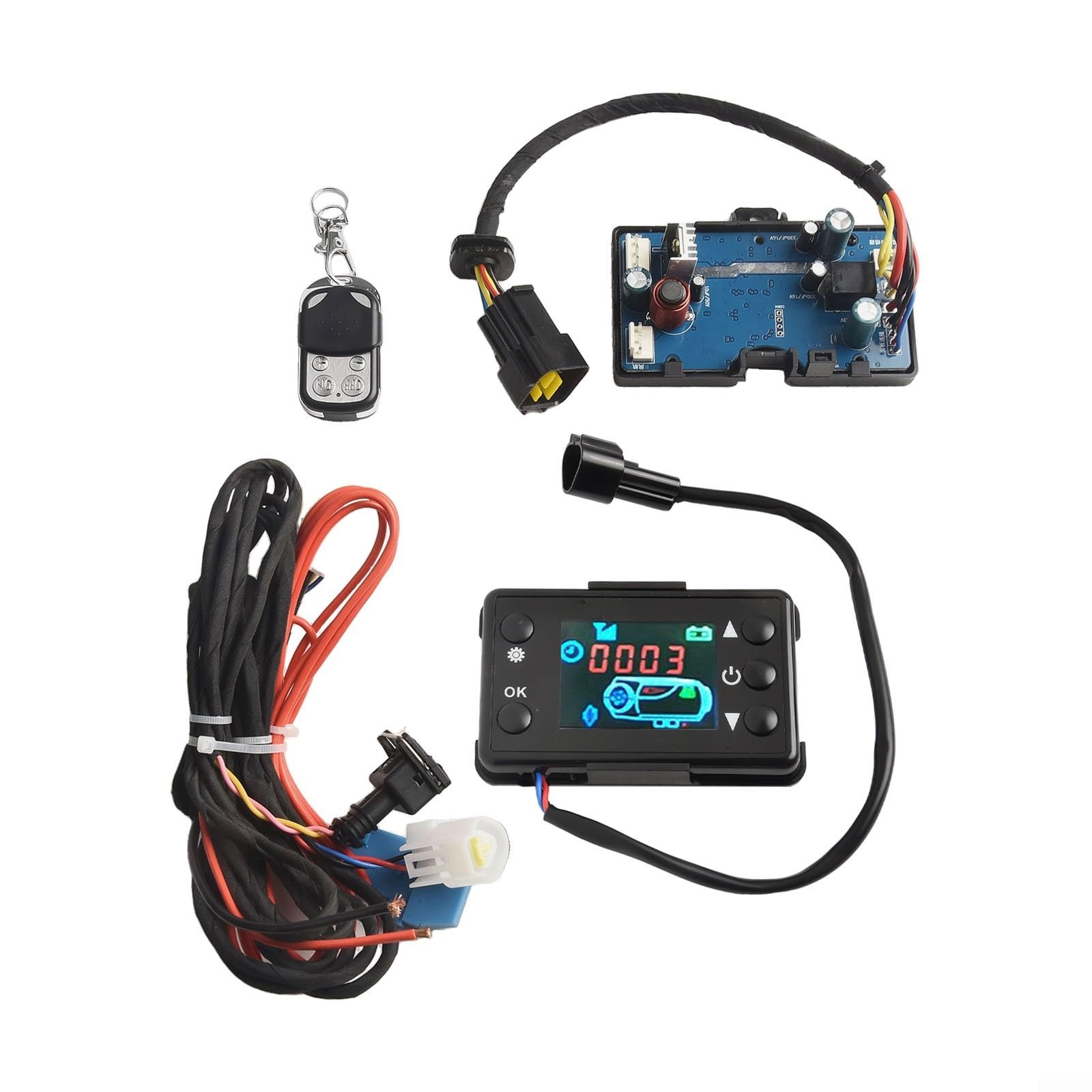
The JurwheeR Diesel Air Heater Controller LCD Monitor Switch Control Board is designed for efficient and convenient management of 12V and 24V diesel parking heaters. It features an easy-to-read LCD display and versatile control options, including manual fuel filling, timing functions, and remote pairing. Its human-centric design ensures user-friendly operation and wide compatibility across various vehicles.
Fitur Utama:
- Tampilan LCD yang Mudah Dibaca: Provides real-time information for effective heating system monitoring.
- Opsi Kontrol Serbaguna: Supports manual fuel filling, timing start/stop, and customizable settings.
- Convenient Remote Pairing: Allows remote operation of the heater.
- Human-Centric Design: User-friendly control button interface for accessible operation.
- Kompatibilitas Luas: Works with both 12V and 24V power supplies, suitable for cars and trucks.
2. Informasi Keselamatan
Please read and understand all safety instructions before installing or operating the device. Failure to follow these instructions may result in electric shock, fire, or serious injury.
- Pastikan catu daya sesuai dengan tegangan perangkat.tagpersyaratan e (12V atau 24V).
- Putuskan aliran listrik sebelum melakukan instalasi, perawatan, atau pemecahan masalah apa pun.
- Pasang perangkat di area yang berventilasi baik untuk mencegah panas berlebih.
- Jauhkan perangkat dari bahan dan cairan yang mudah terbakar.
- Do not expose the device to water or extreme moisture.
- Gunakan hanya suku cadang asli atau suku cadang pengganti yang disetujui.
- If any unusual odors, smoke, or sounds occur, immediately disconnect power and contact support.
3. Petunjuk Penyiapan
3.1 Isi Paket
Paket ini mencakup komponen-komponen berikut:
- 1 x Motherboard
- 1 x 3-wire black LCD switch
- 1 x Kontrol jarak jauh
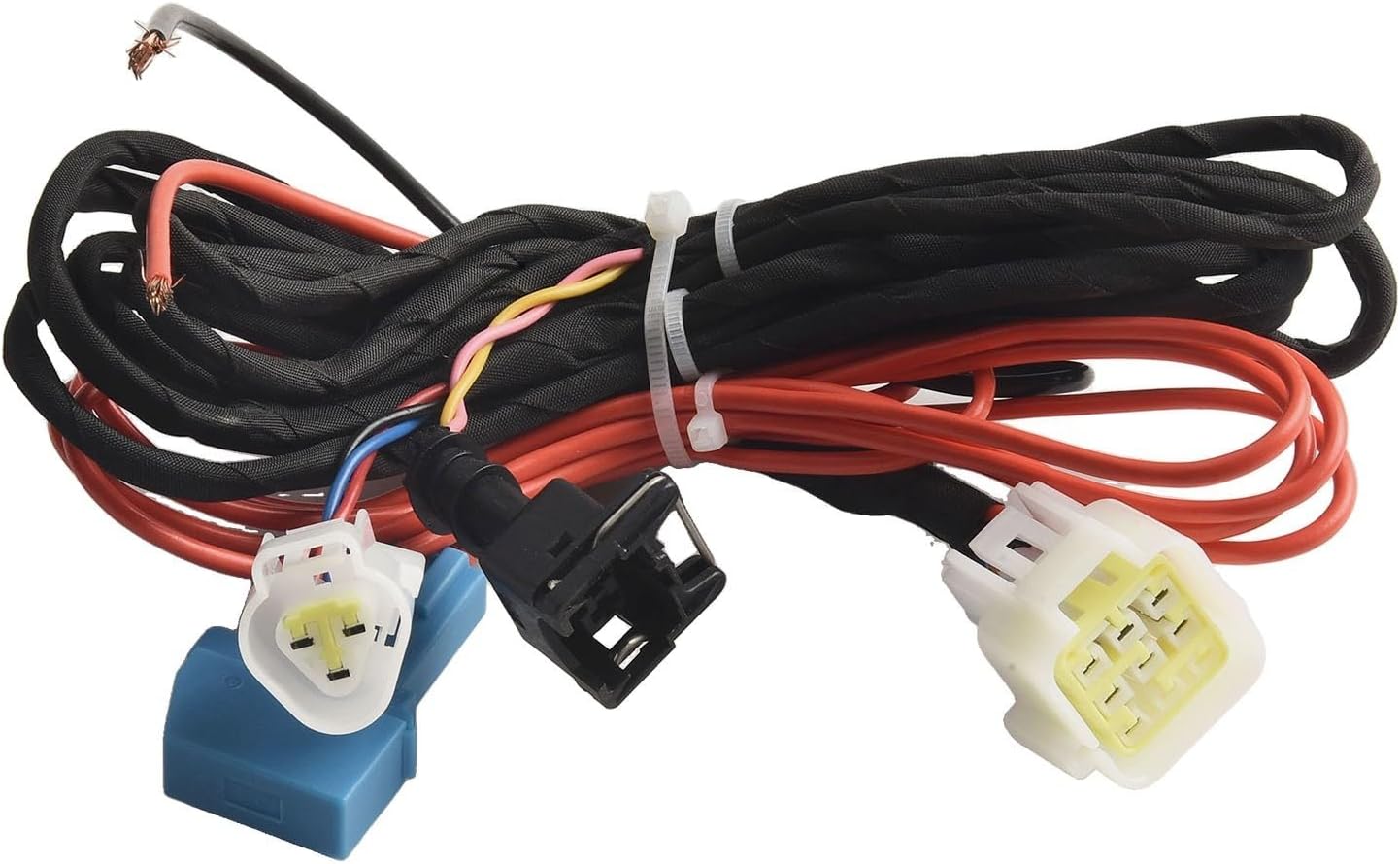
- 1 x Kabel harness
3.2 Koneksi Kabel
Connect the wiring harness to the control board and the diesel air heater according to the provided diagram. Ensure all connections are secure and correctly polarized (positive to positive, negative to negative).

3.3 Exhaust Pipe and Muffler Installation
Proper installation of the exhaust pipe and muffler is crucial for safe and efficient operation. Use the provided converter pipe to ensure a secure connection between the exhaust pipe and the muffler, then tighten with screws.
4. Petunjuk Pengoperasian
The LCD monitor provides a clear interface for controlling your diesel air heater. Refer to the following instructions for various functions.

4.1 Daya Hidup/Mati
- Untuk Mengaktifkan: In shutdown state, press the [ON/OFF] button.
- Mematikan: Tekan tombol [ON/OFF] lagi.
4.2 Peralihan Bahasa
To change the display language (Chinese, English, Russian, or Voice off):
- In shutdown state, press [ON/OFF] to turn on.
- Long press [ON/OFF] to enter the basic settings.
- Rotate the [Knob] to adjust settings to F4.
- Press the [Knob] to modify.
- Rotate the [Knob] to select your desired language (C for Chinese, E for English, R for Russian, or Voice off).
- Press the [Knob] again to confirm the current data modification.
Lihat Video 3, timestamp 0:03 for a visual guide on language switching.
4.3 Peralihan Mode
To switch between different operating modes (Temperature Control, Constant Temperature, Ventilation, Hot Topic, Gear Mode):
- In shutdown state, press [ON/OFF] to turn on.
- Press the [Knob] to switch the current mode.
Lihat Video 3, timestamp 0:32 for a visual guide on mode switching.
4.4 Penyesuaian Ketinggian
Ke view altitude data:
- In shutdown state, press [ON/OFF] to turn on.
- Press and hold the [Knob] for 5 seconds to enter the engineering mode.
- Rotate the [Knob] to adjust the item to view the data. Adjust to En06.
- The altitude will be shown in the upper left corner.
Lihat Video 3, timestamp 0:48 for a visual guide on altitude adjustment.
4.5 Pemasangan Jarak Jauh
Untuk memasangkan remote control dengan perangkat:
- In shutdown state, press the [Knob] three times in a row.
- Enter the En08 interface, and the screen will display "P-1".
- Press any button on the remote control to match successfully.
- You can now use the remote control to turn the heater on and off normally.

Lihat Video 3, timestamp 1:06 for a visual guide on remote matching.
4.6 Manually Pump Oil
To manually pump oil (useful for initial setup or after running out of fuel):
- In the first power-on state, press and hold the [Knob] for 5 seconds.
- The screen will show a 300-second countdown.
- After the countdown ends, the device will automatically exit, or you can press [ON/OFF] to end the pump oil shutdown.
Lihat Video 3, timestamp 1:21 for a visual guide on manually pumping oil.
4.7 Auto Start-Stop
To configure auto start-stop functionality:
- In shutdown state, press [ON/OFF] to turn on.
- Long press [ON/OFF] to enter the basic settings.
- Rotate the [Knob] to adjust settings to F3.
- Press the [Knob] to modify.
- Rotate the [Knob] to adjust (ON is on, OFF is closed).
- Press the [Knob] again to confirm the current data modification.
Lihat Video 3, timestamp 1:42 for a visual guide on auto start-stop settings.
4.8 Fungsi Pengaturan Waktu
To set the timing for heater operation:
- In shutdown state, press [ON/OFF] to turn on.
- Long press [ON/OFF] to enter the basic settings.
- Rotate the [Knob] to adjust settings to F1.
- Press the [Knob] to modify the number of hours. Rotate the [Knob] to adjust.
- Press the [Knob] again to modify the number of minutes. Rotate the [Knob] to adjust.
- Press the [Knob] again to confirm the current data modification.
- Rotate the [Knob] to adjust settings to F2.
- Press the [Knob] to modify the running time (0-10 hours). Rotate the [Knob] to adjust.
- Press the [Knob] again to confirm the current data modification.
Lihat Video 3, timestamp 2:02 for a visual guide on timing functions.
4.9 Koneksi Bluetooth
To connect the device via Bluetooth using the mobile APP:
- In the shutdown state, press [ON/OFF] to turn it on.
- Press the [Knob] for 5 seconds to enter the engineering mode.
- Rotate the [Knob] to adjust to En09. The display will show the Bluetooth name (e.g., "BLE").
- On your mobile device, open the APP and click "Add Device".
- Select "Bluetooth connection".
- After searching, select the Bluetooth device with the same name as displayed on the controller.
- Confirm binding.
- At this time, the device can be used normally through the APP.
Lihat Video 3, timestamp 2:38 for a visual guide on Bluetooth connection.
5. Pemeliharaan
Regular maintenance ensures optimal performance and longevity of your diesel air heater controller.
- Pembersihan: Periodically wipe the LCD screen and control board with a soft, dry cloth. Avoid using abrasive cleaners or solvents.
- Koneksi: Periksa secara berkala semua sambungan kabel untuk memastikan kekencangannya dan tanda-tanda keausan atau korosi.
- Inspeksi: Inspect the exhaust pipe and muffler for any blockages, damage, or leaks. Ensure proper ventilation around the heater unit.
- Sistem Bahan Bakar: Ensure the fuel lines are clear and free from obstructions. Use clean diesel fuel to prevent clogging.
6. Penyelesaian masalah
If you encounter issues with your JurwheeR Diesel Air Heater Controller, refer to the following common troubleshooting steps:
| Masalah | Kemungkinan Penyebab | Larutan |
|---|---|---|
| Perangkat tidak menyala | No power supply; Loose wiring; Blown fuse | Check power source; Secure all connections; Replace fuse if necessary |
| Pemanas tidak menghasilkan panas | Low fuel; Clogged fuel line; Air in fuel system; Incorrect settings | Refill fuel; Check/clean fuel line; Perform manual oil pump; Verify temperature/mode settings |
| Kontrol jarak jauh tidak berfungsi | Low battery; Not paired; Out of range | Replace remote battery; Re-pair remote (Section 4.5); Operate within range |
| Kode kesalahan ditampilkan | Kesalahan sistem spesifik | Consult the heater's specific error code manual or contact support. |
If the problem persists after attempting these solutions, please contact JurwheeR customer support.
7. Spesifikasi
| Atribut | Detil |
|---|---|
| Merek | JurwheeR |
| Nomor Model | IKV87QBKFO4IMY9W0VXP63337OD |
| Bekerja Voltage | Tegangan 12V/24V |
| Kekuatan | 2kW/5kW (kVA) |
| Kisaran Suhu | -30-40 ° C |
| Dimensi Produk | Ukuran 14x11x11 cm |
| Berat Barang | 400 gram |
| Warna | As Picture Show |

8. Informasi Garansi
For warranty details, please refer to the manufacturer's official warranty policy provided with your purchase or on the JurwheeR websitus. Simpan bukti pembelian Anda untuk klaim garansi apa pun.
9. Dukungan Pelanggan
If you have any questions, require technical assistance, or need to report an issue, please contact JurwheeR customer support through the contact information provided on the product packaging or the official JurwheeR weblokasi.