
Perkenalan
Welcome to the GUHUAVMI GT4 Pro Smartwatch user manual. This guide provides detailed instructions on how to set up, operate, and maintain your new smartwatch. The GT4 Pro combines advanced health monitoring, comprehensive fitness tracking, and smart connectivity features in a durable, stylish design. Please read this manual carefully to ensure optimal performance and longevity of your device.
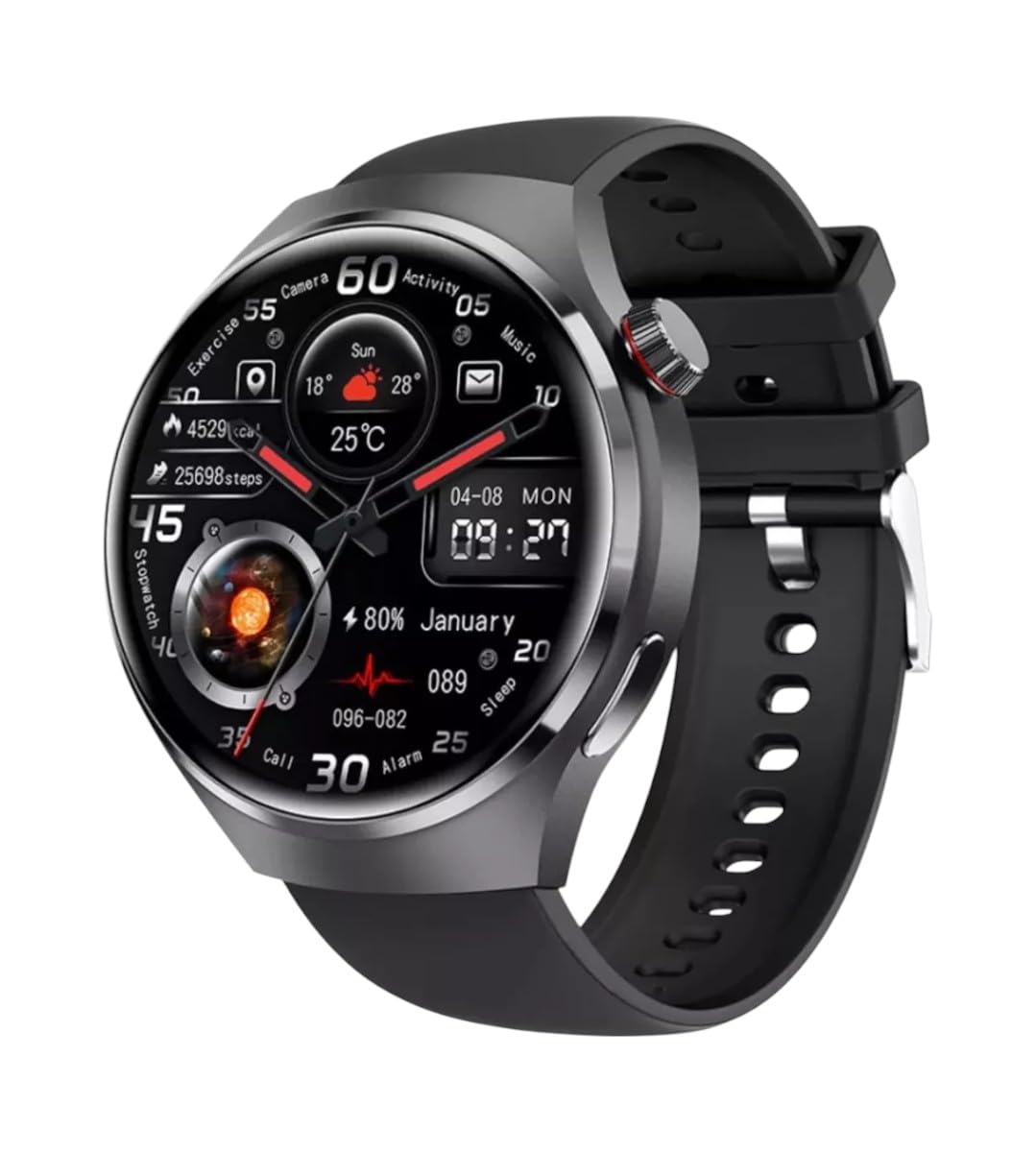
Gambar: Depan view of the GUHUAVMI GT4 Pro Smartwatch, showcasing desain dan tampilannya yang ramping.
Pengaturan
1. Unboxing dan Komponen
Sebelum memulai, pastikan semua komponen ada di dalam paket:
- GUHUAVMI GT4 Pro Smartwatch
- Pengisi Daya Nirkabel
- User Manual (dokumen ini)
2. Mengisi Daya Jam Tangan Pintar
For first-time use, fully charge your GT4 Pro Smartwatch. Connect the wireless charger to a USB power adapter (not included) and place the smartwatch onto the magnetic charging base. The watch will indicate charging status on its screen.
- Waktu Pengisian: Kurang lebih 3 jam untuk charge penuh.
- Daya Tahan Baterai: Typical usage provides 5-7 days of battery life.

Image: The GUHUAVMI GT4 Pro Smartwatch placed on its magnetic wireless charger, displaying battery life and charging time information.
3. Daya Hidup/Mati
- Nyalakan: Tekan dan tahan tombol samping hingga layar menyala.
- Matikan: Tekan dan tahan tombol samping, lalu pilih opsi 'Matikan Daya' di layar.
4. Unduh dan Pasangkan Aplikasi
To unlock the full potential of your GT4 Pro, download the companion app on your smartphone. Scan the QR code provided in the watch's initial setup screen or search for the app name (usually indicated on the watch or packaging) in your phone's app store.
- Aktifkan Bluetooth di telepon pintar Anda.
- Buka aplikasi pendamping dan ikuti petunjuk di layar untuk membuat akun atau masuk.
- In the app, select 'Add Device' or 'Pair Device' and choose 'GT4 Pro' from the list of available devices.
- Konfirmasikan permintaan pemasangan di ponsel pintar dan jam tangan pintar Anda.
Petunjuk Pengoperasian
1. Navigasi Dasar
The GT4 Pro features a 1.6-inch HD AMOLED touchscreen and a side crown button for navigation.
- Geser ke Atas/Bawah: Gulir menu dan notifikasi.
- Geser ke Kiri/Kanan: Akses widget cepat atau tampilan jam yang berbeda.
- Mengetuk: Pilih item atau buka aplikasi.
- Tekan Tombol Samping: Kembali ke layar utama atau akses daftar aplikasi.
2. Asisten Suara AI
Your GT4 Pro is equipped with an integrated AI voice assistant for hands-free operation.
- Pengaktifan: Tap the voice assistant icon on the watch face or use a designated gesture/button press (refer to watch settings).
- Perintah: Speak clearly to ask questions, set reminders, make calls, or control music.
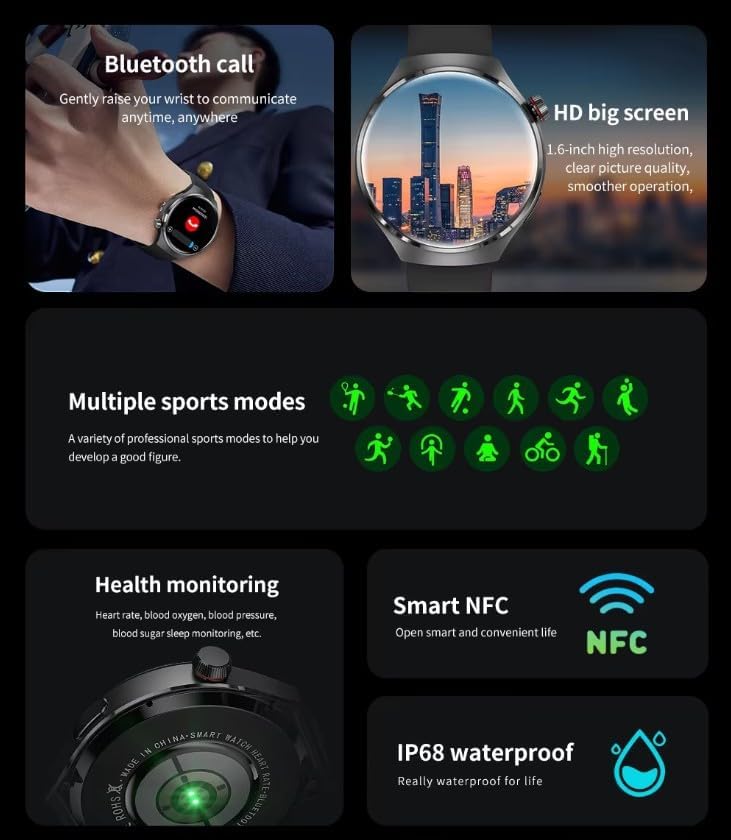
Image: The GUHUAVMI GT4 Pro Smartwatch displaying the AI voice assistant interface, showing examplebih sedikit perintah suara.
3. Panggilan Bluetooth
Setelah terhubung dengan ponsel cerdas Anda, Anda dapat melakukan dan menerima panggilan langsung dari jam tangan pintar Anda.
- Membuat panggilan: Access the dialer or contacts list on your watch.
- Menerima Panggilan: Menjawab atau menolak panggilan masuk langsung dari layar jam.
4. Pemantauan Kesehatan
The GT4 Pro provides real-time health data to help you monitor your well-being.
- Denyut Jantung: Continuous monitoring throughout the day.
- Oksigen Darah (SpO2): Ukur tingkat saturasi oksigen darah Anda.
- Gula darah: Provides estimated blood sugar readings.
- Pelacakan Tidur: Monitor tidurtagdan kualitas.
View detailed health reports in the companion app.
5. Pelacakan Kebugaran
Lacak latihan dan aktivitas harian Anda dengan tepat.
- Beberapa Mode Olahraga: Select from various activities like running, cycling, swimming, and more for accurate data.
- GPS bawaan: Records your route, distance, and pace during outdoor activities.
- Kompas: Provides directional guidance for outdoor adventures.

Image: The GUHUAVMI GT4 Pro Smartwatch showcasing icons for NFC, GPS, compass, heart rate, and Bluetooth call, highlighting its comprehensive features.
6. NFC Features
The GT4 Pro supports NFC for convenient interactions.
- Kontrol Akses: Use your watch for compatible access systems.
- Find My iPhone: Utilize NFC to locate your paired iPhone.
7. Dynamic Island Function
Experience enhanced interactive displays for notifications, music, and charging status.
- Interactive Displays: Smart displays adapt to show relevant information dynamically.
- Peningkatan OTA: New functional interactive displays may be added through future over-the-air updates.
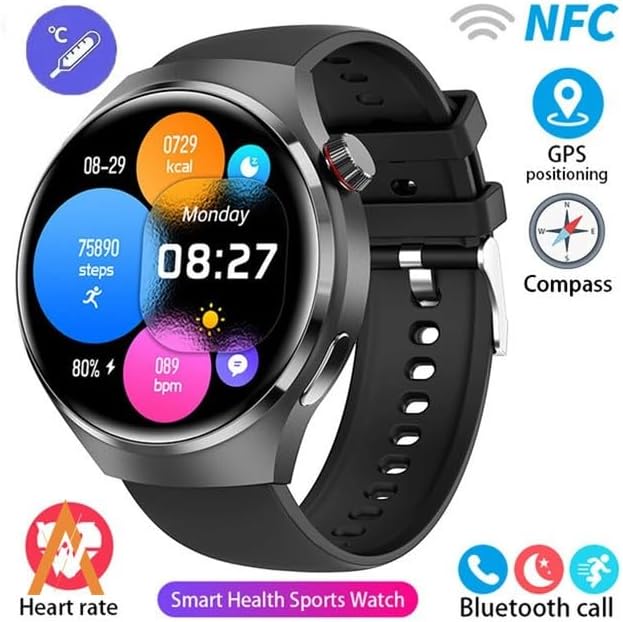
Image: The GUHUAVMI GT4 Pro Smartwatch screen demonstrating the Dynamic Island function, showing notifications and active processes.
8. Other Utility Features
The smartwatch includes several convenient tools:
- Kamera jarak jauh: Kendalikan kamera ponsel cerdas Anda dari jarak jauh.
- Jam Alarm: Atur alarm langsung dari pergelangan tangan Anda.
- Stopwatch dan Pengatur Waktu: Untuk ketepatan waktu.
- Pengukuran suhu: Monitor ambient temperature.
- Multi-Time Zone Settings: Keep track of different time zones.
- Kontrol Pemutaran Musik: Manage music on your paired smartphone.
Pemeliharaan
1. Tahan Air (IP68)
The GT4 Pro has an IP68 waterproof rating, meaning it is resistant to dust and can withstand immersion in water up to 1.5 meters for 30 minutes. It is suitable for swimming and use in rainy conditions.
- Do not use in hot water, saunas, or steam rooms.
- Avoid exposure to high-velocity water.
- Setelah terkena air, lap jam tangan hingga kering dengan kain lembut.
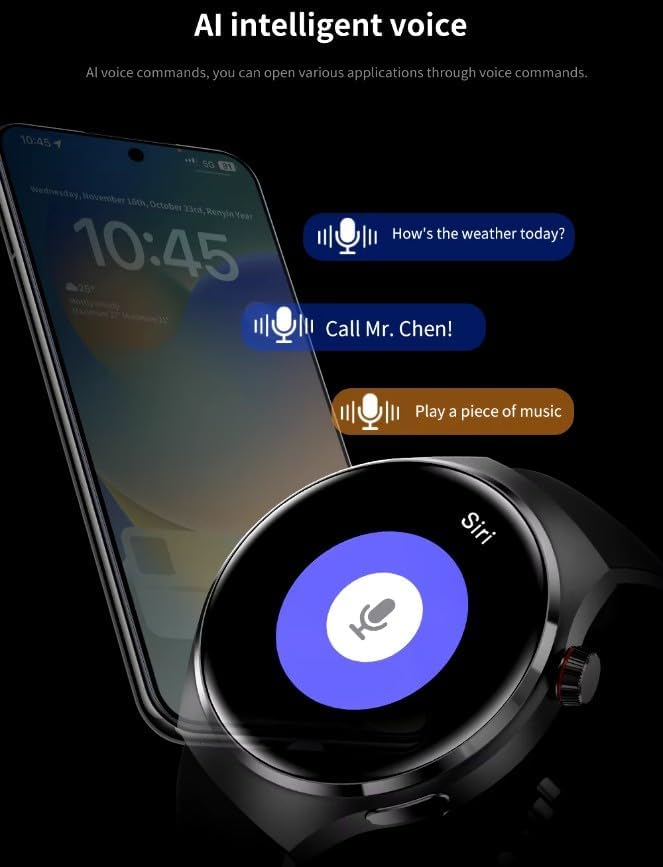
Image: Two GUHUAVMI GT4 Pro Smartwatches shown with water droplets, illustrating their IP68 waterproof capability.
2. Pembersihan
Regularly clean your smartwatch to maintain its appearance and sensor accuracy.
- Bersihkan layar dan badan dengan kain lembut dan kering.amp, kain bebas serat.
- Clean the charging contacts and heart rate sensor on the back of the watch to ensure proper function.
- Hindari penggunaan bahan kimia keras atau bahan abrasif.
3. Pembaruan Perangkat Lunak
Periodically check for software updates through the companion app. Updates can provide new features, performance improvements, and bug fixes.
Penyelesaian Masalah
- Jam tidak menyala: Pastikan jam tangan terisi penuh. Hubungkan ke pengisi daya minimal 30 menit.
- Tidak dapat dipasangkan dengan telepon pintar:
- Pastikan Bluetooth diaktifkan pada ponsel dan jam tangan Anda.
- Pastikan jam tangan berada dalam jangkauan telepon Anda.
- Mulai ulang jam tangan dan ponsel Anda.
- Periksa apakah aplikasi pendamping sudah diperbarui ke versi terbaru.
- Data kesehatan yang tidak akurat:
- Pastikan jam tangan dikenakan dengan pas di pergelangan tangan Anda, tidak terlalu ketat atau terlalu longgar.
- Bersihkan sensor di bagian belakang jam.
- Hindari gerakan berlebihan selama pengukuran.
- Masa pakai baterai pendek:
- Kurangi kecerahan layar.
- Nonaktifkan notifikasi atau fitur yang tidak perlu.
- Batasi pemantauan detak jantung terus menerus jika tidak diperlukan.
Spesifikasi
| Fitur | Keterangan |
|---|---|
| Nomor Model | GT4 Profesional |
| Menampilkan | 1.6-inch HD AMOLED, 360x360 resolution |
| Konektivitas | Bluetooth 5.0 |
| Peringkat Tahan Air | Tingkat IP68 |
| Pemantauan Kesehatan | Heart Rate, Blood Oxygen, Blood Sugar, Sleep Tracking |
| Pelacakan Kebugaran | Built-in GPS, Compass, Multiple Sports Modes |
| Asisten Suara | AI Voice Assistant Integrated |
| Bahasa Indonesia: NFC | Supported (e.g., Find My iPhone, Access Control) |
| Jenis Pengisian Daya | Pengisian Nirkabel Nirkabel |
| Daya Tahan Baterai Umumnya | 5-7 hari |
| Waktu Pengisian Daya | Sekitar 3 jam |
| Komponen yang Termasuk | Smartwatch, User Manual, Wireless Charger |
Garansi dan Dukungan
Informasi Garansi
The GUHUAVMI GT4 Pro Smartwatch comes with a Garansi 6 bulan Terhitung sejak tanggal pembelian. Garansi ini mencakup cacat produksi dalam penggunaan normal. Garansi ini tidak mencakup kerusakan yang disebabkan oleh penyalahgunaan, kecelakaan, modifikasi tanpa izin, atau keausan normal.
Dukungan Pelanggan
If you encounter any issues or have questions regarding your GUHUAVMI GT4 Pro Smartwatch, please refer to the troubleshooting section of this manual. For further assistance, contact your retailer or the manufacturer's customer support channel. Please have your purchase receipt and product model number (GT4 Pro) ready when contacting support.