
Perkenalan
This manual provides detailed instructions for the operation and maintenance of your Filwans GTS Smartwatch. The Filwans GTS Smartwatch features a 2.01-inch AMOLED display, health monitoring capabilities, multiple sports modes, and Bluetooth calling functionality. Please read this manual thoroughly to ensure proper use and to maximize your device's potential.

Image: The Filwans GTS Smartwatch, showcasing its rectangular display and two strap options: a classic black silicone strap and a green striped fabric strap.
Pengaturan
1. Mengisi Daya Jam Tangan Pintar
Before initial use, fully charge your Filwans GTS Smartwatch. Use the included charging cable. Connect the magnetic end of the cable to the charging contacts on the back of the smartwatch and the USB end to a standard USB power adapter (not included). A full charge typically provides up to 9 days of daily use or up to 30 days in standby mode.

Image: The Filwans GTS Smartwatch connected to its magnetic charging cable, illustrating the charging process.
2. Memasangkan dengan Ponsel Pintar Anda
- Unduh Aplikasi: Scan the QR code provided in the quick start guide or search for the official Filwans app in your smartphone's app store (compatible with Android and iOS).
- Aktifkan Bluetooth: Pastikan Bluetooth diaktifkan di ponsel cerdas Anda.
- Buka Aplikasi: Launch the Filwans app and follow the on-screen instructions to create an account or log in.
- Tambahkan Perangkat: Within the app, select the option to add a new device. The app will search for available smartwatches.
- Menghubungkan: Select "Filwans GTS" from the list of found devices. Confirm the pairing request on both your smartphone and the smartwatch.
Once paired, the smartwatch will synchronize data with your phone, including time, notifications, and health data.
Petunjuk Pengoperasian
Tampilan dan Antarmuka
The Filwans GTS features a 2.01-inch AMOLED display with 1000 nits brightness and a 60 Hz refresh rate, ensuring clear visibility even in bright sunlight. The interface is navigated primarily through touch gestures and the rotating crown.

Image: A visual comparison highlighting the clarity and brightness of the Filwans GTS 2.01-inch AMOLED display (1000 nits, 60Hz, 410*502 resolution) against a standard smartwatch display.
Menyesuaikan Tampilan Jam
Choose from over 150 watch faces available through the companion app to personalize your smartwatch. You can also create custom watch faces using your own photos.

Image: The Filwans GTS Smartwatch showcasing a selection of over 100 personalized watch faces, demonstrating customization options.
Pemantauan Kesehatan
The smartwatch continuously monitors various health metrics. Access these features via the watch's menu or the companion app:
- Pemantauan Denyut Jantung: Melacak detak jantung Anda sepanjang hari.
- Deteksi Oksigen Darah: Mengukur tingkat saturasi oksigen darah Anda.
- Pelatihan Pernapasan: Latihan pernapasan terpandu untuk membantu mengelola stres.
- Analisis Tidur: Memantau pola dan kualitas tidur.
- Pemantauan Suasana Hati: Provides insights into your emotional state.
- Women's Health Features: Specific tracking and reminders for women's health.

Image: The Filwans GTS Smartwatch interface showing multiple health monitoring functions, including sleep tracking, daily activity steps, respiratory rate, blood pressure, and heart rate.
Mode Olahraga
The Filwans GTS supports over 150 sports modes to track your workouts accurately. Select your desired activity from the watch's sports menu to record data such as duration, calories burned, and heart rate.
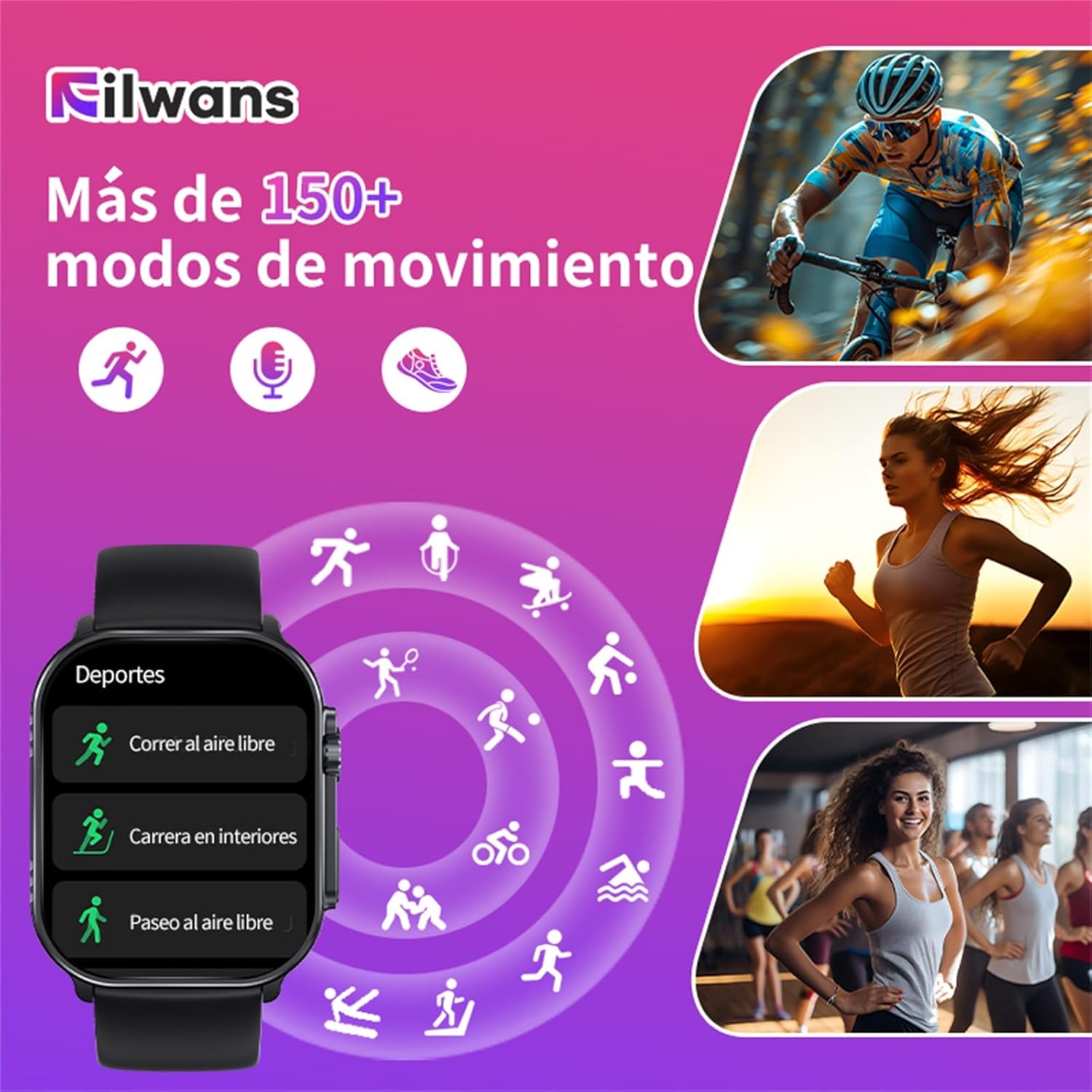
Image: The Filwans GTS Smartwatch showing a selection of its over 150 movement modes, including outdoor running, indoor running, and outdoor walking, with icons representing various sports activities.
Panggilan Bluetooth
With Bluetooth 5.2 connectivity, you can make and receive calls directly from your smartwatch when it's connected to your smartphone. The watch also displays notifications from various messaging and social media applications.

Image: A user interacting with the Filwans GTS Smartwatch to make a Bluetooth call, showing the dial pad and contact list on the watch screen.
Fitur Tambahan
- Selalu Dipajang (AOD): Keep essential information visible without raising your wrist.
- Tombol SOS: Untuk situasi darurat.
- Kontrol Kamera Jarak Jauh: Take photos using your phone's camera remotely via the smartwatch.
- Kontrol Pemutaran Musik: Control music playing on your smartphone.
- Pengingat Pesan: Terima notifikasi untuk panggilan, pesan teks, dan peringatan aplikasi.
- Water/Medication Reminders: Set reminders for hydration and medication intake.

Gambar: Sebuah overview of the Filwans GTS Smartwatch's key features, including its 2.01-inch AMOLED display, Always On Display (AOD), IP68 water resistance, 9-day battery life (30 days standby), and Bluetooth 5.2 connectivity.
Pemeliharaan
Tahan Air (IP68)
The Filwans GTS Smartwatch is IP68 rated, meaning it is resistant to dust and can withstand immersion in water up to 1.5 meters for up to 30 minutes. It is suitable for daily use, such as washing hands or light rain. However, it is not recommended for swimming, diving, or high-pressure water activities.
Pembersihan
Untuk membersihkan jam tangan pintar Anda, lap dengan kain lembut dan kering.amp kain. Hindari penggunaan bahan kimia keras atau bahan abrasif. Pastikan kontak pengisian daya bersih dan kering sebelum mengisi daya.
Penyelesaian Masalah
- Smartwatch tidak menyala: Pastikan perangkat terisi penuh. Hubungkan ke pengisi daya minimal 30 menit.
- Tidak dapat dipasangkan dengan telepon pintar:
- Ensure Bluetooth is enabled on your phone and the smartwatch is discoverable.
- Mulai ulang ponsel dan jam tangan pintar Anda.
- Pastikan smartwatch berada dalam jangkauan Bluetooth ponsel Anda.
- Periksa apakah aplikasi pendamping sudah diperbarui ke versi terbaru.
- Data kesehatan yang tidak akurat: Ensure the smartwatch is worn snugly on your wrist, not too tight or too loose. Avoid excessive movement during measurements.
- Masa pakai baterai pendek:
- Frequent use of features like Bluetooth calls and high screen brightness can reduce battery life.
- Disable Always On Display if not needed.
- Kurangi kecerahan layar dan waktu layar menyala.
- Limit background app refresh for notifications.
- Slow screen wake-up: Some users may experience a slight delay. Ensure the latest firmware is installed via the companion app.
- App is confusing/few watch faces: Ensure the app is updated. Explore all sections of the app for watch face options. If issues persist, contact customer support.
Spesifikasi
| Merek | Orang Filwan |
| Nama Model | GTS |
| Ukuran Layar | 2.01 inci |
| Jenis Tampilan | AMOLED |
| Kecerahan | 1000 titik |
| Tingkat Penyegaran | 60Hz |
| Konektivitas | Bluetooth 5.2 |
| Tahan Air | Tingkat IP68 |
| Daya Tahan Baterai (Tipikal) | Hingga 9 hari |
| Masa Pakai Baterai (Siaga) | Hingga 30 hari |
| Komposisi Baterai | Ion Litium |
| Perangkat yang Kompatibel | Smartphones, Tablets (Android & iOS) |
| Fitur Khusus | Always On Display, SOS Button, Calendar, Camera Remote Control, Health Monitoring (Heart Rate, SpO2, Sleep, etc.) |
| Ukuran | 15.8 x 10.1 x 3.2 cm; 130 g (Kemasan) |
| Bahasa Indonesia: GPS | TIDAK |
Garansi dan Dukungan
For warranty information, please refer to the documentation included with your purchase or contact Filwans customer support directly. If you encounter any issues not covered in this manual, please visit the official Filwans websitus atau hubungi layanan pelanggan mereka untuk bantuan.
Aksesoris yang disertakan:
- Filwans GTS Smartwatch x1
- Kabel Pengisian x1
- Braided Strap x1 (in addition to the pre-installed strap)
- Buku Petunjuk x1