
1. Petunjuk Keselamatan Penting
Please read all instructions carefully before using this appliance and retain them for future reference. Failure to follow these instructions may result in electric shock, fire, or injury.
- Peralatan ini hanya untuk penggunaan di dalam ruangan.
- Pastikan catu daya sesuai dengan voltage yang ditentukan pada label peringkat.
- Jangan mengoperasikan unit dengan kabel atau steker yang rusak. Jika kabel daya rusak, kabel tersebut harus diganti oleh produsen, agen servisnya, atau orang yang berkualifikasi serupa untuk menghindari bahaya.
- Keep the unit at least 50 cm away from walls and other objects to ensure proper airflow.
- Jangan memasukkan jari atau benda apa pun ke dalam saluran masuk atau keluar udara.
- Do not use the unit in wet environments such as bathrooms or laundry rooms.
- The appliance contains R290 refrigerant. This refrigerant is flammable. Ensure the appliance is stored in a well-ventilated area where the room size corresponds to the room area as specified for operation.
- Jangan gunakan cara untuk mempercepat proses pencairan atau untuk membersihkan, selain yang direkomendasikan oleh produsen.
- Peranti harus disimpan dalam ruangan tanpa sumber penyulut yang beroperasi secara terus-menerus (misalnya, nyala api terbuka, peralatan gas yang beroperasi, atau pemanas listrik yang beroperasi).
- Jangan menusuk atau membakar.
- Ketahuilah bahwa zat pendingin mungkin tidak mengandung bau.
- Cabut steker unit sebelum pembersihan atau pemeliharaan.
2. Produk Lebihview
The EUHOMY Portable Air Conditioner is a versatile 4-in-1 unit offering cooling, dehumidification, fan, and sleep modes. It is designed for efficient and quiet operation in rooms up to 20 m².
Isi Paket
- Unit Pendingin Udara Portabel
- Selang Knalpot Udara
- Konektor Selang
- Adaptor Jendela
- Kontrol Jarak Jauh
- Selang Pembuangan Air
- Window Kit (Adjustable from 43-135 cm)
- Wing Nut and Screws
- Panduan Pengguna
Diagram Satuan
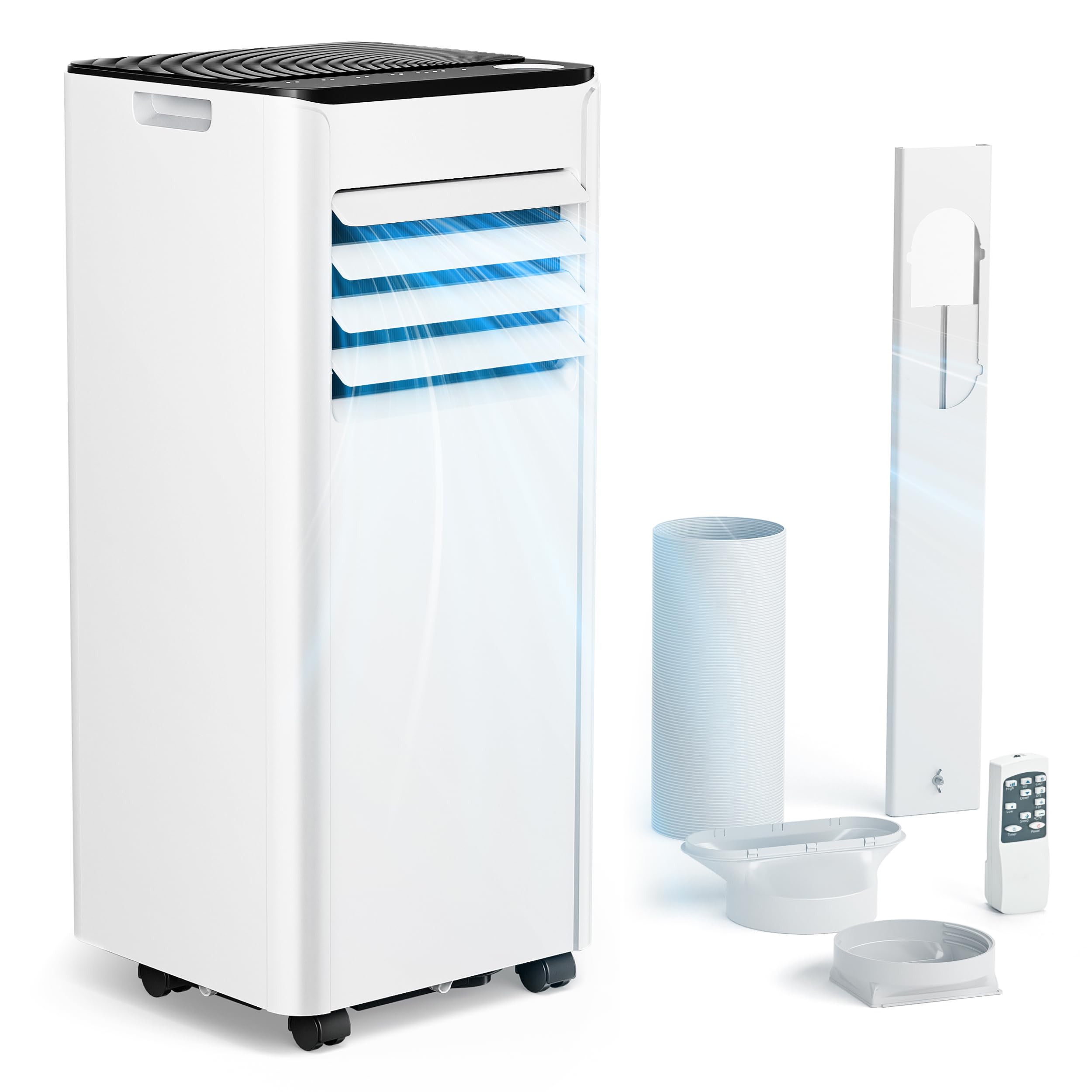
Gambar 2.1: Depan view of the EUHOMY Portable Air Conditioner.

Gambar 2.2: Belakang view of the air conditioner showing exhaust hose connection.
3. Pengaturan dan Instalasi
Follow these steps for proper installation to ensure optimal performance.
3.1 Penempatan Unit
- Letakkan AC pada permukaan yang datar dan stabil.
- Pastikan terdapat ruang kosong minimal 50 cm di sekitar unit agar udara dapat bersirkulasi dengan baik.
- Posisikan unit di dekat jendela untuk pemasangan selang pembuangan.
3.2 Pemasangan Kit Jendela
The included window kit is designed for sliding windows and can be adjusted from 43 cm to 135 cm.
- Ukur bukaan jendela.
- Adjust the window kit panel to fit the opening, securing it with the provided screws if necessary.
- Insert the window adapter into the opening of the window kit.

Figure 3.1: Illustration of window kit installation in a sliding window.
3.3 Sambungan Selang Pembuangan
- Attach the hose connector to one end of the air exhaust hose.
- Hubungkan ujung selang pembuangan lainnya ke lubang pembuangan di bagian belakang unit pendingin udara.
- Attach the window adapter (with the hose connector) to the opening in the installed window kit. Ensure a tight seal to prevent hot air from re-entering the room.

Figure 3.2: Connecting the exhaust hose to the unit and window kit.
3.4 Drainage Hose (Dehumidification Mode)
For continuous drainage in dehumidification mode, connect the water drainage hose to the continuous drain port on the back of the unit and direct it to a suitable drain or container.
4. Petunjuk Pengoperasian
The unit can be controlled via the digital control panel on the unit or the included remote control.
4.1 Panel Kontrol dan Kontrol Jarak Jauh

Figure 4.1: Digital control panel and remote control layout.
Mode Pengoperasian 4.2
- Mode Pendinginan: Press the 'Mode' button until the snowflake icon appears. Use the 'Up' and 'Down' arrows to set the desired temperature (16-32 °C).
- Mode Dehumidifikasi: Press the 'Mode' button until the water drop icon appears. The unit will remove moisture from the air. Continuous drainage is recommended for this mode.
- Modus Kipas: Press the 'Mode' button until the fan icon appears. Use the 'Fan Speed' button to select between 2 fan speeds (Low/High).
- Mode tidur: Activate Sleep Mode for quieter operation and energy saving during nighttime. The fan speed will automatically adjust to low, and the temperature may gradually increase.
4.3 Fungsi Timer
The 24-hour timer allows you to set the unit to turn on or off automatically.
- To set auto-off: With the unit running, press the 'Timer' button. Use the 'Up' and 'Down' arrows to set the desired number of hours until the unit turns off.
- To set auto-on: With the unit off, press the 'Timer' button. Use the 'Up' and 'Down' arrows to set the desired number of hours until the unit turns on.
4.4 Kunci Anak
To prevent accidental changes to settings, activate the child lock function (refer to the remote control or control panel for specific button combination, usually holding two buttons simultaneously for a few seconds).
5. Pemeliharaan
Perawatan rutin memastikan umur panjang dan efisiensi AC Anda.
5.1 Membersihkan Filter Udara
Filter udara sebaiknya dibersihkan setiap dua minggu sekali atau lebih sering tergantung pada penggunaannya.
- Cabut AC dari stopkontak.
- Remove the filter from the back of the unit (refer to the diagram in the manual for exact location).
- Cuci filter dengan air hangat dan deterjen ringan. Bilas hingga bersih.
- Biarkan filter mengering sepenuhnya sebelum dipasang kembali. Jangan terkena sinar matahari langsung.
5.2 Menguras Air yang Terakumulasi
The unit has an internal water tank that collects condensed water. When the tank is full, the unit will stop operating and display an indicator. Drain the water as follows:
- Cabut AC.
- Letakkan panci atau baki dangkal di bawah lubang pembuangan di bagian belakang bawah unit.
- Remove the drain plug and allow all water to flow out.
- Pasang kembali sumbat pembuangan dengan aman.
5.3 Membersihkan Bagian Luar
Lap bagian luar unit dengan lembut, damp kain. Jangan gunakan bahan kimia keras atau pembersih abrasif.
5.4 Penyimpanan
Jika menyimpan unit untuk jangka waktu lama:
- Kuras semua air yang terkumpul.
- Bersihkan saringan udara.
- Jalankan unit dalam mode kipas saja selama beberapa jam untuk mengeringkan komponen internal.
- Simpan unit di tempat kering, dalam posisi tegak, dan tertutup untuk melindungi dari debu.
6. Penyelesaian masalah
Review Perhatikan masalah umum dan solusinya sebelum menghubungi dukungan pelanggan.
| Masalah | Kemungkinan Penyebab | Larutan |
|---|---|---|
| Unit tidak menyala | No power; Power cord not plugged in; Full water tank; Timer activated. | Check power connection; Drain water tank; Deactivate timer. |
| Unit ini tidak mendinginkan secara efektif. | Air filter clogged; Room too large; Doors/windows open; Exhaust hose not properly installed; Temperature setting too high. | Clean air filter; Ensure room size is within limits (up to 20 m²); Close doors/windows; Secure exhaust hose; Lower temperature setting. |
| Kebocoran air | Drain plug loose; Unit tilted; Drainage hose blocked. | Secure drain plug; Place unit on a level surface; Clear drainage hose. |
| Suara keras | Unit tidak berada pada permukaan yang rata; Ada penyumbatan pada kipas. | Letakkan unit di permukaan yang rata dan stabil; Periksa dan singkirkan semua penghalang. |
| Kode kesalahan di layar | Masalah internal tertentu. | Refer to the full manual for specific error code meanings or contact customer support. |
7. Spesifikasi
| Fitur | Detil |
|---|---|
| Nomor Model | OL-A016FF20N2 |
| Kapasitas Pendinginan | 7000 mAh |
| Fungsi | Cooling, Dehumidification, Fan, Sleep |
| Ukuran Ruangan yang Direkomendasikan | Hingga 20 m² (sekitar 700 kaki persegi) |
| Kelas Efisiensi Energi | A |
| Pendingin | R-290 |
| Jil.tage | 220 Volt |
| Konsumsi Daya | 1385 Watt |
| Tingkat Kebisingan | 64 Desibel |
| Dimensi Produk (P x L x T) | 41 x 35.48 x 68.5 cm (16.1 x 13.9 x 26.9 inci) |
| Berat Barang | 21.5 Kilogram (47.4 lbs) |
| Window Kit Adjustment Range | Tinggi 43 - 135 cm |
| Metode Kontrol | Kendali Jarak Jauh, Kontrol Sentuh |
| Pengatur waktu | 24 jam |
| UPC | 850070202596 |
8. Garansi dan Dukungan Pelanggan
For warranty information, technical assistance, or any questions not covered in this manual, please contact EUHOMY customer support. Details for contacting support are typically found on the product packaging, the official EUHOMY websitus, atau dokumentasi pembelian Anda.
Please have your model number (OL-A016FF20N2) and purchase date ready when contacting support.