Perkenalan
Thank you for choosing the Doublepow LP40 Pro Wireless Earbuds. These Bluetooth 5.3 headphones are designed to provide a high-fidelity audio experience with features like low latency, noise cancellation, and comfortable wear. This manual will guide you through the setup, operation, maintenance, and troubleshooting of your new earbuds.
Isi Paket
- LP40 Pro Wireless Earbuds (Left and Right)
- Kotak Pengisian Daya
- Kabel Pengisian Daya USB
- Panduan Pengguna
Produk Selesaiview
Familiarize yourself with the components of your LP40 Pro earbuds and charging case.

Image: The LP40 Pro wireless earbuds resting inside their white charging case, with the Doublepow logo visible on the front and a small blue indicator light.

Image: A diagram illustrating the touch control functions on the LP40 Pro earbud, including play/pause, volume control, track navigation, and voice assistant activation.
Pengaturan
1. Pengisian Awal
Sebelum penggunaan pertama, isi daya earbud dan casing pengisi daya hingga penuh.
- Connect the provided USB charging cable to the Type-C port on the charging case.
- Hubungkan ujung kabel lainnya ke adaptor daya USB (tidak disertakan) atau port USB komputer.
- The indicator light on the charging case will show charging status. A full charge typically takes about 1.5 hours for the case.
- Masukkan earbud ke dalam wadah pengisian daya. Earbud akan mulai mengisi daya secara otomatis.

Image: The LP40 Pro charging case connected to a USB-C charging cable, illustrating the charging process and indicating a 24-hour long-lasting battery life with the case.
2. Memasangkan dengan Perangkat
The LP40 Pro earbuds utilize Bluetooth 5.3 for stable and efficient connection.
- Pastikan earbud terisi daya dan berada di dalam wadah pengisian daya.
- Buka penutup casing pengisi daya. Earbud akan otomatis masuk ke mode berpasangan.
- Pada perangkat Anda (smartphone, tablet, laptop), buka pengaturan Bluetooth dan aktifkan Bluetooth.
- Pencarian untuk available devices and select "LP40 Pro" from the list.
- Setelah terhubung, Anda akan mendengar nada konfirmasi, dan earbud siap digunakan.
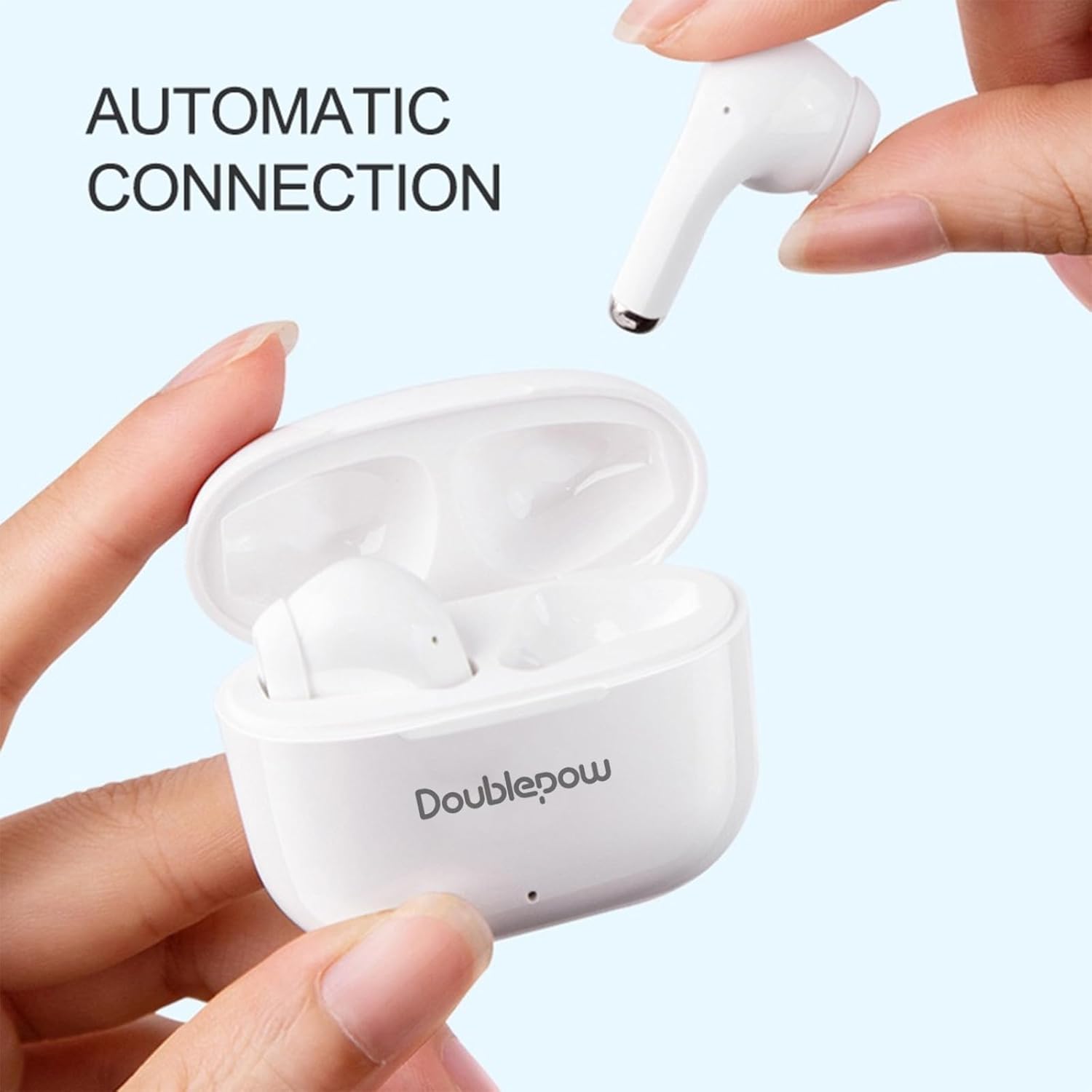
Image: A hand taking an earbud out of the charging case, with text indicating "AUTOMATIC CONNECTION", demonstrating the ease of pairing.
Petunjuk Pengoperasian
Kontrol Sentuh
The LP40 Pro earbuds feature smart touch controls for easy management of audio and calls.
| Tindakan | Fungsi |
|---|---|
| Ketukan Tunggal (Salah Satu Earbud) | Putar/Jeda musik, Jawab/Akhiri panggilan |
| Ketuk Dua Kali (Earbud Kiri) | Kurangi Volume |
| Ketuk Dua Kali (Earbud Kanan) | Meningkatkan Volume |
| Ketuk Tiga Kali (Earbud Kiri) | Trek Sebelumnya |
| Ketuk Tiga Kali (Earbud Kanan) | Lagu Berikutnya |
| Long Press (1.5s, Either Earbud) | Aktifkan Voice Assistant (Siri, Google Assistant) |
| Long Press (2s, During Call) | Tolak Panggilan |
Note: Voice assistant functionality may vary based on your device's operating system (e.g., Siri for iOS).
Mengenakan Earbud
Untuk kualitas suara dan kenyamanan optimal, pastikan earbud terpasang dengan benar di telinga Anda.
- Identifikasi earbud Kiri (L) dan Kanan (R).
- Masukkan masing-masing earbud secara perlahan ke dalam liang telinga yang sesuai.
- Sesuaikan posisi earbud hingga terasa aman dan nyaman.

Image: A woman wearing a white LP40 Pro earbud, demonstrating the ergonomic design and comfortable fit for extended use.
Pemeliharaan dan Perawatan
Perawatan yang tepat memastikan umur panjang dan kinerja optimal earbud Anda.
- Pembersihan: Bersihkan earbud dan wadah pengisi daya secara teratur dengan kain lembut, kering, dan bebas serat. Jangan gunakan pembersih abrasif atau pelarut.
- Penyimpanan: Jika tidak digunakan, simpan earbud dalam wadah pengisi dayanya untuk melindunginya dan menjaganya tetap terisi daya.
- Suhu: Hindari memaparkan earbud pada suhu ekstrem (panas atau dingin) atau kelembapan tinggi.
- Tahan Air: While designed for sports, avoid submerging the earbuds in water. They are resistant to sweat and light splashes, but not fully waterproof.
Penyelesaian Masalah
If you encounter issues with your LP40 Pro earbuds, refer to the following common solutions:
| Masalah | Solusi yang mungkin |
|---|---|
| Earbud tidak dapat dipasangkan/dihubungkan |
|
| Tidak ada suara atau volume rendah |
|
| Satu earbud tidak berfungsi |
|
| Casing pengisi daya tidak mengisi daya |
|
Spesifikasi
| Fitur | Detil |
|---|---|
| Nama Model | LP40 Profesional |
| Teknologi Konektivitas | Nirkabel (Bluetooth) |
| Versi Bluetooth | 5.3 |
| Jenis Penggerak Audio | Driver Dinamis (13mm) |
| Berat Earbud | Approx. 3.1 grams per earbud |
| Berat Kotak Pengisian Daya | Sekitar 30 gram |
| Waktu Bermain (Pengisian Daya Sekali) | Sekitar 5-6 jam |
| Total Waktu Bermain (dengan Casing Pengisi Daya) | Sekitar 24 jam |
| Waktu Pengisian Daya (Kasus) | Kurang lebih 1.5 jam (Tipe-C) |
| Metode Kontrol | Menyentuh |
| Perangkat yang Kompatibel | Tablets, Television, Telephones, Laptops, Smart Speaker (Bluetooth enabled) |
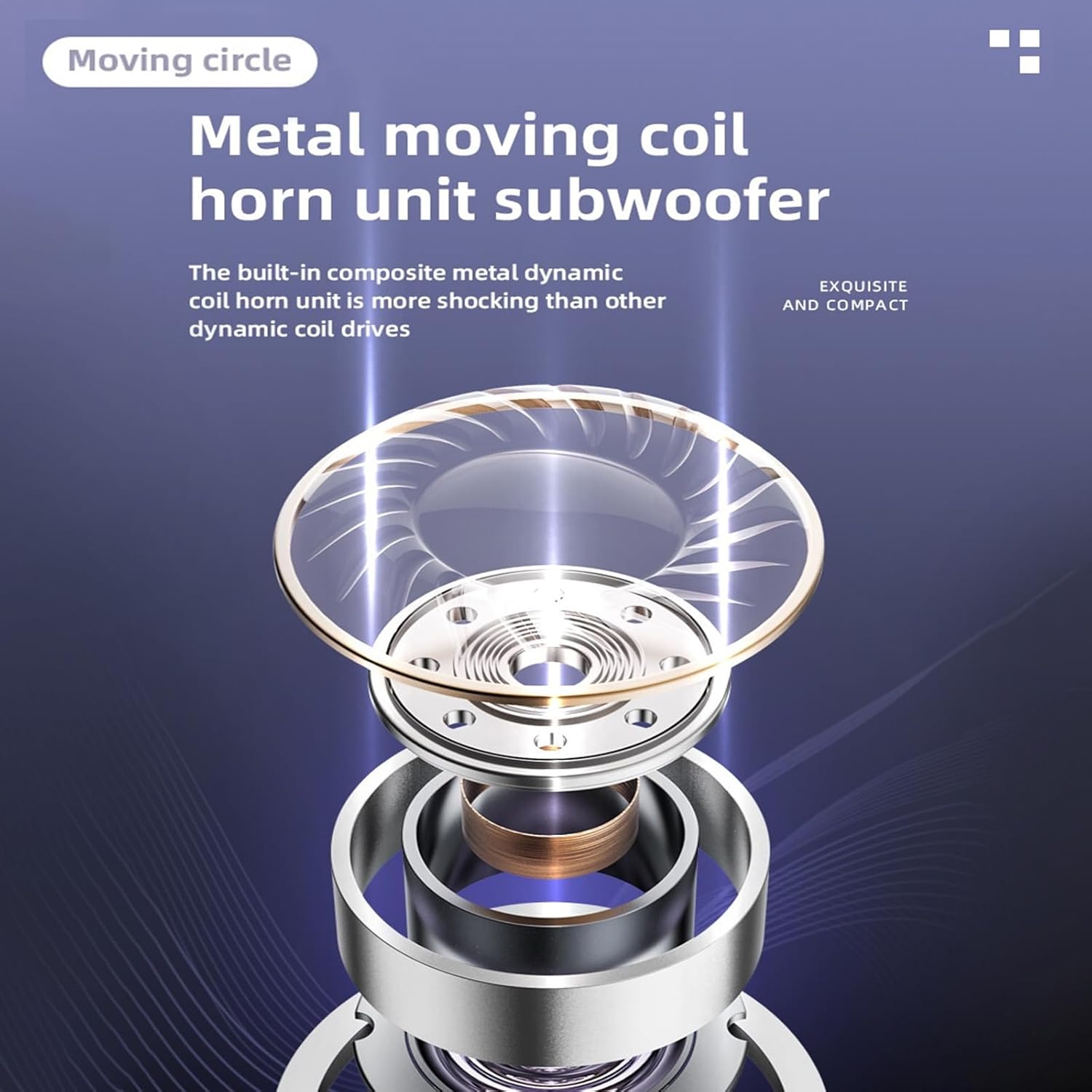
Image: A detailed diagram showing the internal structure of the LP40 Pro's metal moving coil horn unit subwoofer, highlighting its dynamic driver technology.
Garansi dan Dukungan
Doublepow products are designed for reliability and performance. For warranty information and technical support, please refer to the official Doublepow websitus atau hubungi layanan pelanggan mereka secara langsung.
- Resmi Weblokasi: www.doublepow.com (Example link, replace with actual if available)
- Pelayanan pelanggan: Refer to the contact information provided on the product packaging or official weblokasi.
Harap simpan bukti pembelian Anda untuk klaim garansi.