
Perkenalan
This manual provides detailed instructions for the setup, operation, and maintenance of your Transformers TF-T31 Bluetooth TWS Wireless Earbuds. Please read this manual thoroughly before using the product to ensure proper function and longevity.
Produk Selesaiview
Isi Paket
- Transformers TF-T31 Wireless Earbuds (Left and Right)
- Kotak Pengisian Daya
- Kabel Pengisi Daya USB Type-C
- Panduan Pengguna (Dokumen Ini)
Fitur Utama
- Bluetooth 5.4: Provides a stable, fast, and low-power connection.
- Fungsionalitas Mode Ganda: Switch between Gaming Mode for low latency audio and Music Mode for HiFi sound.
- Audio dengan Ketelitian Tinggi: Features 13mm magnetically levitated drivers for rich, detailed sound with deep bass.
- Peredam Kebisingan Lingkungan (ENC): Enhances call clarity by reducing ambient noise.
- Kontrol Sentuh Intuitif: Manage music playback, calls, and mode switching directly from the earbuds.
- Daya Tahan Baterai Lebih Lama: Up to 5 hours of playback per charge, with the charging case providing up to 50 hours total.
- Desain Ergonomis: Lightweight and comfortable for prolonged wear.
- Mechanical Shell Design: Unique aesthetic inspired by Transformers.

Image: The Transformers TF-T31 wireless earbuds and their distinctive mechanical shell charging case, shown in yellow.

Image: Close-up of the Transformers TF-T31 charging case, highlighting its unique mechanical shell design and the Transformers logo.
Pengaturan
1. Mengisi Daya Earbud dan Casing
Sebelum penggunaan pertama, isi daya earbud dan casing pengisi daya hingga penuh.
- Masukkan kedua earbud ke dalam casing pengisi daya. Pastikan keduanya terpasang dengan benar.
- Connect the provided USB Type-C cable to the charging port on the case and plug the other end into a USB power source (e.g., wall adapter, computer).
- The LED digital display on the charging case will indicate the battery status during charging.
- Pengisian daya biasanya memakan waktu sekitar 1.5 jam untuk pengisian penuh.
Catatan: The charging case has a 3.7V/300mAh battery, and each earbud has a 3.7V/30mAh built-in battery.
2. Pemasangan Bluetooth
Ikuti langkah-langkah ini untuk memasangkan earbud Anda dengan perangkat yang mendukung Bluetooth:
- Nyalakan: Buka wadah pengisi daya. Earbud akan otomatis menyala dan masuk ke mode pemasangan. Anda mungkin mendengar suara pemberitahuan.
- Aktifkan Bluetooth: Pada perangkat Anda (smartphone, tablet, komputer), buka pengaturan Bluetooth dan pastikan Bluetooth diaktifkan.
- Pilih alat: Look for "TF-T31" in the list of available Bluetooth devices and select it to connect.
- Konfirmasi: Once connected, you will hear a confirmation sound from the earbuds, and your device will show "TF-T31" as connected.
Catatan: Earbud akan secara otomatis tersambung kembali ke perangkat terakhir yang dipasangkan saat dikeluarkan dari casing, jika Bluetooth diaktifkan pada perangkat.

Image: Diagram illustrating the advanced Bluetooth 5.4 technology, emphasizing stable and fast connection.
Petunjuk Pengoperasian
Daya Hidup/Mati
- Nyalakan: Buka casing pengisi daya, atau tekan lama area sentuh pada kedua earbud selama 3 detik.
- Matikan: Letakkan kembali earbud ke dalam wadah pengisi daya dan tutup kembali, atau tekan lama area sentuh pada kedua earbud selama 5 detik.
Kontrol Sentuh
The TF-T31 earbuds feature intuitive touch controls on the outer surface of each earbud. The functions are as follows:
| Tindakan | Fungsi |
|---|---|
| Ketuk Tunggal (Kiri/Kanan) | Putar/Jeda musik, Jawab/Akhiri panggilan |
| Ketuk Dua Kali (Earbud Kanan) | Lagu Berikutnya |
| Ketuk Dua Kali (Earbud Kiri) | Trek Sebelumnya |
| Ketuk Tiga Kali (Kiri/Kanan) | Switch between Gaming Mode and Music Mode |
| Tekan Lama (Kiri/Kanan, 2 detik) | Reject incoming call, Activate Voice Assistant |
Switching Modes (Gaming/Music)
The TF-T31 earbuds offer two distinct audio modes:
- Mode Permainan: Provides ultra-low latency audio synchronization, ideal for gaming and video playback to minimize delay between audio and visuals.
- Mode Musik: Delivers rich HiFi sound with enhanced bass and clear highs, optimized for an immersive music listening experience.
To switch between modes, ketuk tiga kali the touch area on either earbud. You will hear an audible prompt indicating the current mode.
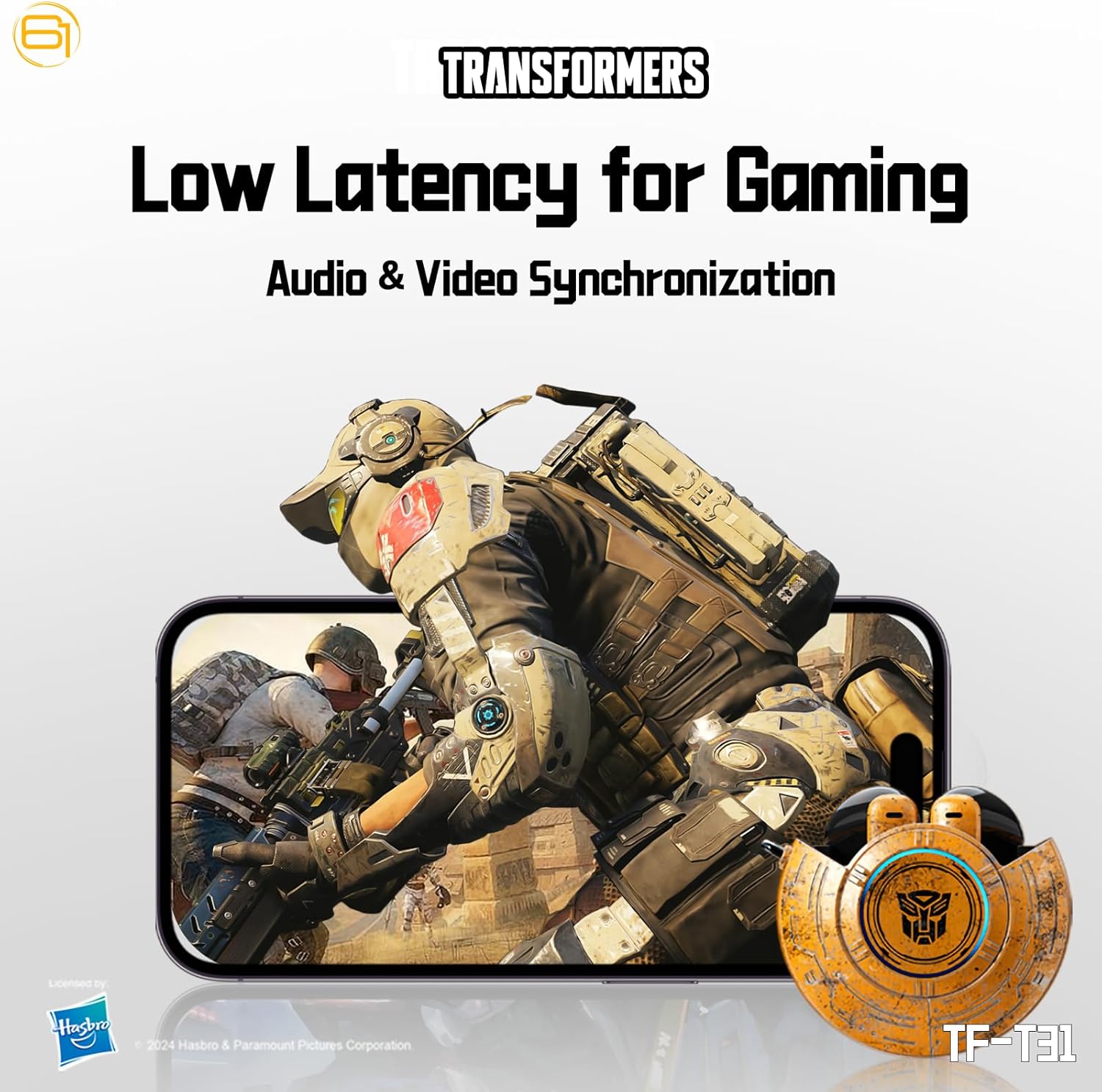
Image: Illustration of the earbuds providing low latency audio for gaming, showing a mobile gaming scenario.
Pemeliharaan
Pembersihan
- Bersihkan earbud dan casing pengisi daya secara teratur dengan kain yang lembut, kering, dan tidak berbulu.
- Jangan gunakan pembersih abrasif, alkohol, atau pelarut kimia.
- Bersihkan perlahan kotoran telinga atau debu dari lubang penyumbat telinga menggunakan sikat kecil yang lembut atau kapas.
- Pastikan kontak pengisian daya pada earbud dan wadahnya bersih dan kering agar pengisian daya tetap berjalan dengan baik.
Penyimpanan
- Jika tidak digunakan, simpan earbud dalam wadah pengisi dayanya untuk melindunginya dan menjaganya tetap terisi daya.
- Simpan produk di tempat yang sejuk dan kering, jauhkan dari suhu ekstrem dan sinar matahari langsung.
- Avoid exposing the earbuds or case to water or excessive moisture. While the product is water-resistant, it is not waterproof.
Penyelesaian Masalah
If you encounter issues with your TF-T31 earbuds, please refer to the following common problems and solutions:
Earbud Tidak Terhubung atau Terpasang
- Pastikan kedua earbud terisi dayanya.
- Pastikan Bluetooth diaktifkan pada perangkat Anda.
- Letakkan kembali earbud ke dalam wadah pengisi daya, tutup kembali, tunggu beberapa detik, lalu buka lagi untuk masuk kembali ke mode pemasangan.
- On your device, forget or delete "TF-T31" from your Bluetooth device list, then attempt to pair again.
- Coba pasangkan dengan perangkat lain untuk menyingkirkan masalah spesifik perangkat.
Tidak Ada Suara atau Volume Rendah
- Periksa level volume pada perangkat yang terhubung dan pada earbud Anda.
- Pastikan earbud terpasang dengan benar di telinga Anda.
- Clean any debris from the earbud mesh that might be obstructing sound.
- Sambungkan kembali earbud ke perangkat Anda.
Masalah Pengisian Daya
- Pastikan kabel pengisian daya tersambung dengan aman ke casing dan sumber daya.
- Ensure the charging contacts on the earbuds and inside the case are clean and free of obstructions.
- Cobalah menggunakan kabel USB Type-C atau adaptor daya yang berbeda.
- Confirm the power source is active.
Earbuds Disconnect Frequently
- Ensure your device is within the Bluetooth transmission distance (26-32 feet or 8-10 meters) without significant obstacles.
- Hindari lingkungan dengan gangguan elektromagnetik yang kuat.
- Fully charge both the earbuds and the charging case.
Spesifikasi
| Fitur | Detil |
|---|---|
| Nama Model | TF-T31 |
| Versi Bluetooth | Bluetooth 5.4 |
| Jarak Transmisi Bluetooth | 26-32 kaki (8-10 meter) |
| Kapasitas Baterai Headphone | 3.7V/30mAh (each earbud) |
| Kapasitas Baterai Kotak Pengisian Daya | 3.7V/300mAh |
| Port Pengisian Daya | Tipe-C |
| Waktu Pengisian Daya | Sekitar 1.5 jam |
| Battery Talk/Music Time | Hingga 5 jam (earbud), hingga 50 jam (dengan casing pengisi daya) |
| Rentang Respon Frekuensi | Frekuensi 20Hz-20kHz |
| Impedansi Speaker | 32Ω |
| Kepekaan | 109dB±3dB |
| Jenis Kontrol | Kontrol Sentuh |
| Tingkat Tahan Air | Tahan Air |
| Dimensi Produk | 3.15x3.15x4.72 inci |
| Berat Barang | 5.3 ons (0.15 Kilogram) |
Informasi Keselamatan
- Perlindungan Pendengaran: Hindari mendengarkan dengan tingkat volume tinggi dalam waktu lama untuk mencegah kerusakan pendengaran.
- Keselamatan Berkendara: Do not use earbuds while driving or operating machinery where the inability to hear ambient sounds could pose a danger.
- Paparan Air: The earbuds are water-resistant, not waterproof. Do not submerge them in water or expose them to heavy rain. Dry them thoroughly if they get wet.
- Anak-anak: Keep earbuds and small parts away from children to prevent choking hazards.
- Keamanan Baterai: Do not attempt to replace the built-in batteries. Do not expose batteries to excessive heat or direct sunlight. Dispose of batteries according to local regulations.
- Pembersihan: Use only recommended cleaning methods. Avoid harsh chemicals.
Garansi dan Dukungan
For warranty information or technical support, please refer to the documentation provided at the time of purchase or contact the retailer/manufacturer directly. Keep your proof of purchase for warranty claims.
You can visit the official Transformers store on Amazon for more product information: Transformers Store