
1. Pendahuluan
This manual provides essential information for the safe and efficient operation of your ZDSSY HY320MAX Mini Projector. Please read it thoroughly before using the device and retain it for future reference. The ZDSSY HY320MAX is a 1080P native mini projector featuring Android 13, built-in licensed applications, WiFi 6, Bluetooth 5.4, and automatic keystone correction, designed for versatile indoor and outdoor entertainment.
2. Informasi Keselamatan
- Catu Daya: Gunakan hanya adaptor daya yang disediakan. Pastikan tegangantage cocok dengan catu daya lokal Anda.
- Ventilasi: Jangan halangi lubang ventilasi. Pastikan aliran udara di sekitar proyektor memadai untuk mencegah panas berlebih.
- Paparan Cairan: Jauhkan proyektor dari air atau cairan lainnya. Jangan mengoperasikannya dalam kondisi gelap.amp lingkungan.
- Sumber Panas: Avoid placing the projector near heat sources such as radiators, heat registers, stoves, or other heat-producing appliances.
- Perlindungan Mata: Jangan melihat langsung ke lensa proyektor saat lampuamp dinyalakan, karena cahaya yang terang dapat menyebabkan kelelahan atau kerusakan mata.
- Pembersihan: Disconnect the power before cleaning. Use a soft, dry cloth for cleaning the exterior. For the lens, use a specialized lens cleaning cloth.
- Pelayanan: Jangan mencoba untuk memperbaiki produk ini sendiri. Rujuk semua servis ke personel servis yang berkualifikasi.
3. Isi Paket
Mohon periksa apakah semua barang lengkap dan dalam kondisi baik saat membuka kemasan:
- ZDSSY HY320MAX Mini Projector
- Adaptor Daya
- Remote Control Suara Bluetooth
- Panduan Pengguna
- HDMI Cable (Menyimpulkan)
4. Produk Lebihview
4.1 Komponen Proyektor
The ZDSSY HY320MAX Mini Projector features a compact design with essential components for ease of use.
- Lensa Proyeksi: Memancarkan gambar ke layar atau permukaan.
- Kisi-kisi ventilasi: Located on the sides or rear to dissipate heat.
- Masukan Daya: Untuk menghubungkan adaptor daya.
- Port HDMI: For connecting external devices like gaming consoles or laptops.
- Port USB: Untuk menghubungkan perangkat penyimpanan USB.
- Penerima IR: Untuk menerima sinyal dari remote control.
- Dudukan yang Dapat Disesuaikan: Allows for 180° flexible rotation for various projection angles.
4.2 Kontrol Jarak Jauh
The included Bluetooth voice remote control allows for easy navigation and voice commands.
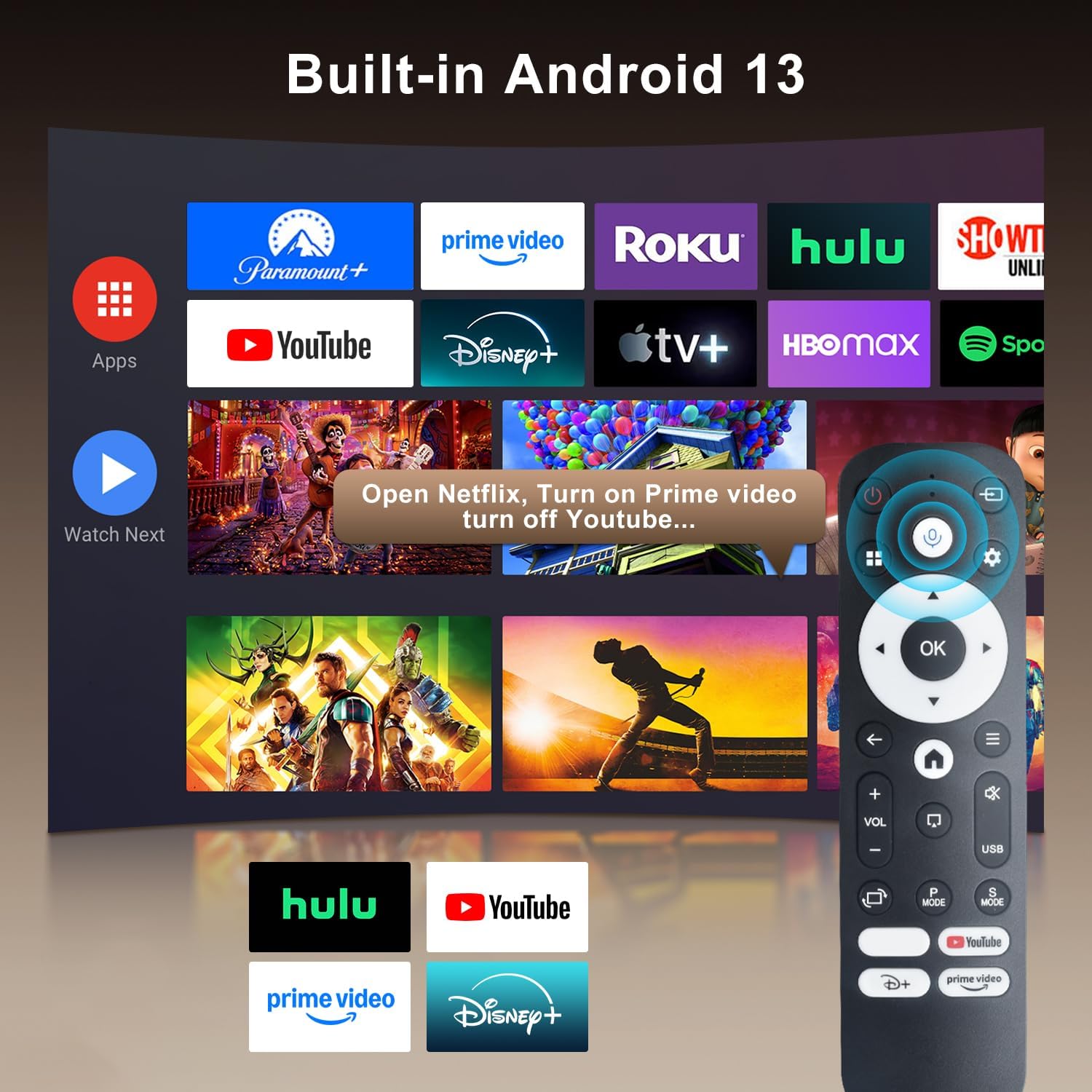
Image: The projector's interface showing built-in Android 13 apps and the Bluetooth voice remote control.
5. Pengaturan
5.1 Penempatan
Position the projector on a stable, flat surface. The 180° flexible rotation allows projection onto walls, ceilings, or floors. Ensure the projector is within the recommended throw distance of 1 to 6 meters for an optimal image size between 30 and 300 inches.

Image: The ZDSSY HY320MAX Mini Projector set up for an outdoor movie night, demonstrating its portability and flexible placement.
5.2 Sambungan Daya
Hubungkan adaptor daya ke port input daya proyektor, lalu colokkan adaptor ke stopkontak.
5.3 Penyalaan Awal
Tekan tombol daya pada proyektor atau remote control untuk menghidupkan perangkat. Proyektor akan menyala dan menampilkan antarmuka Android 13.
5.4 Fokus dan Koreksi Keystone
The projector features AI Auto Keystone correction, which automatically adjusts the image to be rectangular even if the projector is placed at an angle. You can also use the 50%-100% zoom function to resize the screen without moving the projector.

Image: A visual representation of the projector's automatic keystone correction feature, ensuring a perfectly aligned picture.
5.5 Koneksi Jaringan
Navigate to the settings menu to connect to a Wi-Fi network. The projector supports ultra-fast WiFi 6 for smooth streaming and lag-free gaming.

Image: The projector displaying content wirelessly, highlighting its WiFi 6 and Bluetooth 5.4 capabilities for smoother performance.
5.6 Pemasangan Bluetooth
For enhanced audio, pair Bluetooth 5.4 compatible speakers or headphones with the projector through the settings menu.
6. Petunjuk Pengoperasian
6.1 Menavigasi Antarmuka
Use the directional buttons and 'OK' button on the remote control to navigate through the Android 13 interface. The 'Back' button returns to the previous screen, and the 'Home' button returns to the main menu.

Image: The ZDSSY HY320MAX projector's home screen, displaying various pre-installed streaming applications.
6.2 Menggunakan Aplikasi Bawaan
The projector comes with officially licensed apps such as Netflix, Prime Video, and YouTube pre-installed. Access these directly from the home screen. The built-in APP STORE allows you to download additional applications.
6.3 External Input Sources
Connect external devices via the HDMI or USB ports. Select the appropriate input source from the projector's menu to display content from these devices.
6.4 Pencerminan Layar
The projector supports screen mirroring from compatible smartphones (Android and iOS) over Wi-Fi. Refer to the on-screen instructions for connecting your device.

Image: A user mirroring their smartphone screen to the projector, demonstrating the wireless connectivity feature.
6.5 Kontrol Suara
Utilize the Bluetooth voice remote for hands-free control. Press and hold the microphone button on the remote, then speak your command (e.g., "Open Netflix," "Pencarian untuk film").
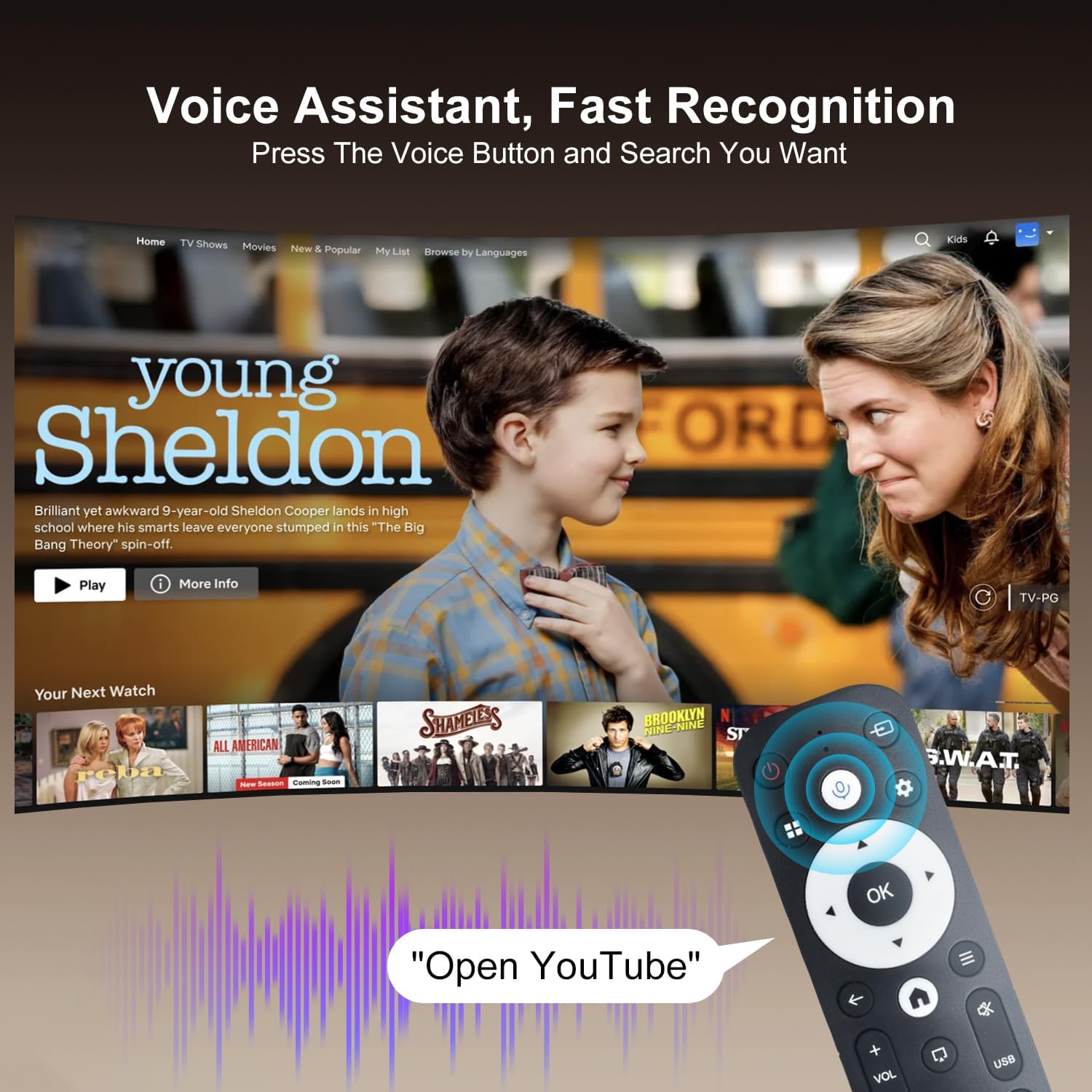
Image: The projector displaying a streaming service interface, with the remote control highlighting the voice assistant button and a voice command exampsaya.
7. Pemeliharaan
- Pembersihan Lensa: Gently wipe the projector lens with a soft, lint-free cloth specifically designed for optical lenses. Avoid using abrasive materials or harsh chemicals.
- Pembersihan Eksterior: Use a soft, dry cloth to clean the projector's exterior. Do not use liquid or aerosol cleaners.
- Ventilasi: Regularly check that the ventilation grilles are free from dust and obstructions to ensure proper heat dissipation.
- Penyimpanan: Saat tidak digunakan dalam jangka waktu lama, simpan proyektor di tempat yang sejuk dan kering, terlindung dari debu dan sinar matahari langsung.
8. Penyelesaian masalah
Jika Anda mengalami masalah dengan proyektor Anda, lihat masalah umum dan solusi berikut:
| Masalah | Kemungkinan Penyebab | Larutan |
|---|---|---|
| Tidak Ada Daya | Power cable disconnected; Power outlet fault | Pastikan kabel daya tersambung dengan benar; Coba stopkontak lain. |
| Tidak Ada Gambar | Input source not selected; Device not connected | Select correct input source (HDMI/USB); Ensure external device is connected and powered on. |
| Gambar Buram | Tidak fokus; Koreksi keystone yang salah | Allow Auto Keystone to adjust; Manually adjust focus if available. |
| Tidak Ada Suara | Volume terlalu rendah; Perangkat audio eksternal tidak terhubung | Increase volume; Check Bluetooth connection for external speakers. |
| Remote Tidak Merespons | Low battery; Not paired | Replace batteries; Re-pair the Bluetooth remote control. |
| Masalah Koneksi Wi-Fi | Kata sandi salah; Masalah router | Verify Wi-Fi password; Restart your router and the projector. |
9. Spesifikasi
Detailed technical specifications for the ZDSSY HY320MAX Mini Projector:
- Merek: ZDSSY
- Nama Model: HY320MAX
- Nomor Model: HY320MAX-US
- Resolusi Layar: Native 1920 x 1080 Pixels
- Resolusi Tampilan Maksimum: 3840 x 2160 Piksel (Dukungan 4K)
- Tipe Tampilan: Layar LCD
- Kecerahan: 20000 Lumen (400 ANSI Lumens)
- Rasio Kontras: 10000:1
- Umur Operasional Sumber Cahaya: 60000 Jam
- Teknologi Konektivitas: USB, HDMI, Built-In Wi-Fi (WiFi 6), Bluetooth 5.4
- Metode Kontrol: Remote Control, Voice
- Penggunaan yang Direkomendasikan: Dalam/Luar Ruangan
- Tipe Pemasangan: Ceiling Mount/Table Mount/Wall Mount
- Jarak Lempar Minimum: 1 Meteran
- Jarak Lempar Maksimum: 6 Meter
- Minimum Image Size: 30 inci
- Ukuran Gambar Maksimum: 300 inci
- Jil.tage: 110 Volt
- Apatage: 70 watt
- Dimensi Barang (P x L x T): 4.09"P x 3.98"L x 8.66"T

Image: A comparison illustrating the native 1080P resolution and 4K support capabilities of the ZDSSY HY320MAX projector.
10. Garansi dan Dukungan
The ZDSSY HY320MAX Mini Projector comes with a Garansi 3 tahun. This warranty includes free parts replacement and lifelong technical support. For any warranty claims, technical assistance, or support inquiries, please contact ZDSSY customer service through the retailer where the product was purchased or refer to the contact information provided on the official ZDSSY weblokasi.