
Perkenalan
This manual provides detailed instructions for the installation, operation, maintenance, and troubleshooting of your Thermalright TL-H12-X28-S Thin Computer Case Fan. This 120mm ARGB fan is designed for efficient cooling within computer cases and CPU cooler setups, featuring a 28mm thickness, 2150RPM speed, and PWM intelligent temperature control.

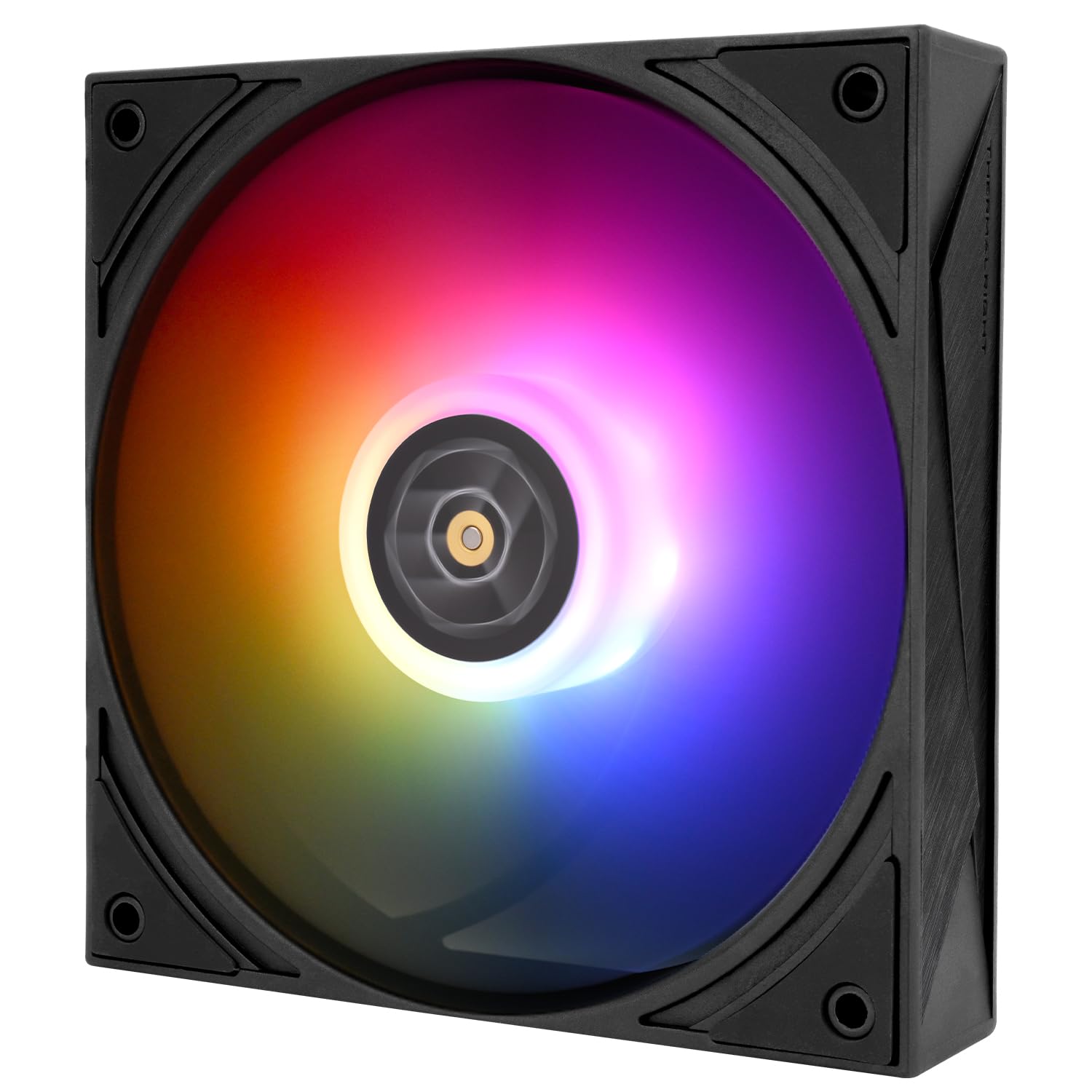
Gambar: Sebuah overview of the Thermalright TL-H12-X28-S 120mm ARGB performance fan, highlighting its design.
Fitur Utama
- Fan Parameters: 120x120x28mm size, 2150RPM±10% speed, ≤29.4dBA noise, 4-pin PWM power, 5V 3PIN ARGB lighting, 0.25A current, 2.65mm H2O (MAX) air pressure, 80.45CFM (MAX) air volume.
- Operasi Kecepatan Tinggi: Achieves 2150RPM for effective heat dissipation, utilizing a 7 noise-reducing fan blade design.
- PWM Intelligent Temperature Control: Automatically adjusts fan speed based on system temperature when connected to a compatible motherboard header.
- Bantalan Tahan Lama: Features S-FDB V2 bearing for stable, long-lasting, and quiet operation, minimizing fan shaking and vibration.
- Advanced Motor Design: Incorporates a 3-phase 6-pole motor for smoother operation and reduced power consumption.
- Aplikasi serbaguna: Suitable for use as a chassis fan, with air coolers, or water cooling radiators for enhanced system cooling.

Image: The Thermalright TL-H12-X28-S fan, emphasizing its enhanced 28mm thickness for improved cooling performance.

Image: A close-up of the Thermalright TL-H12-X28-S fan, detailing the S-FDB (Fluid Dynamic Bearing) V2 for durability and low-noise operation.

Image: The internal structure of the Thermalright TL-H12-X28-S fan, showing the 3-phase 6-pole motor and industrial-grade PBT polymer construction with silicone rubber pads.

Image: The Thermalright TL-H12-X28-S fan depicted in diverse usage scenarios, including case airflow, air cooling, and water cooling radiators.
Pengaturan dan Instalasi
Before installation, ensure your computer system is powered off and disconnected from the main power supply. Refer to your motherboard and case manuals for specific mounting locations and cable routing.
- Siapkan Lokasi Pemasangan: Identify the desired fan mounting location within your computer case or on your CPU cooler. Ensure adequate clearance for the 120x120x28mm fan dimensions.
- Pasang Kipas: Secure the fan to the chosen location using the provided screws. The fan features dual-side soft-touch rubber pads for vibration absorption.
- Hubungkan Kabel PWM: Connect the fan's 4-pin PWM power cable to an available 4-pin fan header on your motherboard. This enables intelligent temperature control.
- Hubungkan Kabel ARGB: Connect the fan's 5V 3-pin ARGB lighting cable to a compatible 5V 3-pin ARGB header on your motherboard or an ARGB controller. Catatan: This fan only supports 5V 3-pin ARGB and is not compatible with 12V 4-pin RGB headers.
- Manajemen Kabel: Route cables neatly to avoid interference with other components and to maintain good airflow.
- Nyalakan: Once all connections are secure, close your computer case, reconnect power, and power on your system.

Image: The Thermalright TL-H12-X28-S fan showcasing its dual-side soft-touch rubber pads for vibration absorption and the S-FDB (Stably-FDB) Bearing V2 with magnetic design for stable fan blade motion.

Image: A diagram illustrating the connection of the PWM fan speed sync connector to the motherboard.
Petunjuk Pengoperasian
The Thermalright TL-H12-X28-S fan operates automatically once installed and connected correctly.
- Kontrol PWM: If connected to a 4-pin PWM header, the fan speed will be automatically regulated by your motherboard based on CPU or system temperature. You can typically adjust fan curves and profiles through your motherboard's BIOS/UEFI settings or dedicated software.
- Kontrol Pencahayaan ARGB: The 5V 3-pin ARGB lighting can be controlled via your motherboard's ARGB software (e.g., ASUS Aura Sync, MSI Mystic Light Sync, Gigabyte RGB Fusion, ASRock Polychrome Sync) or a standalone ARGB controller. Ensure compatibility between your motherboard/controller and the fan's ARGB standard.
- Arah Aliran Udara: Ensure the fan is oriented to provide optimal airflow for your system. Typically, fans are installed to draw cool air into the case or exhaust hot air out.
Pemeliharaan
Perawatan rutin membantu memastikan kinerja optimal dan umur pakai kipas Anda lebih lama.
- Pembersihan Debu: Periksa bilah kipas dan rangkanya secara berkala untuk melihat apakah ada penumpukan debu. Gunakan udara bertekanan atau sikat lembut untuk membersihkan debu dengan hati-hati. Pastikan kipas dimatikan dan dicabut dari sumber listrik sebelum dibersihkan.
- Pemeriksaan Kabel: Check all cables (PWM and ARGB) for secure connections and any signs of wear or damage.
- Ketahanan Bantalan: The S-FDB V2 bearing is designed for long-term, maintenance-free operation. Do not attempt to disassemble the fan or lubricate the bearing, as this may void the warranty and damage the unit.
Penyelesaian Masalah
| Masalah | Kemungkinan Penyebab | Larutan |
|---|---|---|
| Kipas tidak berputar | Incorrect power connection, insufficient power, faulty fan header, fan failure. | Ensure 4-pin PWM cable is securely connected to a functional motherboard fan header. Check BIOS/UEFI settings to ensure the fan header is enabled and configured correctly. Test with another fan header if available. |
| Pencahayaan ARGB tidak berfungsi | Incorrect ARGB connection, incompatible ARGB header, software issue, faulty ARGB controller. | Verify 5V 3-pin ARGB cable is connected to a compatible 5V 3-pin ARGB header (not 12V 4-pin RGB). Ensure ARGB software is installed and configured correctly. Check for loose connections. |
| Kebisingan atau getaran yang berlebihan | Loose mounting screws, dust accumulation, fan blade obstruction, bearing issue. | Ensure fan is securely mounted. Clean fan blades and frame from dust. Check for any cables or objects obstructing fan blades. If noise persists and is not due to external factors, the fan may require replacement. |
| Fan not reaching maximum speed | PWM settings, low system temperature. | Check your motherboard's BIOS/UEFI fan control settings. The fan speed is controlled by PWM based on temperature; it will only reach maximum RPM under high thermal load. |
Spesifikasi

Image: The Thermalright TL-H12-X28-S fan with its dimensions clearly marked as 120mm x 120mm x 28mm.
| Fitur | Detil |
|---|---|
| Model | TL-H12-X28-S |
| Dimensi (P x L x T) | 120mm x 120mm x 28mm (4.72"P x 4.72"L x 1.1"T) |
| Kecepatan Rotasi | 2150 RPM ±10% (Max) |
| Tingkat Kebisingan | 29.4 dBA |
| Kapasitas Aliran Udara | 80.45 CFM (Maks) |
| Tekanan udara | 2.65 mm H2O (Maks) |
| Konektor Daya | 4-Pin PWM |
| Antarmuka Pencahayaan | ARGB 3-Pin 5V |
| Saat ini | 0.25 Sebuah |
| Jil.tage | 12 Volt (DC) |
| Apatage | 3 Watt |
| Jenis Bantalan | S-FDB V2 (Fluid Dynamic Bearing) |
| Perangkat yang Kompatibel | Desktop (Case Fan, CPU Cooler Fan) |
| Komponen yang Termasuk | Case fan, PC cooling fan |
Garansi dan Dukungan
Thermalright products are manufactured to high quality standards. For specific warranty information, please refer to the warranty card included with your product or visit the official Thermalright website. For technical support or inquiries, please contact Thermalright customer service through their official channels.