
Taiahiro BK6301
Taiahiro Wireless Gaming Keyboard and Mouse Combo User Manual
Model: BK6301
Perkenalan
This manual provides detailed instructions for the setup, operation, and maintenance of your Taiahiro Wireless Gaming Keyboard and Mouse Combo. This combo features a 98-key RGB backlit mechanical keyboard with blue switches and an ergonomic wireless gaming mouse, offering versatile connectivity options (USB-C, 2.4G, Bluetooth 5.0) for various devices.
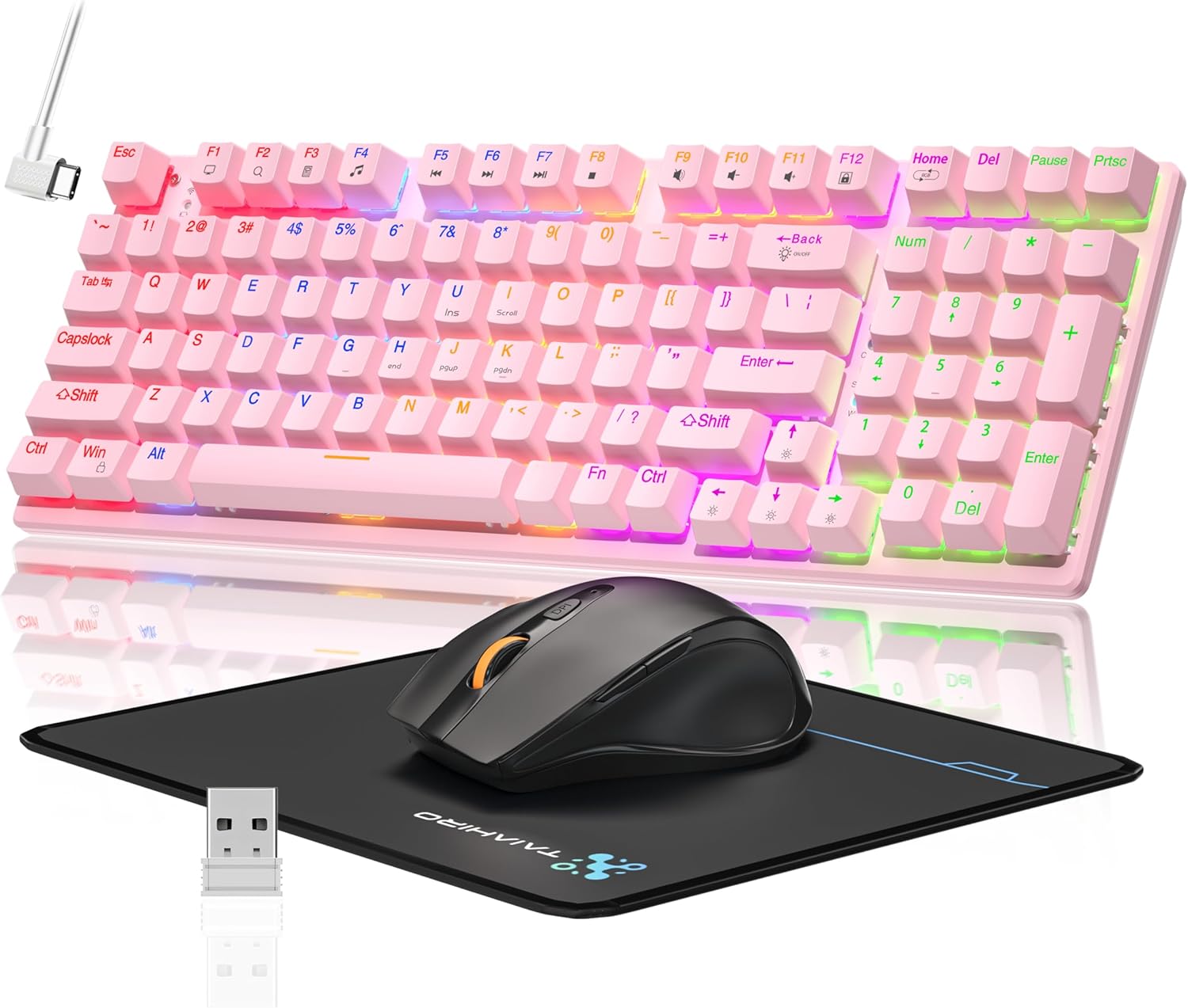
Image: The Taiahiro Wireless Gaming Keyboard and Mouse Combo, featuring a pink 98-key mechanical keyboard with RGB backlighting, a black ergonomic mouse, and a mouse pad. A USB receiver is also visible.
Isi Paket
- Keyboard Mekanik Nirkabel
- Mouse Gaming Nirkabel
- Kabel USB-C
- Penerima USB 2.4G
- Alas Mouse
- User Manual (dokumen ini)
Pengaturan
Pengaturan Keyboard
The keyboard supports three connectivity modes: USB-C wired, 2.4G wireless, and Bluetooth 5.0.
- Koneksi Kabel USB-C: Connect the provided USB-C cable from the keyboard to an available USB port on your computer. The keyboard will be recognized automatically.
- Koneksi Nirkabel 2.4G:
- Locate the 2.4G USB receiver, typically stored in the mouse or keyboard compartment.
- Hubungkan penerima USB 2.4G ke port USB yang tersedia di komputer Anda.
- Ensure the keyboard's mode switch (usually on the back or side) is set to 2.4G mode.
- Keyboard akan terhubung secara otomatis.
- Koneksi Bluetooth 5.0:
- Pastikan sakelar mode keyboard diatur ke mode Bluetooth.
- Pada perangkat Anda (PC, laptop, tablet, ponsel pintar), aktifkan Bluetooth dan cari perangkat baru.
- Select "Taiahiro Keyboard" (or similar name) from the list of available devices.
- Ikuti petunjuk di layar untuk menyelesaikan pemasangan.

Image: A pink mechanical keyboard connected to various devices (monitor, laptop, tablet) illustrating its triple-mode connectivity via Bluetooth, 2.4GHz, and USB-C.
Pengaturan Tikus
The mouse supports 2.4G wireless and Bluetooth connectivity.
- Koneksi Nirkabel 2.4G:
- Insert 1 AA battery (not included) into the mouse.
- Plug the 2.4G USB receiver (shared with keyboard) into an available USB port on your computer.
- Ensure the mouse's power switch is turned ON.
- Mouse tersebut seharusnya terhubung secara otomatis.
- Koneksi Bluetooth:
- Insert 1 AA battery (not included) into the mouse.
- Ensure the mouse's power switch is turned ON and set to Bluetooth mode.
- Pada perangkat Anda, aktifkan Bluetooth dan cari perangkat baru.
- Select "Taiahiro Mouse" (or similar name) from the list of available devices.
- Ikuti petunjuk di layar untuk menyelesaikan pemasangan.

Image: A wireless gaming mouse highlighting its 4 adjustable DPI levels and showing the battery compartment with a tiny USB receiver and space for a 1AA battery.
Petunjuk Pengoperasian
Fungsi Papan Ketik
- Lampu Latar RGB: The keyboard features 8 different RGB lighting modes.
- Tekan Fn + Beranda untuk berganti-ganti mode pencahayaan.
- Tekan Fn + ↑/↓ to adjust brightness (5 levels).
- Tekan Fn + ←/→ to adjust breathing speed (5 levels).
- Tombol Multimedia: Gunakan Fn key in combination with F-keys for multimedia controls (e.g., Fn+F1 for media player, Fn+F2 for volume down, etc.). Refer to the keycap legends for specific functions.
- Kaki yang Dapat Disesuaikan: The keyboard has adjustable feet on the underside to change the typing angle for ergonomic comfort.
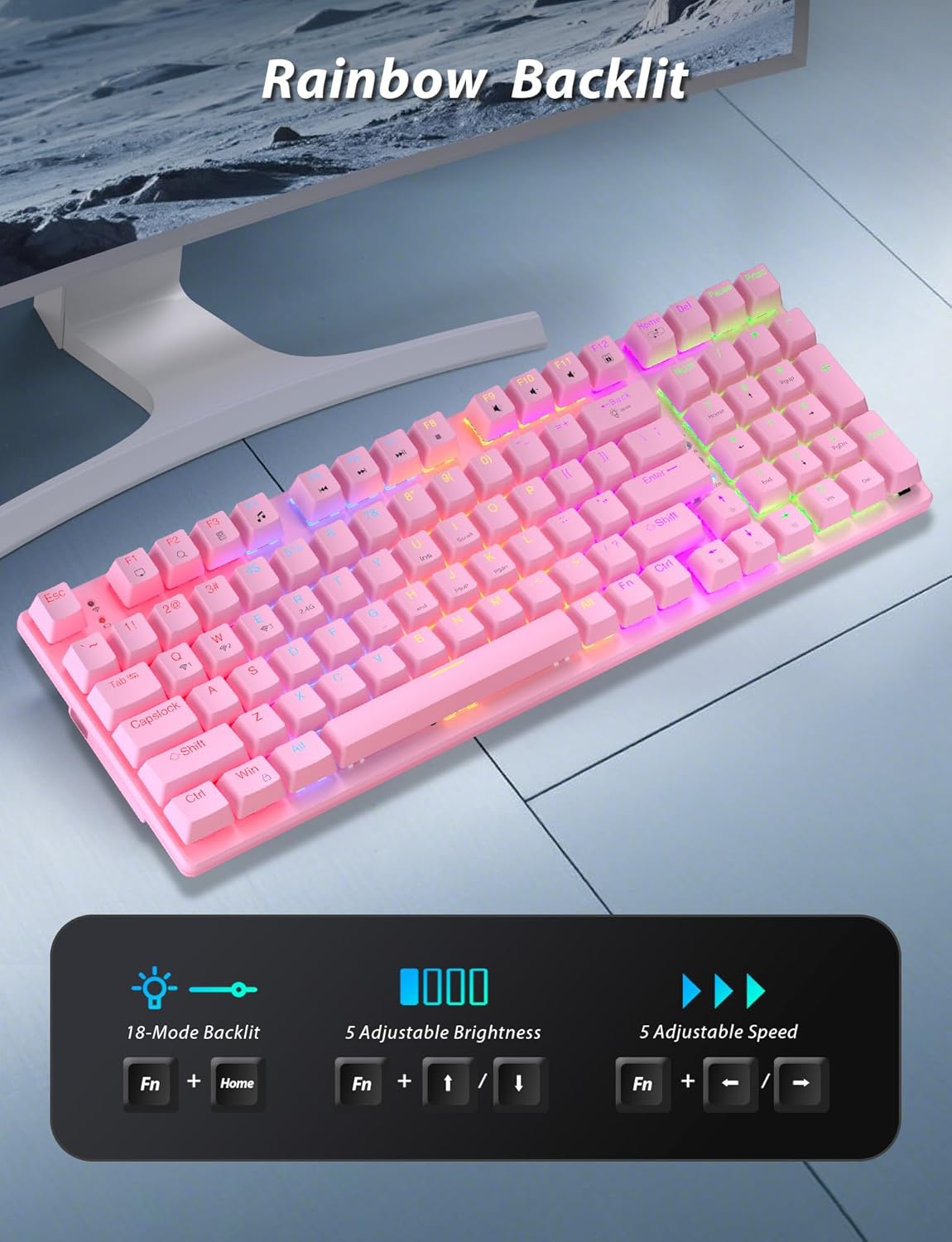
Image: A pink mechanical keyboard displaying its rainbow backlit keys, with an overlay showing the key combinations (Fn + Home, Fn + ↑/↓, Fn + ←/→) for controlling 8 modes, 5 adjustable brightness levels, and 5 adjustable speeds.

Gambar: Close-up view of the side of the pink mechanical keyboard, showing its ergonomic sloped design and the adjustable feet extended for comfortable typing. The accompanying mouse is also shown on a mousepad.
Fungsi Tikus
- Penyesuaian DPI: The mouse features 4 adjustable DPI levels (800/1600/2400/3200). Press the DPI button (usually located behind the scroll wheel) to cycle through the sensitivity settings.
- Desain Ergonomis: The contoured shape of the mouse is designed to fit comfortably in your hand, reducing fatigue during extended use.
- Anti-skid Scroll Wheel: Provides precise scrolling control.

Image: A wireless gaming mouse with a prominent scroll wheel and DPI button, illustrating its 4 adjustable DPI levels (800/1600/2400/3200), ergonomic shape, and forward/back buttons.
Pemeliharaan
- Pembersihan: Gunakan kain lembut dan kering untuk membersihkan permukaan keyboard dan mouse. Untuk pembersihan yang lebih menyeluruh, gunakan kain yang sedikit digosok.amp cloth can be used, ensuring no liquid enters the internal components. Avoid harsh chemicals or abrasive materials.
- Penggantian Baterai: For the mouse, replace the AA battery when performance degrades. For the keyboard, recharge via the USB-C cable when the battery indicator shows low power.
- Penyimpanan: Saat tidak digunakan dalam jangka waktu lama, simpan perangkat ini di tempat yang sejuk dan kering, terhindar dari sinar matahari langsung dan suhu ekstrem.
Penyelesaian Masalah
| Masalah | Larutan |
|---|---|
| Keyboard/Mouse not connecting via 2.4G. |
|
| Keyboard/Mouse tidak terhubung melalui Bluetooth. |
|
| RGB backlighting not working or dim. |
|
| Kursor mouse tidak stabil atau tidak responsif. |
|
Spesifikasi
| Fitur | Detil |
|---|---|
| Nomor Model | BK6301 |
| Jenis Papan Ketik | 98-Key Mechanical Keyboard |
| Jenis Sakelar | Sakelar Biru |
| Konektivitas Papan Ketik | USB-C (Wired), 2.4G Wireless, Bluetooth 5.0 |
| Konektivitas Mouse | Nirkabel 2.4G, Bluetooth |
| Tingkat DPI Mouse | 800/1600/2400/3200 |
| Pencahayaan latar | RGB (8 Modes, 5 Brightness, 5 Speed) |
| Perangkat yang Kompatibel | PC, Laptop, Smartphone, Tablet (Windows, macOS, Android) |
| Keyboard Key Life | 50 Juta Klik |
| Dimensi Keyboard | Approx. 14.96 x 5.51 x 3.15 inches (from Package Dimensions) |
| Berat Barang | 2.72 pounds (combo weight) |
| Baterai Tikus | 1 x baterai AA (tidak termasuk) |
| Baterai Papan Ketik | 1 baterai C (termasuk) Note: This seems unusual for a keyboard, usually Li-ion. Based on input "1 C batteries required. (included)". Will state as per input. |

Gambar: Close-up view of the mechanical blue switches on the keyboard, showing the keycap removed and the switch mechanism, along with specifications like 50,000,000 keystrokes life, key force, and stroke travel.
Garansi dan Dukungan
Taiahiro products are designed for reliability and performance. For warranty information or technical support, please refer to the contact details provided on the product packaging or visit the official Taiahiro weblokasi. Simpan kwitansi pembelian Anda untuk klaim garansi.
For further assistance, you may contact Taiahiro customer service through their official channels. Please provide your product model number (BK6301) and a detailed description of the issue when seeking support.
Ask a question about this manual
Ask about setup, troubleshooting, compatibility, parts, safety, or missing instructions. Manuals+ will review the question and use this page’s manual context to help answer it.