
Perkenalan
This manual provides detailed instructions for the NBCP Wired Game Controller, designed for use with PlayStation 5, PlayStation 4, and PC systems. Please read this manual thoroughly before using the product to ensure proper operation and longevity.

Depan view of the NBCP Wired Game Controller, showcasing its white design and button layout.
Fitur Utama
- Kompatibilitas Luas: Compatible with PS5, PS4, and Windows PC systems, including Windows 7/8/10, Laptops, and Steam.
- Kontrol Presisi: Equipped with a gyroscope for enhanced motion control and Hall Effect triggers for smooth, accurate input.
- Pencahayaan RGB yang dapat disesuaikan: Offers "Breathing" and "Single color" modes with 8 distinct colors to personalize your gaming setup.
- Fungsi Turbo: Provides a dedicated turbo button for rapid, repetitive inputs, reducing finger fatigue in fast-paced games.
- Teknologi Efek Hall: Utilizes non-contact magnetic sensors for triggers and joysticks, eliminating stick drift and ensuring consistent accuracy and durability over time.
- Motor Getaran Ganda: Integrated rumble motors provide tactile feedback for an immersive gaming experience.
- Koneksi Kabel: Features a 9.8-foot (3-meter) USB cable for a stable, low-latency connection without spatial constraints.
- Jack Audio 3.5mm: Supports CTIA standard headsets for in-game audio and communication. Note: OMTP standard headsets are not compatible.

The controller offers wide compatibility across multiple gaming platforms.
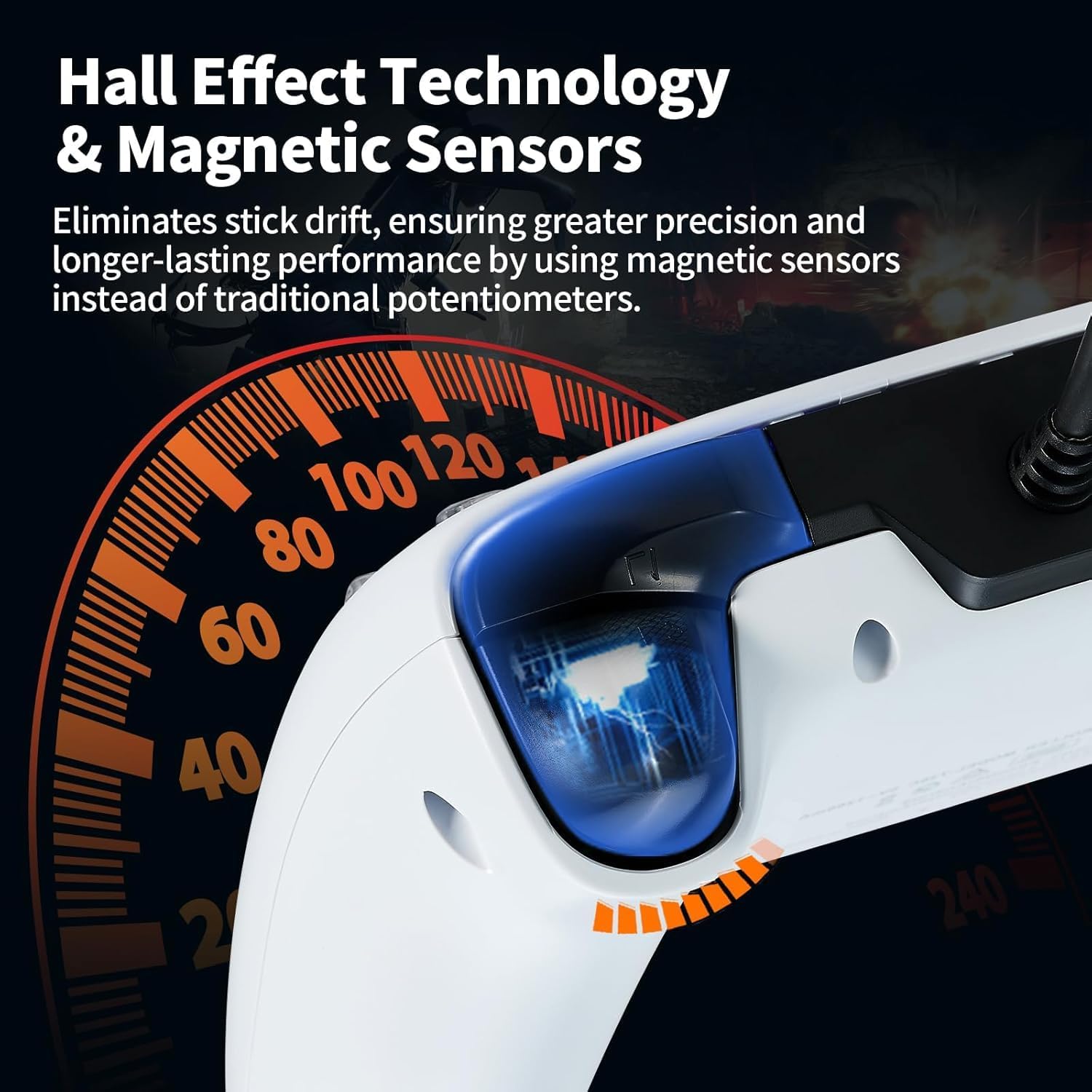
Illustration of Hall Effect Technology and magnetic sensors within the controller's triggers.

Diagram illustrating the controller's accurate, drift-free performance due to a 500Hz return rate.
Panduan Pengaturan
- Connecting to PS5/PS4:
Connect the USB cable from the controller directly to an available USB port on your PlayStation 5 or PlayStation 4 console. The controller is plug-and-play and should be recognized automatically.
- Menghubungkan ke PC:
Plug the USB cable into an available USB port on your Windows PC (Windows 7/8/10). The necessary drivers should install automatically. For Steam, ensure your Steam client is updated and controller support is enabled in settings.
- Enabling Headset Audio on PS5:
To use a 3.5mm headset with this controller on PS5, follow these steps:
- Pergi ke Pengaturan on your PS5.
- Navigasi ke Aksesoris.
- Memilih Pengendali.
- Memilih Metode Komunikasi.
- Pilih "Gunakan Kabel USB" to enable audio via the 3.5mm jack.
Important: Only CTIA standard headsets are compatible. OMTP standard headsets will not function correctly.

Visual guide for enabling headset audio on PlayStation 5 through controller settings.
Petunjuk Pengoperasian
Operasi Dasar
Once connected, the controller functions like a standard game controller. All buttons, analog sticks, and triggers are immediately responsive.
RGB Light Customization
The controller features customizable RGB lighting. Refer to the specific button combination or dedicated button (if present) on your controller to cycle through "Breathing" and "Single color" modes, and to select from the 8 available colors. Consult the quick start guide included with your product for exact button presses.
Menggunakan Fungsi Turbo
The Turbo function allows for rapid, automatic pressing of a designated button. To activate or deactivate the Turbo function for a specific button, press and hold the Turbo button (usually located on the back or bottom of the controller) and then press the desired action button (e.g., X, O, Square, Triangle, R1, L1). Repeat the process to disable Turbo for that button.

Illustration of the Turbo function, demonstrating various rapid fire rates.
Umpan balik getaran
The controller's dual rumble motors provide immersive vibration feedback during gameplay. The intensity of the vibration is typically controlled by the game or console settings.

Diagram illustrating different levels of vibration intensity for an immersive experience.
Pemeliharaan
- Pembersihan: Gunakan kain lembut dan kering untuk membersihkan kontroler. Untuk kotoran yang membandel, gunakan kain yang sedikit kering.amp Kain dapat digunakan, tetapi pastikan tidak ada kelembapan yang masuk ke dalam lubang atau celah. Hindari bahan kimia keras atau pembersih abrasif.
- Penyimpanan: Store the controller in a cool, dry place away from direct sunlight and extreme temperatures. Avoid tangling the cable to prevent damage.
- Perawatan Kabel: Do not pull the controller by its cable. Always grasp the USB connector when plugging or unplugging. Regularly inspect the cable for any signs of wear or damage.
- Hindari Tetes: While durable, dropping the controller can cause internal damage. Handle with care.
Penyelesaian Masalah
Pengontrol Tidak Merespons
- Pastikan kabel USB terhubung dengan aman ke kontroler dan konsol/PC.
- Cobalah menghubungkan kontroler ke port USB yang berbeda di konsol/PC Anda.
- Jika menggunakan PC, periksa Pengelola Perangkat untuk memastikan pengontrol dikenali dan driver terinstal dengan benar.
- Restart konsol atau PC Anda.
Masalah Audio Headset
- Verify that your headset is a CTIA standard headset. OMTP standard headsets are not compatible.
- Ensure the headset is fully plugged into the 3.5mm audio jack on the controller.
- On PS5, confirm that the "Communication Method" in controller settings is set to "Use USB Cable" (refer to Setup Guide).
- Uji headset dengan perangkat lain untuk memastikan headset berfungsi dengan benar.
Turbo Function Not Working
- Ensure you are correctly pressing and holding the Turbo button while simultaneously pressing the desired action button.
- Some games may not fully support or benefit from the Turbo function.
Pergeseran Tuas atau Input yang Tidak Akurat
- This controller utilizes Hall Effect technology, which significantly reduces the likelihood of stick drift. If you experience issues, ensure the controller's firmware is up to date (check the manufacturer's websitus).
- Recalibrate the controller if your system provides such an option.
Spesifikasi
| Fitur | Detil |
|---|---|
| Nama Model | Wired Game Controller for PS5, PS4 & PC |
| Merek | NBCP |
| Konektivitas | Wired USB (9.8 ft / 3 meters cable) |
| Kesesuaian | PlayStation 5, PlayStation 4, Windows PC (7/8/10), Laptop, Steam |
| Fitur Khusus | Hall Effect Triggers, Gyroscope, Dual Vibration, Turbo Function, RGB Lighting (8 colors), 3.5mm Audio Jack (CTIA standard) |
| Ukuran | 16.9 x 11.8 x 8.2 cm (kurang lebih) |
| Berat | 400 gram (sekitar) |
| Pabrikan | NBCP |
| Negara Asal | Cina |
Garansi dan Dukungan
For warranty information, technical support, or further inquiries, please visit the official NBCP store or contact their customer service directly. Details can typically be found on the product packaging or the brand's official weblokasi.
The product is subject to a 30-day refund/replacement return policy through the seller.
You can visit the NBCP Store at: NBCP Official Store